| Field | Details |
| Document Title | Lithium Ion Jump Starter and USB Power Source |
| Document Type | Owner’s Manual |
| Brand Name | Schumacher |
| Product Name | Lithium Ion Jump Starter and USB Power Source |
| Model Number(s) | SL1439, SL1519, SL1567 |
| Primary Model | SL1519 |
| PDF File Size | 230.14 KB |
| Total Number of Pages | 8 |
| Languages Covered in the Document | English, French |
Schumacher Lithium Ion Jump Starter SL1519
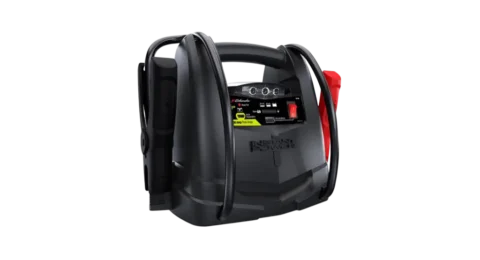
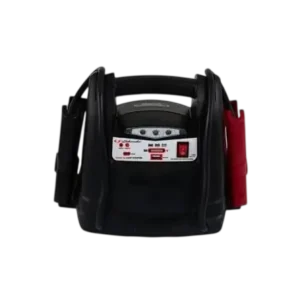
The Schumacher SL1519 is a portable lithium-ion jump starter and USB power source designed to assist with starting vehicles that have discharged 12V lead-acid batteries. It combines jump-starting capability with a built-in 150 PSI air compressor, USB charging output, and an integrated work light.
The jump starter is designed for compatible 12V DC battery systems in vehicles, boats, and garden tractors. Its internal lithium-ion battery can be recharged through a Micro-USB input using a suitable USB charger.
The SL1519 includes positive and negative battery clamps, a Ready/Fail LED, a Reversed LED, and three battery status indicators. These lights help identify the internal battery charge level, jump-start readiness, reversed connections, short circuits, and temperature protection conditions.
The built-in air compressor can inflate vehicle tires, bicycle tires, and sports balls using the supplied hose and adapters. A pressure gauge allows inflation pressure to be monitored.
The product also features a 5V USB output rated up to 2.4A, a built-in work light, and an energy-saving function that reduces battery discharge after periods of inactivity.
The owner’s manual also applies to the Schumacher SL1439 and SL1567 models.
Product Features
The Schumacher SL1519 provides several functions in one portable unit.
Its main features include:
- Jump-starting capability for compatible 12V lead-acid vehicle batteries.
- Internal lithium-ion rechargeable battery.
- Integrated positive and negative battery clamps.
- Micro-USB battery charging input.
- USB power output rated up to 5V DC, 2.4A.
- Built-in 150 PSI air compressor.
- Compressor pressure gauge.
- Air compressor hose with storage cleats.
- Inflation adapters and storage bag.
- Built-in work light.
- Red, yellow, and green battery status indicators.
- Ready/Fail LED for operating status and protection warnings.
- Reversed LED for incorrect battery clamp connections.
- Audible warning buzzer.
- Dedicated power switch.
- Separate air compressor ON/OFF switch.
- Automatic energy-saving mode after 10 minutes of inactivity.
- Compressor thermal protection.
Technical Specifications
| Specification | Details |
| Brand | Schumacher |
| Primary Model | SL1519 |
| Additional Models | SL1439, SL1567 |
| Product Type | Lithium Ion Jump Starter and USB Power Source |
| Internal Battery Type | Lithium-ion |
| Supported Vehicle Battery System | 12V DC |
| Vehicle Battery Type for Jump-Starting | Lead-acid |
| Charging Input | Micro-USB |
| Recommended USB Charging Source | 2A USB charger or 2A USB port |
| Approximate Full Charging Time | 3–4 hours |
| USB Output | 5V DC, up to 2.4A |
| Built-In Air Compressor | Yes |
| Maximum Compressor Rating | 150 PSI |
| Work Light | Built-in |
| Battery Status Indicators | Red, yellow, green LEDs |
| Connection Status Indicators | Ready/Fail LED and Reversed LED |
| Maximum Engine Cranking Time | 5 seconds |
| Initial Wait After Clamp Connection | Approximately 30 seconds |
| Wait Between Starting Attempts | 30 seconds |
| Energy-Saving Activation | After 10 minutes of inactivity |
| Storage Temperature | -4°F to 113°F (-20°C to 45°C) |
| Maintenance Charging | After every use and at least every 30 days |
| Warranty | One-year limited warranty |
Parts and Components
The SL1519 includes battery clamps, charging connections, controls, a built-in work light, and air compressor components.
Component Identification
| No. | Component | Function |
| 1 | Battery Clamps | Connect the jump starter to a vehicle battery and chassis |
| 2 | Micro-USB Charging Port | Recharges the internal battery |
| 3 | Ready/Fail LED | Indicates jump-start readiness and protection conditions |
| 4 | Battery Status/Light Button | Checks battery status and controls the work light |
| 5 | Battery Status Indicators | Show the internal battery charge level |
| 6 | Built-In Work Light | Provides illumination |
| 7 | ON/OFF Power Switch | Turns the jump starter’s main power on or off |
| 8 | USB Port | Supplies power to compatible USB devices |
| 9 | Air Compressor ON/OFF Switch | Controls the air compressor |
| 10 | Air Compressor Gauge | Displays inflation pressure |
| 11 | Air Compressor Hose Wrap Cleats | Hold the compressor hose during storage |
| 12 | Air Compressor Hose | Connects the compressor to an inflation valve |
| 13 | Air Compressor Adapters and Storage Bag | Provide connections for different inflatable items |
| 14 | Micro-USB to USB Charging Cable | Connects the unit to a USB charging source |
| 15 | Reversed LED | Indicates reversed battery clamp polarity |
Battery Clamps
The jump starter uses two color-coded battery clamps.
| Clamp | Connection |
| Red Clamp (+) | Positive battery connection |
| Black Clamp (-) | Negative battery or chassis connection |
The connection arrangement depends on whether the vehicle uses a negative-ground or positive-ground electrical system.
Air Compressor Components
The built-in air compressor includes:
- Air compressor ON/OFF switch.
- Pressure gauge.
- Inflation hose.
- Hose storage cleats.
- Inflation adapters.
- Adapter storage bag.
The compressor has a maximum rating of 150 PSI.
Charging Accessories
The manual identifies a Micro-USB to USB charging cable.
A separate 2A USB charger is not included.
Power Switch and Control Functions
The SL1519 has a main power switch, a Battery Status/Light button, and a separate air compressor switch.
ON/OFF Power Switch
The main ON/OFF switch activates or deactivates the jump starter.
When the jump starter is turned on and ready for use, the green Ready LED illuminates.
The main power switch is also used when operating the USB power output and work light.
Battery Status/Light Button
The Battery Status/Light button performs two functions:
- Displays the internal battery charge level.
- Switches the built-in work light on or off.
The button also restores operation after the unit enters energy-saving mode.
Air Compressor ON/OFF Switch
The air compressor has a separate power switch.
- ON: Activates the air compressor.
- OFF: Stops the compressor.
The pressure gauge must be monitored while inflating an item.
Battery Status LED Indicators
The Schumacher SL1519 uses three battery status LEDs:
- Red.
- Yellow.
- Green.
These LEDs show the approximate charge level of the internal lithium-ion battery.
How to Check the Internal Battery Level
- Press the ON/OFF Power switch.
- Press the Battery Status/Light button on the front of the unit.
- Observe the illuminated battery status LED.
- Compare the LED indication with the battery status table.
Battery Charge Level Table
| LED Indicator | Internal Battery Charge |
| Red LED flashing | 0–5% |
| Red LED solid | 6–49% |
| Yellow LED solid | 50–75% |
| Green LED solid | 76–100% |
Important: If the red LED flashes, the internal battery has only 0–5% charge remaining and must be recharged immediately.
The jump starter should be kept fully charged to maintain battery performance.
Important Safety Instructions
Warning: Risk of explosive gases, electrical shock, fire, and serious personal injury.
Working near a lead-acid vehicle battery is dangerous because batteries generate explosive gases during normal operation.
The jump starter must be used according to the manufacturer’s instructions and the vehicle battery manufacturer’s safety precautions.
General Safety Precautions
- Keep the jump starter out of reach of children.
- Do not disassemble the unit.
- Have repairs performed by qualified service personnel.
- Never attempt to jump start a vehicle while charging the internal battery.
- Do not recharge the unit using a damaged USB cable.
- Allow adequate ventilation during charging.
- Do not place the jump starter on flammable materials such as carpeting, upholstery, paper, or cardboard.
- Keep the jump starter as far from the vehicle battery as its cables allow.
- Do not expose the unit to rain or snow.
- Never attempt to jump start a frozen battery.
- Never position the jump starter directly above the battery.
- Never allow the battery clamps to touch one another or the same metal surface.
- Use only attachments recommended by the manufacturer.
- Never operate the jump starter if it is damaged.
- Do not use the unit as a permanent replacement for a vehicle battery.
Vehicle Battery Compatibility
The jump starter is intended for vehicles, boats, and garden tractors with compatible 12V DC battery systems.
It must only be used to jump start lead-acid batteries.
Do not use the jump starter on household dry-cell batteries.
Personal Safety Precautions
When working near a lead-acid battery:
- Wear complete eye protection and protective clothing.
- Have another person nearby who can provide assistance.
- Keep fresh water, soap, and baking soda available.
- Remove rings, watches, bracelets, necklaces, and other metal jewelry.
- Keep cigarettes, sparks, and open flames away from the battery.
- Avoid short circuits caused by metal objects.
- Do not touch the eyes while working around battery acid.
A lead-acid battery can produce enough electrical current to heat metal jewelry and cause severe burns.
Battery Acid Safety
Battery electrolyte contains corrosive sulfuric acid.
If battery acid contacts skin or clothing, wash the affected area immediately with soap and water and seek medical attention.
If acid enters the eyes, flush immediately with water for at least 10 minutes and obtain medical attention.
Battery acid spills should be thoroughly neutralized with baking soda before cleanup.
Lithium-Ion Battery Fire Precautions
The SL1519 contains a lithium-ion battery.
In the event of a fire, the manual identifies the following extinguishing agents:
- Water.
- Foam extinguisher.
- Halon.
- Carbon dioxide (CO₂).
- ABC dry chemical.
- Powdered graphite.
- Copper powder.
- Sodium carbonate.
After the fire is extinguished, the product must be cooled using water, a water-based extinguishing agent, or another nonalcoholic liquid to help prevent reignition.
Warning: Never attempt to pick up or move a jump starter that is hot, smoking, or burning.
Before First Use
The internal battery should be fully charged before using the jump starter.
Preparing the Unit
- Inspect the housing, battery clamps, and charging cable for damage.
- Make sure the battery clamps are secured to their storage holders.
- Charge the internal battery fully.
- Check the battery status indicators.
- Confirm that the intended vehicle uses a 12V DC battery system.
- Read the vehicle and battery manufacturer’s jump-starting instructions.
- Identify the positive and negative battery terminals before connecting the clamps.
Preparing the Vehicle Battery
Before jump-starting:
- Turn off the vehicle ignition.
- Keep electrical cables away from moving engine components.
- Inspect the battery terminals.
- Make sure the battery and chassis connection points are clean.
- Confirm the correct battery polarity.
- Keep the jump starter away from the battery as far as its cables permit.
Charging the Schumacher SL1519
The internal battery should be recharged regularly.
Schumacher recommends charging:
- Immediately after purchase.
- After every use.
- At least every 30 days.
Charging Time
The jump starter takes approximately 3–4 hours to charge fully with a suitable 2A USB charging source.
A USB charger rated below 2A will increase charging time.
How to Charge the Internal Battery
- Connect the Micro-USB end of the supplied charging cable to the jump starter’s Micro-USB input.
- Connect the USB end of the cable to a suitable USB charger or charging port.
- Plug the charger into an active power source.
- Observe the battery status LEDs.
- Allow the internal battery to charge.
- When the green LED indicates a full charge, disconnect the charger from the power source.
- Remove the charging cable from the charger and jump starter.
- Set the main power switch to OFF if the unit will not be used immediately.
LED Indicators During Charging
| LED Behavior | Charging Percentage |
| Red LED flashing | 0–49% |
| Red LED solid and yellow LED flashing | 50–75% |
| Red and yellow LEDs solid, green LED flashing | 76–99% |
| Green LED solid | 100% |
Approximately 10 seconds after the battery reaches full charge, the green LED becomes solid.
Charging Protection Warning
If the red Ready/Fail LED illuminates and the buzzer sounds, a protection function has activated.
Possible protection conditions include:
- Short circuit.
- Reversed polarity.
- Other electrical protection conditions.
The unit will not operate while the relevant protection condition remains active.
Charging Precautions
- Use a suitable USB charging source.
- Do not use a damaged USB cable.
- Maintain adequate ventilation.
- Do not charge the jump starter on flammable materials.
- Never use the jump starter to start a vehicle while charging its internal battery.
How to Jump Start a Vehicle with the SL1519
The Schumacher SL1519 is designed to assist with starting compatible vehicles that have a discharged lead-acid battery.
Important: A battery must remain installed in the vehicle while using the jump starter. Using the jump starter without an installed battery can damage the vehicle’s electrical system.
Connecting to a Negative-Ground Vehicle
Most vehicles use a negative-ground electrical system.
- Turn the vehicle ignition OFF.
- Keep the DC cables away from cooling fans, belts, pulleys, and other moving parts.
- Connect the red positive (+) clamp to the positive battery terminal marked POS, P, or +.
- Connect the black negative (-) clamp to the vehicle chassis or engine block, away from the battery.
- Confirm that the connections are secure.
Connecting to a Positive-Ground Vehicle
For a positive-ground electrical system:
- Turn the vehicle ignition OFF.
- Keep the cables away from moving engine components.
- Connect the black negative (-) clamp to the negative battery terminal marked NEG, N, or -.
- Connect the red positive (+) clamp to the vehicle chassis or engine block, away from the battery.
- Confirm that both connections are secure.
Step-by-Step Jump-Starting Instructions
- Turn off the ignition. Switch off the vehicle before connecting the jump starter.
- Position the cables. Keep them away from engine fans, belts, pulleys, and other moving components.
- Connect the clamps. Follow the appropriate negative-ground or positive-ground procedure.
- Turn on the jump starter. Press the ON/OFF Power switch.
- Check the Ready LED. The green Ready LED should illuminate to indicate jump-start readiness.
- Wait before starting. Allow approximately 30 seconds after connecting the clamps.
- Crank the engine. Attempt to start the vehicle for no longer than 5 seconds.
- Wait if the engine does not start. Stop cranking and wait at least 30 seconds before another attempt.
- Turn off the jump starter. After the engine starts, press the ON/OFF Power switch to turn the unit off.
- Disconnect the clamps. Remove the black negative clamp first, followed by the red positive clamp, as directed for the standard connection arrangement.
- Recharge the unit. Recharge the internal battery as soon as possible after use.
Jump-Starting Time Limits
| Operation | Instruction |
| Initial Wait After Clamp Connection | Approximately 30 seconds |
| Maximum Cranking Time | 5 seconds |
| Minimum Wait Between Attempts | 30 seconds |
| Recharge After Use | As soon as possible |
If the engine repeatedly fails to start, disconnect the jump starter and investigate other possible vehicle or battery problems.
Disconnecting After Jump-Starting
For the standard negative-ground connection:
- Turn the jump starter OFF.
- Remove the black negative clamp.
- Remove the red positive clamp.
- Return the clamps to their storage holders.
Using the USB Power Source
The SL1519 includes a USB output for charging compatible electronic devices.
USB Output Specifications
| Specification | Rating |
| Output Voltage | 5V DC |
| Maximum Output Current | 2.4A |
USB Charging Instructions
- Make sure the battery clamps are securely attached to their storage holders.
- Move the main ON/OFF Power switch to ON.
- Connect the electronic device to the USB port.
- Turn on the connected USB device if necessary.
- Allow the device to operate or charge.
- When finished, move the main power switch to OFF.
- Disconnect the USB device.
- Recharge the jump starter as soon as possible after use.
Using the Built-In Work Light
The SL1519 includes a work light for illuminating a nearby work area.
Turning On the Work Light
- Place the jump starter on a flat, stable surface near the intended work area.
- Confirm that the battery clamps are securely attached to their storage holders.
- Move the main ON/OFF Power switch to ON.
- Press the Battery Status/Light button for approximately 0.75 seconds.
- The work light turns on.
Turning Off the Work Light
- Press the Battery Status/Light button for approximately 0.75 seconds.
- The work light turns off.
- Recharge the jump starter as soon as possible after use.
Using the Built-In Air Compressor
The Schumacher SL1519 includes an air compressor rated for up to 150 PSI.
It can be used to inflate compatible vehicle tires, bicycle tires, and sports balls.
The compressor includes a pressure gauge, inflation hose, and adapters.
Warning: Read the instructions for the item being inflated before using the compressor. Do not exceed the manufacturer’s recommended pressure.
Air Compressor Operating Instructions
- Remove the air compressor hose from its storage cleats.
- Identify the appropriate inflation connection.
- Thread the hose connector onto the valve stem.
- Use an additional inflation adapter if required.
- Move the compressor ON/OFF switch to ON.
- Inflate the item to the required pressure or fullness.
- Monitor the air compressor gauge during inflation.
- When the desired pressure is reached, move the compressor switch to OFF.
- Unscrew the connector from the valve stem.
- Wrap the air compressor hose around its storage cleats.
- Allow the unit to cool.
- Recharge the internal battery before storage.
Air Compressor Specifications
| Specification | Details |
| Maximum Rated Pressure | 150 PSI |
| Pressure Monitoring | Built-in gauge |
| Compressor Control | Dedicated ON/OFF switch |
| Overheating Protection | Built-in thermal protection |
| Hose Storage | Integrated wrap cleats |
| Inflation Accessories | Adapters and storage bag |
Estimated Inflation Times
| Inflatable Item | Approximate Inflation Time |
| Vehicle Tires, 13–16 inches | 6–24 minutes |
| Bicycle Tires | 1–3 minutes |
| Sports Balls | 30 seconds |
These times are approximate.
The actual required pressure must be checked using the built-in air compressor gauge.
Important: Do not overinflate an item. Always follow the tire or product manufacturer’s recommended inflation pressure.
Air Compressor Overheating Protection
The air compressor includes built-in thermal protection.
If the compressor begins to overheat:
- The thermal protection automatically switches the compressor off.
- Allow the compressor to cool for several minutes.
- The compressor automatically restarts after cooling.
Warning: Do not leave the air compressor unattended during operation, including while it is cooling after an automatic thermal shutoff.
Energy-Saving Mode
The SL1519 includes an energy-saving function designed to reduce internal battery discharge when the unit is left powered on but is not being used.
How Energy-Saving Mode Works
If the unit remains inactive after the power switch is turned on, it enters energy-saving mode after approximately 10 minutes.
During energy-saving mode:
- The USB output turns off.
- The Battery Status/Light function turns off.
- The green Ready/Fail LED turns off.
How to Restore Operation After Energy-Saving Mode
- Press the Battery Status/Light button once.
- The unit becomes ready for operation again.
- The battery status function, jump-starting capability, compressor, USB output, and work light can be used as applicable.
Energy-Saving Status Summary
| Condition | Behavior |
| Main Power Turned ON | Green Ready/Fail LED illuminates |
| After 10 Minutes Without Use | Energy-saving mode activates |
| Energy-Saving Mode Active | USB and Battery Status/Light functions turn off |
| Green Ready/Fail LED | Turns off after inactivity |
| Battery Status/Light Button Pressed | Restores operation |
LED Indicators and Warning Sounds
The SL1519 uses Ready/Fail, Reversed, and Battery Status LEDs to identify operating conditions.
Ready/Fail and Reversed LED Indicators
| Indicator Behavior | Meaning |
| Ready/Fail LED solid green | Ready to jump start |
| Ready/Fail LED solid red with continuous buzzer | Short-circuit protection |
| No LEDs illuminated and no buzzer | Battery exhausted |
| Ready/Fail and Reversed LEDs solid red with continuous buzzer | Reverse-polarity protection |
| Ready/Fail LED flashing red | High-temperature protection |
Battery Status LED Warning
| LED Behavior | Meaning |
| Red, yellow, and green battery status LEDs flash simultaneously | High-temperature protection |
Solid Green Ready/Fail LED
A solid green Ready/Fail LED indicates that the jump starter is ready to assist with starting the vehicle.
Solid Red Ready/Fail LED with Continuous Buzzer
A solid red Ready/Fail LED accompanied by a continuous buzzer indicates that short-circuit protection has activated.
The battery clamp connections should be checked before operation continues.
Solid Red Ready/Fail and Reversed LEDs
When both the Ready/Fail and Reversed LEDs illuminate solid red and the buzzer sounds continuously, reverse-polarity protection has activated.
The clamps must be disconnected and reconnected with the correct polarity.
Flashing Red Ready/Fail LED
A flashing red Ready/Fail LED indicates high-temperature protection.
The unit should be allowed to cool before further operation.
All Three Battery Status LEDs Flashing
If the red, yellow, and green battery status LEDs flash simultaneously, high-temperature protection is active.
The jump starter should be allowed to cool before use continues.
Maintenance and Cleaning Instructions
Regular cleaning and battery maintenance help keep the jump starter ready for use.
Cleaning the Jump Starter
- Turn off the jump starter.
- Disconnect it from the vehicle and external charging equipment.
- Clean the battery clamps after use.
- Wipe dirt and contamination from the outer case.
- Return the clamps to their support posts.
Battery Maintenance
The internal lithium-ion battery must be kept charged.
- Recharge immediately after purchase.
- Recharge after every use.
- Recharge at least once every month during infrequent use.
- Fully charge the battery before storage.
- Never allow the internal battery to discharge completely.
Repair Precautions
The jump starter must not be disassembled.
If service or repair is necessary, it must be performed by a qualified service professional.
Incorrect assembly can result in electrical shock or fire.
Storage Instructions
The SL1519 should be stored with its internal battery fully charged.
Recommended Storage Conditions
| Requirement | Instruction |
| Storage Temperature | -4°F to 113°F (-20°C to 45°C) |
| Battery Condition Before Storage | Fully charged |
| Recharge After Use | Required |
| Recharge During Infrequent Use | At least once every month |
| Complete Battery Discharge | Must be avoided |
| Battery Clamp Storage | Attached to support posts |
Long-Term Storage Procedure
- Recharge the internal battery to full capacity.
- Turn the main power switch OFF.
- Disconnect any USB device or charging cable.
- Return the battery clamps to their support posts.
- Wrap the air compressor hose around its storage cleats.
- Store the jump starter within the recommended temperature range.
- Recharge the battery at least once every 30 days.
Important: The clamps must remain on their designated support posts so they cannot contact metal surfaces.
Troubleshooting Guide
The following table covers jump-starting failures, charging problems, temperature protection, and air compressor shutdown.
Schumacher SL1519 Troubleshooting Table
| Problem | Possible Cause | Recommended Solution |
| Jump starter will not start the vehicle | Poor battery clamp connection | Check the battery and chassis connections; clean the connection points |
| Jump starter will not start the vehicle | Reversed clamp connections | Disconnect the jump starter and correct the clamp positions |
| Jump starter will not start the vehicle | Internal battery is not charged | Press the Battery Status/Light button and check the charge indicators |
| Jump starter will not start the vehicle | Vehicle battery is defective | Have the vehicle battery checked |
| Jump starter will not start the vehicle | Jump starter is not turned on | Press the ON/OFF Power switch |
| Jump starter will not operate | Low-temperature protection | Use the USB charging adapter to charge and activate the unit |
| Internal battery will not hold a charge | Battery is defective or will not accept a charge | Have the battery checked |
| Air compressor shuts off | Compressor thermal protection has activated | Wait several minutes for the compressor to cool; it restarts automatically |
Jump Starter Will Not Start the Vehicle
If the SL1519 does not start the vehicle:
- Check that the battery clamps are securely connected.
- Inspect the battery and chassis connection points.
- Clean the connections if required.
- Confirm that the positive and negative clamps are correctly connected.
- Check the jump starter’s internal battery level.
- Recharge the unit if necessary.
- Make sure the ON/OFF Power switch is turned on.
- Have the vehicle battery checked if the problem continues.
Jump Starter Will Not Operate
The manual identifies low-temperature protection as a possible reason the jump starter will not operate.
Low-Temperature Protection Procedure
- Connect the jump starter to a suitable USB charging source.
- Use the USB adapter to charge and activate the unit.
- Check whether normal operation is restored.
Internal Battery Will Not Hold a Charge
If the internal battery fails to accept or retain charging, it may be defective.
The battery should be checked by qualified service personnel.
Air Compressor Stops During Inflation
The compressor includes thermal protection that can automatically stop operation before overheating.
Compressor Thermal Protection Procedure
- Allow the compressor to stop when thermal protection activates.
- Wait several minutes for it to cool.
- The compressor automatically restarts after cooling.
The compressor must not be left unattended during operation.
Replacement Parts and Accessories
Schumacher identifies the following replacement charging cable.
| Replacement Part | Part Number |
| Micro-USB to USB Charging Cable | 3899003781Z |
Replacement parts are available through Schumacher’s official website.
FCC Compliance Information
The SL1519 has been tested for compliance with the limits for a Class B digital device under FCC Part 15.
The equipment may generate, use, and radiate radio-frequency energy.
If interference occurs with radio or television reception, the following measures may help:
- Reorient or relocate the receiving antenna.
- Increase the distance between the jump starter and receiving equipment.
- Connect the affected equipment to an outlet on a different electrical circuit.
- Consult an experienced radio or television technician.
Limited Warranty
The Schumacher SL1519 is covered by a one-year limited warranty.
Detailed warranty terms are available from Schumacher Electric Corporation.
Warranty and Service Details
| Item | Details |
| Manufacturer | Schumacher Electric Corporation |
| Warranty Type | Limited Warranty |
| Warranty Period | One Year |
| Customer Support Phone | 1-800-621-5485 |
| Official Website | schumacherelectric.com |
| Repairs and Returns | 365rma.com |
| Product Registration | schumacherelectric.com |
Customer Support and Repairs
Schumacher provides support for repairs, returns, replacement parts, and warranty information.
Customer Support Resources
- Repairs and Returns: 365rma.com
- Replacement Parts: schumacherelectric.com
- Warranty Assistance: 1-800-621-5485
- Product Registration: schumacherelectric.com
Internal servicing should be performed by qualified repair personnel.
Frequently Asked Questions
1. How long does the Schumacher SL1519 take to charge?
The Schumacher SL1519 takes approximately 3–4 hours to charge fully using a 2A USB charger or a 2A USB charging port. A lower-current charger increases charging time.
2. How do I jump start a car using the Schumacher SL1519?
Turn off the vehicle ignition, connect the battery clamps with the correct polarity, and turn on the jump starter. When the green Ready LED illuminates, wait approximately 30 seconds before cranking the engine for no longer than 5 seconds. If the engine does not start, wait 30 seconds before another attempt.
3. What is the maximum PSI of the Schumacher SL1519 air compressor?
The built-in air compressor is rated for 150 PSI. It includes a pressure gauge and adapters for inflating compatible vehicle tires, bicycle tires, and sports balls.
4. Why does the Schumacher SL1519 compressor stop while inflating?
The compressor has built-in thermal protection that turns it off before overheating. It automatically restarts after cooling for several minutes. The compressor must not be left unattended during operation.
5. What do the red, yellow, and green battery status LEDs mean?
A flashing red LED indicates 0–5% charge, a solid red LED indicates 6–49%, a solid yellow LED indicates 50–75%, and a solid green LED indicates 76–100% battery charge.
6. Why is the Schumacher SL1519 beeping?
A continuous buzzer accompanied by a solid red Ready/Fail LED indicates short-circuit protection. If both the Ready/Fail and Reversed LEDs are solid red with a continuous buzzer, reverse-polarity protection has activated.
7. Can the Schumacher SL1519 charge a smartphone?
Yes. The SL1519 includes a USB output rated up to 5V DC, 2.4A. With the battery clamps secured on their storage holders, turn on the jump starter and connect a compatible USB device.
8. How often should the Schumacher SL1519 be recharged?
The internal lithium-ion battery should be charged immediately after purchase, after every use, and at least once every 30 days. The battery should be fully charged before storage and must never be allowed to discharge completely.