| Field | Details |
| Document Title | DC-DC Intelligent Battery Charger |
| Document Type | Owner’s Manual |
| Brand Name | Schumacher |
| Product Name | Intelligent Battery Charger |
| Model Number(s) | SDC371 |
| PDF File Size | 623.61 KB |
| Total Number of Pages | 23 |
| Languages Covered in the Document | English, Spanish, French |
Schumacher Battery Charger SDC371
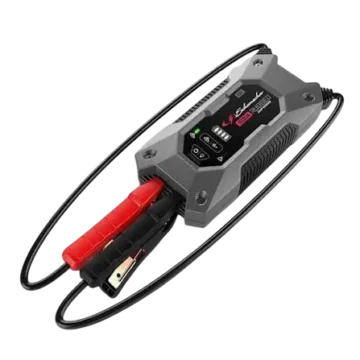
The Schumacher SDC371 is a 40A DC-DC intelligent battery charger designed to charge 12V auxiliary deep-cycle batteries using power from a vehicle alternator or an optional solar panel. It supports standard lead-acid, AGM, GEL, calcium, and lithium iron phosphate (LiFePO4) batteries.
The charger accepts vehicle and solar input voltages from 9V to 32V, allowing installation with compatible 12V or 24V vehicle electrical systems. Its continuous charging output is rated at 40A for 12V auxiliary batteries.
The SDC371 includes an LED control panel with battery type selection, alternator charging status, solar charging status, solar priority selection, and fault indicators. The Solar Priority button allows the charging source preference to be changed when both alternator and solar inputs are available.
The charger is designed for permanent vehicle installation, including suitable chassis rail, engine compartment, and passenger cabin locations. Its IP66-rated enclosure and operating temperature range of -20°C to 80°C support installation in different vehicle environments.
Product Features
The Schumacher SDC371 includes the following features:
- 40A continuous charging output.
- DC-DC intelligent charging for 12V auxiliary batteries.
- Compatible with 12V and 24V vehicle electrical inputs.
- Alternator charging input.
- Solar charging input.
- Solar Priority mode.
- Automatic charging source selection.
- Standard and variable-voltage alternator support.
- Five selectable auxiliary battery types.
- STD, GEL, AGM, CAL, and LiFePO4 charging settings.
- Nine-LED control panel.
- Battery type selection button.
- Solar Priority selection button.
- Alternator and solar charging indicators.
- Charging stage indication.
- Fault warning LED.
- Input and output voltage monitoring.
- Over-temperature fault indication.
- Permanent vehicle mounting slots.
- Color-coded input and output wiring.
- IP66 enclosure rating.
- Operating temperature range of -20°C to 80°C.
Technical Specifications
| Specification | Details |
| Brand | Schumacher |
| Model | SDC371 |
| Product Type | DC-DC Intelligent Battery Charger |
| Auxiliary Battery Voltage | 12V |
| Continuous Output Current | 40A |
| Vehicle Input Voltage | 9V–32V |
| Solar Input Voltage | 9V–32V |
| Maximum Input Current | 45A |
| Ignition Input Voltage | Less than 32V |
| Ignition Turn-On Voltage | ≤11V |
| Input Fuse Rating | 60A |
| Output Fuse Rating | 60A |
| Minimum Charge Voltage | 4V |
| Standby Current | Less than 15mA |
| Supported Battery Types | STD, GEL, AGM, CAL, LiFePO4 |
| Operating Temperature | -20°C to 80°C (-4°F to 176°F) |
| IP Rating | IP66 |
| Battery Type Selection | Button held for 3–5 seconds |
| Solar Priority Selection | Button held for 3–5 seconds |
| Charging Sources | Vehicle alternator and optional solar panel |
Parts and Components
The Schumacher SDC371 includes a permanently attached wiring assembly, mounting slots, and an LED control panel.
Main Components
| No. | Component | Function |
| 1 | Input/Output Leads | Connect the charger to the vehicle battery, auxiliary battery, ignition, solar panel, and ground |
| 2 | Mounting Slots | Secure the charger to a suitable vehicle mounting surface |
| 3 | Battery Type Button | Selects the auxiliary battery chemistry |
| 4 | Solar Priority Button | Enables or disables Solar Priority mode |
Input and Output Wiring
The charger uses five color-coded connections.
| Wire Color | Connection Name | Purpose |
| Red | Output | Connects to the positive terminal of the auxiliary battery |
| Black | Ground | Connects to the auxiliary battery negative terminal or common vehicle ground |
| Yellow | Alternator | Connects to the positive terminal of the vehicle’s main battery |
| Blue | Ignition | Connects to the ignition terminal when required for a smart or variable-voltage alternator |
| Green | Solar | Connects to the positive terminal of an optional solar panel |
Mounting Slots
The charger includes mounting slots for securing the unit with screws.
The mounting location should allow the wiring to reach the required connections without exposure to damage from moving or hot vehicle components.
Control Panel and LED Indicator Guide
The SDC371 uses nine LEDs to display charging operation, selected battery chemistry, solar priority, and fault conditions.
LED Control Panel Components
| Indicator or Control | Function |
| Alternator Charging LED | Indicates alternator charging activity |
| Solar Charging LED | Indicates solar charging activity |
| Fault LED | Indicates a detected fault |
| STD LED | Standard wet lead-acid battery selection |
| GEL LED | Gel battery selection |
| AGM LED | Absorbed Glass Mat battery selection |
| CAL LED | Calcium battery selection |
| LiFePO4 LED | Lithium iron phosphate battery selection |
| Solar Priority LED | Indicates Solar Priority selection |
| Battery Type Button | Changes the selected battery type |
| Solar Priority Button | Changes the charging source priority |
Understanding LED Flashing Patterns
The charger uses different flashing intervals to identify the charging stage.
| LED Pattern | Timing |
| Short Flash | 0.5 seconds ON, 0.5 seconds OFF |
| Long Flash | 1 second ON, 1 second OFF |
| Solid Green | LED remains continuously illuminated |
Quick flashing patterns are also used for fault and voltage warning indications.
Supported Battery Types
The Schumacher SDC371 is designed to charge rechargeable 12V deep-cycle batteries using one of five battery chemistry settings.
Battery Compatibility Table
| Battery Setting | Battery Type |
| STD | Standard wet lead-acid |
| GEL | Gel cell |
| AGM | Absorbed Glass Mat |
| CAL | Calcium lead-acid |
| LiFePO4 | Four-cell lithium iron phosphate |
STD – Standard Lead-Acid Battery
The STD setting is for conventional wet lead-acid batteries.
These batteries are commonly used in cars, trucks, and motorcycles. They typically have vent caps and may be labeled as low-maintenance or maintenance-free.
GEL – Gel Cell Battery
The GEL setting is for batteries containing a gelled electrolyte.
Gel batteries use a silica additive that thickens the electrolyte.
They require lower charging voltages than several other lead-acid battery types and are particularly sensitive to overvoltage.
Important: Selecting the incorrect battery setting for a GEL battery can result in poor performance and premature battery failure.
AGM – Absorbed Glass Mat Battery
The AGM setting supports Absorbed Glass Mat batteries.
AGM batteries use a glass mat structure to hold the electrolyte close to the battery plates.
They are a type of sealed, valve-regulated lead-acid battery.
Common applications include engine starting, powersports, deep-cycle systems, solar installations, and battery storage.
CAL – Calcium Battery
The CAL setting supports calcium-type wet lead-acid batteries, including maintenance-free designs.
These batteries use a lead-calcium alloy and are commonly associated with reduced maintenance requirements and improved cold-weather performance compared with conventional lead-acid batteries.
LiFePO4 – Lithium Iron Phosphate Battery
The LiFePO4 setting is intended for compatible four-cell lithium iron phosphate batteries.
LiFePO4 batteries use lithium-based electrochemistry and provide high energy storage relative to their weight and size.
The correct charging setting must match the auxiliary battery’s chemistry.
How to Select the Battery Type
The Battery Type button is located on the charger’s LED control panel.
Battery Type Selection Instructions
- Identify the chemistry of the connected auxiliary battery.
- Locate the Battery Type button.
- Press and hold the button for approximately 3–5 seconds to change the selected battery type.
- Select the setting corresponding to the auxiliary battery.
- Check the illuminated battery type LED.
Battery Type LED Guide
| Selected Battery | LED |
| Standard Lead-Acid | STD |
| Gel Cell | GEL |
| Absorbed Glass Mat | AGM |
| Calcium | CAL |
| Lithium Iron Phosphate | LiFePO4 |
Important: The correct battery chemistry setting must be used. If the battery type is uncertain, consult the battery manufacturer, battery supplier, or a battery service center.
Alternator and Solar Charging Modes
The SDC371 can charge an auxiliary battery using vehicle alternator power or power from an optional solar panel.
The charger uses charging source selection rules to determine which input is prioritized.
Alternator Charging
Alternator charging is the charger’s default priority.
The manufacturer uses alternator priority because a running alternator can provide a more stable and consistent charging current than solar power.
Solar Charging
Solar charging uses power from a connected solar panel.
The charger can select solar power depending on the available solar input and Solar Priority mode.
The solar panel must be connected using the designated green Solar input wire and the required common ground connection.
How to Enable Solar Priority Mode
The Solar Priority button changes the charger’s preferred charging source.
Solar Priority Instructions
- Locate the Solar Priority button.
- Press and hold the button for approximately 3–5 seconds.
- Solar Priority mode is enabled or disabled.
- Check the Solar Priority indication on the control panel.
To select solar charging when the solar input is below 350W, hold the Solar Priority button until the Solar Charging LED remains solid.
Solar Priority Mode Behavior
When Solar Priority is enabled, the charger prioritizes power from the connected solar panel as long as the panel provides the minimum energy required for the load.
Charging Source Selection Without Solar Priority
When Solar Priority is disabled and both alternator and solar inputs are available, the charging source is selected according to solar input power.
| Solar Input Condition | Preferred Charging Source |
| Solar input below 350W | Alternator |
| Solar input above 350W | Solar panel |
When to Use Solar Priority
The manual identifies Solar Priority as an option when:
- The auxiliary battery supplies a relatively small load.
- Solar power is preferred whenever sufficient solar energy is available.
- The user wishes to prioritize solar charging even if it is less efficient than alternator charging.
Note: The solar panel is not included with the charger.
Charging Stage LED Indicators
The SDC371 uses the Alternator Charging, Solar Charging, and Battery Type LEDs to indicate charging stages.
Charging Stage Indicator Table
| Alternator Charging LED | Solar Charging LED | Battery Type LED | Charging Stage |
| Solid green | Short flash | Solid green | Bulk or absorption |
| Solid green | Long flash | Solid green | Fully charged |
| Short flash | Solid green | Solid green | Bulk or absorption |
| Long flash | Solid green | Solid green | Fully charged |
Bulk and Absorption Charging
The LED panel indicates bulk or absorption charging when the corresponding charging status LED displays the short-flash pattern shown in the table.
Fully Charged Indication
A long-flash pattern on the corresponding charging indicator, combined with the solid green status LEDs shown in the table, indicates the fully charged state.
Important Safety Instructions
Warning: Risk of explosive gases, fire, electric shock, and personal injury.
Working near lead-acid batteries can be dangerous because batteries generate explosive gases during normal operation.
The charger must be installed and operated according to the product instructions and the battery manufacturer’s safety guidance.
General Safety Precautions
- Keep the charger away from children.
- Do not expose the charger to rain or snow.
- Use only attachments recommended by the manufacturer.
- Do not operate the charger with damaged wiring.
- Replace damaged wiring immediately.
- Do not operate the charger after a severe impact, fall, or other damage.
- Do not disassemble the charger.
- Have repairs performed by qualified service personnel.
- Disconnect the charger before maintenance or cleaning.
- Follow all warnings provided by the battery and vehicle manufacturers.
- Do not use the charger on household dry-cell batteries.
- Never charge a frozen battery.
Electrical Safety
Disconnecting the charger is required before maintenance or cleaning.
Turning off the charger controls alone does not remove the electrical shock risk.
The installation must use appropriate grounding connections and comply with applicable local electrical codes and regulations.
Personal Safety Precautions
When working near a lead-acid battery:
- Wear complete eye and clothing protection.
- Keep someone nearby who can provide assistance if necessary.
- Keep fresh water and soap available.
- Avoid touching the eyes while working near the battery.
- Remove metal jewelry, including rings, bracelets, watches, and necklaces.
- Keep cigarettes, sparks, and open flames away from the battery.
- Prevent metal tools from falling onto battery terminals.
A short circuit involving metal jewelry or tools can cause severe burns or an explosion.
Battery Acid Safety
If battery acid contacts skin or clothing, immediately wash the affected area with soap and water.
If battery acid enters the eyes, flush the eyes with cold running water for at least 10 minutes and obtain immediate medical attention.
Before Installing the Charger
The SDC371 is designed for permanent installation in a compatible vehicle electrical system.
Before installation:
- Confirm the auxiliary battery is a compatible 12V rechargeable deep-cycle battery.
- Identify the auxiliary battery’s chemistry.
- Determine whether the vehicle uses a standard or smart/variable-voltage alternator.
- Identify the vehicle’s main battery voltage.
- Determine whether an optional solar panel will be connected.
- Select a suitable charger mounting location.
- Prepare the required wiring and fuse connections.
- Turn off the vehicle before making electrical connections.
Important: Disconnect the negative terminal of the vehicle’s main battery before wiring the charger.
Disconnecting the vehicle battery may cause stored memory settings, such as radio presets, to be lost.
Installation Location Requirements
The SDC371 can be installed in several vehicle locations.
Supported Installation Locations
The manual identifies the following mounting areas:
- Chassis rail.
- Engine compartment.
- Passenger cabin.
Engine Compartment Installation
The charger is designed to operate at temperatures up to 80°C (176°F).
It may be mounted within the engine compartment, but the manufacturer recommends positioning it away from high-temperature areas to improve charging efficiency.
Recommended Mounting Position
For better operation:
- Select a secure mounting surface.
- Keep the charger away from the hottest areas of the engine compartment.
- Position it as close to the auxiliary battery as practical.
- Secure the charger using screws through the mounting slots.
Wiring and Cable Size Requirements
The SDC371 includes factory-supplied input and output wires.
If the supplied wires are too short, extension cables must be sized appropriately.
Recommended Cable Sizes
| Wire | Length Under 5m (16.4 ft) | Length Under 10m (32.8 ft) |
| Solar – Green | 13mm² (8 AWG) | 20mm² (6 AWG) |
| Alternator – Yellow | 13mm² (8 AWG) | 20mm² (6 AWG) |
| Output – Red | 13mm² (8 AWG) | 20mm² (6 AWG) |
| Ground – Black | 13mm² (8 AWG) | 20mm² (6 AWG) |
| Ignition – Blue | 0.5mm² (20 AWG) | 0.5mm² (20 AWG) |
Cable Extension Instructions
- Determine the total wire length required.
- Select a cable size equal to or larger than the value in the table.
- Make secure, low-resistance wire connections.
- Use butt splice connectors for wire extensions.
- Cover the completed connections with heat-shrink tubing.
- Check that all connections are properly insulated.
Important: Loose or high-resistance wiring connections can affect charging operation and create excessive heat.
How to Wire the Schumacher SDC371
The charger uses color-coded wiring to connect the main battery, auxiliary battery, ignition, and optional solar panel.
Warning: Vehicle power must be turned off, and the main battery negative terminal disconnected before installation.
Step 1: Disconnect the Vehicle Main Battery
- Turn off the vehicle.
- Locate the main battery.
- Disconnect its negative (-) terminal.
Step 2: Connect the Red Output Wire
Connect the red Output wire to the positive (+) terminal of the auxiliary battery.
This is the charging output connection.
Step 3: Connect the Black Ground Wire
Connect the black Ground wire to the negative (-) terminal of the auxiliary battery.
Alternatively, the auxiliary battery negative terminal and the charger’s common ground can be connected to the vehicle chassis.
Step 4: Connect the Yellow Alternator Wire
Connect the yellow Alternator wire to the positive (+) terminal of the vehicle’s main battery.
Step 5: Connect the Blue Ignition Wire if Required
The correct connection depends on the vehicle’s alternator type.
Standard alternator: Do not connect the blue Ignition wire.
Smart or variable-voltage alternator: Connect the blue Ignition wire to the vehicle ignition terminal.
The ignition connection is typically located in the vehicle fuse box.
Refer to the vehicle owner’s manual to identify its alternator type.
Step 6: Connect the Optional Solar Panel
If a solar panel is installed:
- Connect the green Solar wire to the positive (+) terminal of the solar panel.
- Connect the solar panel negative (-) terminal to the common ground cable or vehicle chassis.
If no solar panel is installed, leave the green Solar wire unconnected.
Step 7: Check Wiring Insulation
Make sure every wiring connection is properly secured and insulated.
Step 8: Reconnect the Main Battery
Reconnect the negative (-) terminal of the vehicle’s main battery after completing the installation.
Standard and Smart Alternator Voltage Thresholds
The SDC371 supports both standard and variable-voltage alternators.
The charger uses different turn-on and turn-off voltage thresholds depending on the alternator type and vehicle electrical system.
Alternator Turn-On and Turn-Off Voltage Table
| Alternator Type | Blue Wire Connection | 12V ON Above | 12V OFF Below | 24V ON Above | 24V OFF Below |
| Standard | Not connected | 13.2V | 12.8V | 26.2V | 25.6V |
| Variable/Smart | Vehicle ignition | 12.0V | 11.8V | 24.0V | 23.6V |
Standard Alternator Operation
For a standard alternator, the blue Ignition wire must remain disconnected.
In a 12V vehicle system, the charging input turns on above 13.2V and turns off below 12.8V.
In a 24V vehicle system, the corresponding thresholds are above 26.2V and below 25.6V.
Smart or Variable-Voltage Alternator Operation
For a smart or variable-voltage alternator, the blue Ignition wire connects to the vehicle ignition terminal.
In a 12V vehicle system, the charging input turns on above 12.0V and turns off below 11.8V.
In a 24V vehicle system, it turns on above 24.0V and turns off below 23.6V.
Typical SDC371 Wiring Configuration
The installation diagram shows the DC-DC charger connected between the vehicle’s main battery and the auxiliary battery.
An optional solar panel supplies a second charging input.
Typical System Connections
| Component | Connection |
| Vehicle Main Battery | Provides alternator-side charging input |
| Auxiliary Battery | Receives DC-DC charging output |
| Solar Panel | Provides an optional solar charging input |
| Vehicle Ignition | Provides an ignition signal where required |
| Ground | Provides the common negative connection |
| Fuses | Protect the applicable charging circuits |
The typical setup diagram also shows fuses in the solar, main battery, and auxiliary battery circuits.
Fuse Specifications
The SDC371 requires suitable fuse protection.
The manufacturer recommends installing fuses in series with the appropriate circuits.
Recommended Fuse Ratings
| Circuit | Recommended Fuse |
| Solar – Green, 400W | 60A |
| Solar – Green, 200W | 30A |
| Alternator – Yellow | 60A |
| Output – Red | 60A |
| Ignition – Blue | 3A |
Fuse Type Recommendations
The manufacturer recommends bolt-down fuses because they provide low-resistance electrical connections.
Blade-type fuses are not recommended because they may introduce higher connection resistance, create heat, and damage wiring or the fuse holder.
Self-resetting circuit breakers are also not recommended because current-related heat may cause premature tripping.
Troubleshooting and Fault LED Indicators
The SDC371 identifies voltage and temperature problems using combinations of the Alternator Charging, Solar Charging, Battery Type, and red Fault LEDs.
Fault LED Troubleshooting Table
| Alternator LED | Solar LED | Battery Type LED | Fault LED | Possible Cause | Recommended Solution |
| Quick flash | Off | Quick flash | Off | Low alternator input voltage | Check alternator input voltage |
| Off | Quick flash | Quick flash | Off | Low solar input voltage | Check solar input voltage |
| Quick flash | Quick flash | Quick flash | Off | Low voltage at both inputs | Check alternator and solar input voltages |
| Quick flash | Off | Off | Quick flash | High alternator input voltage | Check alternator input voltage |
| Off | Quick flash | Off | Quick flash | High solar input voltage | Check solar input voltage |
| Off | Off | Quick flash | Quick flash | High voltage at output | Check auxiliary battery voltage |
| Off | Off | Off | Quick flash | Over-temperature condition | Allow the charger to cool or improve ventilation |
Low Alternator Input Voltage
If the Alternator Charging LED and Battery Type LED flash quickly while the Solar and Fault LEDs remain off, the charger has detected low alternator input voltage.
Check the alternator input voltage.
Low Solar Input Voltage
If the Solar Charging LED and Battery Type LED flash quickly while the Alternator and Fault LEDs remain off, low solar input voltage has been detected.
Check the solar input voltage.
Low Voltage at Both Charging Inputs
If the Alternator Charging, Solar Charging, and Battery Type LEDs all flash quickly while the Fault LED remains off, the charger has detected low voltage at both inputs.
Check both the alternator and solar input voltages.
High Alternator Input Voltage
If the Alternator Charging LED and red Fault LED flash quickly while the other relevant indicators remain off, high alternator input voltage has been detected.
Check the alternator input voltage.
High Solar Input Voltage
If the Solar Charging LED and red Fault LED flash quickly while the other relevant indicators remain off, high solar input voltage has been detected.
Check the solar input voltage.
High Auxiliary Battery Output Voltage
If the Battery Type LED and red Fault LED flash quickly while the Alternator Charging and Solar Charging LEDs remain off, the charger has detected high output voltage.
Check the auxiliary battery voltage.
Over-Temperature Fault
If the red Fault LED flashes quickly while the Alternator Charging, Solar Charging, and Battery Type LEDs are off, the charger has detected an over-temperature condition.
Correcting an Over-Temperature Condition
- Allow the charger to cool.
- Improve ventilation around the unit.
The manufacturer recommends mounting the charger away from high-temperature areas in the engine compartment.
Maintenance and Long-Term Inactivity
The SDC371 must be disconnected before maintenance or cleaning.
Maintenance Safety Instructions
- Disconnect the charger before performing maintenance.
- Do not rely on the control buttons alone to remove electrical power.
- Replace damaged wiring immediately.
- Do not operate a damaged charger.
- Do not disassemble the enclosure.
- Use qualified service personnel for repairs.
Extended Periods Without Use
Warning: Disconnect the auxiliary battery from the DC-DC charger when the system will not be used for an extended period.
This prevents the auxiliary battery from losing charge too quickly.
FCC Compliance Information
The Schumacher SDC371 complies with the limits for a Class B digital device under Part 15 of the FCC Rules.
If the charger causes interference with radio or television reception, the manufacturer recommends:
- Reorienting or relocating the receiving antenna.
- Increasing the distance between the charger and receiver.
- Connecting the affected equipment to a different electrical circuit.
- Consulting an experienced radio or television technician.
Unauthorized modifications may void the user’s authority to operate the device.
Limited Warranty
The Schumacher SDC371 is covered by a one-year limited warranty.
Warranty Information
| Field | Details |
| Manufacturer | Schumacher Electric Corporation |
| Warranty Type | Limited Warranty |
| Warranty Period | One Year |
| Warranty Information | schumacherelectric.com |
| Warranty Phone | 1-800-621-5485 |
| Product Registration | schumacherelectric.com |
Customer Support and Repair Information
Schumacher provides repair, return, product registration, warranty, and replacement parts information through its official service channels.
| Service | Contact |
| Repairs and Returns | 365rma.com |
| Replacement Parts | schumacherelectric.com |
| Product Registration | schumacherelectric.com |
| Warranty Information | schumacherelectric.com |
| Customer Support Phone | 1-800-621-5485 |
Frequently Asked Questions
1. What batteries can the Schumacher SDC371 charge?
The Schumacher SDC371 charges compatible 12V deep-cycle rechargeable batteries, including standard wet lead-acid, GEL, AGM, calcium, and four-cell LiFePO4 batteries. The correct battery chemistry must be selected using the Battery Type button.
2. Can the Schumacher SDC371 work with a 24V vehicle?
Yes. The SDC371 accepts vehicle input voltages from 9V to 32V and includes alternator operating thresholds for both 12V and 24V vehicle systems. Its charging output is designed for 12V auxiliary batteries.
3. How do I select the battery type on the SDC371?
Press and hold the Battery Type button for approximately 3–5 seconds to change the selected battery chemistry. Select STD, GEL, AGM, CAL, or LiFePO4 according to the connected auxiliary battery.
4. How do I enable Solar Priority mode on the Schumacher SDC371?
Press and hold the Solar Priority button for approximately 3–5 seconds. When Solar Priority is enabled, the charger prioritizes the connected solar panel as long as it supplies the minimum power required for the load.
5. Should the blue ignition wire be connected on the SDC371?
The blue Ignition wire must remain disconnected on vehicles with a standard alternator. For vehicles with a smart or variable-voltage alternator, it connects to the vehicle’s ignition terminal, usually located in the fuse box.
6. What fuse sizes are recommended for the Schumacher SDC371?
The manual recommends 60A fuses for the alternator and output circuits, and a 3A fuse for the ignition circuit. For the solar circuit, it lists a 60A fuse for 400W and a 30A fuse for 200W. Bolt-down fuses are preferred.
7. What does a flashing red Fault LED mean on the SDC371?
A flashing red Fault LED indicates a condition such as excessive alternator input voltage, excessive solar input voltage, high auxiliary battery output voltage, or overheating. The other flashing LEDs identify the specific condition.
8. Where can I get the Schumacher SDC371 repaired?
For repairs or returns, visit 365rma.com. Replacement parts and warranty information are available at schumacherelectric.com, and warranty assistance is available by calling 1-800-621-5485.