| Document Detail | Information |
| Document Title | CleanSlate Carpet & Upholstery Spot Cleaner |
| Document Type | User Manual |
| Brand Name | Hoover |
| Product Name | CleanSlate Carpet & Upholstery Spot Cleaner |
| PDF File Size | 532 KB |
| Number of Pages | 4 |
| Languages | English, French |
Hoover CleanSlate Spot Cleaner
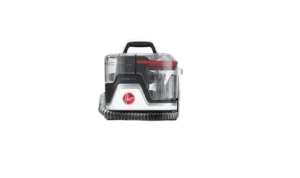
The Hoover CleanSlate Carpet & Upholstery Spot Cleaner is a portable cleaning appliance designed to remove spots and stains from carpets and suitable upholstery. It uses Hoover cleaning solution, a flexible hose, and an attached cleaning tool to spray, scrub, and extract dirt from fabric surfaces.
The CleanSlate features a removable Solution Tank, a Recovery Tank for dirty water, a red power button, and a hose-operated cleaning tool. It also supports hose rinsing using a Hose Rinse Tool to help remove residue left inside the hose after cleaning.
The appliance operates on a nominal 120-volt grounded electrical circuit and is intended for household use. Proper operation includes preparing the cleaning solution, checking the fabric’s cleaning code, treating the stain, extracting the moisture, and cleaning the tanks and tools after use.
Product Overview
The Hoover CleanSlate is designed for targeted carpet and upholstery cleaning rather than full-room carpet washing.
Its portable design allows the cleaning tool to be directed at individual stains. The solution is sprayed through the cleaning tool, worked into the affected area, and extracted with suction.
The cleaner includes two separate tanks. The Solution Tank holds the prepared cleaning liquid, while the Recovery Tank collects the dirty water removed from the surface.
Main Features
- Portable spot cleaning: Designed for cleaning stains on carpets and compatible upholstery.
- Spray and extraction system: Applies cleaning solution and removes dirty water through the cleaning tool.
- Removable Solution Tank: Allows cleaning fluid to be prepared and refilled.
- Recovery Tank: Collects extracted dirt and cleaning liquid.
- Red Power Button: Turns the appliance on and off.
- Flexible Cleaning Hose: Connects the cleaner to the selected cleaning attachment.
- Cleaning Tool Trigger: Releases cleaning solution onto the stained surface.
- Hose Rinse Tool: Flushes the hose with clean water for maintenance.
- Thermal Protection: Stops the motor if overheating occurs.
- Cord Storage Hooks: Provide storage for the power cord.
- Two-Year Limited Warranty: Covers eligible manufacturing defects during household use.
Tools and cleaning formulas may vary by model.
Parts and Components
The Hoover CleanSlate includes removable water tanks, a flexible hose, cleaning attachments, and electrical controls.
| Part | Function |
| Main Cleaner Body | Houses the motor and cleaning system. |
| Carry Handle | Provides a handling point for moving the cleaner. |
| Red Power Button | Turns the cleaner on or off. |
| Solution Tank | Holds water and the required Hoover cleaning formula. |
| Solution Tank Cap | Seals the Solution Tank after filling. |
| Recovery Tank | Collects dirty water and cleaning solution extracted from surfaces. |
| Recovery Tank Lid | Covers the Recovery Tank and can be removed for cleaning. |
| Tank Release Button | Releases the Recovery Tank lid for emptying and rinsing. |
| Flexible Hose | Connects the appliance to the cleaning tool. |
| Cleaning Tool | Sprays cleaning solution, scrubs stains, and extracts liquid. |
| Solution Trigger | Releases cleaning liquid when pressed. |
| Cleaning Tool Nozzle Cover | Removable cover that allows the tool to be rinsed. |
| Cleaning Tool Insert | Removable component that can be rinsed under running water. |
| Hose Rinse Tool | Connects to the hose during internal hose cleaning. |
| Recovery Tank Debris Filter | Collects debris and requires cleaning when clogged. |
| Cord Storage Hooks | Hold the electrical cord during storage. |
| Grounded Power Plug | Connects to a properly grounded outlet. |
Solution Tank
The Solution Tank is removable from the side of the appliance.
It includes fill markings for preparing cleaning solution for small or large cleaning areas.
The tank must be correctly installed before the cleaner can dispense liquid.
Recovery Tank
The Recovery Tank collects dirty water extracted from the cleaned surface.
It must be emptied when the water reaches the MAX fill line or when a noticeable change in motor sound occurs.
A full or incorrectly installed Recovery Tank can reduce suction and cause water to escape from the cleaner.
Cleaning Hose and Tool
The flexible hose carries cleaning solution to the attached tool and removes dirty water through suction.
The cleaning tool includes a trigger for spraying liquid and a nozzle that contacts the surface during extraction.
The cleaning attachment can be removed for rinsing after use.
Hose Rinse Tool
The Hose Rinse Tool connects to the hose during maintenance.
It allows clean water to pass through the hose to help remove cleaning residue and odor-causing buildup.
Technical Specifications
| Specification | Details |
| Brand | Hoover |
| Product Name | CleanSlate Carpet & Upholstery Spot Cleaner |
| Product Type | Portable Carpet and Upholstery Spot Cleaner |
| Power Source | Corded Electric |
| Electrical Circuit | Nominal 120 V |
| Plug Type | Grounded Plug |
| Cleaning System | Spray, Scrub, and Suction Extraction |
| Tank Configuration | Removable Solution Tank and Recovery Tank |
| Small-Area Solution Setting | 20 oz |
| Large-Area Solution Setting | 40 oz |
| Large-Area Water Fill Line | 39 oz |
| Cleaning Formula | Hoover 2X Concentrated Formula or Hoover Ready-to-Use Premix |
| Optional Formula Additive | Hoover Clean Complements Enhancer |
| Maximum Hose-Rinsing Water Temperature | 140°F (60°C) |
| Thermal Protection | Yes |
| Thermal Protection Cooling Period | 30 Minutes |
| Intended Use | Household Use Only |
| Warranty | Limited Two-Year Warranty |
Important Safety Instructions
The Hoover CleanSlate contains electrical components and uses water and cleaning solutions. All safety instructions must be followed to reduce the risk of electric shock, fire, injury, and appliance damage.
General Safety Precautions
- Fully assemble the appliance before operating it.
- Use the cleaner only for its intended household purpose.
- Do not leave the cleaner unattended while plugged in.
- Unplug the appliance when it is not being used.
- Unplug before cleaning or servicing.
- Do not expose the appliance to rain.
- Store the cleaner indoors.
- Do not immerse the cleaner in water.
- Use the appliance only on surfaces moistened during the cleaning process.
- Use only Hoover cleaning fluids intended for this cleaner.
- Use only attachments and products recommended by the manufacturer.
- Keep fingers, hair, loose clothing, and other body parts away from openings and moving parts.
- Do not insert objects into the cleaner’s openings.
- Keep airflow openings free from dust, lint, hair, and debris.
- Do not pick up sharp or hard objects that could damage the appliance.
- Do not pick up burning or smoking materials, including cigarettes, matches, or hot ashes.
- Do not use the cleaner to collect gasoline, combustible liquids, or fine wood sanding debris.
- Do not operate the appliance without its tanks and filters correctly installed.
Child Safety
The Hoover CleanSlate is not intended for use by children aged 12 years or younger.
Close supervision is necessary when the cleaner is used by or near children.
Children must be kept away from the appliance and must not place fingers or objects into its openings.
The cleaner must not be used as a toy.
Electrical Safety
- Operate the cleaner only at the voltage specified on the data plate located on the bottom of the appliance.
- Connect the cleaner to a properly grounded electrical outlet.
- Do not use the appliance with a damaged cord or plug.
- Do not carry or pull the cleaner by its electrical cord.
- Do not use the cord as a handle.
- Do not close doors on the cord.
- Do not pull the cord around sharp corners or edges.
- Do not place the cleaner on its power cord.
- Do not run the appliance over the cord.
- Keep the cord away from heated surfaces.
- Do not handle the plug or cleaner with wet hands.
- Do not unplug by pulling the cord. Hold the plug instead.
- Turn off the cleaner before unplugging it.
If the appliance has been dropped, damaged, left outdoors, or dropped into water, contact Hoover Customer Service at 1-800-944-9200 before continuing use.
Grounding Instructions
The Hoover CleanSlate must be grounded to reduce the risk of electric shock.
It has a grounding plug and equipment-grounding conductor designed for connection to a properly installed and grounded electrical outlet.
The appliance is designed for use on a nominal 120-volt circuit.
Warning: Improper connection of the grounding conductor can cause an electric shock.
If there is uncertainty about whether the outlet is grounded correctly, consult a qualified electrician or service technician.
Do not modify the supplied plug. If it does not fit the outlet, have a suitable grounded outlet installed by a qualified electrician.
The grounding instructions describe a temporary adapter for a two-pole receptacle until a properly grounded outlet can be installed. Such an adapter must have its grounding tab connected to a permanent ground and secured with a metal screw.
Important: Temporary grounding adapters are not permitted in Canada under the Canadian Electrical Code.
Carpet and Floor Safety
- Do not clean over electrical outlets installed in floors.
- Do not use the cleaner on hard floors without the proper hard-floor attachment.
- Using the appliance on hard floors without a suitable attachment may scratch or damage the surface.
- Protect wooden or metal surfaces from cleaning solution spray.
- Keep the cleaning area well ventilated.
- Avoid walking on cleaned carpets until they are completely dry.
- Keep children and pets away from wet carpets.
- Do not leave the appliance on wood or laminate flooring after use.
- Place the cleaner on an absorbent material, such as a towel, to collect water drips.
Cleaning Solution Safety
Use only Hoover cleaning fluids designed for this cleaner.
Unapproved cleaning products may damage internal components and increase the risk of fire or electrical problems.
Non-genuine or incompatible cleaning products may also affect warranty coverage.
Maintenance Safety
- Unplug the appliance before cleaning or servicing.
- Do not use sharp objects to clear the hose.
- Do not attempt unauthorized internal repairs.
- Do not add lubricant to the motor bearings.
- Do not store the appliance with cleaning solution remaining in the tanks.
- Do not expose the cleaner to freezing temperatures.
The cleaner contains no user-serviceable internal parts.
Before First Use
Before cleaning carpets or upholstery, the Solution Tank must be prepared and the appropriate cleaning tool attached.
Initial Preparation
- Remove the cleaner and its components from the packaging.
- Identify the Solution Tank, Recovery Tank, hose, and cleaning tools.
- Check that the appliance is fully assembled.
- Check that the power cord and plug are undamaged.
- Make sure the Recovery Tank is correctly installed.
- Select the cleaning tool appropriate for the surface.
- Prepare the cleaning solution according to the formula ratio chart.
- Connect the cleaning tool securely to the hose.
- Check that the surface is suitable for wet cleaning.
- Connect the cleaner to a properly grounded electrical outlet when ready to operate.
Preparing the Cleaning Area
Before applying cleaning solution, check the surface and prepare the stained area.
Check Upholstery Cleaning Codes
The cleaner may be used on upholstery with the appropriate cleaning code.
| Cleaning Code | Meaning | Cleaning Permission |
| W | Water-based cleaning permitted. | Suitable for wet cleaning. |
| S/W | Water-based or solvent/dry cleaning permitted. | Suitable for wet cleaning. |
| S | Solvent or dry cleaning only. | Do not clean using the Hoover CleanSlate. |
Only clean upholstery marked W or S/W.
Test for Colorfastness
Before cleaning the entire stain or surface:
- Select a small, hidden area.
- Moisten a white cloth.
- Gently rub the surface with the damp cloth.
- Wait 10 minutes.
- Check for color transfer or bleeding using a white paper towel.
Do not continue wet cleaning if the surface shows color bleeding or damage.
Protect Nearby Surfaces
Use plastic or aluminum foil to protect wooden and metal surfaces from water spray.
When cleaning area rugs or carpeting over wooden floors, place waterproof material beneath the surface to reduce the risk of water damage.
Cleaning Solution Preparation
The Hoover CleanSlate supports Hoover 2X Concentrated Formula and Hoover Ready-to-Use Premix.
The amount of cleaning formula depends on the selected small-area or large-area fill level.
Hoover 2X Concentrated Formula Ratio
| Ingredient | Small Area (20 oz) | Large Area (40 oz) |
| Water | Fill to Small Area Line (20 oz) | Fill to Large Area Line (39 oz) |
| Hoover 2X Concentrated Formula | 0.5 oz | 1 oz |
| Clean Complements Enhancer | Up to 1 oz | Up to 1 oz |
Mixing tip: Add water to the appropriate marked line before adding concentrated cleaning formula.
Hoover Ready-to-Use Premix Ratio
| Ingredient | Small Area | Large Area |
| Hoover Ready-to-Use Premixed Formula | Fill to Small Area Line | Fill to Large Area Line |
| Clean Complements Enhancer | Up to 1 oz | Up to 1 oz |
For ready-to-use premix, follow the marked fill line rather than diluting it according to the concentrated-formula ratio.
Additional cleaning fluid information is available at https://www.hoover.com/cleaning-solutions.
Setup Instructions
Step 1: Remove the Solution Tank
- Locate the Solution Tank on the side of the cleaner.
- Lift the tank away from the appliance.
- Remove its cap.
Step 2: Prepare the Cleaning Formula
- Choose the Small Area or Large Area fill level.
- Follow the applicable formula ratio chart.
- Add the required water and cleaning formula, or ready-to-use premix.
- Add Clean Complements Enhancer if being used, within the listed amount.
Step 3: Install the Solution Tank
- Replace the tank cap.
- Tighten it securely.
- Slide the Solution Tank back into the cleaner.
- Push until the tank clicks into place.
The tank must be securely installed for normal dispensing.
Step 4: Attach the Cleaning Tool
- Unwrap the flexible hose from the cleaner.
- Select the preferred cleaning tool.
- Attach the tool to the end of the hose.
- Check that the attachment is secure.
Step 5: Check the Recovery Tank
Before cleaning:
- Locate the Recovery Tank.
- Check that it is properly installed in the cleaner.
- Make sure it is not full.
- Check that the tank and its components are correctly seated.
The cleaner is now ready for operation.
Operating Instructions
The Hoover CleanSlate uses a spray, scrub, and suction process to remove dirt and cleaning solution from stained surfaces.
How to Turn On the Hoover CleanSlate
- Make sure the Solution Tank and Recovery Tank are correctly installed.
- Connect the power cord to a properly grounded outlet.
- Locate the red Power button on the top of the cleaner.
- Press the button to turn the appliance on.
How to Remove Carpet and Upholstery Stains
- Position the cleaning tool approximately 5 inches above the spot or stain.
- Press the trigger behind the tool.
- Spray a generous amount of cleaning solution onto the affected area.
- Scrub the stain using back-and-forth movements.
- Position the front of the cleaning tool against the surface.
- Apply downward pressure.
- Pull the tool toward the operator to extract dirty water and cleaning solution.
- Repeat the process as needed.
The extracted liquid collects inside the Recovery Tank.
Spray, Scrub, and Extract Process
| Step | Action | Purpose |
| Spray | Hold the tool about 5 inches above the stain and press the trigger. | Apply cleaning solution. |
| Scrub | Move the tool back and forth across the stained area. | Work the solution into the stain. |
| Extract | Press the front of the tool onto the surface and pull it toward the operator. | Remove dirt and cleaning liquid. |
| Repeat | Repeat as necessary. | Continue cleaning the affected area. |
When to Empty the Recovery Tank
The Recovery Tank must be emptied when:
- The dirty water reaches the MAX fill line.
- A noticeable change in motor sound occurs.
Make sure the Recovery Tank is securely installed before continuing.
Pretreating Stubborn Stains
For difficult stains, Hoover recommends pretreatment using an appropriate Hoover spot treatment.
Pretreatment Instructions
- Select a Hoover spot treatment suitable for the surface.
- Apply a generous amount to the spot, stain, or high-traffic area.
- Follow the specific directions on the treatment label.
- Wait 5–10 minutes before using the CleanSlate.
- Clean the treated area using the normal spray, scrub, and extraction procedure.
Pretreatment helps loosen stubborn stains before extraction.
Cleaning the Recovery Tank
The Recovery Tank collects dirty water and debris removed from the cleaned surface.
It must be emptied and cleaned when full or when debris accumulates.
How to Empty the Recovery Tank
- Turn off the cleaner.
- Unplug it from the electrical outlet.
- Locate the Recovery Tank.
- Press the Tank Release button.
- Lift off the tank lid.
- Empty the collected dirty water.
How to Clean the Recovery Tank
- Remove the Recovery Tank lid.
- Empty the dirty water.
- Rinse the tank using clean water.
- Remove dirt and debris from the tank.
- Allow the tank to air-dry.
- Reinstall the tank and lid correctly.
A clogged or incorrectly installed Recovery Tank can reduce suction or cause water leakage.
Cleaning the Recovery Tank Debris Filter
If the debris filter becomes clogged:
- Turn off and unplug the cleaner.
- Access the Recovery Tank.
- Remove the debris filter.
- Rinse it thoroughly with clean water.
- Reinstall the filter correctly.
The debris filter must be kept clear to maintain normal suction.
How to Clean the Hoover CleanSlate Tools
The cleaning attachments should be rinsed after use to remove dirt and cleaning residue.
Cleaning the Hand Tool
- Remove the cleaning tool from the hose.
- Rinse the hand tool under running water.
- Locate the clear tab on the nozzle cover.
- Release the tab.
- Remove the nozzle cover for cleaning.
Cleaning the Removable Insert
- Remove the insert from the cleaning tool.
- Rinse the insert under running water.
- Remove the remaining dirt and debris.
Cleaning these components helps prevent residue buildup.
How to Clean the Hoover CleanSlate Hose
The Hose Rinse Tool allows clean water to flow through the hose and remove residue left after spot cleaning.
Step 1: Prepare the Solution Tank
- Remove the Solution Tank.
- Fill it with warm water.
- Keep the water temperature at or below 140°F (60°C).
- Fill to the Small Area line.
Step 2: Attach the Hose Rinse Tool
- Remove the regular cleaning tool or attachment from the hose.
- Attach the Hose Rinse Tool to the hose connection.
Step 3: Flush the Hose
- Check that both the Solution Tank and Recovery Tank are securely installed.
- Turn on the cleaner.
- Press and hold the trigger for 30 seconds.
- Allow clean water to flow through the hose.
- Repeat the process if necessary.
- Let the cleaner operate for another 5–10 seconds before turning it off.
Clean water flowing through the hose helps flush away cleaning residue and odor-causing buildup.
Step 4: Empty the Recovery Tank
- Turn off the appliance.
- Unplug it.
- Remove the Recovery Tank.
- Empty the collected water.
- Clean the tank as needed.
Thermal Protection and Overheating
The Hoover CleanSlate includes a thermal protector designed to protect the motor from overheating.
When the thermal protector activates, the cleaner stops running.
How to Reset the Thermal Protector
- Turn the cleaner off.
- Unplug it from the electrical outlet.
- Empty the Recovery Tank.
- Inspect the appliance for obstructions.
- Remove any blockages found.
- Keep the cleaner unplugged while the motor cools for 30 minutes.
- After cooling, the thermal protector will deactivate and cleaning may continue.
When Overheating Requires Service
If the thermal protector continues activating after these steps have been completed, the appliance requires servicing.
Contact Hoover Customer Service at 1-800-944-9200.
Do not attempt to repair the motor or thermal protection components.
Troubleshooting Guide
The following troubleshooting instructions address power problems, low suction, water leaks, solution dispensing, and abnormal motor sounds.
Warning: Unplug the cleaner before cleaning or servicing.
| Problem | Possible Cause | Recommended Solution |
| Cleaner will not run | Power cord is not firmly plugged in. | Insert the plug fully into the outlet. |
| Cleaner will not run | Household fuse has blown or circuit breaker has tripped. | Check and replace the fuse or reset the breaker. |
| Cleaner will not run | Appliance requires servicing. | Visit Hoover’s website or call Customer Service. |
| Low suction | Recovery Tank is incorrectly installed. | Check the tank’s position in the cleaner. |
| Low suction | Recovery Tank is full. | Empty the tank. |
| Low suction | Recovery Tank is clogged. | Clean the Recovery Tank. |
| Low suction | Air path is clogged. | Remove the hose and flush it with clean water. |
| Low suction | Recovery Tank debris filter is clogged. | Remove the filter, rinse thoroughly, and reinstall. |
| Water escapes from cleaner | Recovery Tank is full. | Empty the tank. |
| Water escapes from cleaner | Recovery Tank is incorrectly installed. | Check its position in the cleaner. |
| Water escapes from cleaner | Solution Tank is incorrectly installed. | Reinstall the Solution Tank correctly. |
| Cleaner will not dispense liquid | Solution Tank is empty. | Fill the Solution Tank. |
| Cleaner will not dispense liquid | Solution Tank is incorrectly installed. | Reinstall the tank until it is secure. |
| Cleaner will not dispense liquid | Appliance requires servicing. | Contact Hoover Customer Service. |
| Hose nozzle will not spray after filling | Air is trapped in the pump and hose. | Follow the pump priming procedure. |
| Motor sound becomes high-pitched | Recovery Tank is full. | Empty the tank. |
| Motor sound becomes high-pitched | Recovery Tank is clogged. | Clean the tank. |
| Motor sound becomes high-pitched | Air path is clogged. | Clear the blockage. |
| Motor sound becomes high-pitched | Recovery Tank float has activated. | Check and clean the Recovery Tank. |
Hoover CleanSlate Not Turning On
If the cleaner does not start:
- Check that the power plug is fully inserted.
- Check the household fuse or circuit breaker.
- Replace the fuse or reset the breaker if needed.
- If the appliance still does not run, contact Hoover for service.
If the cleaner stopped because its thermal protector activated, follow the thermal protection procedure and allow the motor to cool for 30 minutes while unplugged.
Hoover CleanSlate Has Low Suction
Low suction may result from a full Recovery Tank, incorrect tank installation, a clogged debris filter, or an obstruction in the air path.
- Turn off and unplug the cleaner.
- Check that the Recovery Tank is correctly installed.
- Empty the Recovery Tank if full.
- Clean the tank if debris has accumulated.
- Remove the debris filter and rinse it thoroughly.
- Check the hose and air path for blockages.
- Flush the hose with clean water if necessary.
- Reinstall the components correctly.
Hoover CleanSlate Not Spraying Water
If cleaning solution is not being dispensed:
- Check whether the Solution Tank is empty.
- Refill the tank if necessary.
- Check that the tank is installed correctly.
- Push it into place until secure.
If the cleaner still does not dispense liquid, it may require servicing.
How to Prime the Hoover CleanSlate Pump
Air trapped in the pump and hose can prevent spraying after the tank has been filled.
- Turn on the cleaner.
- Lower the hose toward the floor.
- Press and hold the trigger.
- Continue holding it for up to 1 minute.
If spraying does not resume after the recommended procedure, contact Hoover Customer Service.
Hoover CleanSlate Leaking Water
Water may escape from the cleaner when the Recovery Tank is full or one of the tanks is incorrectly positioned.
Check the following:
- Empty the Recovery Tank.
- Check its placement in the cleaner.
- Check the Solution Tank.
- Reinstall the Solution Tank correctly.
Hoover CleanSlate Making a High-Pitched Noise
A high-pitched motor sound may indicate:
- A full Recovery Tank.
- A clogged Recovery Tank.
- An obstruction in the air path.
- Activation of the Recovery Tank float.
Empty or clean the Recovery Tank and remove any air path obstruction.
Hoover CleanSlate Keeps Shutting Off
The cleaner may stop running when the thermal protector activates.
Turn off and unplug the appliance, empty the Recovery Tank, inspect for obstructions, and allow the motor to cool for 30 minutes.
If the thermal protector continues activating, the cleaner requires servicing.
Storage Instructions
The Hoover CleanSlate should be stored indoors in a dry area away from freezing temperatures.
How to Store the Cleaner
- Turn off the appliance.
- Unplug the power cord.
- Empty and clean the Recovery Tank.
- Remove cleaning solution from the Solution Tank before storage.
- Clean the tools and hose as necessary.
- Wrap the power cord around the storage hooks.
- Attach the plug end to the cord.
- Store the cleaner in a dry indoor location.
Power Cord Storage
The power cord is stored around the cord hooks on the appliance.
For quick cord release, the cord wraps can be turned 180 degrees to the right or left.
Storage Precautions
- Do not leave cleaning solution inside the tanks during storage.
- Do not expose the machine to freezing temperatures.
- Do not leave the cleaner on wood or laminate surfaces where water drips may cause damage.
- Use an absorbent towel beneath the appliance if water remains on the underside.
Motor Lubrication
The motor bearings contain sufficient lubrication for their operating life.
Additional lubrication is not required.
Important: Do not add lubricant to the motor bearings.
Adding lubricant may damage the appliance.
Cleaning Solutions and Replacement Accessories
Hoover recommends using genuine Hoover cleaning solutions, parts, and accessories.
The cleaning formula chart identifies:
- Hoover 2X Concentrated Formula.
- Hoover Ready-to-Use Premix.
- Hoover Clean Complements Enhancer.
Replacement cleaning solutions, parts, and accessories are available through:
For cleaning formula guidance:
When requesting replacement parts, provide the complete model number located on the bottom of the cleaner.
Warranty Information
The Hoover CleanSlate Carpet & Upholstery Spot Cleaner is covered by a Limited Two-Year Warranty for qualifying household use.
The warranty is provided by Royal Appliance Mfg. Co., doing business as TTI Floor Care North America.
Warranty Coverage
| Warranty Detail | Information |
| Warranty Type | Limited Warranty |
| Warranty Duration | 2 Years |
| Covered Use | Normal Household Use |
| Coverage | Original Defects in Materials and Workmanship |
| Eligible Purchaser | Original Retail Purchaser |
| Proof of Purchase | Required |
| Eligible Purchase Locations | United States, U.S. Territories and Possessions, U.S. Military Exchanges, Canada |
| Transferable | No |
| Warranty Provider | Royal Appliance Mfg. Co. / TTI Floor Care North America |
Available Warranty Remedies
For an approved warranty claim, the warrantor may provide one of the following remedies at its discretion:
- Repair the defective product.
- Supply a replacement product, subject to availability.
- Provide a similar product of equal or greater value if an appropriate repair or replacement is unavailable.
- Issue a refund or applicable store credit based on the original purchase price if repair or replacement is not possible.
Covered remedies are provided without charge, subject to applicable shipping costs.
Replacement parts or products may be new, refurbished, lightly used, or remanufactured.
Warranty Exclusions
The limited warranty does not cover:
- Commercial use, including janitorial, maid, or equipment rental services.
- Other income-generating use.
- Improper maintenance.
- Misuse, negligence, or neglect.
- Vandalism.
- Use at a voltage different from the appliance’s data plate.
- Accidental damage.
- Damage caused by natural disasters.
- Unauthorized servicing.
- Modification or alteration.
- Use outside the country of original purchase.
- Resale by the original owner.
- Pickup, delivery, transportation, or house calls.
- Normal wear and tear.
- Repairs required because of incompatible products, parts, or accessories.
Normal wear items are excluded from warranty coverage.
Depending on the product, these may include filters, belts, brush rolls, fans, tubes, bags, and straps.
Damage associated with non-genuine Hoover solutions, parts, or accessories may also be excluded from coverage.
Warranty Transfer and Duration
The warranty applies only to the original retail purchaser and cannot be transferred or assigned.
The warranty period does not restart or become longer when batteries, parts, or the product are repaired or replaced.
The limited warranty is governed by the laws of North Carolina.
Additional legal rights may vary by state.
How to Request Warranty Service
- Locate the product’s complete model number on the bottom of the cleaner.
- Keep the original proof of purchase.
- Contact TTI Floor Care North America Customer Service.
- Explain the problem.
- Follow the instructions provided for the warranty claim.
Warranty assistance is available at 1-800-944-9200.
Customer Support Information
Hoover provides support for product operation, cleaning instructions, troubleshooting, parts, and warranty service.
| Contact Detail | Information |
| Brand | Hoover |
| Customer Support Website | https://www.hoover.com |
| Cleaning Solutions | https://www.hoover.com/cleaning-solutions |
| Customer Service Phone | 1-800-944-9200 |
| Support Hours | Monday–Friday, 9 AM–6 PM EST |
| Warranty Provider | TTI Floor Care North America |
| Distributor | Royal Appliance Mfg. Co. |
| Distributor Location | Charlotte, NC 28262 |
Hoover also provides video instructions and product FAQs through its website.
Customers experiencing problems should contact Hoover Customer Service before returning the product to a store.
Frequently Asked Questions
How do I use the Hoover CleanSlate spot cleaner?
Fill the Solution Tank using the appropriate Hoover cleaning formula ratio, secure the tank, and attach the cleaning tool. Turn on the cleaner using the red Power button. Hold the tool approximately 5 inches above the stain, press the trigger to apply cleaning solution, scrub the area, and pull the tool toward the operator while applying downward pressure to extract the dirty water.
What is the correct Hoover CleanSlate solution ratio?
For a small area, fill the Solution Tank with water to the 20 oz line and add 0.5 oz of Hoover 2X Concentrated Formula. For a large area, fill with water to the 39 oz line and add 1 oz of concentrated formula. Up to 1 oz of Clean Complements Enhancer may be added to either mixture.
Why is my Hoover CleanSlate not spraying water?
The Solution Tank may be empty or incorrectly installed, or air may be trapped in the pump and hose. Check the tank and reinstall it securely. If the hose does not spray after refilling, lower it toward the floor and hold the trigger for up to 1 minute to prime the pump.
Why does my Hoover CleanSlate have low suction?
Low suction may result from an incorrectly installed or full Recovery Tank, a clogged tank or debris filter, or a blocked air path. Empty and clean the tank, rinse the debris filter, check for hose obstructions, and reinstall the components securely.
How do I clean the Hoover CleanSlate hose?
Remove the cleaning attachment and connect the Hose Rinse Tool. Fill the Solution Tank to the Small Area line with warm water no hotter than 140°F (60°C). Turn on the cleaner and hold the trigger for 30 seconds. Repeat if necessary, allow the cleaner to run for another 5–10 seconds, and empty the Recovery Tank.
Why does my Hoover CleanSlate keep shutting off?
The thermal protector may have activated because the motor overheated. Turn off and unplug the cleaner, empty the Recovery Tank, and remove any obstructions. Keep the cleaner unplugged for 30 minutes while the motor cools. If the thermal protector continues activating, contact Hoover for service.
Can I use the Hoover CleanSlate on hardwood floors?
The manual warns against using the cleaner on hard floors without a proper hard-floor attachment. Using the appliance on hard floors may scratch or damage them. After cleaning, the machine should not be left on wood or laminate flooring where dripping water could cause damage.