
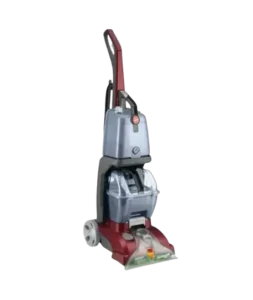
| Document Detail | Information |
| Document Title | Power Scrub Carpet Washer Owner’s Manual |
| Document Type | Owner’s Manual |
| Brand Name | Hoover |
| Product Name | Power Scrub SpinScrub 50 Carpet Washer |
| PDF File Size | 654 KB |
| Number of Pages | 37 |
| Languages | English, Spanish |
Hoover Power Scrub SpinScrub 50
The Hoover Power Scrub SpinScrub 50 is an upright carpet washer designed to deep-clean carpets using water, cleaning solution, rotating brushes, and suction. It features a SpinScrub brush assembly, separate clean water and detergent compartments, a dirty water recovery tank, and a Wash/Rinse selector for washing carpets and removing detergent residue.
The carpet washer can also be used to clean carpeted stairs and suitable upholstery with its accessory hose and attachments. Certain accessories, including the SpinScrub Hand Tool, Stair Tool, and Crevice Tool, are available on select models.
The Hoover SpinScrub 50 must be fully assembled before operation. Proper cleaning requires filling the water and solution tanks, selecting the correct Wash/Rinse mode, using alternating wet and dry strokes, and emptying the Dirty Water Tank when the automatic suction shutoff activates.
Product Overview
The Hoover Power Scrub Carpet Washer applies cleaning solution to carpets and removes the dirty water using suction. Its rotating SpinScrub brushes help loosen dirt from carpet fibers during the cleaning process.
The appliance uses separate compartments for clean water and detergent, allowing the Wash/Rinse selector to control whether cleaning solution or rinse water is applied.
Collected dirty water is stored in a removable recovery tank. When this tank becomes full, a float mechanism automatically stops suction to prevent further water pickup.
Main Features
- SpinScrub Brush System: Removable rotating brushes provide scrubbing action during carpet cleaning.
- Wash/Rinse Selector: Switches between cleaning with detergent and rinsing with water.
- Dual-Compartment Tank: Keeps clean water and cleaning solution in separate compartments.
- Dirty Water Recovery Tank: Collects extracted water and debris.
- Automatic Suction Shutoff: Stops water pickup when the Dirty Water Tank becomes full.
- Solution Trigger: Releases cleaning liquid while the trigger is pressed.
- Foot-Operated Power Control: Turns the cleaner on or off.
- Handle Release Pedal: Moves the handle between upright and operating positions.
- Removable Nozzle: Allows cleaning of accumulated lint and debris.
- Accessory Hose: Supports cleaning carpeted stairs, upholstery, and other suitable areas.
- Optional Cleaning Tools: Includes selected accessories depending on the model.
- Cord Storage Hooks: Provide storage for the power cord.
Technical Specifications
| Specification | Details |
| Brand | Hoover |
| Product Name | Power Scrub Carpet Washer |
| Brush System | SpinScrub 50 |
| Product Type | Upright Carpet Washer |
| Intended Use | Household Use Only |
| Operating Circuit | Nominal 120 V |
| Electrical Connection | Grounded Plug |
| Cleaning Modes | Wash, Rinse |
| Tank Configuration | Separate Clean Water and Cleaning Solution Compartments |
| Water Temperature Limit | 140°F (60°C) Maximum |
| Dirty Water Collection | Removable Recovery Tank |
| Automatic Shutoff | Dirty Water Tank Float System |
| Brush Assembly | Removable SpinScrub Brushes |
| Floor Cleaning | Carpet Cleaning |
| Accessory Cleaning | Carpeted Stairs and Suitable Upholstery |
| Cleaning Solution | Hoover-Approved Cleaning Products |
| Warranty | Limited Two-Year Warranty |
What’s Included in the Box
The Hoover Power Scrub includes the carpet washer body, components required for assembly, and cleaning accessories.
Some tools are supplied only with selected models.
| Item | Description |
| Carpet Washer | Main cleaning appliance. |
| Water/Solution Tank | Removable tank with separate compartments for water and detergent. |
| Upper Handle | Connects to the main carpet washer body. |
| Handle Screws | Two screws used to attach the upper handle. |
| SpinScrub Brush Assembly | Preassembled in the cleaner. |
| Accessory Hose | Connects to the cleaner for accessory cleaning. |
| Upholstery Tool | Attachment with a built-in brush. |
| SpinScrub Hand Tool | Rotating brush attachment, select models only. |
| Stair Tool | Carpeted stair cleaning attachment, select models only. |
| Crevice Tool | Attachment for narrow and difficult-to-reach areas, select models only. |
| Mesh Tool Storage Bag | Storage for hose and tools, select models only. |
Assembly tool required: Phillips screwdriver.
Parts and Components
The Hoover Power Scrub SpinScrub 50 includes operating controls, removable tanks, cleaning brushes, and accessory connections.
| Part | Function |
| Solution Trigger | Releases cleaning solution when pressed. |
| ON/OFF Pedal | Turns the carpet washer on and off. |
| Wash/Rinse Selector | Changes between washing with detergent and rinsing with water. |
| Clean Water/Solution Tank | Holds clean water and cleaning solution in separate compartments. |
| Dirty Water Tank | Collects extracted water and dirt. |
| Dirty Water Tank Latch | Secures the recovery tank to the appliance. |
| Solution Tube Connection Port | Connects the accessory hose’s solution tube. |
| Nozzle | Directs suction during carpet cleaning. |
| Accessory Hose Connection Port | Connects the cleaning hose to the appliance. |
| Cord Storage Hooks | Hold the power cord during storage. |
| Handle Release Pedal | Releases the handle from its upright position. |
| Cord Clip | Helps secure the power cord. |
| SpinScrub Brush Assembly | Scrubs carpet during floor cleaning. |
Solution Trigger
The Solution Trigger is located on the handle.
Pressing the trigger releases cleaning liquid during washing. Releasing it stops the application of liquid so the cleaner can extract moisture using dry strokes.
Wash/Rinse Selector
The Wash/Rinse Selector controls the cleaning mode.
| Setting | Function |
| Wash | Applies water and cleaning solution during washing. |
| Rinse | Applies water for rinsing away residual detergent. |
ON/OFF Pedal
The foot-operated power pedal controls the appliance.
- Press once to turn the cleaner on.
- Press again to turn the cleaner off.
Handle Release Pedal
The Handle Release Pedal allows the handle to move into the operating position.
The handle must be returned to its locked upright position for storage, transportation, and accessory hose cleaning.
Important Safety Instructions
The Hoover Power Scrub Carpet Washer is an electrical appliance that uses water and cleaning solution. Proper handling is necessary to reduce the risk of electric shock, fire, personal injury, and damage to floors or furniture.
General Safety Precautions
- Fully assemble the appliance before use.
- Use the cleaner only for its intended household purpose.
- Use the appliance indoors only.
- Do not immerse the cleaner in water.
- Use only on carpets moistened during the cleaning process.
- Do not use the carpet washer as a regular dry vacuum cleaner.
- Do not leave the appliance unattended while plugged in.
- Unplug the cleaner when it is not being used.
- Unplug before cleaning, maintenance, or servicing.
- Do not operate the cleaner without its tanks or filters correctly installed.
- Keep hair, fingers, loose clothing, and other body parts away from moving components.
- Do not insert objects into openings.
- Keep airflow openings free of lint, hair, dust, and debris.
- Do not pick up burning or smoking materials.
- Do not use the machine to collect gasoline, combustible liquids, or fine wood sanding debris.
- Use only attachments and cleaning products recommended by Hoover.
Child Safety
The carpet washer is not intended for use by children aged 12 years or younger.
Close supervision is necessary when operating the appliance near children.
Children must be kept away from the appliance and must not place fingers or objects into its openings.
Electrical Safety
- Operate the cleaner only at the voltage specified on its data plate.
- Connect the cleaner to a properly grounded electrical outlet.
- Do not handle the plug or appliance with wet hands.
- Do not use the cleaner with a damaged power cord or plug.
- Do not pull or carry the appliance by its power cord.
- Do not use the cord as a carrying handle.
- Do not close a door on the cord.
- Do not pull the cord around sharp corners or edges.
- Do not run the cleaner over the cord.
- Keep the cord away from heated surfaces.
- Turn off all controls before unplugging.
- Disconnect the appliance by holding the plug rather than pulling the cord.
If the appliance has been dropped, damaged, left outdoors, or dropped into water, it must be inspected by an authorized service center before further use.
Grounding Instructions
The carpet washer must be grounded.
Grounding provides a path for electrical current if an electrical malfunction occurs, reducing the risk of electric shock.
The appliance is equipped with a grounding conductor and grounding plug intended for a properly installed and grounded outlet.
Warning: Incorrect grounding connections may cause electric shock.
If there is uncertainty about the outlet’s grounding, consult a qualified electrician or service technician.
Do not modify the grounding plug.
The manual describes a temporary adapter for certain two-pole receptacles until a qualified electrician installs a properly grounded outlet. The adapter’s grounding tab must be secured to a permanent ground using a metal screw.
Important: Temporary grounding adapters are not permitted in Canada under the Canadian Electrical Code.
Carpet and Floor Safety
- Do not use the carpet washer on hard floors.
- Using the machine on hard floors may scratch or damage the surface.
- Do not clean over electrical outlets installed in floors.
- Do not allow the cleaner to remain stationary for a long period while the brushes are rotating.
- Do not use the machine on rugs or carpets that require dry cleaning.
- Consult the carpet manufacturer before cleaning natural fiber, wool, silk, soft fiber, or loop Berber carpeting.
- Test delicate carpeting in a hidden area before cleaning the entire surface.
- Avoid excessive wetting of carpets.
- Keep children and pets away from cleaned surfaces until completely dry.
Stair Cleaning Safety
Use extra care when cleaning carpeted stairs.
Warning: Always place the carpet washer at the bottom of the stairs or on the floor.
Do not place the appliance on stairs or furniture because it may fall and cause injury or damage.
Cleaning Solution Safety
Use only Hoover cleaning products intended for this appliance.
Non-Hoover solutions may damage the machine and void its warranty.
Cleaning detergents may contain anionic and nonionic surfactants.
- Avoid contact with eyes and skin.
- If detergent contacts the eyes, rinse with cold water for 15 minutes.
- If detergent contacts skin, wash with water.
- Contact a physician if irritation continues.
Storage and Water Dripping Precautions
Water may drip from the brushes or underside of the cleaner after operation.
To prevent floor damage and slipping hazards:
- Do not leave the wet cleaner on wooden or laminate flooring.
- Move the appliance to a suitable hard surface after use.
- Place an absorbent towel beneath it to collect drips.
- Empty the tanks before storage.
- Allow the brushes and underside to dry.
- Do not expose the cleaner to freezing temperatures.
Before First Use
Before using the Hoover SpinScrub 50, the upper handle must be installed, the tanks positioned correctly, and the cleaning area prepared.
Initial Preparation
- Remove all components from the packaging.
- Check the carton contents.
- Confirm that the SpinScrub brush assembly is installed.
- Locate the upper handle and two handle screws.
- Prepare a Phillips screwdriver.
- Attach the upper handle.
- Install the Water/Solution Tank.
- Check that the Dirty Water Tank is properly secured.
- Identify the Wash/Rinse Selector, Solution Trigger, and power pedal.
- Prepare the carpet for cleaning.
Assembly Instructions
How to Attach the Upper Handle
A Phillips screwdriver is required for assembly.
- Position the upper handle above the carpet washer body.
- Slide the handle downward into the base.
- Align the screw holes.
- Insert both handle screws.
- Tighten the screws using the screwdriver.
The upper handle must be secured before operating the carpet washer.
How to Install the Water/Solution Tank
- Position the bottom of the Water/Solution Tank onto the carpet washer.
- Support the back of the cleaner with one hand.
- Push the tank handle into position.
- Continue until the tank clicks into place.
- Check that the tank is securely latched.
How to Store the Tools
The accessory hose and cleaning tools can be placed in the supplied Mesh Tool Storage Bag where included.
The bag can be stored on the back of the cleaner or hung separately using its hook.
Important: Do not hang the Mesh Tool Storage Bag on the carpet washer while the cleaner is operating.
Power Cord Storage
Wrap the power cord around the storage hooks when the appliance is not in use.
Secure the plug end to the cord.
How to Use the Hoover Power Scrub
Turning the Carpet Washer On and Off
- Connect the power cord to a properly grounded outlet.
- Step on the ON/OFF Pedal to turn the cleaner on.
- Step on the pedal again to turn it off.
Releasing the Handle
- Grasp the upper handle.
- Step on the Handle Release Pedal.
- Lower the handle into its operating position.
- Maintain a firm grip during operation.
Do not release the handle until it is returned to its locked upright position.
Moving the Carpet Washer
To move the cleaner between rooms:
- Return the handle to the upright locked position.
- Tilt the appliance backward onto its wheels.
- Push it forward.
Carrying the Carpet Washer
The appliance has several possible carrying points:
- Upper handle.
- Solution Tank handle.
- Dirty Water Tank handle.
- Solution Tank shelf.
Before lifting, make sure the tanks are securely latched.
Clean Water and Solution Tank Instructions
The Hoover Power Scrub uses a two-compartment tank.
| Compartment | Purpose |
| Clean Water Tank | Holds clean water only. |
| Solution Tank | Holds Hoover cleaning solution only. |
The compartments are labeled above their caps.
How to Fill the Clean Water Tank
- Turn off the carpet washer.
- Unplug it from the electrical outlet.
- Press down on the Solution Tank Latch.
- Pull the tank forward to remove it.
- Open the Clean Water Tank compartment.
- Fill it with hot tap water.
- Keep the water temperature at or below 140°F (60°C).
- Close the tank cap securely.
Hot tap water improves cleaning performance compared with cold water.
Caution: Do not fill the tank with water hotter than 140°F (60°C).
How to Fill the Solution Tank
- Locate the cleaning solution compartment.
- Open its cap.
- Fill it with Hoover Clean Plus 2X Solution or another Hoover cleaning solution approved for the machine.
- Replace the cap.
- Tighten it securely.
Reinstalling the Water/Solution Tank
- Position the lower section of the tank onto the cleaner.
- Support the back of the appliance.
- Push the tank into place.
- Continue until it clicks.
- Make sure the tank is securely latched.
A small amount of water may be visible on the base when the tank is removed. The manual describes this as normal.
Dirty Water Tank Instructions
The Dirty Water Tank collects water extracted from the carpet or upholstery.
When the tank becomes full, the automatic shutoff mechanism stops suction.
How to Empty the Dirty Water Tank
- Turn off the carpet washer.
- Unplug it from the electrical outlet.
- Release the Dirty Water Tank Latch.
- Hold the Dirty Water Tank by its handle.
- Remove the tank from the cleaner.
- Remove the Quick Spout Pour Cap.
- Rotate the cap away from the drain opening.
- Pour out the dirty water.
- Replace the Quick Spout Pour Cap.
- Return the tank to the cleaner with its retaining features pointing downward.
- Secure the tank latch.
Important: The Quick Spout Pour Cap must be correctly installed to maintain suction.
How to Clean the Dirty Water Tank
- Empty the Dirty Water Tank.
- Place it on a flat surface.
- Release the lid latch located below the Quick Spout Pour Cap.
- Pivot and lift off the tank lid.
- Remove lint from the filter screen beneath the lid.
- Rinse debris from the tank and lid.
- Align the lid tabs with the tank.
- Reattach the lid.
- Secure the lid latch.
- Reinstall the tank.
The lid must fit securely. Incorrect installation may cause weak or no suction.
Automatic Suction Shutoff
The Dirty Water Tank contains a yellow float disk.
When the tank fills:
- The float rises.
- Suction stops automatically.
- The cleaner stops collecting dirty water.
- The motor sound becomes noticeably higher in pitch.
When this occurs:
- Turn off the cleaner.
- Unplug the power cord.
- Empty the Dirty Water Tank.
- Check the Clean Water/Solution Tank and refill it if necessary.
- Reinstall the recovery tank correctly.
Warning: Do not operate the cleaner without the float and float retainer installed.
If either part is damaged or displaced, have the appliance repaired by an authorized Hoover service dealer.
Preparing Carpets and Upholstery for Cleaning
Vacuum Before Washing
The Hoover Power Scrub is not intended for dry vacuuming.
Before washing carpets:
- Vacuum the carpet thoroughly using a regular vacuum cleaner.
- Remove loose dirt and debris.
- Pay attention to high-traffic areas.
For upholstery, use a vacuum cleaner with suitable attachments. A crevice tool can help remove debris from folds and narrow areas.
Check Upholstery Cleaning Codes
Upholstery must be checked before wet cleaning.
| Cleaning Code | Meaning | Hoover Carpet Washer Use |
| W | Water-based cleaning permitted. | Suitable for cleaning. |
| S/W or W/S | Water-based or solvent-based cleaning permitted. | Suitable for cleaning. |
| S | Solvent or dry cleaning only. | Do not use the carpet washer. |
If the upholstery does not have a cleaning code, consult a professional cleaner.
Test for Colorfastness
Before applying cleaning solution to the entire surface:
- Wet a white absorbent cloth with the cleaning solution.
- Select a small, hidden area.
- Gently rub the surface with the damp cloth.
- Wait 10 minutes.
- Check for color transfer using a white cloth or paper towel.
- If the material contains multiple colors, test each color.
Do not continue if the test reveals color bleeding or damage.
Prepare the Cleaning Area
- Move furniture away from the area when possible.
- Place aluminum foil or wax paper beneath furniture legs that cannot be moved.
- Pin up furniture skirts and draperies.
- Pretreat spots and heavily trafficked areas with an appropriate Hoover cleaning product.
- Follow the pretreatment product’s instructions.
- Protect nearby wood or metal surfaces from water spray.
- Protect wooden floors beneath area rugs using waterproof material or move the rugs to a suitable non-wood surface.
How to Wash Carpets
The Hoover Power Scrub cleans using wet strokes to apply cleaning solution and dry strokes to extract moisture.
Step 1: Prepare the Cleaner
- Fill the Clean Water Tank with hot tap water no hotter than 140°F (60°C).
- Fill the Solution Tank with an appropriate Hoover cleaning solution.
- Secure both tank caps.
- Reinstall the tank.
- Check that the Dirty Water Tank is empty and secured.
- Dry hands before connecting the power cord.
- Plug the carpet washer into a grounded outlet.
Begin at the end of the room farthest from the doorway or the location where the tanks will be emptied.
Step 2: Select Wash Mode
- Step on the Handle Release Pedal.
- Lower the handle into the operating position.
- Turn the Wash/Rinse Selector to Wash.
- Press the ON/OFF Pedal to turn the cleaner on.
Step 3: Make Wet Cleaning Strokes
- Press and hold the Solution Trigger.
- Slowly push the cleaner forward across the carpet.
- Continue holding the trigger.
- Slowly pull the cleaner backward over the same area.
These movements create two wet cleaning strokes.
Step 4: Extract the Water
- Release the Solution Trigger.
- Slowly push the cleaner forward over the cleaned area.
- Pull it backward without pressing the trigger.
- Continue making dry strokes until little water is visible passing through the Dirty Water Tank lid.
For each area, the minimum recommended pattern is:
| Stroke | Trigger | Purpose |
| Forward | Pressed | Apply cleaning solution. |
| Backward | Pressed | Continue washing. |
| Forward | Released | Extract moisture. |
| Backward | Released | Extract additional moisture. |
Step 5: Continue Cleaning
- Use straight, parallel cleaning strokes.
- Overlap adjoining strokes by approximately 1 inch.
- Keep the nozzle flat against the carpet during forward and backward movement.
- Finish with additional dry strokes to reduce remaining moisture.
- Do not make more than four wet strokes over the same area.
Important: Avoid saturating the carpet with water or cleaning solution.
Step 6: Rinse the Carpet
Hoover recommends rinsing with water to remove detergent residue.
- Turn the Wash/Rinse Selector to Rinse.
- Repeat the rinsing and extraction strokes.
- Use dry strokes to remove additional water.
- Continue until little water is being collected.
Cleaning Heavily Soiled Areas
For heavily soiled carpet, repeat the cleaning process as needed.
Do not exceed four wet strokes over the same area, and always finish with dry extraction strokes.
Cleaning Berber and Delicate Carpets
Certain Berber, natural fiber, and soft fiber carpets may fuzz or become damaged during cleaning.
Before cleaning a full area:
- Check the carpet manufacturer’s instructions.
- Test a small, hidden area.
- Look for fuzzing or overwetting.
- Continue only if the material is suitable for the cleaning process.
Avoid overwetting Berber carpeting.
Accessory Hose Instructions
The accessory hose allows cleaning of carpeted stairs, upholstery, and other suitable surfaces using compatible tools.
How to Connect the Accessory Hose
Caution: Turn off the carpet washer before connecting or removing the hose.
- Open the Accessory Hose Suction Port.
- Align the hose indicator with the unlock arrows.
- Insert the hose end into the port.
- Rotate the hose clockwise to the locked position.
- Open the Accessory Hose Solution Port door.
- Push the hose’s solution tube connector firmly into the Solution Port.
How to Remove the Accessory Hose
- Turn off the cleaner.
- Pull the solution tube connector upward to disconnect it.
- Do not pull directly on the solution tube.
- Rotate the hose end counterclockwise toward the unlocked position.
- Pull the hose out.
- Close the Accessory Hose Suction Port door.
- Make sure both sides of the port door snap securely into place.
An improperly closed suction port may cause a loss of suction.
Cleaning Tools and Attachments
The accessory tools connect to the end of the hose.
| Tool | Function | Availability |
| Upholstery Tool | Built-in brush helps scrub upholstery stains. | Included |
| Stair Tool | 6-inch-wide tool with two rows of brushes for carpeted stairs. | Select Models |
| SpinScrub Hand Tool | Rotating brushes provide scrubbing action for small carpet areas, stairs, and upholstery. | Select Models |
| Crevice Tool | Cleans around baseboards and difficult-to-reach areas. | Select Models |
Some versions of the SpinScrub Hand Tool allow the rotating brushes to be removed to convert the attachment into a scrub module.
How to Attach a Cleaning Tool
- Turn off the cleaner.
- Keep the handle in its upright position.
- Connect the selected tool to the accessory hose.
- Slide the tool onto the connector until its retaining tab locks.
When the cleaner handle is upright, the floor SpinScrub brushes stop rotating.
How to Remove a Cleaning Tool
- Turn off the cleaner.
- Locate the tool release latch.
- Push the latch forward and upward using a thumb.
- Slide the tool away from the hose connector.
Warning: Unplug the cleaner before connecting the SpinScrub Hand Tool.
The tools must not be used for grooming pets.
Cleaning Carpeted Stairs
The Hoover Power Scrub can clean carpeted stairs using its accessory hose and suitable cleaning tool.
Stair Cleaning Instructions
- Vacuum the carpeted stairs thoroughly.
- Test the carpet for colorfastness.
- Connect the accessory hose and solution tube.
- Place the cleaner handle upright.
- Fill the Clean Water Tank.
- Add an approved Hoover cleaning solution.
- Attach the selected stair or upholstery tool.
- Keep the carpet washer at the bottom of the stairs or on the floor.
- Plug the appliance into a grounded outlet.
- Select Wash and turn the cleaner on.
- Hold the tool approximately 1 inch above the stair carpet.
- Press the trigger and move the tool forward to pretreat the surface.
- Place the tool against the carpeted stair riser.
- Press the trigger and slowly pull the tool over the carpet.
- Release the trigger at the end of the stroke.
- Make additional passes without pressing the trigger to extract moisture.
- Overlap strokes by approximately 1/2 inch.
- Finish with extra dry strokes.
Stair Cleaning Precautions
- Never place the carpet washer on the stairs.
- Do not make more than four wet strokes over one area.
- Always finish with dry strokes.
- Avoid saturating the carpet.
- Allow the carpet to dry completely before repeating the cleaning process.
How to Clean Upholstery
Use the carpet washer only on upholstery labeled W, S/W, or W/S.
Do not wet-clean upholstery marked S.
Upholstery Cleaning Instructions
- Check the upholstery cleaning code.
- Vacuum the upholstery.
- Test a hidden area for colorfastness.
- Attach the accessory hose and solution tube.
- Position the cleaner handle upright.
- Fill the Clean Water Tank.
- Add an appropriate Hoover cleaning solution.
- Do not use hard floor cleaning solution on upholstery.
- Attach the upholstery tool.
- Plug the carpet washer into a grounded outlet.
- Set the Wash/Rinse Selector to Wash.
- Turn the cleaner on.
- Gently press the tool against the fabric.
- Press the Solution Trigger.
- Slowly pull the tool across the fabric.
- Overlap adjoining strokes by approximately 1/2 inch.
- Release the trigger and make additional extraction strokes.
Cleaning Corners and Creases
For corners and fabric creases:
- Lift the cleaning tool approximately 1/2 inch above the fabric.
- Press the trigger to apply solution.
- Release the trigger.
- Extract the solution using the tool.
Cleaning Heavily Soiled Upholstery
For difficult stains, additional passes may be necessary.
Use crossing strokes and overlap the cleaning pattern.
Important: Do not make more than two solution passes over the same upholstery area.
Excessive wetting may damage the fabric.
If further cleaning is required, allow the upholstery to dry completely before cleaning again.
After Using the Accessory Hose
The hose and solution tube must be drained before storage.
Draining the Suction Hose
- Turn on the carpet washer.
- Hold the hose nozzle upward.
- Keep the nozzle raised for several minutes.
- Do not press the trigger.
- Turn off the cleaner.
Draining the Solution Tube
- Disconnect the hose and solution tube.
- Place the round end of the solution tube in a sink.
- Raise the trigger end above head height as directed.
- Press the trigger to release the remaining air and liquid.
- Store the hose and tools in the Mesh Storage Bag when available.
Cleaning and Maintenance
Regular cleaning of the Dirty Water Tank, nozzle, brushes, and filter screens helps maintain suction and brush performance.
Always unplug the cleaner before maintenance.
Cleaning the Nozzle
Lint and debris can accumulate inside the front nozzle.
How to Remove the Nozzle
- Turn off and unplug the cleaner.
- Remove the Clean Water Tank and Dirty Water Tank to prevent leaks.
- Keep the handle upright.
- Tilt the carpet washer backward until the handle rests on the floor.
- Turn the nozzle latch to the unlocked position.
- Pull the nozzle upward slightly to release it.
- Pull the nozzle forward to remove it.
- Keep the nozzle clear of the recovery tank latch.
How to Clean the Nozzle
- Rinse the removed nozzle with water.
- Remove accumulated lint and debris.
- Check that the nozzle openings are clear.
How to Reinstall the Nozzle
- Position the nozzle against the carpet washer foot.
- Align the bottom tabs with the corresponding notches.
- Snap the nozzle into place.
- Rotate the nozzle latch to the locked position.
Important: The nozzle must be correctly installed for the Dirty Water Tank to fit properly and for suction to operate normally.
Cleaning the SpinScrub Brushes
The SpinScrub brush assembly can be removed for cleaning.
How to Remove the Brush Assembly
- Turn off and unplug the carpet washer.
- Remove the Clean Water Tank and Dirty Water Tank.
- Place the handle upright.
- Tilt the cleaner backward until the handle rests on the floor.
- Grasp the brush assembly.
- Pull firmly to remove it.
How to Clean the Brushes
The removable brushes can be cleaned under running water.
Remove any dirt or debris from the assembly before reinstalling it.
How to Reinstall the Brush Assembly
- Locate the posts at both ends of the brush assembly.
- Align them with the slots in the cleaner housing.
- Align the hexagonal post with the matching hexagonal opening.
- Turn the brushes slightly until the post fits into place.
- Press the assembly firmly until it snaps securely into position.
Cleaning the Filter Screen
A filter screen is located behind the front nozzle.
If the brushes appear to rotate slowly:
- Turn off the carpet washer.
- Unplug it.
- Check the filter screen behind the nozzle.
- Remove accumulated lint and debris.
A dirty screen can restrict brush operation.
Maintenance Schedule
| Maintenance Task | When to Perform |
| Empty Dirty Water Tank | When Full or Automatic Shutoff Activates |
| Clean Dirty Water Tank | After Cleaning |
| Clean Tank Lid Filter Screen | When Dirty |
| Clean Nozzle | When Debris Accumulates |
| Clean SpinScrub Brushes | When Dirty or Obstructed |
| Check Front Filter Screen | When Brushes Rotate Slowly |
| Drain Accessory Hose | After Tool Cleaning |
| Empty Clean Water/Solution Tank | Before Storage |
| Air-Dry Tanks and Components | Before Storage |
Motor Lubrication
The motor bearings contain sufficient lubrication for the service life of the motor.
Do not add lubricant to the motor bearings.
Adding lubricant may damage the cleaner.
Storage Instructions
The Hoover Power Scrub must be cleaned and dried before storage.
How to Store the Carpet Washer
- Turn off and unplug the appliance.
- Empty the Clean Water Tank.
- Allow the tank to air-dry.
- Return the clean tank to the cleaner.
- Empty the Dirty Water Tank.
- Rinse the recovery tank and lid thoroughly with clean water.
- Allow the tank and lid to air-dry.
- Clean the nozzle and brushes.
- Allow the brush assembly and underside to dry completely.
- Drain the accessory hose and solution tube.
- Store the tools in their designated storage bag.
- Wrap the power cord around the cord hooks.
- Store the cleaner indoors in a dry place.
Important:
- Do not store the carpet washer with cleaning solution remaining in the tanks.
- Do not expose the appliance to freezing temperatures.
- Do not store the appliance on carpet or wooden flooring until the underside and brushes are dry.
Hoover SpinScrub 50 Troubleshooting
The following troubleshooting instructions cover electrical operation, suction, water dispensing, hose spraying, and brush rotation.
Warning: Unplug the carpet washer before cleaning, inspecting, or servicing its components.
| Problem | Possible Cause | Recommended Solution |
| Cleaner will not run | Power plug is not firmly connected. | Insert the plug completely into the outlet. |
| Cleaner will not run | No voltage at the electrical outlet. | Check the household electrical supply. |
| Cleaner will not run | Blown fuse or tripped circuit breaker. | Replace the fuse or reset the breaker. |
| Cleaner will not run | Internal cleaner fuse has blown. | Take the cleaner to an authorized service center. |
| Low suction | Dirty Water Tank is full. | Empty the recovery tank. |
| Low suction | Automatic suction shutoff has activated. | Empty the Dirty Water Tank and reinstall it correctly. |
| Low suction | Tool attached to the hose is blocked. | Remove the tool and clear the obstruction. |
| Low suction | Dirty Water Tank lid is incorrectly installed. | Reinstall the lid securely. |
| Low suction | Dirty Water Tank filter screen is clogged. | Clean the filter screen. |
| Low suction | Front nozzle is blocked. | Remove and clean the nozzle. |
| Low suction | Recovery Tank is not secured. | Reinstall and latch the tank correctly. |
| Hose stops spraying liquid | Clean Water Tank or Solution Tank is empty. | Refill the appropriate compartment. |
| Hose does not spray after refilling | Air is trapped in the pump or hose. | Follow the pump priming procedure. |
| Hose still does not spray after priming | Pump may be defective. | Contact Hoover service. |
| Clean water will not dispense | Clean Water Tank is not locked in place. | Reinstall and secure the tank. |
| Clean water will not dispense | Water or solution compartment is empty. | Refill the required compartment. |
| Cleaning solution will not dispense | Selector is in Rinse Mode. | Turn the selector to Wash. |
| Brushes do not rotate during floor cleaning | Filter screen behind the nozzle is dirty. | Clean the screen. |
Hoover Power Scrub Not Turning On
If the carpet washer does not start:
- Check that the plug is firmly inserted into the outlet.
- Check whether the outlet has electrical power.
- Inspect the household fuse or circuit breaker.
- Replace or reset the household fuse or breaker when necessary.
If the cleaner’s internal fuse has blown, take the appliance to an authorized service center.
Do not attempt internal electrical repairs.
Hoover SpinScrub 50 Has Low Suction
Weak suction may result from a full Dirty Water Tank, blocked nozzle, clogged filter screen, or improperly installed tank components.
Check the following:
- Turn off and unplug the cleaner.
- Empty the Dirty Water Tank.
- Check the recovery tank lid.
- Make sure the Quick Spout Pour Cap is secured.
- Clean the filter screen beneath the tank lid.
- Check the nozzle for blockages.
- Check the accessory tool for obstructions.
- Reinstall the Dirty Water Tank and secure its latch.
If the automatic float shutoff has activated, suction will return only after the full-tank condition has been addressed and the tank is correctly reinstalled.
Hoover Carpet Cleaner Not Spraying Water
If clean water is not being dispensed:
- Check whether the Clean Water Tank contains water.
- Confirm that the tank is correctly installed.
- Make sure the tank is securely locked into position.
- Refill the water or cleaning solution compartment if empty.
Hoover Power Scrub Not Dispensing Cleaning Solution
If water is being released but cleaning solution is not:
- Locate the Wash/Rinse Selector.
- Check its current position.
- Turn the selector to Wash.
The Rinse setting is intended for water-only rinsing.
Hoover SpinScrub Hose Not Spraying
Air trapped inside the pump or hose may prevent spraying after the tanks have been refilled.
How to Prime the Pump
- Turn on the carpet washer.
- Lower the accessory hose toward the floor.
- Press and hold the hose trigger.
- Continue for up to 1 minute.
If the hose still does not spray after priming, the pump may be defective.
Contact Hoover Customer Service at 1-800-944-9200.
Hoover SpinScrub Brushes Not Spinning
If the brushes do not rotate during floor cleaning:
- Turn off the cleaner.
- Unplug it.
- Locate the filter screen behind the front nozzle.
- Remove accumulated dirt and lint.
- Check that the brush assembly is correctly installed.
Note: The floor SpinScrub brushes do not rotate when the handle is positioned upright for accessory hose cleaning.
Hoover Carpet Washer Stops Picking Up Water
The automatic suction shutoff may have activated.
When the Dirty Water Tank is full, the yellow float disk rises and stops suction.
The motor sound may also become noticeably higher in pitch.
To resume cleaning:
- Turn off the cleaner.
- Unplug it.
- Empty the Dirty Water Tank.
- Check the float and retainer.
- Reinstall the tank correctly.
- Continue cleaning.
Do not operate the cleaner if the float or float retainer is damaged or missing.
Hoover Cleaning Solutions
Only Hoover cleaning solutions intended for the carpet washer should be used.
The cleaning solution guide identifies the following products as compatible with the Hoover Power Scrub Deluxe.
| Cleaning Solution | Listed Size Options | Compatibility |
| Hoover Clean Plus 2X | 32 oz, 64 oz | Compatible |
| Hoover Pet Plus 2X | 32 oz, 64 oz | Compatible |
| Hoover Pro Plus 2X | 32 oz, 64 oz | Compatible |
Cleaning Solution Precautions
- Do not use cleaning solutions that are not approved for this appliance.
- Do not exceed the 140°F (60°C) maximum clean water temperature.
- Keep detergent away from eyes and skin.
- Use the Wash setting when applying cleaning solution.
- Select Rinse when rinsing carpets with water only.
Warning: Cleaning products not intended for the Hoover Power Scrub may damage internal components and void the warranty.
Replacement Parts and Accessories
Hoover provides access to genuine replacement parts and compatible cleaning accessories through its authorized service network.
The listed accessories include:
- SpinScrub Brush Assembly.
- Accessory Hose.
- Upholstery Tool.
- Stair Tool.
- SpinScrub Hand Tool.
- Crevice Tool.
- Mesh Tool Storage Bag.
Some accessories are available only with certain models and may need to be purchased separately.
For compatible parts and accessories, visit https://www.hoover.com.
When ordering parts or requesting service, provide the complete model number shown on the cleaner’s identification label.
Warranty Information
The Hoover Power Scrub Carpet Washer is covered by a Limited Two-Year Warranty for qualifying household use.
The warranty applies to original defects in materials and workmanship when the product is operated and maintained according to the owner’s manual.
Warranty Coverage
| Warranty Detail | Information |
| Warranty Type | Limited Two-Year Warranty |
| Warranty Duration | 2 Years From Purchase |
| Covered Use | Normal Household Use |
| Coverage | Eligible Defects in Materials and Workmanship |
| Repair Parts | Included for Covered Defects |
| Repair Labor | Included for Covered Defects |
| Warranty Provider | Hoover |
| Warranty Transfer | Not Transferable |
| Proof of Purchase | Required |
During the warranty period, Hoover provides the labor and parts necessary to correct qualifying defects at no charge.
The warranty applies to eligible products purchased in the United States, U.S. Military Exchanges, and Canada.
Warranty Exclusions
The limited warranty does not cover:
- Commercial use, including cleaning businesses, janitorial services, and equipment rental.
- Improper maintenance.
- Misuse or damage caused by the owner.
- Damage caused by natural events or vandalism.
- Use outside the country where the product was originally purchased.
- Resale by the original owner.
- Pickup and delivery.
- Transportation and house calls.
- Purchases from unauthorized retailers, dealers, or distributors.
The warranty does not cover products purchased outside its stated geographic eligibility conditions.
Warranty Service Requirements
To request warranty service:
- Locate the complete model number.
- Keep the original proof of purchase.
- Contact Hoover Customer Service or an authorized service center.
- Explain the product problem.
- Follow the service instructions provided.
The warranty period is not extended when a product is repaired or replaced under warranty.
Additional legal rights may vary by state.
Finding an Authorized Service Center
Authorized Hoover service locations can be found through:
- https://www.hoover.com
- https://www.hoover.ca
- 1-800-944-9200
Important: Do not send the cleaner directly to Hoover’s Glenwillow company location for service. Use the authorized service process to avoid delays.
Customer Support Information
Hoover provides support for assembly, operation, troubleshooting, parts, and warranty service.
| Contact Detail | Information |
| Brand | Hoover |
| U.S. Website | https://www.hoover.com |
| Canada Website | https://www.hoover.ca |
| Customer Service Phone | 1-800-944-9200 |
| Support Hours | Monday–Friday, 8 AM–7 PM EST |
| U.S. Distributor | Royal Appliance Mfg. Co. |
| U.S. Distributor Location | Glenwillow, OH 44139 |
| Product Registration | https://www.hoover.com |
Canadian Service Locations
The service instructions also identify the following Canadian Hoover contact locations:
| Location | Address |
| Toronto | 755 Progress Ave., Scarborough, ON M1H 2W7 |
| Edmonton | 18129-111 Ave., Edmonton, AB T5W 2P2 |
Phone: 1-800-944-9200
Product Registration
The carpet washer can be registered online through https://www.hoover.com or by telephone at 1-800-944-9200.
Keep the sales receipt with the product records because proof of purchase may be required for warranty service.
Frequently Asked Questions
How do I use the Hoover SpinScrub 50 carpet cleaner?
Fill the Clean Water Tank with hot tap water no hotter than 140°F (60°C) and add approved Hoover cleaning solution to the separate solution compartment. Select Wash, turn on the cleaner, and make two wet strokes while pressing the trigger. Release the trigger and make additional dry strokes to extract the water. Finish with the Rinse setting when needed.
Why is my Hoover SpinScrub 50 not spraying water?
The Clean Water Tank may be empty or not securely installed. Check the tank, refill it if needed, and make sure it locks into place. If the accessory hose does not spray after refilling, air may be trapped in the pump. Lower the hose to the floor and hold the trigger for up to 1 minute to prime it.
Why does my Hoover Power Scrub have low suction?
Low suction may be caused by a full Dirty Water Tank, an incorrectly installed tank lid, a loose Quick Spout Pour Cap, a clogged filter screen, or a blocked nozzle or hose tool. Empty the recovery tank, clean the affected components, and reinstall the tank securely.
Why are the Hoover SpinScrub 50 brushes not spinning?
The filter screen behind the front nozzle may be clogged with dirt or lint. Turn off and unplug the cleaner, then clean the screen. The floor brushes also stop rotating when the handle is upright during accessory hose use.
How do I clean the Hoover SpinScrub 50 brushes?
Turn off and unplug the cleaner, remove both water tanks, and tilt the appliance backward with the handle resting on the floor. Pull the brush assembly firmly to remove it. Rinse the brushes under running water, align the posts and hexagonal connection, and press the assembly back into place.
Can I use the Hoover SpinScrub 50 on hardwood or tile floors?
The instructions warn against using the carpet washer and its accessories on hard floors because the machine may scratch or damage the surface. The Hoover Power Scrub is intended for carpet cleaning, with compatible tools for carpeted stairs and suitable upholstery.
How do I clean the Hoover Power Scrub Dirty Water Tank?
Turn off and unplug the cleaner, release the recovery tank latch, and remove the tank. Open the Quick Spout Pour Cap and empty the water. Remove the tank lid, clean the filter screen, rinse the tank and lid, and reinstall all components securely to maintain suction.
