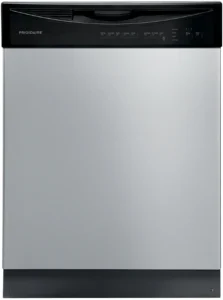
| Field | Information |
|---|---|
| Document Type | Use & Care Manual / Owner’s Guide |
| Brand Name | Frigidaire |
| Product Name | Dishwasher |
| Model Number(s) | FGID2476SF, FGID2476SB |
| PDF File Size | 4.4 MB |
| Total Number of Pages | 20 |
| Languages Covered | English |
Frigidaire Dishwasher FGID2476SF / FGID2476SB
The Frigidaire dishwasher is a household dishwashing appliance that cleans dishes using circulating hot water, detergent, spray arms, and selectable wash cycles. This Frigidaire dishwasher manual provides operating instructions for starting wash cycles, selecting cleaning options, loading dishes, using detergent and rinse aid, cleaning filters, and resolving common operating problems.
This guide is associated with the FGID2476SF and FGID2476SB models, although it does not print a complete model list.
Product Overview
The dishwasher uses a Direct Feed Wash System to circulate water and detergent through its spray arms.
During a typical wash cycle, the appliance:
- Drains briefly to remove loose food particles collected during loading.
- Fills with water until the filter area is covered.
- Pumps water through the spray arms to clean the dishes.
- Filters food particles from the circulating water.
- Drains used water.
- Repeats washing and rinsing operations according to the selected cycle.
DishSense technology monitors the amount of food soil on the dishes and adjusts the cycle accordingly.
The dishwasher is also designed for quieter operation than many older dishwasher designs. Water-filling, circulation, and drain-motor sounds are normal during operation.
Main Features
- Automatic washing with selectable wash cycles
- DishSense soil-sensing technology
- Heavy, Normal, 30 Min Wash, China Crystal, Energy Saver, and Rinse Only cycles
- Adjustable wash pressure on supported cycles
- Hi-Temp Wash and Sanitize options
- Heat Dry and Air Dry selections
- Delay Start from 1 to 24 hours
- My Favorite Cycle memory
- Child Lock controls
- Digital status display on applicable models
- Removable cylinder fine filter and coarse filter
- Adjustable upper rack and fold-down rack tines on equipped models
- Automatic cycle-completion indicators
Important Safety Instructions
The dishwasher must be installed, operated, and maintained according to the manufacturer’s instructions. Failure to observe electrical, water, loading, and heating precautions may result in injury or property damage.
Electrical Safety
The dishwasher must be connected to a properly grounded electrical system.
The required electrical supply is:
| Requirement | Specification |
|---|---|
| Supply voltage | 120V AC |
| Frequency | 60Hz |
| Circuit protection | 15A fuse or circuit breaker |
| Circuit with food disposer | 20A fuse, as specified in the manual |
| Grounding | Properly grounded electrical connection |
Electrical installation and servicing must follow the appliance’s separate installation instructions.
The following precautions apply:
- Do not operate the dishwasher unless all enclosure panels are correctly installed.
- Disconnect electrical power before servicing.
- Do not modify the electrical controls or grounding system.
- Repairs must be performed by a qualified technician.
- Keep combustible materials and flammable vapors away from the appliance.
General Operating Safety
- Use the dishwasher only for its intended household purpose.
- Keep children away from the appliance during operation.
- Do not allow children to stand, sit, or play on the door or racks.
- Store dishwasher detergent and rinse aid out of children’s reach.
- Use only household-grade automatic dishwasher detergent and suitable rinse agents.
- Do not use industrial detergent.
- Confirm that plastic items are labeled dishwasher-safe before washing.
- Keep sharp utensils positioned to avoid damaging the door seal or tub.
- Load knives and other sharp utensils with their handles upward.
- Use caution when unloading dishes after a Sanitize cycle because items may remain hot.
- Do not tamper with the control panel.
Safety After Long Periods Without Hot Water
Hydrogen gas may accumulate in a hot-water system that has not been used for two weeks or longer.
Warning: Hydrogen gas is flammable and explosive.
If the hot-water supply has not been used for two weeks or more:
- Open all hot-water faucets.
- Allow water to flow from each faucet for several minutes.
- Do not smoke or use an open flame during this procedure.
- Operate the dishwasher only after the accumulated gas has been released.
Water Supply Safety
The dishwasher must have an active water supply before a cycle begins.
Operating without water can damage the pump seal and cause leakage.
The manual specifies incoming water pressure between 20 and 120 psi and recommends water entering the dishwasher at a temperature of at least 120°F (49°C) for satisfactory cleaning performance.
How to Use a Frigidaire Dishwasher
The dishwasher is operated by loading the racks, adding the appropriate detergent and rinse aid, selecting a wash cycle, and pressing START/CANCEL before closing the door.
How to Start a Frigidaire Dishwasher
For the control configuration covered by this manual, the starting procedure is:
- Load the dishes. Place dishes, cups, cookware, and utensils in their appropriate racks.
- Add detergent. Fill the detergent dispenser with the recommended amount of automatic dishwasher detergent.
- Check the rinse aid. Fill the rinse aid dispenser if needed.
- Prepare the hot-water supply. Run the nearest hot-water faucet until the water becomes hot, then turn it off.
- Select a wash cycle. Choose Heavy, Normal, 30 Min Wash, China Crystal, Energy Saver, or Rinse Only, according to the load.
- Select additional options. Set the available wash temperature, pressure, drying, or other supported options.
- Press START/CANCEL. The status window may display “Close door.”
- Close the dishwasher door immediately. A confirmation tone indicates that the wash cycle has started successfully.
The selected cycle and option indicator lights illuminate during the starting process.
Important: On this control configuration, the START/CANCEL button must be pressed before the door is closed to begin or resume a wash cycle.
How to Use the Previous Wash Settings
The dishwasher remembers the previously selected wash cycle and options.
For another load requiring the same settings:
- Load the dishwasher and add detergent.
- Press START/CANCEL.
- Close the door immediately.
The appliance starts using the stored cycle and option settings.
What Happens During a Wash Cycle?
Once a cycle has been selected and started, the dishwasher automatically manages its washing, rinsing, and drying operations.
The appliance may adjust the remaining wash time according to:
- Amount of food soil detected
- Incoming water temperature
- Selected wash cycle
- Wash temperature settings
- Drying and sanitizing options
The remaining time may increase or decrease by several minutes during operation as the soil sensor updates the cycle.
How to Pause and Resume a Frigidaire Dishwasher
Opening the dishwasher door during a running cycle or delay countdown stops operation.
To resume:
- Open the door and wait for the washing action to stop.
- Make any necessary changes to the load.
- Press START/CANCEL.
- Close the door immediately.
A tone confirms that the appliance has resumed operation from the point of interruption.
If the door remains open too long, or is closed without pressing START/CANCEL, the running cycle or delay countdown may be canceled.
How to Cancel a Wash Cycle
To cancel an active wash cycle or delayed start:
- Open the dishwasher door.
- Press START/CANCEL until a tone sounds.
- The running cycle or delay countdown is canceled.
A new cycle can then be selected and started using the normal operating sequence.
Frigidaire Dishwasher Wash Cycles and Settings
The documented dishwasher configurations include six wash cycles for different dish loads and soil conditions.
Cycle availability and selectable options may differ according to model.
Wash Cycle Comparison
| Wash cycle | Recommended use | Approximate duration |
|---|---|---|
| Heavy | Pots, pans, casseroles, and heavily soiled dishes | 2¼–3¼ hours |
| Normal | Everyday dishes and silverware | 2–3¼ hours |
| 30 Min Wash | Lightly soiled dishes needing a shorter wash | 30 minutes |
| China Crystal | Lightly soiled delicate china and crystal | 1¼ hours |
| Energy Saver | Lightly soiled, pre-rinsed dishes | 1¼–1¾ hours |
| Rinse Only | Rinsing dishes that will be washed later | 15 minutes |
The times are approximate. Actual cycle length can change when the dishwasher adjusts for soil level, water temperature, and selected options.
Heavy Wash
The Heavy cycle is designed for cookware and dishes with dried-on or baked-on food.
Typical items include:
- Pots and pans
- Casserole dishes
- Heavily soiled dinnerware
- Silverware with difficult food residue
The documented default settings include Surge wash pressure, Hi-Temp Wash, and Heat Dry.
Additional selections may include Scour pressure, Sanitize, and Air Dry, depending on the configuration.
Normal Wash
The Normal cycle is recommended for everyday dishwashing.
It is suitable for regularly soiled dishes, glasses, and silverware.
The manufacturer’s guide recommends Normal with its factory-default normal water-temperature setting and Heat Dry for typical use.
This setting provides general cleaning performance for a range of dish loads and food-soil levels.
30 Min Wash
The 30 Min Wash cycle is intended for lightly soiled dishes and silverware.
Its approximate operating time is 30 minutes.
The documented default settings include Scour wash pressure, normal wash temperature, and Heat Dry.
Air Dry is an available option for the listed configuration.
China Crystal Cycle
The China Crystal cycle is intended for lightly soiled china and crystal.
It uses Spray wash pressure with normal temperature and Heat Dry as its documented defaults.
Only dishwasher-safe delicate items should be washed. Delicate or antique items should be handled according to their manufacturers’ instructions.
Energy Saver Cycle
The Energy Saver cycle is intended for lightly soiled, pre-rinsed dishes.
It uses Surge wash pressure, normal wash temperature, and Air Dry as its default settings.
Its approximate duration is 1¼–1¾ hours.
Rinse Only Cycle
The Rinse Only program rinses dishes that will be washed later.
Its approximate duration is 15 minutes.
The cycle is useful when dishes cannot be washed immediately and food residue needs to be rinsed away.
Frigidaire Dishwasher Cycle Time and Water Usage Chart
The manufacturer’s cycle chart provides approximate cycle durations and water consumption.
| Cycle | Water usage | Duration | Washes / rinses |
|---|---|---|---|
| Heavy | 7.0–7.9 gallons | 2¼–3¼ hours | 4 washes / 3 rinses |
| Normal | 2.9–7.3 gallons | 2–3¼ hours | 5 washes / 2 rinses |
| 30 Min Wash | 4.5 gallons | 30 minutes | 3 washes / 1 rinse |
| China Crystal | 5.7 gallons | 1¼ hours | 3 washes / 2 rinses |
| Energy Saver | 4.4–7.9 gallons | 1¼–1¾ hours | 5 washes / 3 rinses |
| Rinse Only | 2.0 gallons | 15 minutes | 2 rinses |
The dishwasher may change the remaining time during operation as the soil sensor adjusts the selected cycle.
Control Panel and Button Functions
The dishwasher control panel provides settings for cycle selection, water pressure, temperature, drying, delayed operation, and control locking.
Control Panel Guide
| Control | Function |
|---|---|
| START/CANCEL | Starts, resumes, or cancels a wash cycle |
| WASH PRESSURE | Changes the wash-pressure setting where supported |
| WASH TEMP | Selects normal, Hi-Temp, or Sanitize settings as available |
| HEAT DRY | Selects heated drying |
| AIR DRY | Selects reduced-temperature drying |
| MY FAVORITE CYCLE | Selects a previously saved cycle and options |
| DELAY START | Sets a delayed start or activates the documented control-lock function |
| Cycle buttons | Select the desired wash program |
| Status window | Displays time, operating prompts, and applicable error codes |
Wash Pressure Settings
The wash-pressure system includes three documented selections.
| Setting | Description |
|---|---|
| Spray | Lower-pressure washing |
| Surge | Variable pressure selected for normal cycle operation |
| Scour | Higher-pressure washing |
Surge is the normal default wash-pressure selection for most cycles.
The WASH PRESSURE button changes between available settings.
Not every wash-pressure selection is available on every wash cycle.
Hi-Temp Wash
The Hi-Temp Wash option increases the water temperature during the main wash.
The manufacturer’s guide specifies a main-wash temperature of approximately 140°F (60°C) for this option.
To activate it, press WASH TEMP until the Hi-Temp selection is displayed.
The higher wash temperature helps remove grease and food residue.
Sanitize Option
The Sanitize option increases the final-rinse temperature to approximately 155°F (68°C) and maintains that temperature for nine minutes.
The documented Sanitize function is available on the Heavy and Normal cycles.
To activate Sanitize, use the WASH TEMP button to select the option.
The dishwasher extends the cycle as necessary to reach the required temperature.
For proper sanitizing performance, the incoming water should be at least 120°F (49°C).
The sanitization requirement may not be achieved if:
- The cycle is interrupted.
- A power failure occurs.
- Incoming water is significantly below the recommended temperature.
The Sanitized indicator appears when the cycle meets the required sanitization conditions.
Heat Dry
The Heat Dry option uses heated drying to improve drying performance.
It is available on all the wash cycles described in the manufacturer’s chart.
Using Heat Dry together with rinse aid provides better drying results.
Air Dry
Air Dry reduces the hot-rinse temperature and may lower energy use.
However, dishes may remain wetter when this option is selected.
How to Set Delay Start
The Delay Start function allows a selected wash cycle to begin automatically after a delay of 1 to 24 hours.
To set the delay:
- Select the desired wash cycle.
- Choose the required options.
- Press DELAY START until the desired delay appears in the status window.
- Press START/CANCEL.
- Close the dishwasher door immediately.
A tone confirms that the delay countdown has started.
The dishwasher begins the selected wash cycle after the countdown finishes.
How to Save a Favorite Wash Cycle
The My Favorite Cycle feature stores one preferred combination of cycle and options.
To save a selection:
- Choose the preferred wash cycle.
- Select the desired available options.
- Press and hold MY FAVORITE CYCLE for 3 seconds.
- Release the button when the indicator light turns on.
The selected combination is stored.
To change the saved settings, repeat the procedure with a new cycle and options.
How to Lock the Frigidaire Dishwasher Controls
The Child Lock function prevents accidental changes to the controls.
To lock the controls:
- Press and hold DELAY START.
- Continue until loc appears in the status window.
To unlock the controls:
- Press and hold DELAY START.
- Release the button when loc disappears.
Dishwasher Status Display and Indicator Lights
Some dishwasher models covered by this guide include a digital status window.
Common Display Messages
| Display | Meaning |
|---|---|
| Press Start | START/CANCEL must be pressed to begin or resume operation |
| Close door | The dishwasher door must be closed and latched |
| 1–24 | Delayed-start time in hours |
| Minutes | Remaining cycle time |
| L0–L6 | Rinse-aid dosage level |
| loc | Child Lock is active |
| CLEAN indicator | The wash cycle has completed |
| Sanitized indicator | The selected cycle met the documented sanitization conditions |
| Green floor light | The wash cycle is complete on equipped models |
The final hour of a delay countdown is displayed in minutes.
The Clean and Sanitized indicators may remain illuminated after the door has been opened.
Preparing and Loading Dishes
Correct loading allows water and detergent to reach the dish surfaces and prevents interference with the rotating spray arms.
Preparing Dishes Before Loading
Before loading the dishwasher:
- Remove large pieces of food, bones, pits, and toothpicks.
- Loosen burned-on food from cookware.
- Empty liquids from cups and glasses.
- Check that the items are dishwasher-safe.
- Keep large items away from the detergent dispenser.
- If the dishwasher drains through a food disposer, make sure the disposer is empty.
Food products containing vinegar, mustard, mayonnaise, lemon juice, and tomato-based ingredients may discolor stainless steel or plastic when left on the surface for extended periods.
If washing will be delayed, the Rinse Only cycle can be used to remove residue.
How to Load the Upper Rack
The upper rack is intended for smaller and more delicate items, including:
- Cups
- Drinking glasses
- Small plates
- Bowls
- Stemware
- Dishwasher-safe plastic items
Place glasses and plastic items in the upper rack.
Load cups and other open containers facing downward so water can drain.
Avoid positioning delicate items so they touch one another during the wash cycle.
Nothing should extend below the rack far enough to obstruct the middle spray arm.
Adjusting the Upper Rack
Equipped models have an adjustable upper rack to accommodate taller dishes.
To raise the rack:
- Lift the upper rack.
- Make sure both sides reach the same height.
- Confirm that the rack is level from front to back.
To lower the rack:
- Lift the rack slightly.
- Push it down to the lower position.
- Release it and check that both sides remain level.
Fold-Down Upper Rack Tines
Certain models include fold-down tines for large or awkwardly shaped dishes.
The tines can remain upright for normal loading or be folded down to create additional space.
How to Load the Lower Rack
The lower rack is intended for larger and heavier items, including:
- Dinner plates
- Serving bowls
- Saucepans
- Pots
- Casserole dishes
- Suitable cookware
Place large items around the edges of the lower rack.
Bowls, casseroles, and saucepans should face downward or toward the center.
Position tall items and handles so they do not block spray-arm rotation.
Cup Shelves and Stemware Holders
Some models include adjustable cup shelves and stemware holders.
The cup shelves can support two levels of short cups or glasses and can be repositioned for longer utensils.
The stemware holder uses soft gripping pieces to secure wineglass stems during washing.
Soft Grip Rack
On models equipped with a Soft Grip Rack, the flexible holders help secure glassware and lightweight plastic items that might otherwise move during washing.
Loading the Silverware Basket
The silverware basket is designed for forks, spoons, and other suitable utensils.
For proper loading:
- Place sharp knives and pointed utensils with their handles facing upward.
- Keep utensils from nesting tightly together.
- Mix utensils where practical so water reaches their surfaces.
- Do not allow utensils to protrude through the bottom of the basket.
- Avoid mixing silver and stainless-steel utensils because contact may damage the silver finish.
Some configurations include covered sections for small items such as bottle caps and jar lids.
Dishwasher Detergent Instructions
Only detergent intended for household automatic dishwashers may be used.
Ordinary dish soap, unsuitable cleaners, and industrial detergents can cause excessive suds or damage.
How to Fill the Detergent Dispenser
The detergent dispenser includes a main wash cup with a cover.
To add detergent:
- Open the detergent dispenser cover.
- Add the correct amount of automatic dishwasher detergent or a single suitable detergent tablet.
- Close the dispenser cover.
- Start the selected wash cycle.
Fresh detergent should be added shortly before starting a cycle.
Store detergent in a cool, dry place. Moist or hardened detergent may not dissolve correctly.
How Much Dishwasher Detergent to Use
The manufacturer’s dosage chart recommends detergent amounts based on water hardness.
| Water hardness | Water hardness level | Detergent amount | Dispenser fill |
|---|---|---|---|
| Soft water | 0–3 grains per gallon | 4 teaspoons | First line |
| Medium-hard water | 4–8 grains per gallon | 6 teaspoons | Second line |
| Hard water | 9–12 grains per gallon | 8 teaspoons | Full |
For very hard water, the manufacturer’s guide recommends considering a water softener.
Using excessive detergent in soft water may permanently etch glassware.
Using too little detergent in hard water may result in food residue, mineral deposits, or spots.
Using Dishwasher Detergent Tablets
For normal cycles, the manual directs that a single detergent tablet be placed in the main wash dispenser and the cover closed.
For quick-wash cycles, detergent tablets and all-in-one packs may not dissolve fully.
The manufacturer’s instructions specify placing the tablet or pack directly in a corner at the bottom of the dishwasher tub for such quick-wash use rather than in the covered dispenser.
Rinse Aid Instructions
Rinse aid improves drying by helping water drain from dishes instead of remaining as droplets.
It also reduces spotting and surface film.
How to Fill the Rinse Aid Dispenser
- Locate the rinse aid dispenser beside the detergent compartment.
- Open the dispenser cover.
- Pour liquid rinse aid into the compartment until it reaches the indicated fill level.
- Close the cover.
- Wipe away any spills with a damp cloth.
Do not overfill the dispenser because spilled rinse aid may cause excessive foaming.
The rinse aid indicator appears dark when full and becomes clear when refilling is needed.
Depending on the selected dosage, one fill can last approximately 11 to 66 washes.
How to Adjust Rinse Aid Dosage
The documented control configuration supports rinse aid levels from L0 to L6.
To change the setting:
- Press and hold RINSE ONLY and DELAY START together for 5 seconds.
- Wait until the rinse aid level appears in the status window.
- Press DELAY START to increase the level.
- Continue until the desired level is displayed.
- Press START or wait several seconds to confirm.
After L6, the setting cycles back to L0.
A higher dosage may help when dishes are not drying properly or water spots remain.
Factors Affecting Washing Performance
Cleaning and drying results depend on incoming water temperature, water pressure, detergent quality, and rack loading.
Water Temperature
The manual recommends incoming water at a temperature of at least 120°F (49°C).
To check the temperature:
- Run the hot-water faucet closest to the dishwasher for several minutes.
- Use a suitable kitchen thermometer to measure the flowing water.
- If the temperature is below 120°F, have a qualified person assess the water-heater setting.
Run the nearby hot-water faucet before starting a dishwasher cycle to clear cold water from the supply pipe.
Water Pressure
The dishwasher requires incoming water pressure between 20 and 120 psi.
Low water pressure can affect washing performance.
Operating showers or laundry equipment at the same time may temporarily reduce the available pressure.
When water pressure is low, delaying the dishwashing cycle until other water demands have finished may improve results.
Frigidaire Dishwasher Filter Cleaning Instructions
The 2017 Use & Care guide describes two removable filters: the Cylinder Fine Filter and the Coarse Filter.
Their purpose is to collect food particles and debris before the water is recirculated or discharged.
Regular inspection and cleaning help maintain proper washing performance.
How to Clean the Cylinder Fine Filter
- Open the dishwasher after the appliance has stopped and the interior is safe to handle.
- Locate the cylindrical filter at the bottom of the tub.
- Turn the filter counterclockwise.
- Lift the filter out.
- Remove collected debris.
- Rinse the filter under running water.
- Use a sponge or bottle brush if food residue remains.
- Reinstall the filter in its proper position.
The Cylinder Fine Filter can collect larger material, including food debris, bones, pits, and broken glass.
Use caution when handling sharp debris.
How to Clean the Coarse Filter
The Coarse Filter is located beneath the Cylinder Fine Filter.
To clean it:
- Remove the Cylinder Fine Filter.
- Lift the Coarse Filter from the bottom of the dishwasher.
- Hold it under running water.
- Remove accumulated debris.
- Return the Coarse Filter to its position.
- Reinstall the Cylinder Fine Filter.
The filter assembly must be correctly installed before operating the dishwasher.
Cleaning the Dishwasher Exterior
Occasionally wipe the exterior with water and a mild, nonabrasive detergent.
Rinse and dry the cleaned surface.
Cleaning the Drain Air Gap
Some dishwasher installations include a drain air gap mounted on the countertop.
The air gap should be inspected to make sure it remains clean and allows the dishwasher to drain properly.
The manufacturer’s guide notes that the drain air gap is an installation component rather than part of the dishwasher itself.
Winterizing and Long-Term Care
Dishwashers installed in unheated locations may be exposed to freezing temperatures.
Frozen water inside supply and circulation lines can cause pipe damage and leaks.
The manufacturer’s instructions require a qualified person to disconnect water and electrical service, drain the appropriate lines, and restore the appliance after winter storage.
This work must follow the separate installation instructions.
Frigidaire Dishwasher Error Codes
Dishwashers equipped with the documented digital status display may show error codes when the appliance detects a problem.
Error Code Troubleshooting Table
| Error code | Meaning | Recommended action |
|---|---|---|
| i10 | Low water fill detected | Check for a pinched supply line or a water shutoff valve that is not fully open |
| i20 | Filter or drain restriction detected | Inspect and clean the filters, sump area, and accessible drain path |
| i40 | Filter or drain restriction detected | Check the filters and look for a restricted or pinched drain hose |
| iF0 | Filter or drain restriction detected | Check the filters, sump, drain path, and disposer connection |
| i30 | Water leak or overflow detected in the bottom pan | Check for visible loose water connections and improper leveling; contact service if the issue remains |
| i50 | Drain or wash motor problem | Cancel the cycle or disconnect power at the breaker for 5 minutes as directed by the manual; contact service if unresolved |
| i60 | Water-heating system problem | Follow the documented cancellation or power-reset procedure; contact service if unresolved |
| iC0 | Electronic control system problem | Follow the documented cancellation or power-reset procedure; contact service if unresolved |
For drain-related error codes, if the drain line connects to a food disposer, the installation must also be checked to confirm that the disposer inlet knockout plug has been removed.
Important: Electrical, motor, heating, and control-system repairs must be performed by qualified service personnel. A recurring error must not be treated as resolved simply because its display has been cleared.
The manual states that when an error remains after the cancel or five-minute breaker-reset procedure, Frigidaire Customer Care should be contacted.
Frigidaire Dishwasher i10 Error
The i10 error indicates insufficient water entering the dishwasher.
Check the water supply shutoff valve and inspect the accessible water supply line for kinks.
Frigidaire Dishwasher i20, i40, or iF0 Error
These codes indicate a drainage restriction or clogged filtration system.
The manufacturer’s recommended checks include:
- Cylinder Fine Filter
- Coarse Filter
- Sump area
- Drain hose
- Food disposer drain connection, if installed
The appliance should be stopped and made safe before accessing or cleaning removable filtration components.
Frigidaire Dishwasher i30 Error
The i30 error indicates that the dishwasher has detected a leak or overflow in its bottom pan.
The guide identifies loose connections at the inlet valve and improper leveling as possible causes.
If water is leaking or the fault remains, stop using the dishwasher and arrange qualified service.
Frigidaire Dishwasher i50, i60, or iC0 Error
These codes relate to motor, heating, or electronic-control problems.
The manual describes clearing the error using the cancel button or switching power off at the circuit breaker for five minutes.
If the error returns or does not clear, professional service is required.
Frigidaire Dishwasher Troubleshooting Guide
The following troubleshooting procedures address operating problems described in the manufacturer’s Use & Care manual.
| Problem | Possible cause | Recommended action |
|---|---|---|
| Dishwasher will not start | Door not latched, no power, incorrect cycle selection, or Delay Start active | Check the door, selected cycle, water supply, and circuit breaker |
| Dishwasher will not fill | Water supply turned off | Confirm that the water supply is available |
| Dishes remain dirty | Incorrect loading, low water temperature, blocked spray arms, or insufficient detergent | Review loading, water temperature, spray-arm clearance, and detergent |
| Dishes are not dry | Heat Dry off, low rinse aid, low water temperature, or loading issue | Select Heat Dry and check rinse aid and incoming water temperature |
| Dishwasher not draining | Blocked drain line, food disposer connection, or incomplete cycle | Check the documented drain conditions |
| Water remains in tub | Drainage problem | Inspect the drain path and confirm the cycle has finished |
| Dishes have spots | Hard water, insufficient rinse aid, or detergent issue | Check water hardness, rinse aid, and detergent dosage |
| Dishwasher has an odor | Food residue, standing water, or dishes left inside | Use Rinse Only when needed and check drainage |
| Wash cycle takes too long | Water heating, Sanitize option, or Delay Start | Check the selected settings |
| Detergent remains in dispenser | Old detergent, blocked dispenser, or unfinished cycle | Use fresh detergent and correct the loading arrangement |
Frigidaire Dishwasher Won’t Start
If the dishwasher does not start:
- Check whether the circuit breaker has tripped or a fuse has blown.
- Confirm that the water supply is turned on.
- Verify that the desired wash cycle is selected.
- Check whether Delay Start is active.
- Confirm that the door is fully closed and latched.
- Press START/CANCEL and close the door immediately, following the documented sequence.
Frigidaire Dishwasher Not Cleaning Dishes Properly
When food remains on dishes after a wash:
- Select a longer wash cycle.
- Use Hi-Temp Wash where suitable.
- Avoid overloading the racks.
- Keep dishes from nesting together.
- Check that spray arms can rotate freely.
- Use fresh automatic dishwasher detergent.
- Confirm that incoming water is at least 120°F (49°C).
- Check the water pressure.
- Consider the effect of hard water on washing performance.
Frigidaire Dishwasher Not Drying Dishes
If dishes remain wet:
- Select Heat Dry.
- Check the rinse aid dispenser.
- Increase the rinse aid dosage when appropriate.
- Confirm that incoming water is sufficiently hot.
- Avoid loading dishes too close together.
- Position cups and bowls to allow water to drain.
Plastic items may require additional towel drying.
Frigidaire Dishwasher Not Draining
When water remains at the bottom of the tub after a completed cycle:
- Confirm that the wash cycle has finished.
- Make sure the connected food disposer, if present, is empty.
- Check whether the disposer inlet knockout plug has been removed.
- Inspect the accessible drain hose for kinks.
- Check the filters and sump for debris, as directed by the manual.
If the dishwasher still does not drain properly, service may be required.
Frigidaire Dishwasher Has Water Spots or Cloudy Glassware
Water spots and cloudy glassware may result from mineral deposits, improper detergent dosage, insufficient rinse aid, or unsuitable water temperature.
The manufacturer’s recommended checks include:
- Water hardness
- Detergent freshness
- Rinse aid level
- Correct loading
- Water pressure
- Incoming water temperature
Permanent glass etching caused by excessive detergent is different from a removable mineral film.
How to Remove Spots and Film
The manual provides a white-vinegar cleaning procedure for mineral deposits and removable film.
- Load clean dishes and glasses in the normal arrangement.
- Do not include metal utensils or silverware.
- Do not add dishwasher detergent.
- Select the Normal cycle and start the dishwasher.
- Allow the cycle to continue until the second water fill begins, approximately 10 minutes after starting.
- Open the door carefully and add 2 cups of white vinegar to the bottom of the dishwasher.
- Close and latch the door, following the documented restart procedure if necessary.
- Allow the cycle to finish.
This procedure is intended for removable spots and film, not for repairing permanent glass etching.
Frigidaire Dishwasher Has an Odor
Odors may develop when soiled dishes remain inside the appliance for extended periods.
To reduce odors:
- Use Rinse Only when a full wash cycle will be delayed.
- Check for drainage problems.
- Remove trapped food from the filters.
- Avoid leaving heavily soiled dishes inside the dishwasher for prolonged periods.
A new appliance may have a temporary smell when first installed.
Frigidaire Dishwasher Cycle Taking Too Long
A longer cycle may result from:
- Automatic heating of incoming water
- Hi-Temp Wash
- Sanitize
- Delay Start
- DishSense adjustments based on food soil
Longer operation does not automatically indicate a mechanical problem.
Normal Dishwasher Sounds
The Direct Feed Wash System uses water-filling, recirculation, and draining operations.
Normal operating sounds may include:
- Water entering the tub
- Water circulating through spray arms
- Motor operation
- Water draining
These sounds can vary between cycles.
Technical Specifications
The uploaded Use & Care manual provides the following electrical and operating requirements.
| Specification | Documented value |
|---|---|
| Product type | Household dishwasher |
| Brand | Frigidaire |
| Document identifier | 117886621 Rev A |
| Electrical supply | 120V AC, 60Hz |
| Normal circuit protection | 15A |
| Circuit protection with disposer | 20A |
| Required water pressure | 20–120 psi |
| Recommended incoming water temperature | At least 120°F (49°C) |
| Hi-Temp main-wash temperature | Approximately 140°F (60°C) |
| Sanitize final-rinse temperature | 155°F (68°C) |
| Sanitize holding duration | 9 minutes |
| Delay Start range | 1–24 hours |
| Rinse aid dosage levels | L0–L6 |
| Documented wash cycles | 6 |
| Warranty in original document | 1-year limited warranty |
Warranty Information
The Frigidaire Use & Care manual includes a one-year limited appliance warranty administered by Electrolux.
Under the warranty terms printed in the guide, qualifying defects in materials or workmanship are covered for one year from the original purchase date when the appliance has been installed, used, and maintained according to the instructions.
Warranty Coverage
The warranty provides for eligible repair or replacement costs for defective parts.
Coverage is subject to the manufacturer’s terms and exclusions.
Warranty Exclusions
The original warranty excludes certain conditions, including:
- Removed or altered serial numbers
- Products transferred from their original owner
- Products removed outside the United States or Canada
- Commercial use
- Appliances purchased as-is
- Damage resulting from misuse or abuse
- Improper electrical supply
- Unauthorized repairs
- Installation-related damage
- Normal consumable items and certain cosmetic components
Warranty eligibility and service arrangements depend on the original terms and applicable law.
Customer Support Information
The original manual identifies the following Frigidaire and Electrolux support contacts.
| Region | Customer service |
|---|---|
| United States | 1-800-944-9044 |
| Canada | 1-800-265-8352 |
| US website | https://www.frigidaire.com |
| Canada website | https://www.frigidaire.ca |
The model number and serial number should be recorded before requesting service.
The manual’s product diagram shows the serial label on the right side of the dishwasher door.
For product-specific documentation and replacement-parts information, Frigidaire’s FGID2476SF product support page provides manufacturer resources.
Frequently Asked Questions
1. How do you start a Frigidaire dishwasher?
For the documented START/CANCEL control configuration, load the dishes, add detergent and rinse aid, run the nearest hot-water faucet until hot, select the desired cycle and options, press START/CANCEL, and close the dishwasher door immediately. A tone indicates that the cycle has started.
2. How do you use a Frigidaire dishwasher for the first time?
Before the first wash, confirm that the dishwasher is correctly installed, grounded, and connected to an active water supply. Load suitable dishes, fill the detergent dispenser, check the rinse aid, select a wash cycle, and follow the documented START/CANCEL starting sequence.
3. What is the best wash cycle for everyday dishes?
The manufacturer’s guide recommends the Normal cycle with its factory-default temperature and Heat Dry settings for typical everyday loads. The Heavy cycle is intended for more difficult food soil, while 30 Min Wash is intended for lightly soiled dishes.
4. How do you reset or cancel a Frigidaire dishwasher cycle?
To cancel an active cycle, open the door and press START/CANCEL until a tone sounds. For certain motor, heating, or control-system errors, the manual also describes switching electrical power off at the circuit breaker for five minutes. Recurring faults require service.
5. How do you clean a Frigidaire dishwasher filter?
For the filter system described in this manual, rotate the Cylinder Fine Filter counterclockwise and lift it out. Rinse it under running water and remove debris. Then remove and rinse the Coarse Filter beneath it. Reinstall both filters correctly before operating the dishwasher.
6. Why won’t a Frigidaire dishwasher start?
Possible causes include an unlatched door, unavailable electrical power, an inactive water supply, an incorrect cycle selection, or an active Delay Start setting. Check these conditions and follow the START/CANCEL sequence.
7. How do you turn off the control lock on a Frigidaire dishwasher?
For the described control configuration, press and hold DELAY START until loc disappears from the status window. The controls are then unlocked.
8. What do i10, i20, and i30 mean on a Frigidaire dishwasher?
The i10 code indicates insufficient water fill. The i20 code indicates a filter or drain restriction. The i30 code indicates water leakage or overflow detected in the bottom pan. The appropriate checks must be performed safely, and unresolved faults require manufacturer service.