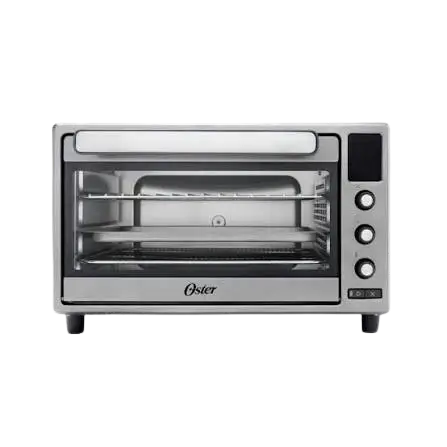
Oster Toaster Oven TSSTTVSM9L
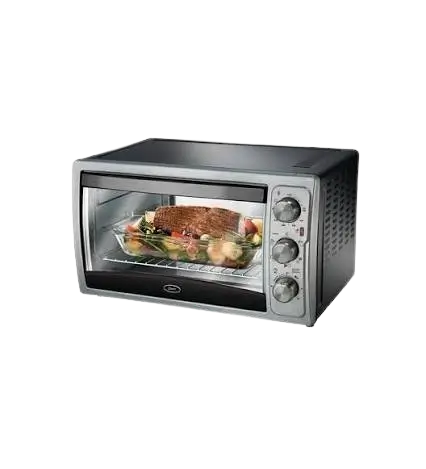
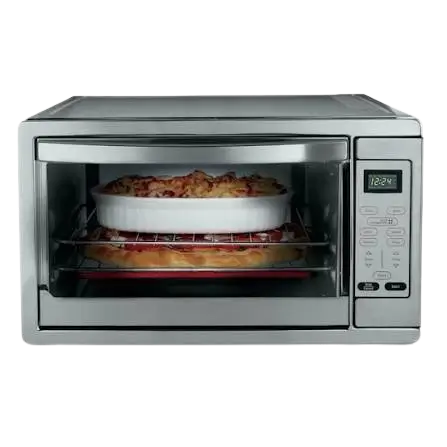
The Oster Toaster Oven TSSTTVSM9L is a countertop oven that toasts and bakes. A Temperature Control Dial (with a Toast setting) and a Toast Color Control/Timer Dial run the oven, and an indicator light, a baking pan, a wire cooking rack and a swing-open crumb tray complete the setup.
Both the top and bottom heating elements operate during toasting and baking. The oven shuts off automatically with a bell when a timed cycle ends, or it can run continuously on the Stay-On setting until you turn it off by hand.
Parts and Controls
The product illustration identifies eight numbered features.
| No. | Feature | What it is for |
|---|---|---|
| 1 | Temperature Control Dial | Sets the baking temperature. |
| 2 | Toast Setting | Selected on the same dial (the manual also calls it the function knob) for toasting. |
| 3 | Toast Color Control/Timer Dial | Sets toast shade, sets the baking timer and acts as the On/Off switch for baking. |
| 4 | Stay-On Setting | Keeps the oven baking until you turn the Timer Dial to Off. |
| 5 | Indicator Light | Located between the two dials. |
| 6 | Baking Pan | Holds food during baking. |
| 7 | Swing-Open Crumb Tray | Located under the unit. |
| 8 | Cooking rack | The wire rack; it can sit in the Toast position or the Bake position. |
Rack Positions
The illustration shows the wire rack in two places: a Bake position and a Toast position. Use the Toast position when toasting. For baking, set the baking pan on top of the wire rack.
Before First Use
Wash the Accessories
Before using the oven, wash the non-electrical accessories, the wire rack and the baking pan in hot water with detergent or soap. Make sure the appliance is unplugged and cool before you clean it.
Expect Some Smell or Smoke at Start-Up
During initial start-up, you may notice a slight smell or some smoke. Turn the temperature to maximum and let the oven run for approximately 5 minutes.
Choose a Safe Location
Pull the oven out a minimum of 6 inches away from the wall or other cords while it is in use. Do not place it near a hot gas or electric burner or in a heated oven, and do not let it touch or sit under flammable materials such as curtains or draperies.
How to Toast
- Place the oven rack in the Toast position, then place the food on the rack.
- Turn the function knob to Toast.
- Rotate the Toast Color Control/Timer Dial clockwise past 10 minutes, then back to the desired toast shade (Light, Medium or Dark). Medium sits between Light and Dark.
Important: Whichever shade you choose, always rotate the timer past 10 minutes first and then turn it back to Light, Medium or Dark. This ensures the timer operates correctly and safely.
When Toasting Ends
When the toast cycle finishes, the bell rings and the electrical power turns off automatically. To stop the cycle at any time, turn the timer counterclockwise to the Off position; the bell rings.
Heating Elements While Toasting
Both the top and bottom heating elements operate in this cycle. They may not glow red hot, which is normal.
How to Bake
- Place the food on the baking pan, then set the pan on top of the wire rack in the oven. Close the oven door. The manual suggests always preheating the oven before placing food inside.
- Rotate the Temperature Dial to the desired temperature.
- Use the Timer Dial, which is the On/Off switch, to start baking by choosing one of the two options below.
Timed Baking (Up to 30 Minutes)
For shorter baking times, rotate the Timer Dial clockwise, up to 30 minutes. When the bell sounds, the bake function turns Off automatically.
Stay-On Baking
For longer baking times, rotate the Timer Dial counterclockwise to the Stay On setting. Baking continues until you manually turn the Timer Dial to the Off position, and the bell then sounds. Both the top and bottom heating elements operate during this cycle.
Note: Always monitor the food at the Stay On setting so it does not overcook. Do not use oven plastic or paper cooking bags in the toaster oven.
Important Safeguards
Read all instructions, product labels and warnings before using the oven. The manual instructs owners to save these instructions. This unit is for household use only.
Heat and Handling
- Do not touch hot surfaces. Use oven mitts when handling hot materials, and let metal parts cool before cleaning.
- Allow the unit to cool thoroughly before putting in or taking off parts.
- Use the oven handles when moving the unit.
- Do not use the oven near a hot gas or electric burner or in a heated oven.
Placement and Fire Risk
- A fire may occur if the oven is covered or touching flammable materials, including curtains, draperies and walls, while operating.
- Do not store any items on top of the appliance while it is operating.
- Pull the unit out a minimum of 6 inches away from the wall or other cords when in use.
- Do not store materials other than the manufacturer’s recommended accessories in the oven when it is not in use.
What Not to Put in the Oven
- Do not place flammable materials such as paper, cardboard, plastic or anything that may catch fire or melt in the oven.
- Do not cover the oven tray with metal foil; this causes overheating of the appliance.
- Do not insert oversized foods or metal utensils, which may create a fire or risk of electrical shock.
- Use extreme caution with containers made of any material other than metal or glass.
- Do not use attachments the manufacturer does not recommend; they may cause fire, electric shock or personal injury.
Electrical Safety
- Unplug the oven when it is not in use and before cleaning. Make sure the oven is turned off before unplugging.
- Do not immerse the appliance in water or any other liquid.
- Do not operate the appliance with a frayed or damaged cord or plug, after it malfunctions, or after it has been dropped or damaged in any way. Return it to the nearest Authorized Oster Appliance Service Center for examination, repair or electrical or mechanical adjustment.
- Do not let the cord dangle over the edge of a tabletop or countertop or touch hot surfaces.
- To turn the appliance off, return all controls to the Off position, then unplug it from the wall outlet.
- Do not clean with metal scouring pads. Pieces can break off and touch electrical parts, creating a risk of electrical shock.
Children, Use and Location
- Close supervision is necessary whenever the oven is used near children. The appliance is not for use by children.
- Do not use the oven outdoors or for commercial purposes, and do not use it for anything other than its intended use.
Power Cord and Plug
A short power-supply cord is provided to reduce the risk of becoming entangled in or tripping over a longer cord. An extension cord may be used if care is exercised. Its electrical rating must be at least as great as the electrical rating of the appliance, and it should be arranged so it does not drape over the countertop or tabletop, where it could be pulled on by children or tripped over.
For products purchased in the United States and Canada, the plug is polarized (one blade is wider than the other) and fits a polarized outlet only one way. If it does not fit fully, reverse the plug. If it still does not fit, contact a qualified electrician. Do not attempt to modify the plug.
Care and Cleaning
Do not immerse the oven in liquids. Wipe it with a damp cloth and dry it. Always make sure the appliance is unplugged and cool before cleaning.
- Turn all knobs to the Off position (“0”), then unplug the unit and let it cool.
- Wipe the unit down with a damp cloth. Do not immerse it in water, and use only mild, soapy water. Abrasive cleaners, scrubbing brushes and chemical cleaners will damage the continuous clean coating on this unit.
- Swing open the crumb tray, tip the oven back, and pull the crumb tray knob forward and then down.
- Shake the crumbs off the crumb tray. Cleaning it often avoids accumulation.
- Remove the wire rack and clean it with a damp cloth, or place it on the top rack of the dishwasher.
Warranty and Support
The product carries a one-year limited warranty against defects in material and workmanship, counted from the date of purchase. It is offered by Sunbeam Products, Inc. doing business as Jarden Consumer Solutions (in Canada, Sunbeam Corporation (Canada) Limited doing business as Jarden Consumer Solutions). The company may repair or replace the product or a defective component at its option. The warranty is valid for the original retail purchaser only, is not transferable and requires proof of purchase, so keep the original sales receipt.
The warranty does not cover normal wear of parts, or damage from negligent use or misuse, use on improper voltage or current, use contrary to the operating instructions, or disassembly, repair or alteration by anyone other than the company or an authorized service center. Do not attempt to repair or adjust any electrical or mechanical functions; doing so voids the warranty.
For warranty questions or service, call 1.800.334.0759 in the U.S.A. or 1.800.667.8623 in Canada, and a convenient service center address will be provided. Product questions can go to Sunbeam Consumer Service at the same numbers or at www.oster.com. The manual asks owners not to return the product to the company addresses or to the place of purchase.
Frequently Asked Questions
How do I toast bread in the Oster TSSTTVSM9L?
Put the oven rack in the Toast position and set the food on it. Turn the function knob to Toast, then rotate the Toast Color Control/Timer Dial clockwise past 10 minutes and back to Light, Medium or Dark. When the cycle ends, a bell rings and the power shuts off by itself.
Why do I have to turn the timer past 10 minutes when toasting?
The manual requires this for every shade so the timer operates correctly and safely. Whether you want Light, Medium or Dark, turn the dial clockwise beyond 10 minutes first, then rotate it back to the shade you want. Setting the dial directly to a shade without passing 10 minutes first is not the documented method.
How do I stop a toast cycle early?
Turn the timer counterclockwise to the Off position at any time. The bell rings when you do, which is the expected signal that the cycle has stopped.
How do I bake in this toaster oven?
Place the food on the baking pan, set the pan on top of the wire rack and close the door. Preheating is suggested before putting food in. Turn the Temperature Dial to the temperature you want, then use the Timer Dial, which also works as the On/Off switch. Turn it clockwise for up to 30 minutes of timed baking, or counterclockwise to Stay On for longer baking. Both the top and bottom heating elements operate while baking.
What does the Stay On setting do, and when should I use it?
Stay On keeps baking going until you manually turn the Timer Dial to Off, at which point the bell sounds. It is intended for longer baking times than the 30-minute timer allows. Because nothing shuts the oven off automatically at this setting, keep an eye on the food so it does not overcook.
Is it normal for the oven to smell or smoke the first time I use it?
Yes, a slight smell or some smoke can occur during initial start-up. To deal with it, turn the temperature to maximum and let the oven run for approximately 5 minutes. Before that first use, also wash the non-electrical accessories, wire rack and baking pan in hot water with detergent or soap.
Why don’t the heating elements glow red when I toast?
That is normal. Both the top and bottom elements work during the toast cycle, but they may not glow red hot, and they are still operating properly.
How do I clean the crumb tray?
Turn the knobs to Off, unplug the oven and let it cool. Swing open the crumb tray, tip the oven back, and pull the crumb tray knob forward and then down. Shake the crumbs out. Cleaning the tray often prevents buildup.
Can I use foil, paper, plastic or cooking bags in the oven?
Not in the ways the manual prohibits. Do not cover the oven tray with metal foil, because it causes overheating. Do not put flammable materials such as paper, cardboard or plastic in the oven, and do not use oven plastic or paper cooking bags. If you use a container made of something other than metal or glass, use extreme caution.
How much space does the toaster oven need around it?
Pull the oven out at least 6 inches from the wall or other cords when using it. Keep it away from curtains, draperies and other flammable materials, and never cover it or store items on top while it is operating. Do not place it near a hot gas or electric burner or in a heated oven.
Can I use an extension cord with the toaster oven?
An extension cord may be used with care. Its electrical rating must be at least as great as the oven’s rating, and it should be arranged so it does not drape over the countertop or tabletop where it could be pulled on or tripped over. The oven’s own cord is short on purpose, to reduce tangling and tripping, and it should not dangle over the edge of a counter or touch hot surfaces.