| Document Detail | Information |
| Document Title | Dehumidifier 25 Pint & 32 Pint |
| Document Type | User Manual |
| Brand Name | hOmeLabs |
| Product Name | Dehumidifier |
| Model Number(s) | HME0088, HME0089 |
| PDF File Size | 2 MB |
| Number of Pages | 52 |
| Languages | English, French |
hOmeLabs Dehumidifier HME0088
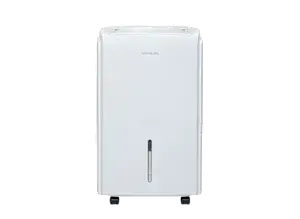
The hOmeLabs Dehumidifier is designed to remove excess moisture from indoor air. The HME0088 and HME0089 models are covered by the 25 Pint and 32 Pint Dehumidifier series and feature adjustable humidity settings, multiple fan speeds, Comfort Mode, Continuous Mode, a programmable timer, and Wi-Fi pairing functionality.
The appliance collects moisture in a removable water bucket or allows water to drain through a continuous drainage connection. It also includes automatic defrost, a full-tank warning, a washable air filter, and a filter cleaning reminder.
Before operating the dehumidifier for the first time, it must remain upright outside its packaging for 24 hours. The unit should be placed on a stable, level floor with sufficient ventilation space around it.
Product Overview
The hOmeLabs 25 Pint and 32 Pint Dehumidifiers are intended for indoor residential use. They help control excess moisture in enclosed areas such as basements, laundry areas, kitchens, and other spaces where humidity may be high.
The dehumidifier removes moisture from the air and collects the water inside its removable bucket. For continuous water removal, the supplied drain pipe can be connected to the drainage port at the rear of the appliance.
Main Features
- Adjustable humidity control: Allows the desired indoor humidity level to be selected.
- Three fan speeds: High, Medium, and Low settings.
- Comfort Mode: Automatically adjusts the target humidity according to room temperature.
- Continuous Mode: Operates continuously until the water bucket becomes full.
- Programmable timer: Supports delayed startup or shutdown from 0.5 to 24 hours.
- Wi-Fi pairing: Provides a pairing mode activated from the Power button.
- Automatic defrost: Temporarily changes operation when frost forms on the evaporator coils.
- Full bucket alarm: Uses an audible warning and flashing Tank Full indicator.
- Continuous drainage: Allows collected water to drain through the rear drain connection.
- Filter reminder: Illuminates after 250 hours of operation.
- Removable water bucket: Allows collected water to be emptied manually.
- Water level view window: Provides visibility of the collected water level.
- Castors and handle: Assist with moving the appliance.
Technical Specifications
| Specification | Details |
| Brand | hOmeLabs |
| Product Name | Dehumidifier |
| Model Numbers | HME0088, HME0089 |
| Series Capacities | 25 Pint, 32 Pint |
| Rated Voltage | 115 V~ |
| Rated Frequency | 60 Hz |
| Operating Temperature | 41°F–90°F (5°C–32°C) |
| Operating Relative Humidity | 30%–90% RH |
| Fan Speeds | High, Medium, Low |
| Humidity Modes | Adjustable Humidity, Comfort, Continuous |
| Timer Range | 0.5–24 Hours |
| Wi-Fi Pairing | Yes |
| Automatic Defrost | Yes |
| Filter Reminder | After 250 Hours of Use |
| Drain Pipe Length | 1 m |
| Drain Pipe Inner Diameter | 12.7 mm |
| Drain Pipe Outer Diameter | 15.5 mm |
| Fuse Specification | Type T, 250 V AC, 3.15 A |
| Refrigerant Identified in Safety Instructions | R32 |
| Intended Use | Indoor Household Use Only |
| Warranty | Limited One-Year Warranty |
The refrigerant type should also be checked on the appliance nameplate before any qualified servicing.
What’s Included in the Box
The hOmeLabs Dehumidifier includes a drain pipe for continuous water drainage.
| Item | Quantity / Details |
| Dehumidifier Unit | Main appliance |
| Removable Water Bucket | Installed in the appliance |
| Drain Pipe | 1 Set |
| Drain Pipe Length | 1 m |
| Drain Pipe Inner Diameter | 12.7 mm |
| Drain Pipe Outer Diameter | 15.5 mm |
Important: Before using the appliance, all accessories must be removed from the packaging and water bucket.
Parts and Components
The hOmeLabs Dehumidifier has a front control panel, removable water bucket, air circulation openings, and a rear drainage connection.
| Part | Function |
| Control Panel | Provides buttons and indicators for operating the appliance. |
| Air Outlet | Releases air from the dehumidifier. |
| Water Bucket | Collects water removed from indoor air. |
| Water Level View Window | Allows the water level inside the bucket to be checked. |
| Handle | Used when moving the appliance. |
| Castors | Help move the unit across the floor. |
| Air Intake Grille | Allows room air to enter the appliance. |
| Power Cord | Connects the dehumidifier to its electrical supply. |
| Drain Port with Cap | Provides the connection for continuous drainage. |
| Air Filter | Collects dust from incoming air and requires regular cleaning. |
Removing the Water Bucket
The water bucket is located at the front of the appliance.
- Turn off and unplug the appliance before removing the bucket.
- Hold the bucket using both hands.
- Pull the bucket out of the unit.
- Remove any accessories stored inside before first use.
- Return the bucket to its correct position.
The bucket must be properly installed for the dehumidifier to operate.
Control Panel and Buttons
The dehumidifier’s control panel allows the operating mode, fan speed, humidity level, and timer to be adjusted.
Control Buttons
| Button | Function |
| Power | Turns the appliance on or off. |
| Increase (+) | Raises the selected humidity setting or timer value. |
| Decrease (−) | Lowers the selected humidity setting or timer value. |
| Fan | Selects the fan speed. |
| Timer | Sets delayed startup or shutdown. |
The control panel also uses button combinations for Comfort Mode, Wi-Fi pairing, and the filter reminder reset.
Display Indicators
| Indicator | Meaning |
| High | High fan speed is selected. |
| Med | Medium fan speed is selected. |
| Low | Low fan speed is selected. |
| Wi-Fi | Wi-Fi function indicator. |
| Comfort | Comfort Mode is active. |
| Tank Full | Water bucket is full or requires attention. |
| Timer | A startup or shutdown timer is active. |
| Filter | The air filter needs cleaning. |
Special Button Functions
| Function | Button Operation |
| Enter Wi-Fi Pairing | Hold Power for 5 seconds. |
| Activate Comfort Mode | Hold Timer for 3 seconds. |
| Exit Comfort Mode | Press Fan or hold Timer for 3 seconds. |
| Enter Continuous Mode | Lower humidity to 35%, then press Decrease again. |
| Reset Filter Reminder | Hold Fan for 3 seconds after cleaning and reinstalling the dry filter. |
Important Safety Instructions
The hOmeLabs Dehumidifier contains electrical components and a sealed refrigeration system. Proper installation and operation are necessary to reduce the risk of fire, electric shock, injury, and appliance damage.
Electrical Safety
- Connect the appliance to a properly installed and grounded electrical outlet.
- The household voltage must match the appliance rating.
- The power plug must be firmly and completely inserted into the outlet.
- Do not remove or cut the grounding pin or grounding tab from the plug.
- Do not connect other appliances to the same outlet.
- Do not use an extension cord.
- Do not handle the appliance or power plug with wet hands.
- Do not use the appliance if the cord or plug is damaged.
- Do not run the power cord beneath carpets, rugs, or runners.
- Keep the power cord away from heaters, radiators, and other heat sources.
- Do not pull the power cord to disconnect the appliance. Hold the plug instead.
- Do not switch the appliance on or off by repeatedly connecting or disconnecting the power cord.
- Turn off and unplug the appliance before cleaning, emptying the bucket, or performing user maintenance.
Warning: A damaged power cord must be replaced by the manufacturer, its service agent, or a similarly qualified person.
Installation and Operating Safety
- Use the dehumidifier only for indoor residential purposes.
- Place the appliance on a stable, level floor.
- The floor must be capable of supporting up to 110 lbs (50 kg).
- Do not use the appliance outdoors.
- Do not place it near a bathtub or another water container.
- Keep the air inlet and air outlet clear.
- Do not insert objects into the ventilation openings.
- Do not use the appliance near gasoline, paint, or other flammable materials.
- Do not use a solid-state speed control device with the dehumidifier.
- Do not disassemble or modify the appliance.
- Do not attempt electrical or mechanical repairs without proper qualifications.
- Keep children away from the appliance and packaging materials.
The dehumidifier should not be operated if it is damaged or malfunctioning.
Water and Cleaning Safety
- Do not wash the appliance directly with water.
- Protect the electrical components from splashing water and other moisture.
- If water enters the appliance, unplug it immediately and contact Customer Service.
- Do not use hazardous chemicals, wax, thinner, strong detergents, or flammable cleaning substances.
- Do not spray insecticides or similar liquids onto the appliance.
- Use a soft cloth for cleaning the exterior.
- Do not drink the water collected in the bucket.
Refrigerant and Fire Safety
Warning: Risk of fire. The appliance uses flammable R32 refrigerant.
- Do not puncture refrigerant tubing.
- Do not pierce or burn the appliance.
- Refrigerant may not have a noticeable odor.
- Do not use unapproved methods to accelerate defrosting.
- Keep the appliance away from continuously operating ignition sources during storage.
- Do not attempt to open or repair the sealed refrigeration circuit.
- Refrigeration repairs must be performed by trained service personnel.
- Refrigerant handling and disposal must comply with applicable regulations.
If the appliance produces unusual sounds, smoke, or an unusual odor, it must be unplugged immediately.
Refrigerant servicing, recovery, leak testing, electrical component replacement, and disposal must be handled by appropriately qualified personnel using procedures and equipment suitable for flammable refrigerants. Untrained users must not attempt these operations.
Before First Use
Keep the Dehumidifier Upright for 24 Hours
Before connecting the dehumidifier to electricity for the first time:
- Remove the appliance from its packaging.
- Position it upright.
- Leave it standing upright outside the packaging for 24 hours.
- Check the appliance for any damage that may have occurred during transport.
- Remove all accessories from the water bucket.
- Install the bucket correctly.
- Position the appliance on a suitable level floor.
- Connect the unit to the electrical supply only after the required standing period.
Important: If the dehumidifier is later transported on its side, it must be returned to an upright position and left unplugged for at least 6 hours before operation.
Remove Accessories From the Bucket
- Pull out the water bucket.
- Remove the drain plug and other accessories stored inside.
- Check the bucket before reinstalling it.
- Return the bucket securely to the appliance.
The dehumidifier may not start when the bucket is incorrectly positioned.
Choosing a Suitable Location
Correct placement is important for effective moisture removal.
Installation Requirements
- Place the unit on a smooth, level floor that can support the appliance with a full water bucket.
- Keep at least 18 inches (45 cm) of clearance around and above the appliance.
- Keep the air intake and outlet free from obstructions.
- Use the unit in an indoor area where the temperature remains at or above 41°F (5°C), within the specified operating range.
- Close doors, windows, and other outside openings during operation.
- Keep the dehumidifier away from clothes dryers.
- Place the appliance where air can circulate freely.
The dehumidifier may be used in moisture-prone household areas such as basements, kitchens, laundry rooms, and bathrooms, provided all electrical and placement safety requirements are followed.
An enclosed storage space next to the room containing the dehumidifier may receive little drying benefit unless air can circulate between the spaces.
Operating Instructions
How to Turn the Dehumidifier On and Off
- Make sure the water bucket is correctly installed.
- Connect the power cord to a suitable grounded outlet.
- Press the Power button to turn on the appliance.
- Select the desired operating settings.
- Press Power again to turn the appliance off.
For cleaning or maintenance, turn the unit off, wait a few minutes, and then unplug it.
How to Adjust the Humidity Level
The Increase and Decrease buttons control the desired indoor humidity setting.
- Turn on the dehumidifier.
- Locate the Increase (+) and Decrease (−) buttons.
- Press Increase to raise the selected humidity level.
- Press Decrease to lower the selected humidity level.
- Allow the appliance to operate according to the selected humidity setting.
When the selected humidity level has been reached, the dehumidifier may stop removing moisture.
For increased moisture removal, a lower humidity setting can be selected.
How to Adjust the Fan Speed
The Fan button selects the operating fan speed.
- Turn on the appliance.
- Press the Fan button.
- Select the desired fan speed.
- The corresponding speed indicator will illuminate.
Available fan settings are:
| Fan Speed | Display Indicator |
| High | High |
| Medium | Med |
| Low | Low |
Comfort Mode
Comfort Mode automatically sets the target humidity according to the ambient room temperature.
How to Activate Comfort Mode
- Turn on the dehumidifier.
- Press and hold the Timer button for 3 seconds.
- The Comfort indicator will illuminate.
- The appliance will automatically control the humidity according to the surrounding temperature.
While Comfort Mode is active:
- The humidity target cannot be adjusted manually.
- The display shows the ambient humidity.
- The fan operates at Low speed.
- Fan speed cannot be adjusted.
- The display dims and turns off after approximately 1 minute.
- Pressing another button temporarily lights the display again.
Comfort Mode Humidity Settings
| Ambient Temperature | Target Relative Humidity |
| Below 65°F | 55% RH |
| 65°F–77°F | 50% RH |
| Above 77°F | 45% RH |
How to Exit Comfort Mode
Comfort Mode can be canceled by:
- Pressing the Fan button, or
- Holding the Timer button for 3 seconds.
Continuous Mode
Continuous Mode allows the appliance to remove moisture without following a normal selected humidity stopping point.
How to Activate Continuous Mode
- Turn on the dehumidifier.
- Use the Decrease button to lower the humidity setting.
- Continue until the selected humidity reaches 35%.
- Press the Decrease button once more.
- The display will show CO.
The CO indication confirms that Continuous Mode is active.
The appliance continues operating until the water bucket becomes full.
Continuous Mode and Water Drainage
Continuous Mode controls the dehumidifier’s operation. Continuous drainage is a separate function that allows collected water to leave through an installed drain pipe.
When continuous drainage is correctly installed, collected water can flow through the drain pipe instead of filling the bucket.
Wi-Fi Pairing Instructions
The dehumidifier includes a Wi-Fi pairing function.
How to Enter Wi-Fi Pairing Mode
- Locate the Power button on the control panel.
- Press and hold the Power button for 5 seconds.
- The appliance enters Wi-Fi pairing mode.
- The Wi-Fi indicator is provided on the control panel for connection status.
Additional pairing instructions are provided through the appliance’s associated pairing instructions and app.
Timer Settings
The Timer function allows the appliance to start or stop automatically after a selected period.
The available timer range is 0.5 to 24 hours.
How to Set a Delayed Startup Timer
- Turn on the dehumidifier.
- Select the desired operating mode and humidity setting.
- Turn off the appliance using the Power button.
- Press the Timer button.
- The display will begin flashing.
- Use the Increase (+) or Decrease (−) buttons to set a delay between 0.5 and 24 hours.
- Leave the controls untouched for 5 seconds.
- The Timer indicator will illuminate.
- The appliance will count down until the programmed startup time.
How to Set an Automatic Shutdown Timer
- Turn on the dehumidifier.
- While the appliance is running, press the Timer button.
- The display will begin flashing.
- Use Increase (+) or Decrease (−) to select a delay between 0.5 and 24 hours.
- Leave the controls untouched for 5 seconds.
- The Timer indicator will illuminate.
- The appliance will follow the programmed shutdown time.
How to Cancel the Timer
Press the Timer button again to cancel the programmed timer.
The Timer indicator will turn off.
Water Bucket and Full Tank Alarm
The removable bucket collects water extracted from the air during normal operation.
What Happens When the Bucket Is Full?
When the water bucket becomes full:
- The compressor stops operating.
- The appliance produces an audible warning.
- The Tank Full indicator flashes.
- The fan may continue operating briefly.
- Moisture removal stops until the bucket is emptied and correctly reinstalled.
How to Empty the Water Bucket
- Turn off the dehumidifier.
- Unplug the appliance.
- Hold the bucket with both hands.
- Carefully pull the bucket out of the unit.
- Empty the collected water.
- Clean the bucket if necessary.
- Return the bucket to its correct position.
Caution: Do not place a full bucket directly on the floor. Its uneven bottom may cause water to spill.
The appliance will not resume normal dehumidifying operation until the bucket has been emptied and correctly positioned.
Cleaning the Water Bucket
The water bucket should be cleaned every week to reduce the growth of mold, mildew, and bacteria.
- Remove and empty the bucket.
- Clean it using a mild detergent.
- Dry the bucket completely.
- Reinstall it correctly.
Warning: Water collected by the dehumidifier must be discarded and must never be used for drinking.
Continuous Drainage Instructions
The dehumidifier supports continuous drainage through the drain port at the rear of the appliance.
This function allows collected moisture to leave the appliance through the drain pipe.
How to Install the Drain Pipe
- Place the appliance on a level floor.
- Locate the drain port at the rear of the dehumidifier.
- Unscrew and remove the drain cap.
- Install the drain connector and gasket.
- Connect the drain pipe to the connector.
- Position the pipe according to the continuous drainage arrangement.
- Press the Power button to operate the appliance.
Correct Drain Pipe Position
The drain pipe must be installed so water can flow away from the unit.
- Keep the dehumidifier level.
- Position the hose to drain downward from the connection.
- Avoid upward bends or raised sections that prevent drainage.
- Check that the pipe is properly connected.
Incorrect drain pipe installation may prevent water from leaving through the hose. If drainage does not work, the bucket may fill and the dehumidifier may stop.
Returning to Bucket Drainage
When continuous drainage is no longer required:
- Stop the appliance.
- Remove the drain pipe.
- Reinstall the cap over the rear drainage opening.
- Check that the water bucket is correctly positioned.
Collected water will then flow into the removable bucket.
Automatic Defrost Function
The dehumidifier includes an automatic defrost function.
When frost builds up on the evaporator coils, the compressor temporarily stops and the fan continues operating until the frost disappears.
Once the coils are fully defrosted, the compressor or fan, depending on the model, restarts automatically and dehumidification resumes.
The defrost process is automatic and does not require manual removal of frost.
Important: Do not use external methods to accelerate defrosting unless recommended by the manufacturer.
Cleaning and Maintenance
Regular cleaning helps maintain airflow and normal operation.
Before cleaning or performing maintenance:
- Turn off the appliance using the Power button.
- Wait a few minutes.
- Unplug the power cord from the outlet.
- Remove collected water when required.
Cleaning the Exterior Cabinet
- Wipe the exterior using a slightly damp cloth.
- Remove surface dirt.
- Dry the cabinet with a dry cloth.
The appliance must not be washed directly with water.
Do not use petrol, alcohol, solvents, insecticide sprays, or similar chemicals.
How to Clean the Air Filter
The air filter should be cleaned every month during operation.
- Turn off and unplug the appliance.
- Locate the filter at the rear of the unit.
- Remove the filter.
- Use a vacuum cleaner to remove dust.
- If the filter is very dirty, immerse it in warm water.
- Rinse the filter several times.
- Keep the water temperature at or below 104°F (40°C).
- Allow the filter to dry.
- Reinstall the completely dry filter.
Caution: Do not touch the metal fins when removing or installing the filter. The fins may cause cuts.
Warning: Do not operate the dehumidifier without its filter. Dirt and lint may clog the appliance and reduce performance.
Filter Cleaning Reminder
The Filter indicator illuminates after approximately 250 hours of operation.
When this indicator appears:
- Remove the air filter.
- Clean it using the approved method.
- Allow it to dry completely.
- Reinstall the filter.
- Press and hold the Fan button for 3 seconds.
- The filter timer will reset and the Filter indicator will turn off.
Maintenance Schedule
| Maintenance Task | Frequency / Condition |
| Clean Air Filter | Every Month During Operation |
| Clean Water Bucket | Every Week |
| Reset Filter Reminder | After Cleaning, When the 250-Hour Reminder Appears |
| Empty Water Bucket | Whenever Full |
| Check Drain Pipe | When Continuous Drainage Is Not Working |
| Inspect Power Cord and Plug | Before Seasonal Startup |
| Drain Remaining Water | Before Seasonal Storage |
End-of-Season Storage
When the dehumidifier will not be used for an extended period, it should be prepared for storage.
Storage Procedure
- Unplug the appliance.
- Empty the water bucket.
- Remove the drain cap.
- Allow the remaining internal water to drain.
- Replace the drain cap.
- Clean the air filter.
- Dry the filter completely before reinstalling it.
- Cover the appliance with a plastic bag.
- Store the unit upright in a dry, well-ventilated area.
The storage location must remain at or above 32°F (0°C).
The appliance must also be stored away from continuously operating ignition sources because it contains flammable refrigerant.
Start-of-Season Checks
Before returning the dehumidifier to service:
- Inspect the power cable.
- Check the plug for damage.
- Follow the installation instructions.
- Place the appliance in a suitable operating location.
- Check that the water bucket is correctly installed.
Troubleshooting Guide
The following troubleshooting steps address operating problems, reduced moisture removal, drainage issues, and normal appliance behavior.
Dehumidifier Does Not Start
| Possible Cause | Recommended Solution |
| Power cord is unplugged. | Insert the plug fully into the electrical outlet. |
| Household fuse is blown or circuit breaker has tripped. | Check the household fuse or circuit breaker. |
| Selected humidity level has been reached. | Select a lower humidity setting. |
| Water bucket is full. | Empty the bucket and reinstall it correctly. |
| Bucket is not properly positioned. | Seat the bucket securely inside the appliance. |
| Power has recently been restored. | Allow up to 3 minutes for the protective compressor delay. |
The protective delay helps prevent compressor overload after a power interruption.
Dehumidifier Does Not Remove Enough Moisture
| Possible Cause | Recommended Solution |
| Appliance has not operated long enough. | Allow at least 24 hours after initial installation to reach the desired dryness. |
| Airflow is blocked. | Remove obstructions around the air inlet and outlet. |
| Air filter is dirty. | Clean the filter. |
| Humidity setting is too high. | Use Decrease to select a lower humidity percentage. |
| Continuous moisture removal is required. | Select Continuous Mode. |
| Doors or windows are open. | Close doors, windows, and other outside openings. |
| Clothes dryer releases moisture into the room. | Keep the dehumidifier away from the dryer and vent the dryer outdoors. |
| Room temperature is too low. | Operate the appliance within its specified temperature range. |
Lower room temperatures reduce the rate of moisture removal.
Dehumidifier Runs for Too Long
| Possible Cause | Recommended Solution |
| Room area is too large for the appliance capacity. | The appliance may not have sufficient capacity for the space. |
| Doors and windows are open. | Close doors and windows. |
Frost Appears on the Heat Exchanger
Frost may appear when the appliance has recently started or when the room temperature is low.
The defrost function operates automatically, and frost normally disappears within approximately 60 minutes.
Fan Makes Noise
Noise caused by air moving through the dehumidifier is normal during operation.
Water Appears on the Floor
| Possible Cause | Recommended Solution |
| Drain connection is loose or deteriorated. | Check the drain connection and confirm the appliance is level. |
| Drain pipe is installed but water is not flowing through it. | Reinstall the drain pipe correctly. |
| Bucket drainage is intended but the drain pipe remains connected. | Remove the drain pipe and replace the drain cap. |
Continuous Drain Is Not Working
If water fills the bucket instead of leaving through the drain pipe:
- Check that the appliance is on a level floor.
- Inspect the rear drain connection.
- Check that the drain pipe is correctly installed.
- Remove any hose arrangement that prevents water from flowing downward.
- Check that the bucket is correctly installed.
Incorrect drainage can cause the bucket to fill and stop dehumidifier operation.
Error Codes and Their Meanings
The hOmeLabs Dehumidifier uses error codes to identify certain sensor failures and refrigeration problems.
| Error Code | Description | Possible Cause | Required Action |
| EH | Humidity Sensor Failure | Humidity sensor is damaged. | Contact Customer Service for inspection and repair. |
| E2 | Temperature Sensor Failure | Temperature sensor is damaged. | Contact Customer Service for inspection and repair. |
| E3 | Gas Leakage | Refrigerant gas leakage. | Contact Customer Service for professional inspection and repair. |
Warning: If an error code appears, the appliance should not be opened or repaired by an unqualified person.
In particular, an E3 gas leakage error requires professional attention because the appliance uses flammable refrigerant. Discontinue operation and contact qualified service personnel.
Customer Service: https://homelabs.com/help
Email: help@homelabs.com
Warranty Information
hOmeLabs provides a limited one-year warranty for qualifying products purchased new and unused from hOmeLabs Technologies, LLC or an authorized reseller.
The warranty applies to defects arising wholly or substantially from manufacturing, parts, or workmanship during the warranty period.
Warranty Coverage
For an eligible claim, hOmeLabs may cover:
- Repair of defective parts.
- Replacement of defective components.
- Necessary labor required to restore the appliance to its original specifications.
- Replacement of the product instead of repair.
The manufacturer’s obligation is limited to the applicable repair or replacement.
Warranty Exclusions
The warranty does not apply to damage caused by:
- Normal wear and tear.
- Abuse or improper handling.
- Accidents.
- Failure to follow operating instructions.
- Exposure to liquids.
- Foreign particles entering the appliance.
- Unauthorized service or modifications.
- Commercial or non-household use.
The warranty becomes void if unauthorized parties attempt repairs or if replacement parts other than those provided by hOmeLabs are used.
Proof of Purchase
A receipt showing the purchase date is required when submitting a warranty claim.
The original proof of purchase should be retained.
Product Registration
The appliance can be registered through:
Registration provides product updates, coupons, and related information.
Registration is not required to activate warranty coverage and does not replace the need for original proof of purchase.
Out-of-Warranty Service
Service may be arranged after the warranty expires at an additional cost.
Customers can contact hOmeLabs about product problems regardless of warranty status.
Additional legal rights may vary by state, country, or province.
Customer Support Information
For product malfunctions, operating questions, error codes, or warranty assistance, contact hOmeLabs Customer Service.
| Contact Detail | Information |
| Brand | hOmeLabs |
| Support Website | https://homelabs.com/help |
| Customer Support Email | help@homelabs.com |
| Product Registration | https://homelabs.com/reg |
| Distributor | hOmeLabs™, LLC |
| Distributor Address | 350 Springfield Avenue, Suite #200, Summit, NJ 07901 |
| Country of Manufacture | China |
If the appliance malfunctions or is believed to be defective, contact Customer Service and retain the product while awaiting further instructions.
A defective appliance should be clearly marked or stored where it cannot be used accidentally.
Frequently Asked Questions
How long should the hOmeLabs HME0088 dehumidifier stand before first use?
The hOmeLabs HME0088 dehumidifier must stand upright outside its packaging for 24 hours before it is plugged in for the first time. If the appliance is later transported on its side, it must be returned upright and left unplugged for at least 6 hours before operation.
How do I set the humidity on the hOmeLabs dehumidifier?
The humidity setting is adjusted using the Increase (+) and Decrease (−) buttons on the control panel. Press Increase to raise the target humidity percentage or Decrease to lower it. In Comfort Mode, the appliance sets the target humidity automatically according to room temperature.
How do I activate Continuous Mode on the hOmeLabs HME0089?
To activate Continuous Mode, lower the humidity setting to 35% using the Decrease button, then press Decrease once more. The display will show CO, indicating Continuous Mode. The appliance will continue dehumidifying until the water bucket becomes full.
How do I connect the continuous drain hose?
Place the dehumidifier on a level floor, remove the rear drain cap, install the drain connector and gasket, and attach the drain pipe. The hose must be positioned correctly to allow water to drain downward without obstruction.
How do I reset the filter light on the hOmeLabs dehumidifier?
Clean the air filter and allow it to dry completely. After reinstalling the filter, press and hold the Fan button for 3 seconds. The filter timer will reset, and the Filter indicator will turn off.
Why does the hOmeLabs dehumidifier stop running when the bucket is full?
The dehumidifier stops removing moisture when the bucket is full. The Tank Full indicator flashes, and an audible warning sounds. The water bucket must be emptied and correctly reinstalled before normal operation can resume.
What do the EH, E2, and E3 error codes mean?
The EH code indicates a humidity sensor failure, E2 indicates a temperature sensor failure, and E3 indicates gas leakage. Each condition requires Customer Service inspection and repair. An E3 error must be treated seriously because the appliance uses flammable refrigerant.