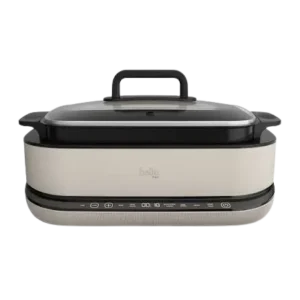
| Document Detail | Information |
| Document Title | 6qt Multicooker with Sear Function Instruction Manual |
| Document Type | Instruction Manual |
| Brand Name | bella |
| Product Name | 6qt Multicooker with Sear Function |
| Model Number(s) | 35428 |
| PDF File Size | 2 MB |
| Number of Pages | 20 |
| Languages | English, Spanish |
bella 6qt Multicooker 35428
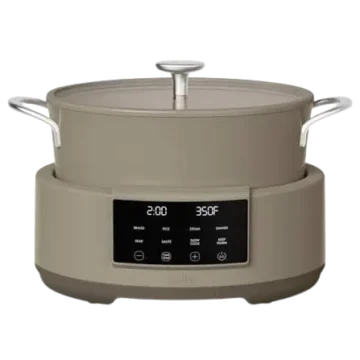
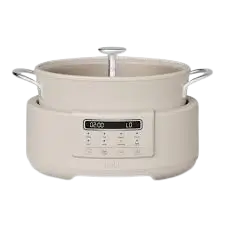
The bella 6qt Multicooker with Sear Function is a countertop electric cooking appliance designed to prepare different meals using five cooking functions: Sear, Sauté, Slow Cook, Steam, and Keep Warm. It features a removable 6-quart cooking pot with a ceramic coating, a glass lid, a steamer tray, and a digital control panel with adjustable cooking time and temperature settings.
The multicooker provides preset cooking programs for browning food, sautéing ingredients, slow cooking meals, and steaming. Its Sear function operates at a preset temperature of 450°F, while the Sauté function allows temperature adjustments between 150°F and 450°F.
The Slow Cook function supports cooking times from 30 minutes to 12 hours. After slow cooking finishes, the appliance automatically switches to Keep Warm for four hours. The Keep Warm function can also be selected independently, with an adjustable duration of up to 12 hours.
The controls include a digital time display, Power button, Start/Stop button, Time/Temp button, and + and − adjustment buttons. Preheating indicators and audible signals help identify when the multicooker is ready and when a cooking cycle has finished.
Product Overview
The bella 6qt Multicooker combines multiple cooking functions in one electric countertop appliance.
Its removable cooking pot rests inside the multicooker body over the heating system. The ceramic-coated interior provides a cooking surface for preparing food, while the included steamer tray supports steaming.
The glass lid covers the cooking pot and includes a steam opening. The front control panel allows the cooking function, duration, and available temperature settings to be selected.
Main Features
- 6-quart cooking capacity: Removable cooking pot for preparing meals.
- Five cooking functions: Sear, Sauté, Slow Cook, Steam, and Keep Warm.
- Sear function: Preset cooking temperature of 450°F.
- Adjustable Sauté temperature: Selectable from 150°F to 450°F.
- Slow Cook function: Adjustable duration from 30 minutes to 12 hours.
- Steam function: Adjustable duration from 10 minutes to one hour.
- Automatic Keep Warm: Activates for four hours after Slow Cook finishes.
- Standalone Keep Warm: Adjustable from 30 minutes to 12 hours.
- Ceramic-coated cooking pot: Designed for cooking with non-metal utensils.
- Removable steamer tray: Used for steaming food.
- Glass lid: Allows the cooking pot to be covered during operation.
- Digital control panel: Displays time, temperature, and operating status.
- Adjustable cooking time: Allows changes before and during cooking.
- Audible indicators: Signal preheating and cooking completion.
- Countertop design: Intended for household use.
Parts and Components
The multicooker consists of seven main components identified in the product diagram.
| Component | Function |
| Glass Lid | Covers the cooking pot and allows steam to escape through its opening |
| Steamer Tray | Supports food during steaming |
| Cooking Pot | Removable container with ceramic coating |
| Cooking Pot Handles | Used when handling or moving the cooking pot |
| Multicooker Body | Main appliance housing that supports the pot |
| Heater | Provides heat to the cooking pot |
| Control Panel | Selects cooking functions, cooking time, and temperature |
Glass Lid
The glass lid covers the cooking pot during cooking.
Hot steam can escape when the lid is opened. Keep hands and face away from the steam and use caution when lifting the lid.
Removable Cooking Pot
The cooking pot has a ceramic-coated surface and fits inside the multicooker body.
For proper heating, its bottom must rest securely against the heating and thermostat assembly.
Important: Do not use a cooking pot that is dented, bent, or otherwise damaged.
The cooking pot must not be used directly on a gas stove, electric cooktop, or open flame.
Steamer Tray
The removable steamer tray fits inside the cooking pot and is used with the Steam function.
Cooking Pot Handles
The handles provide grip points for moving the removable cooking pot.
Always use protective oven mitts when the pot is hot.
Heater
The heating assembly is positioned inside the multicooker body beneath the removable cooking pot.
The bottom of the pot must fit correctly against the heating and thermostat assembly for proper operation.
Control Panel
The front control panel includes the Power, Start/Stop, Time/Temp, + and − buttons, as well as the five cooking function selections.
Technical Specifications
| Specification | Details |
| Brand | bella |
| Product Name | 6qt Multicooker with Sear Function |
| Model Number | 35428 |
| Product Type | Electric Countertop Multicooker |
| Cooking Pot Capacity | 6 qt |
| Cooking Pot Surface | Ceramic Coating |
| Lid | Glass |
| Steamer Tray | Included |
| Electrical Supply | 120V AC |
| Power Plug | Polarized |
| Cooking Functions | Sear, Sauté, Slow Cook, Steam, Keep Warm |
| Sear Default Temperature | 450°F |
| Sear Default Time | 5 Minutes |
| Sear Adjustable Time | 5–30 Minutes |
| Sauté Default Temperature | 400°F |
| Sauté Temperature Range | 150°F–450°F |
| Sauté Default Time | 20 Minutes |
| Sauté Adjustable Time | 10 Minutes–2 Hours 30 Minutes |
| Slow Cook Default Time | 4 Hours |
| Slow Cook Adjustable Time | 30 Minutes–12 Hours |
| Steam Default Time | 45 Minutes |
| Steam Adjustable Time | 10 Minutes–1 Hour |
| Maximum Steam Water Quantity | 1.2 L |
| Keep Warm Default Time | 2 Hours |
| Keep Warm Adjustable Time | 30 Minutes–12 Hours |
| Automatic Keep Warm After Slow Cook | 4 Hours |
| Temperature Adjustment Increments | 10°F |
| Maximum Adjustable Cooking Time | 12 Hours |
| Intended Use | Household |
| Mechanical Warranty | 2 Years |
| Non-Mechanical Parts Warranty | 90 Days |
Important Safety Instructions
The bella 6qt Multicooker produces heat and steam during operation. Incorrect use may result in burns, fire, electric shock, or appliance damage.
Electrical Safety
- Read all instructions before using the multicooker.
- Connect the appliance only to a 120V AC electrical outlet.
- Never immerse the electrical base, power cord, or plug in water or any other liquid.
- Do not operate the appliance with a damaged cord or plug.
- Stop using the multicooker if it malfunctions or becomes damaged.
- Unplug the appliance when not in use and before cleaning.
- Allow the multicooker to cool before cleaning or storage.
- Hold the plug when disconnecting power. Do not pull the cord.
- Do not use accessories that have not been recommended by the manufacturer.
- Never pour water or other liquids directly into the multicooker body.
- Unplug the appliance before washing or adding water.
- Do not operate the multicooker while standing in a damp area.
Warning: Cook only inside the removable cooking pot. Never place ingredients or liquids directly into the electrical base.
Hot Surface and Steam Safety
- Do not touch hot surfaces during or immediately after operation.
- Use handles, knobs, and protective oven mitts.
- Keep hands and face away from the steam opening.
- Use caution when removing the glass lid.
- Never position the face or hands directly over the cooking pot when opening it.
- Take extra care when moving hot oil or other hot liquids.
- Allow the appliance to cool before handling removable components.
Warning: Opening the lid releases hot steam that can cause serious burns.
Cooking Pot Safety
- Never operate the multicooker with an empty cooking pot.
- Do not use a dented, bent, or damaged pot.
- Never use the cooking pot on a gas or electric cooktop.
- Do not place the cooking pot over an open flame.
- Never use sharp objects inside the pot.
- Do not use metal spatulas or other metal utensils that could damage the ceramic coating.
- Do not leave plastic accessories inside the cooking pot during operation.
- Make sure the cooking pot is correctly seated over the thermostat before starting.
Placement and Fire Safety
- Use the multicooker on a stable, heat-resistant countertop.
- Do not operate it outdoors.
- Never place it near a hot stove, cooktop, burner, or heated oven.
- Provide adequate space around and above the appliance for air circulation.
- Keep it away from curtains, wall coverings, clothing, towels, and other flammable materials.
- Do not place the multicooker directly beneath kitchen wall cabinets during operation.
- Do not leave the appliance unattended while cooking.
- Do not allow the power cord to hang over the countertop edge.
- Keep the cord away from hot surfaces.
A heat-resistant trivet or cutting board beneath the appliance is recommended to help protect the countertop from heat damage.
Child Safety
Warning: Spilled hot food can cause severe burns.
- Keep the multicooker and its power cord away from children.
- Never let the power cord hang over the countertop edge.
- Never connect the appliance to an outlet below the countertop.
- Do not use an extension cord.
- Supervise children whenever the appliance is operating nearby.
People with reduced physical, sensory, or mental capabilities or limited experience must receive appropriate supervision or instruction from a person responsible for their safety.
If the Multicooker Falls Into Water
If the appliance accidentally falls into water or another liquid:
- Disconnect power immediately.
- Do not reach into the water.
- Do not operate the appliance afterward.
If the Appliance Malfunctions
If the multicooker begins malfunctioning during use:
- Press Power to stop the appliance.
- Unplug the power cord immediately.
- Do not continue using the appliance.
- Do not attempt to repair it yourself.
Any servicing requiring disassembly beyond normal cleaning must be performed by a qualified appliance repair technician.
Polarized Plug and Power Cord
Polarized Plug
The multicooker has a polarized plug with one blade wider than the other.
It is designed to fit into a polarized electrical outlet in only one direction.
If the plug does not fit:
- Remove the plug.
- Reverse its orientation.
- Try inserting it again.
- If it still does not fit, contact a qualified electrician.
Do not modify the plug.
Power Cord Requirements
The appliance has a short power cord to reduce the risk of entanglement or tripping.
Do not use an extension cord with this multicooker.
Electrical Circuit
If an electrical circuit is overloaded with other appliances, the multicooker may not operate correctly.
Operate it on a separate electrical circuit from other appliances.
Before First Use
Clean the removable cooking components and prepare the appliance before cooking food.
Initial Preparation
- Remove all packaging materials from the multicooker.
- Remove any labels from the exterior surfaces.
- Carefully unpack the glass lid.
- Remove the cooking pot and steamer tray.
- Wash the cooking pot and steamer tray in warm, soapy water.
- Rinse them thoroughly.
- Dry both components completely.
- Wipe the multicooker body if necessary.
- Place the appliance on a stable countertop.
- Position the cooking pot inside the base unit.
Important: Never immerse the multicooker base in water or another liquid.
Check the Cooking Pot
Make sure the cooking pot is not dented, particularly on the bottom.
The pot must fit closely against the thermostat to heat food properly.
Protect the Ceramic Coating
Use silicone or wooden spatulas when stirring food.
Do not use metal utensils that may scratch or damage the ceramic coating.
First-Use Odor
A slight odor or small amount of vapor may occur during initial use.
The manufacturer states that this is normal for many new heating appliances and should disappear after a few uses.
How to Use the bella 6qt Multicooker
The multicooker operates through its Power button, preset cooking functions, and Start/Stop control.
Step 1: Install the Cooking Pot
Place the removable cooking pot inside the multicooker base.
Make sure it rests securely over the heating and thermostat assembly.
Step 2: Add Ingredients
Open the glass lid.
Add the ingredients and liquids required by the recipe directly into the cooking pot.
Important: Never pour liquid into the multicooker base.
Step 3: Position the Lid
Close the glass lid as directed by the cooking procedure.
Step 4: Connect Power
Plug the appliance into a 120V AC outlet.
The multicooker will:
- Sound one beep.
- Briefly illuminate the control panel function indicators.
- Display four dashes (– –) on the digital display.
Step 5: Activate the Control Panel
Press Power.
The Sear function is selected by default.
The display shows:
- Time: 00:05
- Temperature: 450°F
Step 6: Select a Cooking Function
Choose the required function:
- Sear.
- Sauté.
- Slow Cook.
- Steam.
- Keep Warm.
Step 7: Adjust Cooking Settings
Press Time/Temp to select the adjustable time or temperature setting.
Use + and − to make changes within the selected function’s available range.
Step 8: Start Cooking
Press Start/Stop.
For Sear, Sauté, and Steam, the appliance preheats before the cooking timer begins counting down.
Step 9: Finish Cooking
When the cooking cycle is complete, three beeps sound.
Sear, Sauté, and Steam return to standby, while Slow Cook automatically enters Keep Warm.
Step 10: Turn Off and Disconnect
Press Power to turn off the appliance when finished.
Unplug it from the wall outlet.
Allow the appliance to cool before cleaning or storing.
Control Panel and Button Functions
The control panel provides five cooking function selections and separate operating controls.
| Button or Control | Function |
| Power | Activates or turns off the appliance |
| Start/Stop | Starts or stops the selected cooking function |
| Sear | Selects the searing function |
| Sauté | Selects the sauté function |
| Slow Cook | Selects slow cooking |
| Steam | Selects steaming |
| Keep Warm | Selects the warming function |
| Time/Temp | Selects time or temperature adjustment |
| Plus (+) | Increases time or temperature |
| Minus (−) | Decreases time or temperature |
| LED Display | Shows cooking time, temperature, and operating indicators |
Power Button
When the multicooker is plugged in, the display shows four dashes.
Press Power to activate the control panel.
Sear becomes the default selection, with a five-minute cooking time and 450°F temperature.
Press Power again to turn the appliance off.
Start/Stop Button
After choosing a cooking function, press Start/Stop to begin.
Press Start/Stop again to stop the current function.
Time/Temp Button
The Time/Temp button allows cooking settings to be changed.
- Press once to select cooking time.
- Press twice to select temperature.
Use + or − to increase or decrease the selected value.
Temperature adjustment is available for the Sauté function.
Plus and Minus Buttons
Press + to increase the selected value.
Press − to decrease it.
Cooking Time and Temperature Settings
Each cooking function has its own default time and adjustment range.
| Cooking Function | Default Time | Default Temperature | Adjustable Temperature | Adjustable Time |
| Sear | 5 Minutes | 450°F | Fixed | 5–30 Minutes |
| Sauté | 20 Minutes | 400°F | 150°F–450°F | 10 Minutes–2 Hours 30 Minutes |
| Slow Cook | 4 Hours | Fixed Preset | Fixed | 30 Minutes–12 Hours |
| Steam | 45 Minutes | Fixed Preset | Fixed | 10 Minutes–1 Hour |
| Keep Warm | 2 Hours | Fixed Preset | Fixed | 30 Minutes–12 Hours |
Cooking Time Adjustments
The Time/Temp control adjusts cooking time using these increments:
| Time Range | Adjustment Increment |
| Up to 1 Hour | 1 Minute |
| More Than 1 Hour | 10 Minutes |
| Maximum Available Duration | 12 Hours |
The available minimum and maximum cooking times depend on the selected function.
Temperature Adjustments
For Sauté, the temperature can be adjusted in 10°F increments.
Changing Settings During Cooking
Cooking time can be changed while a cooking function is running.
For Sauté, temperature can also be adjusted during cooking.
After a new value is selected, the display flashes five times and the appliance beeps to confirm the change.
Sear Function
The Sear function operates at a preset temperature of 450°F.
Its cooking duration can be adjusted from five to 30 minutes.
Sear Settings
| Setting | Value |
| Default Time | 5 Minutes |
| Adjustable Time | 5–30 Minutes |
| Default Temperature | 450°F |
| Preheating | Required |
| End of Cycle | Standby |
How to Use Sear
- Place the cooking pot inside the base unit.
- Add the ingredients according to the recipe.
- Press Power.
- Select Sear.
- Adjust the cooking time using Time/Temp and + or −.
- Press Start/Stop.
- The display shows PRE while the appliance preheats.
- When preheating finishes, one beep sounds.
- The cooking timer begins counting down.
- When the selected time expires, three beeps sound.
- The multicooker enters standby mode.
How to Stop Sear
Press Start/Stop at any time to stop the Sear function.
Sauté Function
The Sauté function allows both cooking time and temperature to be adjusted.
Its temperature range is 150°F to 450°F.
Sauté Settings
| Setting | Value |
| Default Time | 20 Minutes |
| Adjustable Time | 10 Minutes–2 Hours 30 Minutes |
| Default Temperature | 400°F |
| Adjustable Temperature | 150°F–450°F |
| Temperature Adjustment | 10°F Increments |
| Preheating | Required |
| End of Cycle | Standby |
How to Use Sauté
- Place the cooking pot securely inside the multicooker.
- Add ingredients according to the recipe.
- Press Power.
- Select Sauté.
- Press Time/Temp once to adjust the cooking duration.
- Use + or − to select the desired time.
- Press Time/Temp twice to select temperature.
- Use + or − to adjust the temperature.
- Press Start/Stop to begin.
- The display shows PRE during preheating.
- When the selected temperature is reached, one beep sounds.
- The timer begins counting down.
- When cooking finishes, three beeps sound.
- The multicooker returns to standby.
Adjusting Sauté During Cooking
The Sauté cooking time and temperature can be changed during operation.
Use Time/Temp and the adjustment buttons.
After the selected value flashes five times, one beep confirms the new setting.
How to Stop Sauté
Press Start/Stop at any time to stop the Sauté function.
Slow Cook Function
The Slow Cook function prepares food over an extended cooking period.
The default cooking duration is four hours.
The time can be adjusted from 30 minutes to 12 hours.
Slow Cook Settings
| Setting | Value |
| Default Time | 4 Hours |
| Adjustable Time | 30 Minutes–12 Hours |
| Preheating Countdown Delay | Not Used |
| Automatic Keep Warm | 4 Hours |
| End of Keep Warm | Standby |
How to Use Slow Cook
- Place the cooking pot inside the multicooker.
- Add the ingredients according to the recipe.
- Position the glass lid.
- Press Power.
- Select Slow Cook.
- The display shows the default time of 04:00.
- Press Time/Temp to adjust the cooking time if needed.
- Use + or − to select the desired duration.
- Press Start/Stop.
- The cooking timer begins counting down.
What Happens After Slow Cooking
When Slow Cook finishes:
- Three beeps sound.
- The multicooker automatically switches to Keep Warm.
- The Keep Warm indicator illuminates.
- The display begins counting down from 04:00.
- After four hours, three additional beeps sound.
- The multicooker returns to standby.
Adjusting Automatic Keep Warm
The Keep Warm duration can be adjusted using the Time/Temp controls within the available range.
How to Stop Slow Cook
Press Start/Stop at any time to stop the Slow Cook function.
Steam Function
The Steam function uses water and the included steamer tray to prepare food.
Steam Settings
| Setting | Value |
| Default Time | 45 Minutes |
| Adjustable Time | 10 Minutes–1 Hour |
| Maximum Water Volume | 1.2 L |
| Preheating | Required |
| End of Cycle | Standby |
Important: When using Steam, the water quantity must not exceed 1.2 liters.
How to Use Steam
- Make sure the appliance is unplugged before adding water.
- Position the cooking pot inside the base.
- Add the water required for steaming without exceeding 1.2 liters.
- Position the steamer tray inside the cooking pot.
- Arrange the food according to the recipe.
- Position the glass lid.
- Plug in the multicooker and press Power.
- Select Steam.
- Use Time/Temp and + or − to set the cooking duration.
- Press Start/Stop.
- The display shows a moving graphic during preheating.
- When preheating is complete, one beep sounds.
- The cooking timer begins counting down.
- When the cycle finishes, three beeps sound.
- The multicooker returns to standby.
Steam Safety
- Do not exceed the 1.2-liter water limit.
- Keep hands and face away from escaping steam.
- Use protective oven mitts when handling the hot lid or cooking pot.
- Open the lid carefully to avoid burns.
How to Stop Steam
Press Start/Stop at any time to stop the Steam function.
Keep Warm Function
Keep Warm maintains food temperature after cooking.
It can be selected independently or activated automatically after Slow Cook.
Keep Warm Settings
| Setting | Value |
| Standalone Default Time | 2 Hours |
| Adjustable Duration | 30 Minutes–12 Hours |
| Automatic Duration After Slow Cook | 4 Hours |
| Maximum Duration | 12 Hours |
| End of Cycle | Standby |
How to Use Keep Warm
- Press Power.
- Select Keep Warm.
- The Keep Warm indicator begins flashing.
- The other cooking function indicators turn off.
- The display shows the default time of 02:00.
- Press Time/Temp to adjust the duration.
- Use + or − to select the desired time.
- Press Start/Stop.
- The timer begins counting down.
What Happens When Keep Warm Finishes
When the selected warming duration expires:
- Three beeps sound.
- The multicooker enters standby mode.
The maximum Keep Warm duration is 12 hours. The appliance enters standby when that limit is exceeded.
How to Stop Keep Warm
Press Start/Stop to stop the warming function.
Digital Display and Audible Indicators
The multicooker uses display messages, indicator lights, and audible signals to identify operating conditions.
| Display or Signal | Meaning |
| — — | Appliance Is Connected to Power and Awaiting Selection |
| 00:05 | Default Sear Time |
| 450°F | Default Sear Temperature |
| PRE | Sear or Sauté Preheating |
| Moving Graphic | Steam Preheating |
| 04:00 | Default Slow Cook Time or Automatic Keep Warm Countdown |
| 02:00 | Default Standalone Keep Warm Time |
| One Beep When Plugged In | Power Connection Confirmed |
| One Beep After Preheating | Cooking Temperature Reached |
| Five Display Flashes and One Beep | Updated Setting Confirmed |
| Three Beeps | Cooking or Warming Cycle Finished |
Preheating Indicator
Sear and Sauté display PRE while preheating.
Steam displays a moving graphic during its preheating stage.
The countdown begins only after the required preheating temperature is reached.
Cooking Completion
Sear, Sauté, and Steam finish with three beeps and return to standby.
Slow Cook finishes with three beeps and automatically advances to Keep Warm.
Keep Warm returns to standby when its selected duration expires.
Cleaning Instructions
The multicooker must be cleaned after every use.
Always disconnect electrical power and allow the appliance to cool before cleaning.
Before Cleaning
- Turn off the appliance.
- Unplug the power cord.
- Allow the multicooker to cool.
- Remove the glass lid.
- Remove the cooking pot and steamer tray.
Cleaning the Cooking Pot
- Fill the cooking pot with warm water.
- Allow it to soak.
- Wash it using warm, soapy water.
- Rinse thoroughly.
- Dry completely.
Do not use abrasive cleansers or scouring pads.
Cleaning the Steamer Tray
- Remove the steamer tray.
- Wash it in warm, soapy water.
- Rinse thoroughly.
- Dry completely.
Cleaning the Multicooker Base
- Make sure the appliance is unplugged.
- Allow it to cool.
- Wipe the base using a soft, slightly damp cloth or sponge.
Warning: Never immerse the multicooker body or power cord in water or another liquid.
Do not pour water directly into the base unit.
Maintenance Instructions
The bella multicooker requires limited routine maintenance.
Its main maintenance tasks include cleaning the removable cooking components, protecting the ceramic coating, and keeping the heating area free from food particles.
Maintenance Guide
| Maintenance Task | Instructions |
| Clean Cooking Pot | Wash after every use with warm, soapy water |
| Clean Steamer Tray | Wash with warm, soapy water |
| Clean Base Unit | Wipe with a soft, slightly damp cloth |
| Inspect Cooking Pot | Do not use if dented, bent, or damaged |
| Protect Ceramic Coating | Use silicone, plastic, or wooden utensils |
| Check Heating Area | Keep food particles out of the base |
| Store Appliance | Allow to cool completely before storage |
| Repairs | Contact a qualified appliance repair technician |
Protecting the Cooking Pot
Avoid denting the cooking pot, especially its bottom.
For proper cooking results, the bottom must fit closely against the thermostat and heating assembly.
Keeping the Base Clean
Do not allow food particles to fall into the bottom of the base unit.
Food particles can prevent proper contact between the thermostat and the cooking pot, resulting in inadequate heating.
Protecting the Ceramic Coating
Use a plastic rice paddle, silicone spatula, or wooden spoon when stirring or removing food.
Never use metal utensils or sharp objects inside the cooking pot.
Appliance Servicing
The multicooker contains no user-serviceable internal parts.
Any repair requiring disassembly beyond normal cleaning must be carried out by a qualified appliance repair technician.
Do not attempt to repair the appliance yourself.
Storage Instructions
Store the multicooker only after it has cooled and been cleaned.
Preparing the Multicooker for Storage
- Turn off the appliance.
- Unplug it from the electrical outlet.
- Allow the appliance to cool completely.
- Clean the cooking pot and steamer tray.
- Rinse and dry the removable components.
- Wipe the base with a slightly damp cloth if required.
- Keep the appliance and its components in a clean, dry storage location.
Troubleshooting and Operating Issues
The following guidance covers operating conditions and maintenance issues identified in the instruction manual.
| Problem or Condition | Possible Cause | Recommended Action |
| Multicooker Does Not Operate Properly | Electrical Circuit May Be Overloaded | Use a Separate Electrical Circuit |
| Food Does Not Cook Adequately | Cooking Pot Does Not Fit Properly Against Thermostat | Check the Cooking Pot for Damage and Correct Seating |
| Food Does Not Cook Adequately | Food Particles Are Present in Base | Keep the Base Free of Food Particles |
| Cooking Pot Surface Is Damaged | Metal or Sharp Utensils Have Been Used | Avoid Metal Utensils and Sharp Objects |
| — — Appears | Appliance Is Waiting for a Cooking Selection | Press Power and Select a Function |
| PRE Appears | Sear or Sauté Is Preheating | Allow Preheating to Finish |
| Moving Graphic Appears During Steam | Steam Is Preheating | Allow Preheating to Finish |
| Keep Warm Activates After Slow Cook | Automatic Keep Warm Operation | Stop with Start/Stop if Warming Is Not Required |
| Appliance Malfunctions During Cooking | Appliance Fault | Turn Off, Unplug, and Do Not Attempt Repairs |
Multicooker Not Working Properly
An overloaded electrical circuit may interfere with normal operation.
Operate the multicooker on a separate circuit from other appliances.
If the appliance malfunctions, turn it off, unplug it immediately, and stop using it.
Multicooker Not Heating Food Properly
The cooking pot must fit closely against the heating and thermostat assembly.
Inadequate heating can occur if the pot is dented or food particles prevent proper contact.
- Turn off and unplug the appliance.
- Allow it to cool.
- Inspect the cooking pot for damage.
- Check that the bottom of the base is free from food particles.
- Make sure the cooking pot sits correctly inside the base.
Do not use a damaged cooking pot.
Multicooker Display Shows PRE
The PRE message indicates that the appliance is preheating in Sear or Sauté mode.
The timer starts counting down when the required temperature has been reached.
Steam Function Shows a Moving Display
A moving graphic is displayed during Steam preheating.
Once the required temperature is reached, the appliance beeps and the countdown begins.
Keep Warm Turns On After Slow Cooking
The Slow Cook function automatically activates Keep Warm for four hours when cooking finishes.
This is normal operation.
Press Start/Stop if the warming function needs to be stopped.
Cooking Pot Coating Is Damaged
Metal spatulas, sharp objects, abrasive cleansers, and scouring pads can damage the ceramic coating.
Use silicone, plastic, or wooden utensils and clean the pot using warm, soapy water.
Warranty Information
The bella 6qt Multicooker includes a limited warranty provided by Sensio Inc., doing business as Made by Gather.
The warranty covers qualifying mechanical defects in materials and workmanship for two years from the initial delivery date.
Non-mechanical parts have a separate 90-day warranty period.
Warranty Coverage
| Warranty Detail | Information |
| Warranty Provider | Sensio Inc. dba Made by Gather |
| Mechanical Warranty | 2 Years |
| Non-Mechanical Parts Coverage | 90 Days |
| Warranty Start | Date of Initial Delivery |
| Eligible Purchaser | Original Retail Purchaser |
| Transferability | Non-Transferable |
| Required Proof | Original Sales Receipt |
| Available Remedy | Repair, Replacement, or Refund at Provider’s Discretion |
| Customer Service | 1-866-832-4843 |
What the Warranty Covers
During the applicable warranty period, Sensio may repair or replace a product found to have a covered defect or issue a refund.
The remedy is determined by Sensio.
Warranty Exclusions
The warranty does not cover normal wear or damage caused by:
- Negligent use.
- Incorrect voltage or electrical current.
- Improper routine maintenance.
- Use contrary to the operating instructions.
- Unauthorized disassembly.
- Repairs or modifications performed by unauthorized personnel.
- Natural disasters such as fires, floods, hurricanes, or tornadoes.
The warranty also contains limitations on incidental and consequential damages. Applicable consumer rights and restrictions may vary by jurisdiction.
How to Request Warranty Service
- Contact Customer Service at 1-866-832-4843.
- Describe the product problem.
- Follow the telephone troubleshooting instructions.
- If the problem cannot be resolved, obtain a case number.
- Follow the product return instructions provided by the representative.
Returning the Product for Warranty Service
If a return is required, attach a tag containing:
- Customer name.
- Customer address.
- Daytime telephone number.
- Case number.
- Description of the problem.
Include a copy of the original sales receipt.
Package the product carefully and send it to the address provided by Sensio with shipping and insurance prepaid.
Sensio does not accept responsibility for the returned product while it is in transit to its Customer Service Center.
Customer Support Information
Customer support for the bella 6qt Multicooker is provided by Sensio Inc. dba Made by Gather.
| Contact Detail | Information |
| Brand | bella |
| Company | Sensio Inc. dba Made by Gather |
| Customer Service Phone | 1-866-832-4843 |
| Customer Service Email | help@bellahousewares.com |
| Brand Website | https://bellakitchenware.com |
| Company Location | New York, NY 10016, USA |
Product Registration
Product registration is available through https://bellakitchenware.com.
When to Contact Customer Service
Contact Consumer Service if the multicooker has a damaged cord or plug, develops a malfunction, requires professional repair, or needs warranty assistance.
Frequently Asked Questions
How do I use the bella 6qt Multicooker with Sear Function?
Place the cooking pot securely inside the base, add ingredients according to the recipe, and connect the appliance to a 120V AC outlet. Press Power, select Sear, Sauté, Slow Cook, Steam, or Keep Warm, and adjust the available time or temperature settings. Press Start/Stop to begin cooking.
What cooking functions does the bella 6qt Multicooker have?
The multicooker has five cooking functions: Sear, Sauté, Slow Cook, Steam, and Keep Warm. Each function has its own preset cooking time and available adjustments.
How do I use the Sear function on the bella multicooker?
Press Power and select Sear. The default setting is five minutes at 450°F. Adjust the time between five and 30 minutes, then press Start/Stop. The display shows PRE during preheating. When ready, the multicooker beeps and begins counting down.
How do I adjust the temperature on the bella 6qt Multicooker?
Temperature adjustment is available for the Sauté function. Select Sauté, press Time/Temp twice, and use + or − to choose a temperature between 150°F and 450°F in 10°F increments. The Sear function uses a fixed 450°F setting.
How long can the bella 6qt Multicooker slow cook food?
The Slow Cook function has a default cooking time of four hours and can be adjusted from 30 minutes to 12 hours. When slow cooking finishes, the appliance automatically switches to Keep Warm for four hours.
How much water can I use for steaming in the bella multicooker?
The Steam function has a maximum water limit of 1.2 liters. The default steaming time is 45 minutes, adjustable from 10 minutes to one hour. The multicooker preheats before starting the cooking countdown.
How do I clean the bella 6qt Multicooker?
Unplug the appliance and let it cool completely. Remove the cooking pot and steamer tray, wash them in warm, soapy water, rinse, and dry. Wipe the electrical base using a soft, slightly damp cloth or sponge. Never immerse the base or power cord in water.
What is the warranty on the bella 6qt Multicooker?
The multicooker has a two-year limited warranty for qualifying mechanical defects and 90-day coverage for non-mechanical parts. Coverage applies to the original retail purchaser and requires proof of purchase. For warranty assistance, contact 1-866-832-4843 or help@bellahousewares.com.