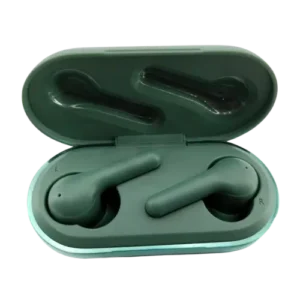
| Brand Name | Heyday |
| Product Name | True Wireless Earbuds |
| Model Number | TT2107 |
| Bluetooth Device Name | HEYDAY EARBUD 04 |
| FCC ID | 2AVTM-TT2107 |
| File Size | 576 KB |
| Number of Pages | 1 |
| Languages Covered | English |
Heyday True Wireless Earbuds TT2107
The Heyday TT2107 True Wireless Earbuds connect to phones and other compatible Bluetooth devices under the name HEYDAY EARBUD 04. The earbuds automatically power on when removed from the charging case and can also be turned on or off manually using their multifunction buttons.
The earbuds provide separate left and right controls for track navigation, play/pause, phone calls and voice-assistant access. The charging case includes four white battery indicators and a Reset button, while each earbud has its own LED indicator and microphone.
What’s Included
The package contains:
- Charging case
- Left and right wireless earbuds
- Three sets of silicone ear tips: Small, Medium and Large
- Medium ear tips preinstalled on the earbuds
- USB-C charging cable
Parts and Controls
The product diagram identifies the main controls and indicators on the earbuds and charging case.
| Part | Purpose |
| Left Earbud | Marked L and used in the left ear |
| Right Earbud | Marked R and used in the right ear |
| Multifunction Button | Controls power, music, calls and voice assistant |
| Earbud LED Indicator | Shows pairing and charging status |
| Microphone | Used during phone calls |
| Charging Case | Stores and charges both earbuds |
| Charging LEDs | Show charging-case battery level |
| USB-C Port | Used to recharge the case |
| Reset Button | Resets the earbuds |
The diagram places the USB-C charging port and Reset button on the charging case and shows a multifunction button, microphone and LED on each earbud.
How to Wear the Heyday Earbuds
The left earbud is marked L, while the right earbud is marked R.
To wear them correctly:
- Remove both earbuds from the charging case.
- Identify the L and R markings.
- Put the left earbud in the left ear.
- Put the right earbud in the right ear.
- Position each earbud so its speaker points upward as shown in the manual illustration.
The package includes Small, Medium and Large silicone ear tips, allowing the installed Medium tips to be changed when another size fits better.
How to Turn On Heyday Earbuds
Automatic Power On
Remove the earbuds from the charging case.
They automatically power on when removed.
Manual Power On
If the earbuds are outside the charging case and are currently off:
- Press and hold both earbuds.
- Keep holding for approximately 1.5 seconds.
- Release when they power on.
How to Turn Off Heyday Earbuds
There are two ways to turn the TT2107 earbuds off.
Using the Charging Case
Place both earbuds back inside the charging case.
They will power off.
Turning Them Off Manually
Press and hold both earbuds for approximately 4 seconds.
This manually powers the earbuds off without relying on the charging case.
How to Pair Heyday TT2107 Earbuds
The Bluetooth name shown by these earbuds is HEYDAY EARBUD 04.
To pair them:
- Remove both earbuds from the charging case to power them on.
- Open Bluetooth settings on the phone or other device.
- Look for HEYDAY EARBUD 04.
- Select it to begin pairing.
- Watch the LEDs for connection status.
Pairing Light Meanings
During Bluetooth pairing:
- The right earbud rapidly flashes white and red while attempting to connect.
- The left earbud shows a steady white light when pairing succeeds.
This red/white flashing state is related to Bluetooth pairing and should not be confused with the steady red light shown while an earbud is charging.
Earbud Controls
The TT2107 uses multifunction buttons on both earbuds.
Music Controls
| Function | Control |
| Play music | Press left or right earbud once |
| Pause music | Press left or right earbud once |
| Previous track | Double-press left earbud |
| Next track | Double-press right earbud |
How to Skip Songs
To skip to the next song, double-press the right earbud.
To return to the previous song, double-press the left earbud.
Mono Mode
The right earbud acts as the default earbud.
The manual states that the left earbud cannot be used by itself in mono mode.
Phone Call Controls
When a call comes in, the left earbud flashes white.
| Call Function | Control |
| Answer incoming call | Single press either earbud |
| End active call | Single press either earbud |
| Reject incoming call | Hold either earbud for 1.5 seconds |
Music automatically pauses during a phone call and resumes when the call ends.
Voice Assistant / Siri Control
Press and hold either earbud for approximately 1.5 seconds to enable or disable the connected device’s voice assistant or Siri function.
During an incoming phone call, the same 1.5-second hold is used to reject the call.
Charging the Heyday Earbuds
The earbuds should be fully charged before first use.
A full earbud charge takes approximately 1.5 hours.
To charge the earbuds:
- Place the left earbud into its corresponding slot in the charging case.
- Place the right earbud into its corresponding slot.
- Make sure both earbuds are seated correctly.
- Leave them in the case until charging is complete.
Heyday Earbuds Red Light Meaning
A steady red light on an earbud means it is charging.
When charging finishes, the indicator changes state. The guide explains that charging is complete when the red charging light turns off and also describes the fully charged earbuds as showing white in the case.
So a steady red light while an earbud is sitting in the charging case normally indicates an active charging cycle.
Charging the Case
The case uses the included USB-C cable.
To recharge it:
- Insert the USB-C end of the cable into the case.
- Connect the USB end to a DC 5V USB power supply.
- Allow approximately 1.5 hours for a full charge.
- Watch the case’s white indicators for charging progress.
The regulatory information lists the device input as 5V, maximum 1A.
Charging Case Light Meanings
The charging case uses four white LEDs to show its approximate battery level.
| Charging Case Indicator | Meaning |
| Left white LED flashing rapidly | Case battery is low |
| 1 steady white LED | Approximately 25% charged |
| 2 steady white LEDs | Approximately 50% charged |
| 3 steady white LEDs | Approximately 75% charged |
| All 4 steady white LEDs | Charging complete |
The white LEDs flash while the case itself is charging. When the case reaches a full charge, all four LEDs remain steady white.
How to Reset Heyday TT2107 Earbuds
The charging case has a dedicated Reset button.
To reset the earbuds:
- Put both earbuds inside the charging case.
- Press the Reset button on the case.
- Continue the reset process for approximately 6 seconds.
- The earbuds will turn on and then off again.
- This power cycle confirms the reset.
Resetting can be useful when the earbuds are behaving incorrectly or having connection problems.
Automatic Power-Off
The earbuds automatically turn off if they are not used for more than 5 minutes.
They can also power down after a lost Bluetooth connection:
- If the earbuds move more than approximately 10 meters from the connected device, the Bluetooth connection disconnects and a prompt sound is heard.
- If the connection is not restored within 2 minutes, the earbuds automatically turn off.
Bluetooth Connection Range
The manual uses 10 meters as the distance at which a Bluetooth connection may be lost.
Moving beyond that range causes a disconnection prompt. If the earbuds do not reconnect within two minutes, they turn off automatically.
Troubleshooting
Earbuds Are Not Working Correctly
Turn the earbuds off and then back on.
A basic power cycle is the first troubleshooting action recommended in the guide.
Heyday Earbuds Won’t Turn On
Recharge the earbuds, then try turning them on again.
When they are outside the case and powered off, press and hold both earbuds for approximately 1.5 seconds to turn them on manually.
Heyday Earbuds Won’t Charge
Check the charging case first.
If the charging case battery is empty, it cannot recharge the earbuds. Recharge the case and then place the earbuds back inside.
Charging Case Won’t Charge
Check that:
- The USB power supply is suitable.
- The power source is operating correctly.
- The charging cable or supply is not damaged.
The troubleshooting section specifies a 5V, greater-than-1A supply for this check, while the device marking lists a maximum input of 5V/1A. Owners should follow the rating printed on the product and use compatible USB charging equipment.
Earbuds Have No Sound
Increase the audio volume.
If there is still no sound, check whether the earbuds are connected to another Bluetooth device.
Heyday Earbuds Do Not Appear in the Bluetooth Device List
The earbuds may already be paired to another device.
If so:
- Unpair them from the other device.
- Return to Bluetooth settings on the desired phone or device.
- Pair with HEYDAY EARBUD 04 again.
Device Asks for a Bluetooth Pairing Code
The earbuds normally do not require a pairing code.
If a code prompt appears:
- Confirm that HEYDAY EARBUD 04 is the correct Bluetooth device.
- Forget the device in Bluetooth settings.
- Pair it again.
- If the prompt still appears, enter 0000.
Earbuds Keep Disconnecting
Keep the earbuds within approximately 10 meters of the connected device.
If the connection is lost and not restored within two minutes, the earbuds shut down automatically.
Cleaning and Care
For normal care:
- Use a soft, dry cloth to clean the earbuds and case.
- Do not use chemical detergents.
- Do not modify or repair the device.
- Keep the earbuds away from water sources.
- Do not use them in high temperatures or extreme weather.
When using the earbuds for phone calls, the guide recommends keeping approximately 5–10 inches between the microphone and mouth.
Technical Specifications
| Specification | Details |
| Brand | Heyday |
| Product | True Wireless Earbuds |
| Model | TT2107 |
| Bluetooth pairing name | HEYDAY EARBUD 04 |
| FCC ID | 2AVTM-TT2107 |
| Power input | 5V Max 1A |
| Earbud charging time | Approximately 1.5 hours |
| Charging case charging time | Approximately 1.5 hours |
| Bluetooth distance referenced | 10 meters |
| Inactivity auto-off | After more than 5 minutes |
| Lost-connection auto-off | After 2 minutes without reconnection |
| Charging port | USB-C |
| Ear tip sizes | Small, Medium, Large |
| Country of manufacture | China |
The charging, pairing and product-identification details are stated throughout the one-page foldout guide.
FCC Compliance
The TT2107 complies with Part 15 of the FCC Rules.
Operation is subject to two conditions:
- The device may not cause harmful interference.
- It must accept interference received, including interference that may cause undesired operation.
The guide also warns that modifications not approved by the responsible party could void the user’s authority to operate the product.
If the earbuds cause radio or television interference, suggested actions include:
- Reorienting or relocating the receiving antenna.
- Increasing separation between the equipment and receiver.
- Connecting equipment to a different electrical circuit.
- Consulting a dealer or experienced radio/TV technician.
Customer Support
For pairing problems, product questions or technical help, the manual lists:
Phone: 877-698-4883
Alternative: 877-MyTgtTech
Online Support: targettechsupport.com
The regulatory contact printed in the guide is:
Target Corp.
Minneapolis, MN 55403
Phone: 1-612-304-6073
Frequently Asked Questions
How do you turn off Heyday earbuds?
Place both earbuds back inside the charging case, or press and hold both earbuds for approximately 4 seconds to turn them off manually.
What does a red light on Heyday earbuds mean?
A steady red light while an earbud is in the charging case means it is charging. The red indicator changes when charging is complete. During Bluetooth pairing, the right earbud can also rapidly flash white and red, which indicates that it is attempting to connect.
How do you pair Heyday TT2107 earbuds?
Remove both earbuds from the charging case, open Bluetooth settings on the phone and select HEYDAY EARBUD 04. The right earbud flashes white/red during connection, and the left displays steady white when pairing succeeds.
How do you reset Heyday earbuds?
Put both earbuds inside the charging case and press the case’s Reset button. After approximately 6 seconds, the earbuds turn on and off again to confirm the reset.
How do you change songs on Heyday earbuds?
Double-press the right earbud for the next track. Double-press the left earbud for the previous track. A single press on either earbud plays or pauses the music.
How long do Heyday earbuds take to charge?
The earbuds take approximately 1.5 hours to fully charge. The charging case also requires approximately 1.5 hours for a full recharge.
Why won’t my Heyday earbuds connect?
Check whether they are already paired with another device. If so, unpair that device and pair the desired device again. If they still behave incorrectly, power-cycle the earbuds or use the case Reset button.
Can the left Heyday earbud be used by itself?
The guide states that the right earbud is the default earbud and the left earbud cannot operate by itself in mono mode.