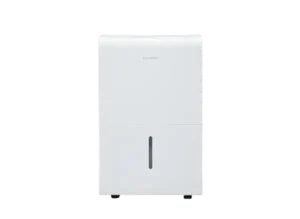
| Document Detail | Information |
| Document Title | Dehumidifier 22 Pint, 50 Pint and 50 Pint with Pump |
| Document Type | User Manual |
| Brand Name | hOmeLabs |
| Product Name | Energy Star Rated Dehumidifier |
| Model Number(s) | HME1001, HME1003, HME1004 |
| PDF File Size | 813 KB |
| Number of Pages | 11 |
| Languages | English |
hOmeLabs Dehumidifier HME1001
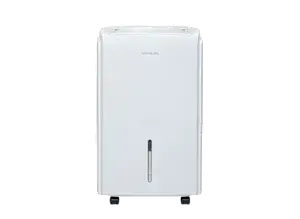
The hOmeLabs Energy Star Rated Dehumidifier is designed to remove excess moisture from indoor air. This series covers models HME1001, HME1003, and HME1004, with 22-pint, 50-pint, and 50-pint-with-pump versions.
The dehumidifier includes adjustable humidity control, High and Normal fan speeds, Comfort Mode, Continuous Mode, a programmable timer, Wi-Fi pairing, automatic defrost, and automatic restart after a power interruption. Collected water can be emptied manually or removed through a continuous drain connection. Model HME1004 also supports pump-assisted drainage.
Before first use, the appliance must stand upright outside its packaging for at least 24 hours. It must be operated on a sturdy, level surface with adequate clearance for airflow.
Product Overview
The hOmeLabs Dehumidifier removes moisture from household air and collects the resulting water inside a removable bucket. It is intended for residential use in areas where humidity control is needed.
The control panel allows the desired relative humidity to be set between 35% and 85% in 5% increments. The appliance also provides automatic humidity control in Comfort Mode and continuous moisture removal in Continuous Mode.
Main Features
- 22-pint and 50-pint versions: The series includes standard and pump-equipped configurations.
- Adjustable humidity control: Selects a target between 35% and 85% RH.
- Comfort Mode: Automatically selects a humidity setting based on room temperature.
- Continuous Mode: Runs continuously until the bucket becomes full.
- Two fan speeds: High and Normal.
- Wi-Fi pairing: Activated by holding the Filter button for 3 seconds.
- Programmable timer: Supports automatic startup or shutdown within 24 hours.
- Automatic defrost: Controls frost buildup on the evaporator coils.
- Automatic restart: Restores the previous operating function after an unexpected power interruption.
- Bucket full protection: Stops operation when the bucket is full or the humidity target is reached.
- Filter cleaning reminder: Flashes after 250 hours of operation.
- Continuous drainage: Allows water to flow through a connected drain hose.
- Pump drainage: Available on model HME1004.
Technical Specifications
| Specification | Details |
| Brand | hOmeLabs |
| Product Name | Energy Star Rated Dehumidifier |
| Model Numbers | HME1001, HME1003, HME1004 |
| Product Variants | 22 Pint, 50 Pint, 50 Pint with Pump |
| Refrigerant | R32 |
| Operating Temperature | 41°F–90°F (5°C–32°C) |
| Adjustable Humidity Range | 35%–85% RH |
| Humidity Adjustment | 5% Increments |
| Displayed Room Humidity Range | 30%–90% RH |
| Humidity Display Accuracy | ±5% |
| Fan Speeds | High, Normal |
| Operating Modes | Continuous, Comfort, Adjustable Humidity |
| Timer Range | 0–24 Hours |
| Wi-Fi Pairing | Yes |
| Automatic Defrost | Yes |
| Automatic Restart | Yes |
| Compressor Protection Delay | 3 Minutes |
| Filter Cleaning Reminder | After 250 Hours |
| Drainage Methods | Bucket, Continuous Gravity Drain |
| Built-in Pump | HME1004 Only |
| Pump Hose Length | 16.4 ft (5 m) |
| Pump Hose Outer Diameter | 1/4 Inch |
| Maximum Pumping Elevation | 16.4 ft (5 m) |
| Intended Use | Household Use Only |
| FCC Compliance | Part 15, Class B Digital Device |
What’s Included in the Box
Accessories are stored inside the dehumidifier’s water bucket.
| Item | Quantity / Applicability |
| Dehumidifier | 1 Unit |
| Power Cord Storage Bracket | 1 Piece |
| Pump Drain Hose | 1 Piece, HME1004 Only |
The Power Cord Storage Bracket is fitted to the rear of the appliance.
The pump-equipped HME1004 includes a dedicated Pump Drain Hose for removing collected water through the built-in pump.
Parts and Components
The dehumidifier consists of the main cabinet, control panel, air circulation grilles, removable water bucket, and drainage connections.
| Part | Function |
| Control Panel | Contains operating buttons, display, and indicator lights. |
| Front Panel | Forms the front exterior of the appliance. |
| Water Bucket | Collects water removed from the air. |
| Water Level Window | Allows the collected water level to be checked. |
| Casters | Allow the appliance to be moved across suitable floor surfaces. |
| Side Handles | Located on both sides for handling the appliance. |
| Air Outlet Grille | Allows air to leave the unit. |
| Air Intake Grille | Allows air to enter the appliance. |
| Air Filter | Traps dirt and dust from incoming air. |
| Continuous Drain Hose Outlet | Provides a connection for gravity drainage. |
| Power Cord Storage Bracket | Holds the power cord when stored. |
| Pump Drain Hose Outlet | Provides the pump drainage connection on HME1004. |
| Power Cord and Plug | Connect the appliance to electrical power. |
Casters and Moving the Appliance
Casters are installed at four points on the bottom of the dehumidifier.
- Do not force the casters across carpet.
- Do not move the appliance while water remains in the bucket.
- Moving the unit with a filled bucket may cause it to tip and spill water.
Control Panel and Button Functions
The hOmeLabs Dehumidifier control panel provides controls for power, humidity, fan speed, timer settings, continuous operation, Comfort Mode, and filter maintenance.
Control Buttons
| Button | Function |
| Power | Turns the dehumidifier on or off. |
| Continuous | Activates or deactivates Continuous Mode. |
| Comfort | Turns Comfort Mode on or off. |
| Turbo | Switches between High and Normal fan speeds. |
| Timer | Sets automatic startup or shutdown. |
| Left / Right | Adjusts humidity settings or timer values. |
| Filter | Controls filter reminder reset and Wi-Fi pairing. |
| Pump | Activates pump operation on HME1004. |
Indicator Lights
| Indicator | Meaning |
| ON | Automatic startup timer is active. |
| OFF | Automatic shutdown timer is active. |
| FULL | Water bucket is full and requires emptying. |
| DEFROST | Automatic defrost operation is active. |
| Pump Indicator | Displays pump operation status on HME1004. |
| Filter Reminder | Flashes when filter cleaning is required. |
LED Display
The LED display shows the selected humidity level or timer value while settings are being adjusted.
After setting, it displays the actual room humidity.
- Selected humidity: 35%–85% RH
- Displayed room humidity: 30%–90% RH
- Humidity display accuracy: ±5%
- Timer: 0–24 hours
The display also shows error and protection codes when applicable.
Important Safety Instructions
The hOmeLabs Dehumidifier contains electrical components and flammable R32 refrigerant. Improper operation, servicing, or handling may cause injury, electric shock, fire, or property damage.
Electrical Safety
- Use a properly grounded electrical outlet.
- Do not exceed the electrical rating of the outlet or connection device.
- Do not share the outlet with other appliances.
- Do not use an extension cord or adapter plug.
- Do not remove the grounding prong from the power plug.
- Do not touch the plug with wet hands.
- Do not operate the unit with a damaged power cord.
- Do not modify the power cord length.
- Do not place heavy objects on the power cord.
- Keep the cord away from areas where it may be compressed or damaged.
- Do not run the cord under carpets, rugs, or furniture.
- Use the Power button to start or stop operation rather than repeatedly connecting or disconnecting the plug.
- Turn off and unplug the unit before cleaning or maintenance.
If the supply cord is damaged, it must be replaced by qualified personnel. Contact Customer Service for assistance.
General Operating Safety
- Use the dehumidifier only for its intended household purpose.
- Do not install it near combustible gases or flammable materials.
- Keep it away from heat sources.
- Do not use the appliance in very small spaces.
- Do not place the appliance where water may splash onto it.
- Position the unit on a sturdy, level floor.
- Do not block the intake or exhaust openings.
- Do not insert fingers or objects into the grilles.
- Do not sit or climb on the appliance.
- Do not place water containers on top of the unit.
- Do not remove the water bucket during operation.
- Do not operate the dehumidifier without its air filter.
- Do not clean the unit using chemicals or organic solvents.
- Do not drink or use the water collected by the appliance.
Extra care is required when operating the dehumidifier in rooms occupied by infants, children, or elderly individuals.
Child Safety
Children aged 8 years or older and individuals with reduced physical, sensory, or mental capabilities may use the appliance only with appropriate supervision or instruction.
Children must not play with the appliance.
Cleaning and maintenance must not be performed by children without supervision.
Keep all plastic bags away from children.
Refrigerant Safety
Warning: Risk of fire. This dehumidifier uses flammable R32 refrigerant.
- Do not puncture or burn the appliance.
- Do not attempt to open or modify the refrigerant circuit.
- Do not use unauthorized methods to accelerate defrosting.
- Keep ventilation openings unobstructed.
- Avoid continuously operating ignition sources near the appliance during storage.
- Refrigerant may not have a noticeable odor.
- Do not release refrigerant directly into the atmosphere.
- Contact Customer Support immediately if a refrigerant leak is suspected.
Only licensed and qualified personnel authorized to handle flammable refrigerants should perform refrigeration maintenance and repairs.
Service personnel must follow applicable safety standards, use equipment suitable for flammable refrigerants, check for ignition hazards, maintain ventilation, and follow manufacturer-approved refrigerant recovery and servicing procedures.
What to Do if the Dehumidifier Malfunctions
If the appliance produces unusual sounds, smells, or smoke:
- Turn off the unit.
- Disconnect it from electrical power.
- Do not attempt to open or repair the appliance.
- Contact hOmeLabs Customer Service.
If the dehumidifier tips over during operation, turn it off and unplug it immediately. Inspect it for visible damage and contact Customer Service if damage is suspected.
During thunderstorms, disconnect the power supply to reduce the risk of lightning-related damage.
Before First Use
Keep the Dehumidifier Upright for 24 Hours
The appliance must stand upright before its first operation.
- Remove the dehumidifier from its packaging.
- Position it upright on a suitable floor.
- Leave it standing upright outside the packaging for at least 24 hours.
- Check for shipping damage.
- Remove accessories stored inside the water bucket.
- Confirm that the bucket is properly installed.
- Position the appliance with sufficient space for air circulation.
- Connect the power only after the required standing period.
This upright period helps prevent internal damage that may result from movement or tilting during transportation.
Prepare the Accessories
- Remove the Power Cord Storage Bracket from the bucket.
- On HME1004, remove the Pump Drain Hose.
- Reinstall the empty bucket.
- Fit the Power Cord Storage Bracket into the rear cover.
Setup and Placement Instructions
Correct placement is important for safe operation and adequate airflow.
Choosing a Suitable Location
- Place the dehumidifier on a stable, level floor.
- Keep the air intake and outlet unobstructed.
- Maintain the clearances shown in the appliance placement diagram.
- Use the dehumidifier within a room temperature range of 41°F–90°F (5°C–32°C).
- Keep the appliance away from flammable materials and heat sources.
- Do not position the unit where it may be exposed to splashing water.
- Make sure the electrical outlet is accessible.
Required Airflow Clearance
The placement diagram specifies the following clearances around the appliance:
| Placement Area | Clearance |
| Above the Appliance | More than 15.75 in (40 cm) |
| Larger Side Clearance | More than 15.7 in (40 cm) |
| Other Marked Sides | More than 7.9 in (20 cm) |
The rear air intake grille and air outlet grille must remain clear.
Installing the Water Bucket
The water bucket must be properly seated before operation.
- Check that the bucket is empty or has sufficient space for collected water.
- Slide the bucket into its normal position.
- Make sure it is installed securely.
- Check that the FULL indicator is not showing a full-bucket condition.
An incorrectly installed bucket may prevent the appliance from operating.
Operating Instructions
How to Turn the Dehumidifier On and Off
- Confirm that the bucket is installed properly.
- Connect the power cord to a suitable grounded outlet.
- Press the Power button.
- Select the desired operating mode and settings.
- Press Power again to turn the appliance off.
Default Continuous Mode
Important: When the dehumidifier is first turned on, it enters Continuous Mode by default.
In this mode, the Left and Right humidity adjustment buttons are locked.
To adjust the humidity manually:
- Turn on the appliance.
- Press the Continuous button to deactivate Continuous Mode.
- Use the Left and Right buttons to select the desired humidity level.
How to Set the Humidity Level
The humidity control range is 35%–85% RH.
- Turn on the dehumidifier.
- Turn off Continuous Mode.
- Press the Left button to lower the target humidity.
- Press the Right button to raise the target humidity.
- Adjust the setting in 5% increments.
A lower humidity percentage requests drier air.
A higher humidity percentage sets a higher desired moisture level.
How to Change the Fan Speed
The Turbo button controls fan speed.
- Turn on the appliance.
- Press the Turbo button.
- Select either High or Normal fan speed.
| Setting | Operation |
| High | Maximum moisture removal |
| Normal | Quieter operation after the humidity has been reduced |
Continuous Mode
Continuous Mode allows the dehumidifier to run without stopping at a manually selected humidity target.
How to Activate Continuous Mode
- Turn on the appliance.
- Press the Continuous button.
- Continuous dehumidification will begin.
The appliance continues operating until the water bucket becomes full.
How to Exit Continuous Mode
Press the Continuous button again to turn off Continuous Mode.
The Left and Right buttons can then be used to adjust the desired humidity.
Note: Continuous Mode and continuous hose drainage are separate functions. Continuous Mode controls moisture removal, while the drain hose provides a way for collected water to leave the appliance.
Comfort Mode
Comfort Mode automatically selects the target humidity based on the surrounding temperature.
How to Activate Comfort Mode
- Turn on the dehumidifier.
- Press the Comfort button.
- The appliance will use its temperature-based humidity settings.
While Comfort Mode is active, the humidity target cannot be adjusted manually.
Comfort Mode Humidity Settings
| Ambient Temperature | Target Relative Humidity |
| Below 65°F | 55% RH |
| 65°F–77°F | 50% RH |
| Above 77°F | 45% RH |
How to Exit Comfort Mode
Press the Comfort button again to turn off the function.
Pressing either humidity adjustment button also cancels Comfort Mode and allows the humidity setting to be adjusted manually.
Timer Instructions
The timer supports automatic startup and shutdown for a selected period of up to 24 hours.
Each programmed timer operates for one cycle.
How to Set the Timer
- Connect the appliance to electrical power.
- Press the Timer button.
- The OFF indicator will illuminate for Auto Off timer settings.
- Use the Left and Right buttons to select the desired shutdown delay.
- Press Timer again to access the Auto On timer.
- The ON indicator will illuminate.
- Use Left and Right to select the desired startup delay.
- Leave the controls unchanged for 5 seconds to register the setting.
Timer Adjustment Increments
| Timer Range | Adjustment Increment |
| 0–10 Hours | 0.5 Hour |
| 10–24 Hours | 1 Hour |
The control counts down the remaining time.
How to Cancel a Timer
A timer can be canceled by:
- Setting the timer value to 0.0, or
- Restarting the appliance.
When canceled, the corresponding timer indicator turns off.
If the water bucket becomes full and the P2 protection code appears, the appliance shuts down and any active Auto On or Auto Off timer is canceled.
Wi-Fi Pairing Instructions
The hOmeLabs Dehumidifier includes a Wi-Fi pairing function controlled through the Filter button.
How to Enter Wi-Fi Pairing Mode
- Turn on the dehumidifier.
- Locate the Filter button.
- Press and hold Filter for 3 seconds.
- The appliance enters pairing mode.
- Follow the corresponding app and pairing instructions to complete the connection.
The control panel provides a wireless connection indicator.
The Filter button also controls the air filter maintenance reminder.
Smart Functions
Automatic Shutoff
The dehumidifier automatically stops operating when:
- The water bucket becomes full, or
- The selected humidity level is reached.
Compressor Protection Delay
After completing an operating cycle, the appliance may delay restarting for approximately 3 minutes.
This delay protects the dehumidifier from damage.
Automatic Defrost
When frost forms on the evaporator coils, the compressor switches off and the fan continues running until the frost disappears.
The unit then resumes normal operation.
Automatic Restart
If electrical power is interrupted unexpectedly, the dehumidifier restarts with its previous operating function when power is restored.
Removing Collected Water
The dehumidifier supports three methods of water removal:
- Manual bucket emptying.
- Continuous gravity drainage.
- Pump-assisted drainage on HME1004.
Method 1: Empty the Water Bucket
When the water bucket becomes full:
- Turn off the appliance.
- Remove the bucket.
- Empty the collected water.
- Reinstall the bucket correctly.
The FULL indicator glows when the bucket needs emptying.
Method 2: Continuous Gravity Drainage
Continuous drainage allows water to flow through a hose into a suitable drain.
This method uses gravity rather than the built-in pump.
How to Connect the Continuous Drain Hose
- Locate the Continuous Drain Hose Outlet at the rear of the appliance.
- Turn the plastic cover counterclockwise to remove it.
- Attach a suitable water hose with a female threaded end.
- Tighten the connection to prevent leaks.
- Lead the hose to a floor drain or suitable drainage facility.
- Keep the hose sloping downward.
For units without a pump, the drainage outlet must lead to a location lower than the dehumidifier’s drain outlet.
Important: A female-threaded hose connection may not be included with every model.
Gravity Drainage Requirements
- The hose connection must be tight.
- The hose must slope downward.
- Avoid kinks or raised sections that prevent water movement.
- The drain location must be lower than the drain outlet on non-pump models.
When continuous drainage is no longer needed, remove the hose and reinstall the plastic cover securely.
Cold Weather Drainage Warning
Do not use continuous drainage when the outdoor temperature is 32°F (0°C) or below.
Water may freeze inside the hose, causing blockage and possible appliance damage.
Pump Drainage Instructions — HME1004
The HME1004 includes a built-in pump for removing collected water.
The pump allows water to be moved to a drainage location without relying only on gravity.
Pump Drain Hose Specifications
| Specification | Details |
| Applicable Model | HME1004 |
| Hose Length | 16.4 ft (5 m) |
| Hose Outer Diameter | 1/4 Inch |
| Minimum Insertion Depth | 0.59 Inch |
| Maximum Pumping Elevation | 16.4 ft (5 m) |
How to Install the Pump Drain Hose
- Remove any hose connected to the Continuous Drain Hose Outlet.
- Reinstall the plastic cover of the Continuous Drain Hose Outlet tightly.
- Locate the Pump Drain Hose Outlet.
- Insert the Pump Drain Hose into the outlet.
- Insert the hose at least 0.59 inch.
- Lead the hose to a floor drain or another suitable drainage facility.
- Check that the connection is secure.
How to Activate the Pump
- Make sure the Pump Drain Hose is connected properly.
- Confirm that the water bucket is installed.
- Turn on the appliance.
- Press the Pump button.
- When the bucket reaches the required water level, the pump starts removing water.
It may take some time before water begins flowing through the pump hose.
Loud pump noises during the first 3–5 minutes of pump operation are described as normal.
Pump Operating Precautions
- The Pump Drain Hose must be connected securely.
- The maximum pumping elevation is 16.4 ft (5 m).
- Do not operate the pump when the outdoor temperature is 32°F (0°C) or below.
- If the pump hose drops from its correct position during bucket removal, reinstall it before replacing the bucket.
- Maintain the hose connection to prevent leaks.
Why Does Water Remain in the Bucket During Pump Operation?
Some water remains in the bucket during normal pump operation.
The pump starts when water reaches its operating level and removes collected water, but it does not completely empty the bucket.
The bucket may retain approximately two-thirds of its water during operation.
This is normal for the HME1004 pump-equipped model.
The bucket generally needs manual emptying for cleaning or storage.
Cleaning and Maintenance
Regular cleaning is required to maintain airflow and normal operation.
Warning: Turn off the dehumidifier and unplug it before cleaning.
Cleaning the Exterior Cabinet
The cabinet may be cleaned using water and mild detergent.
- Turn off and unplug the appliance.
- Clean the exterior surfaces using a suitable cloth.
- Use mild detergent when necessary.
- Avoid splashing water directly onto the main unit.
Do not use bleach, abrasive cleaning products, or harsh chemicals.
Cleaning the Air Grilles
The air intake and outlet grilles can collect dust.
Use a vacuum brush attachment or brush to remove dirt from the grille openings.
Keeping these openings clean helps prevent airflow restrictions.
Cleaning the Water Bucket
The water bucket should be cleaned every two weeks.
- Turn off and unplug the appliance.
- Remove the bucket.
- Empty the collected water.
- Clean the bucket with water and mild detergent.
- Reinstall it properly.
Cleaning the Air Filter
The air filter must be cleaned at least once every 30 days.
- Turn off and unplug the dehumidifier.
- Remove the air filter from the intake grille area.
- Clean the filter using potable water.
- Reinstall the filter correctly.
Caution: Do not operate the dehumidifier without its filter. Dirt and lint may collect inside the appliance and reduce performance.
Filter Cleaning Reminder
The Filter indicator flashes after approximately 250 hours of operation.
After cleaning the filter:
- Reinstall the cleaned filter.
- Turn on the appliance.
- Press the Filter button to reset the reminder.
The filter indicator will return to its normal state.
Maintenance Schedule
| Maintenance Task | Frequency |
| Clean the Air Filter | At Least Every 30 Days |
| Clean the Water Bucket | Every Two Weeks |
| Clean Air Grilles | When Dirty |
| Reset Filter Reminder | After Cleaning, When the 250-Hour Reminder Appears |
| Empty the Bucket | When Full |
| Check Drain Hose Connections | When Water Leakage or Drainage Problems Occur |
| Prepare for Storage | Before Extended Non-Use |
Storage Instructions
When the dehumidifier will not be used for an extended period, it should be cleaned and drained before storage.
How to Store the Dehumidifier
- Turn off the appliance.
- Allow one day for remaining internal water to flow into the bucket.
- Empty the bucket.
- Clean the main cabinet, bucket, and air filter.
- Wrap the power cord and secure it with the cord band.
- Cover the appliance with a plastic bag.
- Store it upright in a dry, well-ventilated location.
The storage temperature must remain consistently above 40°F.
Avoid storage conditions that could cause physical damage or expose the appliance to ignition sources.
Troubleshooting Guide
The following troubleshooting instructions address startup problems, reduced moisture removal, unusual noise, water leakage, and pump issues.
| Problem | Possible Cause | Recommended Solution |
| Dehumidifier does not start | Power plug is not fully connected. | Insert the plug completely into the outlet. |
| Dehumidifier does not start | Household fuse or circuit breaker problem. | Check the fuse or circuit breaker. |
| Dehumidifier does not start | Desired humidity has been reached. | Review the humidity setting. |
| Dehumidifier does not start | Water bucket is full. | Empty the bucket. |
| Dehumidifier does not start | Bucket is not installed correctly. | Reinstall the bucket securely. |
| Dehumidifier does not dry air properly | Insufficient operating time. | Allow enough time for moisture removal. |
| Dehumidifier does not dry air properly | Airflow is restricted. | Remove obstructions near the front or rear. |
| Dehumidifier does not dry air properly | Humidity setting is too high. | Select a lower target humidity. |
| Dehumidifier does not dry air properly | Doors or windows are open. | Close openings to the room. |
| Dehumidifier does not dry air properly | Room temperature is below 41°F (5°C). | Operate within the specified temperature range. |
| Dehumidifier does not dry air properly | A kerosene heater or another source adds water vapor. | Address the source of excess moisture. |
| Dehumidifier makes loud noise | Filter is clogged. | Clean the air filter. |
| Dehumidifier makes loud noise | Appliance is tilted or floor is uneven. | Position it upright on a level surface. |
| Frost appears on coils | Automatic defrost is operating. | Allow the appliance to complete defrosting. |
| Water appears on floor | Appliance is on an uneven floor. | Position it on a level surface. |
| Water appears on floor | Drain connection is loose. | Check the hose connection. |
| Water appears on floor | Drain cover was removed during bucket collection. | Reinstall the drain cover. |
| Water does not drain from hose | Hose is too long, kinked, or improperly positioned. | Use a short, smooth hose with correct downward drainage. |
Dehumidifier Does Not Start
If the appliance does not start:
- Check that the power cord is fully plugged into the outlet.
- Check the household fuse or circuit breaker.
- Check whether the selected humidity has already been reached.
- Check whether the water bucket is full.
- Make sure the bucket is seated correctly.
The appliance may also delay restarting for 3 minutes to protect its compressor.
Dehumidifier Is Not Removing Enough Moisture
Several conditions can reduce dehumidifying performance.
Check the following:
- Allow sufficient time for moisture removal.
- Keep curtains, furniture, and blinds away from the air grilles.
- Select a lower humidity setting.
- Close doors and windows.
- Operate the appliance at or above 41°F (5°C).
- Check for appliances or equipment producing water vapor in the room.
Dehumidifier Makes a Loud Noise
Possible causes include:
- A clogged air filter.
- The appliance being tilted instead of upright.
- An uneven floor.
Clean the filter and position the dehumidifier on a stable, level surface.
Water Is Not Draining Through the Hose
If the hose does not drain properly:
- Check the hose connection.
- Inspect the hose for kinks.
- Keep the hose as short as possible.
- For gravity drainage, make sure the drain location is below the appliance’s drain outlet.
- Keep the hose smooth and positioned for downward flow.
The troubleshooting instructions note that hoses longer than 5 feet may not drain properly when relying on gravity.
Pump Indicator Is Blinking — HME1004
A blinking Pump indicator may be caused by:
- A dirty filter.
- The Pump Drain Hose not being connected.
- The water bucket being installed incorrectly.
- The pump hose dropping from its correct position.
Check and correct these conditions.
If the indicator continues blinking after the recommended checks, contact Customer Service.
Error Codes and Protection Indicators
The dehumidifier displays error and protection codes for specific operating conditions.
| Code | Meaning | Action |
| AS | Humidity Sensor Error | Stop operation and contact Customer Service if the problem continues. |
| ES | Temperature Sensor Error | Stop operation and contact Customer Service if the problem continues. |
| P2 | Water Bucket Full or Incorrectly Positioned | Empty the bucket and reinstall it correctly. |
| Eb | Bucket Removed or Incorrectly Positioned | Reinstall the bucket correctly. Applies to the pump-equipped model. |
AS Error Code
AS indicates a humidity sensor error.
If the malfunction remains after normal operating checks, turn off and unplug the appliance and contact Customer Service.
ES Error Code
ES indicates a temperature sensor error.
The internal sensor must not be repaired or adjusted by an unqualified person. Contact Customer Service if the error persists.
P2 Protection Code
P2 appears when the bucket is full or not properly installed.
- Turn off the appliance.
- Empty the water bucket.
- Reinstall it correctly.
- Restart the appliance.
When P2 appears because the bucket is full, the unit shuts down and active timer settings are canceled.
Eb Protection Code
The Eb protection code applies to the pump-equipped model.
It indicates that the water bucket has been removed or is incorrectly positioned.
Reinstall the bucket correctly.
FCC Regulatory Information
The dehumidifier complies with Part 15 of the FCC Rules and is identified as a Class B digital device.
Operation is subject to two conditions:
- The device must not cause harmful interference.
- The device must accept received interference, including interference that may cause undesired operation.
Radio or Television Interference
If the appliance causes radio or television interference, the following measures may help:
- Reorient or relocate the receiving antenna.
- Increase the distance between the appliance and the receiver.
- Connect the appliance to an outlet on a different electrical circuit.
- Consult a dealer or qualified radio/television technician.
RF Exposure Requirements
The equipment must be installed and operated with a minimum separation distance of 20 cm between the radiator and the body.
The transmitter must not be operated together with another antenna or transmitter in the same location.
Changes or modifications that are not expressly approved by the responsible party may void the user’s authority to operate the equipment.
Warranty Information
hOmeLabs provides a limited one-year warranty for qualifying products purchased new and unused from hOmeLabs Technologies, LLC or an authorized reseller.
The warranty covers eligible defects caused wholly or substantially by faulty manufacturing, parts, or workmanship during the warranty period.
Warranty Coverage
For eligible warranty claims, hOmeLabs may provide:
- Repair of defective parts.
- Replacement of defective components.
- Necessary labor to restore the product to its original specifications.
- Replacement of the appliance instead of repair.
The manufacturer’s warranty obligation is limited to repair or replacement.
Warranty Exclusions
The warranty does not cover damage resulting from:
- Normal wear and tear.
- Abuse or mishandling.
- Accidents.
- Failure to follow operating instructions.
- Exposure to liquids.
- Entry of foreign particles.
- Unauthorized repairs or modifications.
- Commercial or non-household use.
The warranty becomes void if unauthorized third parties attempt repairs or if replacement parts other than those provided by hOmeLabs are used.
Proof of Purchase
An original purchase receipt showing the purchase date is required for warranty claims.
Keep the receipt in a safe place.
Product Registration
Product registration is available at: https://homelabs.com/reg
Registration provides updates, coupons, and related product information.
Registration is not required to activate the warranty and does not replace the need for original proof of purchase.
Service After Warranty Expiration
Service may be arranged after the warranty period expires, subject to additional costs.
Additional legal rights may apply depending on the state, country, or province.
Customer Support Information
For product malfunctions, operating questions, Wi-Fi pairing concerns, drainage issues, or warranty assistance, contact hOmeLabs Customer Service.
| Contact Detail | Information |
| Brand | hOmeLabs |
| Customer Support Website | https://homelabs.com/help |
| Customer Support Email | help@homelabs.com |
| Product Registration | https://homelabs.com/reg |
| Distributor | hOmeLabs™, LLC |
| Distributor Address | 350 Springfield Avenue, Suite #200, Summit, NJ 07901 |
| Country of Manufacture | China |
If the appliance malfunctions or appears defective, contact Customer Service and retain the product while awaiting further instructions.
A defective unit should be clearly marked or stored where it cannot be used accidentally.
Frequently Asked Questions
How long must the hOmeLabs Dehumidifier stand before first use?
The hOmeLabs HME1001, HME1003, and HME1004 dehumidifiers must stand upright outside their packaging for at least 24 hours before being plugged in for the first time. This helps prevent internal damage that may have occurred during transportation.
Why are the humidity adjustment buttons not working on my hOmeLabs dehumidifier?
The dehumidifier starts in Continuous Mode by default. While Continuous Mode is active, the Left and Right humidity adjustment buttons are locked. Press the Continuous button to deactivate the mode and restore humidity adjustment.
How do I connect the hOmeLabs Dehumidifier to Wi-Fi?
Turn on the appliance and press and hold the Filter button for 3 seconds to enter Wi-Fi pairing mode. Complete the connection using the corresponding pairing instructions and app.
How do I adjust the humidity on the hOmeLabs HME1001?
Turn off Continuous Mode, then use the Left and Right buttons to select a target humidity between 35% and 85% RH. The humidity setting changes in 5% increments.
How does the pump work on the hOmeLabs HME1004?
The HME1004 uses a built-in pump to remove collected water through its Pump Drain Hose. Connect the hose to the Pump Drain Hose Outlet, secure the connection, and press the Pump button. When the bucket reaches the required water level, the pump begins removing water.
How do I reset the filter light on my hOmeLabs dehumidifier?
Clean the air filter and reinstall it correctly. Press the Filter button to reset the cleaning reminder. The reminder flashes after approximately 250 hours of operation.
What do AS, ES, P2, and Eb mean on the hOmeLabs dehumidifier?
AS indicates a humidity sensor error, ES indicates a temperature sensor error, P2 indicates a full or incorrectly installed water bucket, and Eb indicates a removed or improperly positioned bucket on the pump-equipped model. Persistent sensor errors require Customer Service assistance.