
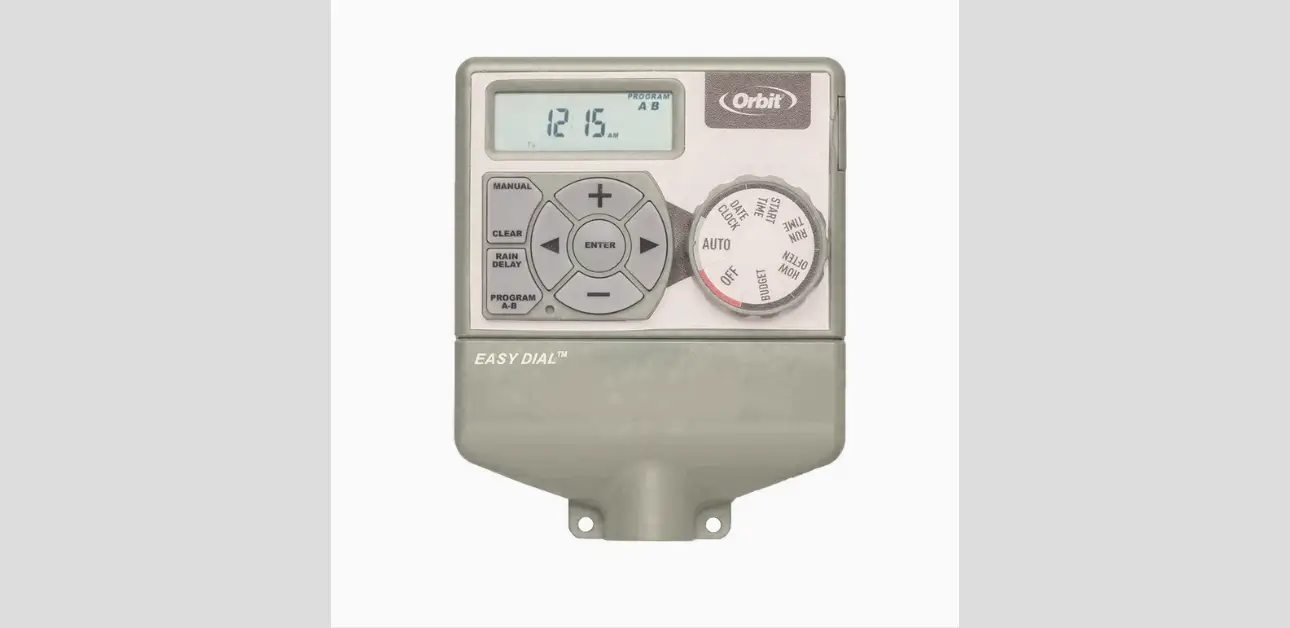
The Orbit Sprinkler Timer helps people control lawn and garden watering without guesswork.
How Do You Program Orbit Easy Dial™ Sprinkler Timer?
Reset the timer, set the clock and date, choose Program A or B, set a start time, set run times for each station, then choose “How Often” (days, interval, or odd/even). Finally, set the dial to AUTO. That’s it.
The rest of this manual simply makes every step easier and safer.
Getting to Know the Orbit Easy Dial™ Sprinkler Timer
The Orbit Easy Dial™ Sprinkler Timer controls an irrigation system by turning valves on and off on a schedule. Each valve controls one watering zone.
For example, a front lawn zone might use spray heads, and a backyard zone might use rotors or drip lines. The timer tells each zone when to run and for how long.
This timer uses Easy-Set Logic™, which means it guides users through a simple, repeatable setup process. It also supports two separate programs: Program A and Program B. That feature helps homeowners separate zones by watering style. For example:
- Program A can water lawn zones on specific weekdays.
- Program B can water drip zones on a different pattern, like every other day.
People often get confused when they hear “two programs.” It doesn’t mean two timers. It means two schedules stored inside the same timer.
The user can assign zones to Program A, Program B, or both (if needed). That flexibility helps when plants have different watering needs.
The timer also includes tools that make daily use easier:
- A dial with clear modes like AUTO, SET CLOCK, and START TIME
- Buttons for quick changes and manual watering
- A Rain Delay button that pauses watering for 24, 48, or 72 hours
- A backup battery (CR2032) that keeps programs saved if power goes out
Once the user understands the dial and the A/B programs, programming becomes much easier. The biggest mistakes usually come from wiring errors, wrong AM/PM time settings, or forgetting to return the dial to AUTO.
Safety Rules and Smart Installation Basics
A sprinkler timer looks simple, but it connects to electrical power and controls outdoor valves. A few safety steps protect the timer and prevent wiring issues.
Keep installation simple and safe
- Install the timer near a power outlet so the transformer can plug in without stretching the cord.
- Choose a spot with easy access to valve wires.
- Keep the timer in a place that stays within the allowed temperature range: 0°C to 70°C.
- Mount it on a stable surface where it won’t shake or get bumped often.
Use the right tools
The manual recommends basic tools:
- Phillips screwdriver
- Wire strippers
Avoid wiring mistakes that can damage the timer
A critical rule: use only one valve per station terminal. If a user connects multiple valves to one station, it can overload and damage the timer.
Respect electrical limits
The timer supports:
- 250 mA maximum per station or pump
- 500 mA maximum total load
Those limits matter most when someone tries to run multiple valves together or uses the wrong pump setup.
Keep wire connections protected
Water and corrosion can ruin connections inside a valve box. Use proper wire connectors, and if wires sit in a wet box, use sealed connectors like grease caps or similar protection.
Unplug before changing wiring
When working with wires:
- Unplug the transformer first.
- Work with dry hands.
- Keep the timer area dry.
These safety steps keep things calm and prevent most “mystery failures” that happen after installation.
Parts, Dial Positions, and Buttons Explained
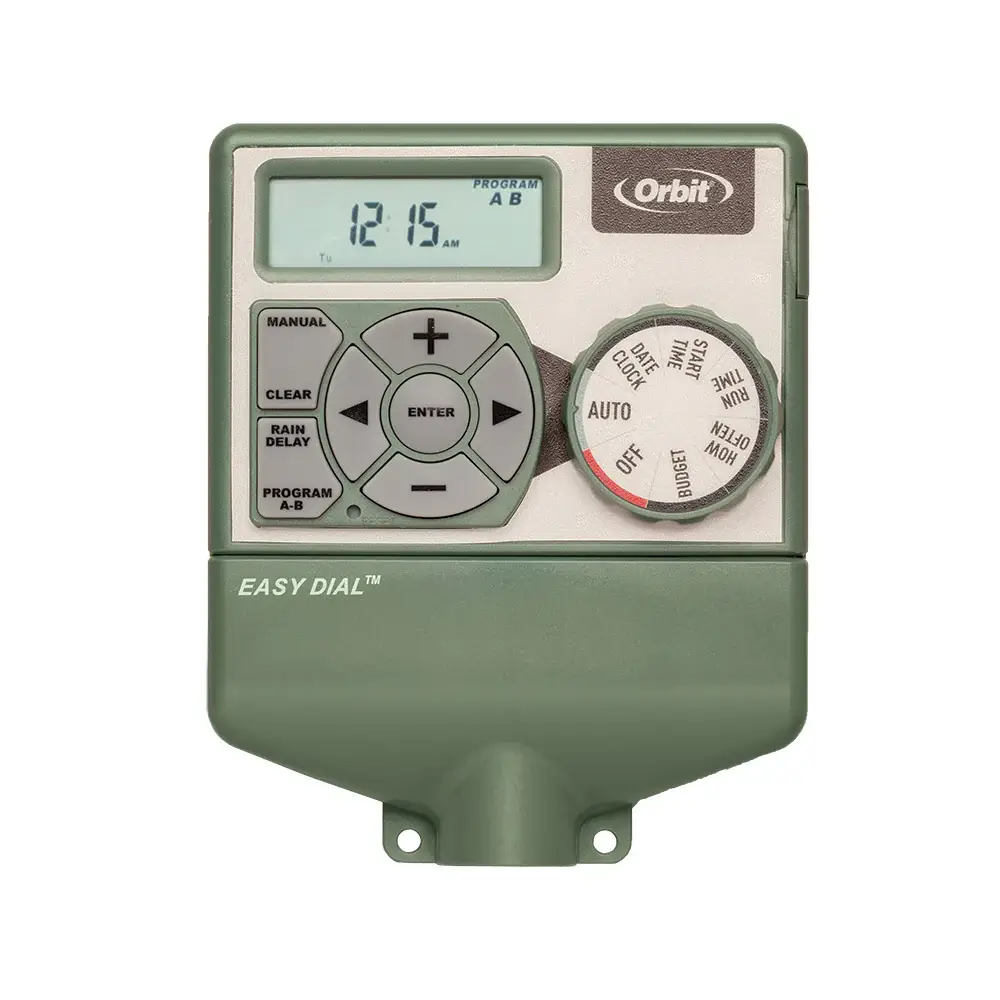
This timer uses a dial-and-button design. Once the user understands what each dial position does, the rest becomes easy.
Dial positions (what each one does)
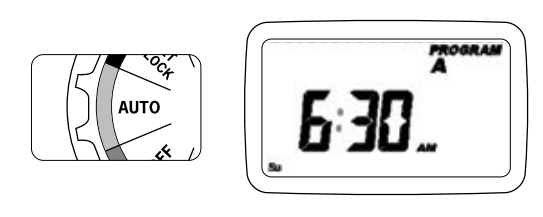
- AUTO: Runs the saved schedule. This is the normal daily setting.
- SET CLOCK: Sets the current time (with AM/PM).
- SET DATE: Sets the year, month, and day.
- START TIME: Sets when watering begins (up to 4 start times per program).
- RUN TIME: Sets how long each station runs.
- HOW OFTEN: Sets the watering frequency (weekdays, interval, or odd/even).
- OFF: Stops all automatic watering.
Buttons (what they control)
- PROGRAM (A/B): Switches between Program A and Program B.
- ENTER: Confirms a selection.
- CLEAR: Erases a setting or cancels a manual run.
- MANUAL: Starts manual watering.
- RAIN DELAY: Pauses watering for 24/48/72 hours.
- Left/Right arrows: Move through stations or options.
- + / –: Adjust numbers (time, duration, interval).
A Helpful Note: many settings require pressing ENTER to save. The dial changes what the buttons do, so always set the dial to the right position before changing values.
Choosing a Location and Mounting the Timer
Mounting the timer correctly makes wiring easier and prevents stress on the wires.
Choose the right location
Pick a location that meets all of these:
- Near a standard outlet (for the transformer)
- Easy to reach (for dial access)
- Near valve wires (to reduce splicing)
- Within 0°C to 70°C temperature range
Avoid places with constant direct water spray or places that flood.
Mounting steps (simple process)
- Use the mounting template (if provided) or mark holes based on the timer’s backplate.
- Use No. 8 screws for mounting.
- Leave the screw heads sticking out about 3 mm so the timer can slide onto the screws.
- Hang the timer and make sure it sits level.
A level mount helps the dial feel smooth and protects internal parts from stress over time.
Wiring Guide: Stations, Common, Pump, and Sensors
Wiring sounds complicated, but it’s actually repetitive. The user just connects each valve wire pair correctly.
Basic wiring concept
Each valve usually has two wires:
- One wire goes to Common (often white).
- The other wire goes to a Station terminal (1, 2, 3, etc.).
Strip wire correctly
- Strip about 12 mm of insulation from each wire end.
- Keep copper clean and not frayed.
Connect the common wire
- Combine one wire from each valve into the Common terminal.
- Many systems use a white common wire bundle.
Connect station wires
- Connect the second wire from each valve to its station terminal.
Important rule: Use only one valve per station. Don’t double up valves on one station terminal.
Wire gauge and distance guidance
Wire size matters when valve boxes sit far away:
- Under 210 meters: use Orbit sprinkler wire or 20 AWG thermostat wire
- Over 210 meters: use 16 AWG wire
Waterproofing connections
For wet valve boxes, protect splices with proper connectors (like grease caps or speed seals). This prevents corrosion and intermittent station failures.
Pump/Master Valve support
Some systems use a pump start relay or master valve:
- Use the Pump terminal with the Common terminal.
- Use a pump start relay if controlling a pump (don’t connect a pump directly).
Rain sensor terminals and bypass switch
If the user installs a rain sensor:
- Connect it to the yellow SENSOR terminals.
The timer has a sensor on/off bypass switch. This switch can stop watering if set incorrectly. A key rule:
- If the switch is ON but no sensor is connected, the timer may not operate.
That one detail explains a lot of “my timer won’t water” situations.
Power and Battery Setup (CR2032 Backup)
AC power (required to run valves)
The timer uses a transformer that plugs into a standard 120V outlet. This AC power actually runs the valves.
Battery backup (saves programming)
The timer uses a CR2032 lithium battery to hold saved programs during a power outage. The battery does not run the valves. It only protects settings.
Best practice:
- Replace the CR2032 battery about once per year.
If the user loses power and the battery is dead, the timer may lose programming and fall back to a fail-safe behavior.
Programming Basics: A/B Programs and Easy-Set Logic™
Programming follows a predictable order. That’s the “Easy-Set Logic” idea: always move in the same steps.
What Program A and Program B mean
- Program A: First watering schedule
- Program B: Second watering schedule
Users can run different zones on different days or patterns. For example:
- A = lawn sprinklers
- B = drip irrigation
The fastest programming flow
- Reset (optional but helpful if used before)
- Set Clock
- Set Date
- Set Start Time(s)
- Set Run Time per station
- Set How Often
- Set dial to AUTO
After that, the schedule runs automatically.
Orbit Easy Dial™ Sprinkler Timer Schedule Setup
This section gives the complete setup process in clear steps.
Step 1: Reset the timer (recommended for first-time setup)
If the timer has old settings, reset clears them. Reset also helps if the schedule behaves strangely.
Step 2: Set the clock
- Turn dial to SET CLOCK.
- Use + / – to set the correct time.
- Watch the AM/PM setting carefully.
- Hold + / – to scroll faster.
- Press ENTER to save.
Step 3: Set the date
- Turn dial to SET DATE.
- Use + / – to set year, month, and day.
- Use arrows if needed to move between fields.
- Press ENTER to save.
Step 4: Choose Program A or B
Press PROGRAM until the timer shows the program you want to edit.
Step 5: Set Start Time(s)
- Turn dial to START TIME.
- Choose Start Time 1 (and optionally 2–4).
- Use + / – to set the time (1-minute increments).
- Press ENTER to save each start time.
Start times decide “when watering begins.” The timer then runs through stations based on run times.
Step 6: Set Run Time for each station
- Turn dial to RUN TIME.
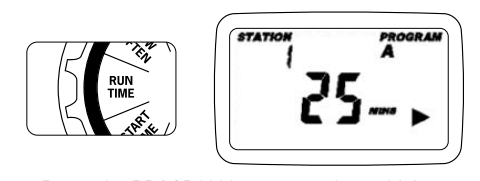
- Use arrows to select a station number.
- Use + / – to set minutes for that station.
- Press ENTER to save.
- Repeat for each station in the program.
Step 7: Set How Often (watering frequency)
- Turn dial to HOW OFTEN.
- Choose one scheduling method:
- Days of week
- Interval (INT)
- Odd/Even
- Use + / – and arrows to set options.
- Press ENTER to save.
Step 8: Turn dial to AUTO
This is the final step many people forget. The timer only runs schedules when the dial sits on AUTO.
Setting “How Often”: Weekdays, Interval, Odd/Even
“How Often” decides the watering pattern. Users can pick what matches their needs and local watering rules.
Option 1: Days of the week
This works well for people who want something simple:
- Monday, Wednesday, Friday
- Or Tuesday and Saturday
- Or any custom pattern
This method gives the most control.
Option 2: Interval (INT every X days)
Interval watering runs every set number of days:
- every 2 days
- every 3 days
- every 7 days
This works well for drip zones or seasonal watering plans.
Option 3: Odd/Even days
Odd/Even scheduling helps match many city watering rules. Some areas allow watering on odd days or even days only. If your area has restrictions, this setting helps you stay compliant.
Tip: If a schedule runs but at a strange frequency, check if it accidentally switched to Odd/Even or Interval.
Advanced Scheduling
Multiple start times per program
The timer allows up to 4 start times per program. This helps when:
- New grass needs light watering more than once per day
- Hot climates require split watering to reduce runoff
- Drip zones need morning and evening runs
A practical reminder: more start times can overwater if run times remain high. People should keep total water use in mind.
Start-time stacking
If a start time begins while another watering cycle is still running, the timer uses start-time stacking. That means:
- It delays the new cycle until the current cycle finishes.
This prevents overlap and protects pressure. It also explains why a start time might not begin exactly at the minute shown when the system is still running another program.
Manual Watering and Quick Runs
Manual watering helps when the user wants a quick test or extra watering.
Run all stations manually
From AUTO, the user can start manual watering to run all stations one after another using programmed run times.
Run one station manually
The user can select a single station and set a manual duration between 1 and 240 minutes.
Stop manual watering
Press CLEAR to stop the manual run.
Manual watering does not need the user to delete programs. It acts like a temporary override.
Rain Delay and Rain Sensor Setup
Rain Delay (temporary pause)
Rain Delay pauses watering for:
- 24 hours
- 48 hours
- 72 hours
The display can show remaining delay hours and then return to normal time. Press CLEAR to cancel the Rain Delay early.
This feature works great after a storm or when the user waters manually.
Rain sensor
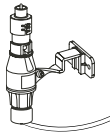
A rain sensor stops watering automatically during wet conditions. The user connects it to the SENSOR terminals.
Important: the timer includes a sensor bypass switch. If it’s ON while no sensor is connected, the timer may not run. If watering stops unexpectedly, check that switch first.
Helpful Tips for Better Watering Results
A timer sets the schedule, but the watering result depends on smart planning.
Group zones logically using A/B
A simple method:
- Program A: lawn zones (sprays/rotors)
- Program B: drip zones (flowers, shrubs)
This avoids watering everything the same way.
Use shorter times for sprays
Spray heads water fast and can cause runoff. Split watering using multiple start times if needed.
Use longer but less frequent times for drip
Drip irrigation works best with slower, deeper watering. Interval scheduling often works great for drip.
Avoid watering in midday heat
Morning watering reduces evaporation and wind drift. Late-night watering can increase disease risk in some climates. Most people choose early morning.
Check local watering rules
Some cities restrict odd/even days. If the user’s city enforces those rules, odd/even scheduling becomes useful.
Troubleshooting Tips
This section solves the most common problems without technical overload.
Problem: Valves won’t turn on
Likely causes:
- Loose wire at station or common
- Broken valve wire
- Wrong wiring (valve not connected to common)
- Overload from multiple valves on one station
- No AC power from transformer
Fix:
- Confirm transformer is plugged in.
- Check common wire connection.
- Check the station wire connection.
- Make sure only one valve connects per station.
- If using a rain sensor, confirm bypass switch isn’t blocking operation.
Problem: Stations run at the wrong time
Likely causes:
- AM/PM set incorrectly
- Date set wrong
- Start times entered in the wrong program (A vs B)
Fix:
- Re-check SET CLOCK and confirm AM/PM.
- Re-check SET DATE.
- Confirm Program A/B before editing.
Problem: Timer runs stations unexpectedly
Likely causes:
- Multiple start times set without realizing
- Start-time stacking causing delayed cycles
- Factory fail-safe behavior after programming loss
Fix:
- Review START TIMES (1–4) and clear unused ones.
- Confirm battery and power stability.
Problem: Timer won’t operate after rain sensor install
Likely cause:
- Sensor bypass switch set incorrectly
Fix:
- Adjust the sensor switch to match the sensor setup.
Problem: Timer has power but lost settings
Likely causes:
- Dead CR2032 battery during power loss
Fix:
- Replace battery and reprogram.
Support, Warranty, and Contact Details
If the user needs help, Orbit provides official support and warranty coverage.
Orbit support contacts
- Website: orbitonline.com
- Support phone (U.S.): 1-800-488-6156
- Support phone (alternate): 1-801-299-5555
Warranty
- The timer includes a 3-year warranty (per the manual).
Power supply note
The manual specifies using only the power unit models listed for this timer series (for safe and correct operation).
If the user contacts support, it helps to share:
- Timer model number (96954, 96956, 96874, or 96876)
- How many stations are wired
- Whether a rain sensor is connected
- Whether the timer runs manual watering
- What the display shows
That info speeds up troubleshooting.
Glossary
Auto: Mode that runs the saved schedule.
Common wire: The shared wire that connects to every valve (often white).
Interval (INT): Watering every X days.
Master valve: A main valve that opens before zone valves in some systems.
Program A/B: Two separate saved schedules in the timer.
Rain Delay: A temporary pause of watering for 24/48/72 hours.
Rain sensor: A device that stops watering when it rains.
Solenoid: The small electrical part on a valve that opens/closes it.
Station: A watering zone controlled by one valve.
Start-time stacking: When start times overlap, the timer delays the next cycle until the current one finishes.