| Field | Details |
| Document Title | Heatmiser Edge Programmable Room Thermostat Manual |
| Document Type | User Manual |
| Brand Name | Heatmiser |
| Product Name | Programmable Room Thermostat |
| Model Number(s) | edge |
| PDF File Size | 458.0 KB |
| Total Number of Pages | 48 |
| Languages Covered | English |
Heatmiser Programmable Room Thermostat edge
The Heatmiser edge is a programmable room thermostat designed to control heating systems according to selected temperatures and daily schedules. It combines room temperature regulation, programmable comfort levels, wireless temperature sensing, and time clock operation in one wall-mounted unit.
The edge has two operating modes: Thermostat Mode (Mode 1) and Time Clock Mode (Mode 2). Thermostat Mode controls heating according to room or floor temperature, while Time Clock Mode provides scheduled ON and OFF switching for a compatible timed output.
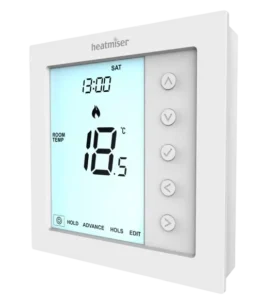
The thermostat features a digital LCD display, five navigation buttons, temperature hold, program advance, frost protection, holiday programming, keypad locking, and configurable heating schedules. It supports both four-level and six-level programming arrangements.
The Heatmiser edge can also connect to compatible wireless air sensors and window/door contact sensors. Up to 16 wireless accessories can be paired with one thermostat. Its RS485 Modbus interface allows integration with compatible home automation and building management systems.The unit operates using a 230V AC supply and supports switched-live, volt-free boiler, heating valve, and Heatmiser UH8 wiring center connections.
Product Overview and Technical Specifications
The Heatmiser edge is a wall-mounted thermostat with programmable heating control and an optional time clock operating mode.
| Specification | Details |
| Brand | Heatmiser |
| Model | edge |
| Product Type | Programmable Room Thermostat |
| Operating Supply | 230V AC |
| Display | Digital LCD |
| Controls | Five navigation buttons |
| Installation Type | Flush-mounted |
| Minimum Back Box Depth | 35 mm |
| Operating Modes | Mode 1: Thermostat; Mode 2: Time Clock |
| Default Operating Mode | Thermostat |
| Temperature Display | Celsius (°C) or Fahrenheit (°F) |
| Temperature Sensor Options | Built-in air, remote wireless air, floor, or combined sensors |
| Wireless Accessories | Up to 16 per thermostat |
| Wireless Accessory Types | Air sensors and window/door contact sensors |
| Heating Programs | 5/2 Day, 7 Day, 24 Hour, Non-Programmable |
| Comfort Levels | Four or six, according to configuration |
| Default Comfort Levels | Four |
| Switching Differential | 0.5°C, 1°C, 2°C, or 3°C |
| Default Switching Differential | 1°C |
| Output Delay | 0–15 minutes |
| Temperature Adjustment Limit | 0–10°C |
| Floor Temperature Limit | 20–45°C |
| Optimum Start | 0–5 hours |
| Daylight Saving Time | Supported |
| Frost Protection | Supported |
| Temperature Hold | Supported |
| Program Advance | Supported |
| Holiday Mode | Supported |
| Keypad Lock | Four-digit PIN |
| Wireless Sensor Fail-Safe | Supported |
| Communication Interface | RS485 Modbus |
| Modbus Address Range | 1–32 |
| Maximum Modbus Devices | 32 per RS485 adapter |
| Electrical Connections | Switched-live, volt-free, heating valve, UH8 |
| Backup Battery | 3V lithium battery for clock retention |
How the Programmable Room Thermostat Works
The Heatmiser edge combines a heating programmer with a room thermostat.
A room thermostat measures the surrounding temperature and requests heating when the measured temperature falls below the selected setting. Heating stops when the selected temperature is reached.
The programming function allows different temperatures to be maintained at different times of the day.
Understanding Temperature Settings
Increasing the set temperature does not make the heating system warm a room faster. The heating rate depends on the system’s design and capacity.
A higher temperature setting keeps heating active until the higher temperature is reached.
Reducing the set temperature also does not make a room cool faster. Instead, the heating system maintains a lower target temperature.
Choosing a Comfortable Temperature
A practical method of establishing a suitable temperature is to start at approximately 18°C and increase the setting by 1°C each day until a comfortable temperature is reached.
Once the required temperature has been established, the heating schedule can maintain it automatically.
Avoiding unnecessarily high temperature settings can reduce heating energy consumption.
Thermostat Position and Airflow
The thermostat requires unrestricted airflow for accurate temperature measurement.
It should not be covered by curtains or obstructed by furniture.
Nearby electrical heaters, televisions, wall lamps, and table lamps may affect its temperature reading.
Parts, Components, and Control Buttons
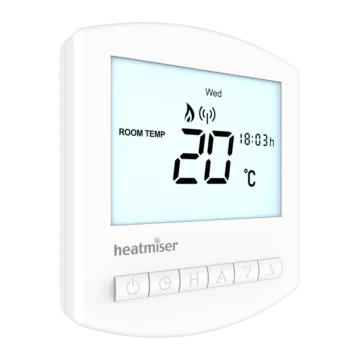
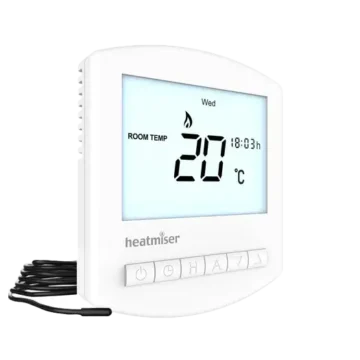
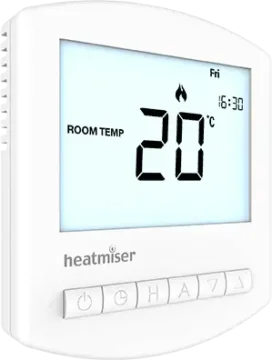
The Heatmiser edge has a digital LCD display on the left side and five vertically arranged control buttons on the right.
The bottom of the display contains selectable menu options that change according to the operating mode.
Main Components
| Component | Function |
| LCD Display | Shows temperature, clock, heating demand, and operating status. |
| Up Button | Increases temperatures and adjustable settings. |
| Down Button | Decreases temperatures and adjustable settings. |
| Tick / Confirm Button | Confirms selections and activates menu functions. |
| Left Button | Moves left through menu options and settings. |
| Right Button | Moves right through menu options and settings. |
| Front Panel | Houses the display and control buttons. |
| Back Plate | Secures the thermostat to the wall back box. |
| Retaining Screw | Secures the front panel to the back plate. |
| Electrical Terminal Block | Provides power, switching, sensor, and Modbus connections. |
| Floor Sensor Connection | Allows a compatible wired floor temperature probe to be used. |
| Backup Battery | Maintains correct clock time during power interruptions. |
Control Button Functions
| Button | Function |
| Up (▲) | Increases temperature, time, or feature values. |
| Down (▼) | Decreases temperature, time, or feature values. |
| Tick (✓) | Opens selected functions and confirms settings. |
| Left (◀) | Moves left between menu options or digits. |
| Right (▶) | Moves right between menu options or digits. |
Some functions require a button to be held for several seconds.
Understanding the LCD Display
The LCD provides information about the thermostat’s current temperature, programmed settings, heating demand, and operating status.
Thermostat Mode Display Indicators
| Indicator | Meaning |
| Day Indicator | Displays the current day of the week. |
| Holiday Symbol | Appears when Holiday Mode is active. |
| Clock | Displays time in 24-hour format. |
| Flame Symbol | Indicates an active heating demand. |
| Flashing Flame Symbol | Indicates Optimum Start operation. |
| Frost Protection Symbol | Indicates Frost Protection or activation by a window/door sensor. |
| Floor Limit Symbol | Appears when the floor sensor reaches the configured temperature limit. |
| ADVANCED UNTIL | Indicates that the next programmed comfort level has been activated early. |
| HOLD LEFT | Displays the remaining temperature hold duration. |
| Sensor Warning | Flashes when communication with a wireless sensor or window/door switch fails. |
| ROOM TEMP | Identifies a room temperature reading. |
| FLOOR TEMP | Identifies a floor temperature reading. |
| SET | Indicates that the set temperature is being adjusted. |
| Preheat Status | Indicates preheating operation. |
| Program Indicator | Identifies the comfort period being edited. |
| Main Menu | Highlights the currently selected function. |
| Keypad Lock Symbol | Indicates that the keypad is locked. |
| Temperature Display | Shows the measured temperature. |
| °C / °F | Identifies the selected temperature unit. |
| Window Icon | Indicates that a paired window/door contact has been triggered. |
| Time/Date | Displays clock, calendar, and holiday information. |
Flame Indicator
The flame symbol appears when the edge is requesting heating.
When the flame symbol is absent, the thermostat does not currently need heating to maintain the selected temperature.
The symbol flashes while Optimum Start is operating.
Floor Temperature Limit Indicator
The floor limit symbol appears when the connected floor probe reaches the configured floor temperature limit.
Sensor Warning Indicator
The sensor warning indicator flashes when the thermostat fails to receive a signal from a paired wireless sensor or window/door contact.
Safety Instructions and Installation Requirements
The Heatmiser edge uses a 230V AC electrical supply.
The thermostat must only be installed by a qualified electrician and must comply with applicable local electrical regulations.
Installation Precautions
- Mount the thermostat at eye level.
- Read the operating instructions before installation.
- Avoid locations near direct heat sources.
- Do not apply excessive pressure to the LCD screen because permanent damage may occur.
- Install a recessed back box with a minimum depth of 35 mm.
- Follow the appropriate wiring diagram for the connected heating system.
- Use the correct sensor configuration for the heating application.
Electric Underfloor Heating Sensor Requirement
The Air Sensor Only setting must not be used to control electric underfloor heating.
For electric underfloor heating, a floor sensor must be used, either alone or in combination with an air temperature sensor.
When both air and floor sensing are enabled, the floor sensor provides temperature limiting to help prevent overheating.
Installing the Heatmiser edge Thermostat
The edge is designed for flush mounting into a recessed wall back box.
Step 1: Remove the Front Panel
- Locate the retaining screw on the bottom edge of the thermostat.
- Use a small screwdriver to loosen the screw slightly.
- Carefully separate the front panel from the back plate.
- Place the LCD front panel somewhere safe.
Step 2: Connect the Electrical Wiring
The thermostat must be connected according to the appropriate wiring diagram.
The manufacturer provides diagrams for:
- Switched-live boiler output.
- Volt-free boiler output.
- Heating valve connections.
- Heatmiser UH8 wiring center connections.
The required diagram depends on the connected heating equipment.
Step 3: Mount the Back Plate
- Position the thermostat back plate against the recessed back box.
- Align the fixing holes.
- Screw the back plate securely into the back box.
Step 4: Reattach the Front Panel
- Position the front panel against the back plate.
- Align the front panel pins with the corresponding socket.
- Insert the top edge first.
- Push the lower edge into position.
- Tighten the retaining screw.
Selecting Thermostat or Time Clock Mode
The Heatmiser edge supports two operating modes.
| Mode | Function |
| Mode 1 | Thermostat |
| Mode 2 | Time Clock |
Thermostat Mode is the factory default.
Mode 1: Thermostat
Thermostat Mode controls heating according to the measured temperature and selected target.
It supports scheduled comfort levels, temperature adjustment, Temperature Hold, Frost Protection, Holiday Mode, and compatible temperature sensors.
Mode 2: Time Clock
Time Clock Mode controls a timed electrical output using programmed ON and OFF switching times.
It operates according to a schedule rather than using room temperature as the primary control.
How to Change the Operating Mode
- Use Left and Right to highlight the Power symbol.
- Press and hold Tick for approximately 3 seconds.
- The display becomes blank except for SETUP and CLOCK.
- Use Up or Down to highlight SETUP.
- Press and hold Tick for 10 seconds.
- The edge performs a factory reset and displays the available modes.
- Use Left and Right to select the required mode.
- Select 1 for Thermostat or 2 for Time Clock.
- Press Tick to confirm.
The thermostat restarts in the selected operating mode.
Important: Mode selection resets previously configured parameters. Paired wireless air sensors and window/door contacts are excluded from this reset.
Other required setup settings must be configured again after the restart.
Mode 1: Thermostat Operation
Thermostat Mode provides temperature-based heating control.
The available functions include:
- Room and floor temperature measurement.
- Programmable heating schedules.
- Manual temperature adjustment.
- Temperature Hold.
- Program Advance.
- Frost Protection.
- Holiday Mode.
- Wireless accessory pairing.
- Sensor selection.
- Keypad locking.
- Optimum Start.
- Modbus communication.
Turning the Thermostat On and Off
How to Turn the Thermostat Off
- Use Left and Right to highlight the Power symbol.
- Press and hold Tick for approximately 3 seconds.
- Continue until the LCD becomes blank.
The display and heating output are switched off.
How to Turn the Thermostat On
Press Tick once.
The thermostat returns to its normal operating display.
Understanding Heating Demand
When the flame icon appears, the thermostat is requesting heating.
When it disappears, there is no current heating demand to maintain the set temperature, although the thermostat remains active.
Setting the Time and Date
The clock and calendar are used for heating schedules and Holiday Mode.
How to Set the Clock
- Use Left and Right to highlight the Power symbol.
- Press and hold Tick for 3 seconds.
- SETUP and CLOCK appear.
- Press Up followed by Right to highlight CLOCK.
- Press Tick.
- The hour digits begin flashing.
- Use Up and Down to set the hour.
- Press Tick.
- Use Up and Down to set the minutes.
- Press Tick.
- Repeat the process to set the day, month, and year.
- After completing the settings, use Down to select the Power symbol.
- Press Tick to return to the main display.
The thermostat uses a 24-hour clock format.
Room and Floor Temperature Display
The edge can measure temperature through its built-in sensor, a remote wireless air sensor, or a wired floor sensor.
The active display identifies the measured temperature as ROOM TEMP or FLOOR TEMP.
Room Temperature
When room temperature is displayed, ROOM TEMP appears next to the measured value.
Floor Temperature
When the floor sensor is used, FLOOR TEMP identifies its measurement.
Combined Air and Floor Sensing
When both an air sensor and floor sensor are enabled, the room temperature is displayed by default.
The floor sensor can be used to limit the maximum floor temperature.
How to View the Floor Temperature
- Press and hold Left and Right together.
- Continue holding for 5 seconds.
- The floor temperature appears on the LCD.
Wireless Sensors and Window/Door Contacts
The Heatmiser edge supports compatible wireless accessories for remote temperature measurement and window/door monitoring.
Up to 16 accessories can be paired with a single edge thermostat.
Wireless accessory pairing is available in Thermostat Mode, not Time Clock Mode.
Compatible Wireless Accessory Types
| Accessory | Function |
| Wireless Air Sensor | Provides remote air temperature measurements. |
| Wireless Window/Door Contact | Detects when a monitored window or door is opened. |
Wireless Air Sensor Operation
When a wireless air sensor is paired, the thermostat automatically calculates an average temperature using the wireless sensor and its internal sensor.
If multiple wireless air sensors are connected, their measurements are included in the averaging calculation.
The Sensor Selection setting can also be configured to use a remote air sensor without the internal sensor.
Window/Door Contact Operation
When a paired window or door contact is triggered, the thermostat activates Frost Protection Mode.
The window icon appears on the display.
Heating does not resume while the open-window or open-door indicator remains active.
Pairing Wireless Accessories
Wireless air sensors and window/door contacts can be paired directly with the edge thermostat.
Step 1: Open the Thermostat Setup Menu
- Use Left and Right to highlight the Power symbol.
- Press and hold Tick for 3 seconds to switch off the display.
- Press Up to select SETUP.
- Press Tick.
- Use Down until the letter P appears at the top of the display.
- Press Tick.
Step 2: Start Accessory Pairing
The thermostat begins a 99-second pairing countdown.
Multiple compatible accessories can be added during this period.
Step 3: Activate Pairing on the Accessory
- Locate the pairing/reset button on the wireless air sensor or window/door contact.
- Press and hold the pairing button for 5 seconds.
- The accessory LED illuminates red to indicate pairing.
Step 4: Confirm Successful Pairing
When the accessory joins successfully:
- The accessory LED goes out after a few seconds.
- The thermostat displays 01:P when the first accessory has connected.
Additional accessories can be added during the countdown.
If the countdown ends before all accessories are connected, the pairing procedure can be started again.
Viewing Connected Wireless Accessories
The edge allows the status of paired wireless accessories to be viewed through its accessory menu.
How to View Accessories
- Highlight the Power symbol.
- Press and hold Tick for 3 seconds to switch off the display.
- Press Up to select SETUP.
- Press Tick.
- Use Down until the letter A appears.
- Press Tick.
- Use Left and Right to move through the connected accessories.
Accessory Status Indicators
| Indicator | Meaning |
| Temperature Reading | Current measurement from a wireless air sensor. |
| OP | Window or door contact is open. |
| CL | Window or door contact is closed. |
| — | Connection with the accessory has been lost. |
| Battery Warning Symbol | The accessory is reporting low battery power. |
Wireless Accessory Battery Warning
A battery warning appears when an accessory reports low power.
The manufacturer’s guide identifies a 3V lithium coin cell for the wireless accessory and prints the designation CR2302. The battery designation on the actual accessory should be checked before replacement.
Removing Wireless Accessories
A wireless accessory can be removed using the accessory’s pairing/reset button or the edge thermostat’s accessory menu.
Removing an Accessory From the Sensor
- Locate the pairing/reset button on the wireless sensor or window/door contact.
- Press and hold the button for 15 seconds.
- The LED flashes three times to confirm the reset.
The accessory informs the thermostat that it has left the network and is automatically removed from the accessory menu.
Removing an Accessory From the Thermostat
- Open the accessory menu.
- Use Left and Right to select the accessory to remove.
- Press and hold Tick for 10 seconds.
- Continue until the accessory disappears from the menu.
The accessory must also be reset after removal through the thermostat menu.
Heating Programs and Comfort Levels
The Heatmiser edge supports three programmable heating schedules and a non-programmable manual setting.
Available Programming Modes
| Programming Mode | Description |
| 5/2 Day | Separate schedules for Monday–Friday and Saturday–Sunday. |
| 7 Day | Each day has its own heating schedule. |
| 24 Hour | The same heating schedule repeats every day. |
| Non-Programmable | Manual temperature control without a timed schedule. |
Default Heating Schedule
The edge is supplied with four programmed comfort levels.
| Comfort Level | Time | Temperature |
| Level 1 | 07:00 | 21°C |
| Level 2 | 09:00 | 16°C |
| Level 3 | 16:00 | 21°C |
| Level 4 | 22:00 | 16°C |
Each comfort level maintains its selected temperature until the next programmed level begins.
Four-Level and Six-Level Programming
The thermostat supports a choice of four or six comfort levels.
Four comfort levels are enabled by default.
Six levels can be enabled through the Program Type setting in the optional features menu.
Weekday/Weekend Programming
In 5/2 Day Mode, the same four comfort levels apply from Monday through Friday.
A separate set of comfort levels can be configured for Saturday and Sunday.
7 Day Programming
In 7 Day Mode, each day can have its own independently configured comfort levels.
24 Hour Programming
In 24 Hour Mode, the same comfort levels repeat every day.
Programming the Heating Comfort Levels
The EDIT menu is used to change the scheduled comfort levels.
How to Program Comfort Levels
- Use Left and Right to highlight EDIT.
- Press Tick.
- Use Left and Right to select the required day or day group.
- Press Tick.
- Level 1 begins flashing.
- Press Tick to edit Level 1.
- Use Up and Down to set the hour.
- Press Tick.
- Use Up and Down to set the minutes.
- Press Tick.
- Use Up and Down to select the target temperature.
- Press Tick to confirm.
- Press Right to move to Level 2.
- Press Tick to edit its settings.
- Repeat the procedure for the remaining comfort levels.
- Highlight DONE using Left and Right.
- Press Tick to save the program.
Disabling Unused Comfort Levels
An unused comfort period can be disabled by setting its time to –:–.
The thermostat skips the disabled period and continues with the next scheduled level.
Programming Six Comfort Levels
When six comfort levels are enabled in the optional settings, the additional levels can be configured through the same EDIT procedure.
Manual Temperature Control
The Up and Down keys allow the target temperature to be changed directly.
How to Adjust the Set Temperature
- Press Up or Down.
- SET appears together with the current target temperature.
- Use Up and Down to select the required temperature.
- Press Tick to confirm.
The thermostat returns to its normal display.
Duration of a Manual Temperature Override
When the thermostat is following a programmed heating schedule, the manually selected temperature remains active until the next comfort level begins.
The thermostat then returns to its programmed temperature.
Temperature Hold Function
Temperature Hold temporarily overrides the programmed heating temperature for a selected period.
How to Activate Temperature Hold
- Use Left and Right to highlight HOLD.
- Press Tick.
- Use Up and Down to set the required hold duration in hours.
- Press Tick.
- Use Up and Down to set the minutes.
- Press Tick.
- Use Up and Down to select the hold temperature.
- Press Tick to confirm.
HOLD LEFT appears with the remaining time.
When the countdown ends, the thermostat returns to its normal heating program.
How to Cancel Temperature Hold
- Highlight HOLD.
- Press Tick.
- When CANCEL is highlighted, press Tick again.
The temperature hold is canceled.
How to Edit an Active Temperature Hold
- Highlight HOLD.
- Press Tick.
- Use Left to highlight EDIT.
- Press Tick.
- Adjust the hold duration and temperature.
- Confirm the new settings.
Program Advance Function
Advance activates the next programmed comfort level before its scheduled starting time.
How to Activate Advance
- Use Left and Right to highlight ADVANCE.
- Press Tick.
- ADVANCED UNTIL appears with the relevant time and set temperature.
- Press Tick again to confirm.
The thermostat activates the next programmed comfort level.
Viewing the Advance Temperature
- Press Up or Down once.
- The current set temperature appears.
- Press Tick to exit.
Changing the Advance Temperature
- Press Up or Down.
- Select the required temperature.
- Press Tick to confirm.
How to Cancel Advance
- Highlight ADVANCE.
- Press Tick twice.
The thermostat returns to normal programmed operation.
Multiple consecutive advances are not supported.
Frost Protection Mode
Frost Protection allows the thermostat to maintain a reduced temperature when ordinary heating is not required.
How to Activate Frost Protection
- Use Left and Right to highlight the Power symbol.
- Press Tick once.
The frost protection symbol appears.
Heating is requested only if the measured room temperature falls below the configured frost temperature.
When heating is active, the flame symbol appears.
How to Cancel Frost Protection
- Highlight the Power symbol.
- Press Tick once.
The frost protection symbol disappears.
Automatic Frost Protection From Window/Door Contacts
A paired window/door sensor can also activate Frost Protection.
When a monitored window or door is opened, the window indicator appears.
Heating does not resume while the indicator remains active.
Holiday Mode
Holiday Mode temporarily reduces heating to the configured frost protection temperature.
When the holiday ends, the thermostat automatically returns to normal programmed operation.
In Time Clock Mode, Holiday Mode switches off the timed output for the holiday period.
How to Activate Holiday Mode
- Use Left and Right to highlight HOLS.
- Press Tick.
- Use Up and Down to set the return hour.
- Press Tick.
- Use Up and Down to set the return minutes.
- Press Tick.
- Repeat the procedure to configure the day, month, and year.
The display indicates that Frost Protection is active during the holiday.
Adjusting the Holiday Temperature
While Holiday Mode is active:
- Press Up or Down.
- Select the required frost protection temperature.
- Press Tick to confirm.
The thermostat maintains the selected frost temperature during the holiday period.
Locking and Unlocking the Thermostat
The edge includes a keypad lock controlled by a four-digit PIN.
How to Lock the Keypad
- Use Left and Right to highlight HOLD.
- Press and hold Tick for 7 seconds.
- The display shows 0000.
- Use Up and Down to enter the required PIN digits.
- Use Left and Right to move between digits.
- Press Tick to confirm.
The thermostat returns to its main display.
The keypad lock indicator appears.
How to Unlock the Keypad
- Press Tick once.
- The display shows 0000.
- Enter the previously configured four-digit PIN.
- Use Up and Down to change the digits.
- Use Left and Right to move between them.
- Press Tick to confirm.
The keypad unlocks and returns to the main display.
Advanced Thermostat Settings
The edge includes optional settings for temperature regulation, sensors, programming, Modbus communication, and display behavior.
These settings do not normally require adjustment during everyday operation.
How to Open the Optional Settings
- Use Left and Right to highlight the Power symbol.
- Press and hold Tick for 3 seconds.
- SETUP and CLOCK appear.
- Press Up to select SETUP.
- Press Tick twice to enter the main feature menu.
- Use Up and Down to move through available features.
- Use Left and Right to change the selected feature value.
- Press Tick to confirm the changes.
- Use Down to select the Power symbol.
- Press Tick to switch the thermostat back on.
Optional Settings Reference Table
| Feature | Description | Available Settings |
| A | View Accessories | Information only |
| P | Pair Accessories | Starts a 99-second countdown |
| 01 | Temperature Format | 00 = °C (Default); 01 = °F |
| 02 | Switching Differential | 00 = 0.5°C; 01 = 1°C (Default); 02 = 2°C; 03 = 3°C |
| 03 | Output Delay | 0–15 minutes; Default: 0 |
| 04 | Temperature Up/Down Limit | 0–10°C; Default: 0 |
| 05 | Sensor Selection | Five selectable sensor configurations |
| 06 | Floor Temperature Limit | 20–45°C |
| 07 | Optimum Start | 0–5 hours; Default: Disabled |
| 08 | Rate of Change | Information only |
| 09 | Programming Mode | 5/2 Day, 7 Day, 24 Hour, Non-Programmable |
| 10 | Daylight Saving Time | 00 = Disabled (Default); 01 = Enabled |
| 11 | Modbus Communications ID | 00 = Disabled; 01–32 = Device ID |
| 12 | Program Type | 00 = Four levels (Default); 01 = Six levels |
Feature 01: Temperature Format
This feature changes the temperature display between Celsius and Fahrenheit.
| Setting | Temperature Unit |
| 00 | Celsius (Default) |
| 01 | Fahrenheit |
Feature 02: Switching Differential
Switching Differential determines how far the measured temperature must fall below the target before heating begins.
For example, with a target temperature of 20°C:
- A 1°C differential activates heating at 19°C and stops it at 20°C.
- A 2°C differential activates heating at 18°C and stops it at 20°C.
The default is 1°C.
When Optimum Start is operating, the switching differential defaults to 1°C.
Feature 03: Output Delay
Output Delay helps prevent rapid switching of the heating output.
The adjustable range is 0–15 minutes.
The factory default is 0 minutes.
Output Delay is not applied while Optimum Start is operating.
Feature 04: Temperature Adjustment Limit
This setting restricts manual temperature changes made using Up and Down.
It also applies while the keypad is locked, allowing restricted temperature adjustment.
The range is 0–10°C.
Feature 05: Sensor Selection
The edge supports different combinations of built-in, wireless remote air, and wired floor sensing.
| Setting | Sensor Configuration |
| 00 | Built-in Sensor with Optional Remote Air Sensor (Default) |
| 01 | Remote Air Sensor Only |
| 02 | Floor Sensor Only |
| 03 | Built-in Sensor and Floor Sensor with Optional Remote Air Sensor |
| 04 | Remote Air Sensor and Floor Sensor Only |
When both an air sensor and floor sensor are enabled, the floor sensor provides floor temperature limiting.
The Air Sensor Only configuration must not be used to control electric underfloor heating.
Feature 06: Floor Temperature Limit
The floor temperature limit is used when the floor sensor is enabled.
The adjustable range is 20–45°C.
This setting limits floor temperature to help prevent overheating.
The manufacturer’s feature table identifies 28°C as the default, while the explanatory text gives 27°C. The actual configured value should be checked on the thermostat.
Feature 07: Optimum Start
Optimum Start calculates when heating should begin so that the programmed target temperature is reached at the required time.
The thermostat uses its calculated heating rate to estimate the necessary warm-up period.
Available settings are:
| Setting | Optimum Start |
| 00 | Disabled (Default) |
| 01 | 1 Hour |
| 02 | 2 Hours |
| 03 | 3 Hours |
| 04 | 4 Hours |
| 05 | 5 Hours |
Feature 08: Rate of Change
Rate of Change represents the number of minutes required to raise the measured temperature by 1°C.
The thermostat uses this information for Optimum Start calculations.
This setting is information only and cannot be changed manually.
Feature 09: Programming Mode
| Setting | Programming Mode |
| 00 | 5/2 Day |
| 01 | 7 Day |
| 02 | 24 Hour |
| 03 | Non-Programmable |
Feature 10: Daylight Saving Time
Daylight Saving Time allows the thermostat to adjust its clock for seasonal time changes.
| Setting | Function |
| 00 | Disabled (Default) |
| 01 | Enabled |
When enabled, the feature adjusts the clock forward or backward by one hour for daylight saving changes.
Feature 11: Modbus Communications ID
This setting assigns the thermostat an address for communication with a compatible Modbus system.
| Setting | Function |
| 00 | Modbus disabled |
| 01–32 | Modbus communications address |
Feature 12: Program Type
This setting determines the maximum number of programmable comfort levels.
| Setting | Program Type |
| 00 | Four Comfort Levels (Default) |
| 01 | Six Comfort Levels |
Wireless Sensor Fail-Safe Operation
The edge includes a fail-safe function for installations that depend on a single wireless remote temperature sensor.
The fail-safe operates when the built-in temperature sensor has been disabled and the thermostat loses communication with the wireless sensor used for temperature measurement.
How Fail-Safe Works
- The thermostat loses connection to the wireless remote air sensor.
- Error code E2 appears.
- Fail-safe operation becomes active.
- Approximately 12 minutes later, the thermostat activates the heat source.
- Heating operates for an initial 12-minute period.
- This heating cycle repeats every hour.
- Fail-safe operation continues until communication with the remote sensor is restored.
This function applies to the specific sensor configuration described above.
Modbus Communication
The Heatmiser edge supports communication with compatible home automation and building management systems using Modbus.
The thermostat uses an RS485 interface.
Modbus Connection Requirements
- A maximum of 32 devices can connect to one RS485 adapter.
- Foil twisted-pair (FTP) cable is recommended.
- Devices should be wired in a daisy-chain arrangement.
- Star wiring arrangements should not be used.
- Each connected device can be assigned a communications ID.
Modbus Terminal Connections
| Terminal | Function |
| A | Modbus communication connection |
| B | Modbus communication connection |
Modbus Communications ID
The device address is configured using Feature 11.
Available addresses are 01–32.
Setting 00 disables Modbus communication.
Modbus Termination
When the edge is the last Modbus device at the end of the communication chain, the toggle switch on the back of the thermostat fascia must be moved to the ON position.
This enables the termination arrangement described in the manufacturer’s instructions.
Recalibrating the Thermostat
The edge is factory calibrated and normally does not require recalibration.
How to Recalibrate the Temperature
- Use Left and Right to highlight the Power symbol.
- Press and hold Tick to turn off the display.
- Press and hold Tick and Down together for 10 seconds.
- The current temperature appears.
- Use Up and Down to select the required temperature value.
- Press Tick to confirm.
- The display becomes blank.
- Press Tick once to turn the thermostat on.
Error Codes and Troubleshooting
The Heatmiser edge displays error codes when temperature sensor faults or wireless communication problems are detected.
Error Code Reference
| Error Code | Meaning |
| E0 | Internal temperature sensor fault |
| E1 | Remote floor probe disconnected, incorrectly wired, or faulty |
| E2 | Wireless air sensor pairing, communication, or sensor fault |
Error E0: Internal Temperature Sensor Fault
E0 indicates that the thermostat’s internal temperature sensor has developed a fault.
The thermostat requires appropriate technical assessment.
Error E1: Floor Sensor Fault
E1 indicates a problem associated with the remote floor temperature probe.
Possible conditions include:
- Floor probe not connected.
- Incorrect floor probe wiring.
- Faulty floor temperature probe.
Error E2: Wireless Air Sensor Fault
E2 indicates a problem with the wireless air sensor.
Possible conditions include:
- Wireless air sensor not paired correctly.
- Connection between the sensor and thermostat has been lost.
- Wireless sensor battery requires checking.
- Wireless air sensor is faulty.
When the thermostat relies exclusively on a single wireless sensor, E2 can also activate the fail-safe heating function.
Common Operating Problems and Checks
| Symptom or Indicator | Meaning or Recommended Check |
| Flame icon is absent | Heating is not currently required to maintain the target temperature. |
| Flame icon flashes | Optimum Start is operating. |
| Frost icon appears | Frost Protection is active. |
| Window symbol appears | A paired window/door contact has been triggered. |
| Sensor warning flashes | Communication with a wireless accessory has failed. |
| Accessory status shows — | The thermostat has lost connection with that accessory. |
| Wireless accessory battery symbol appears | The accessory reports low battery power. |
| HOLD LEFT appears | Temperature Hold or Timer Override is active. |
| ADVANCED UNTIL appears | The next programmed period has been activated early. |
| Keypad lock symbol appears | The thermostat is locked. |
| Floor limit symbol appears | The configured floor temperature limit has been reached. |
| E0 appears | Internal temperature sensor fault. |
| E1 appears | Remote floor probe connection or sensor fault. |
| E2 appears | Wireless air sensor communication or sensor fault. |
Checking an Unexpected Heating Schedule
When the heating does not follow the expected programmed schedule:
- Check the selected operating mode.
- Review the configured comfort levels.
- Check whether Temperature Hold is active.
- Check whether Program Advance is active.
- Check whether Frost Protection or Holiday Mode is active.
- Review any displayed sensor error code.
Checking Wireless Accessories
When a wireless accessory is not responding:
- Open the accessory menu.
- Select the affected accessory.
- Check its displayed status.
- Review any low-battery warning.
- Check whether the display shows –, indicating a lost connection.
Heatmiser edge Electrical Wiring Diagrams
The edge provides power, heating control, wired floor probe, and Modbus communication terminals.
The manufacturer includes four wiring diagrams for supported installation arrangements.
All electrical installation must be completed by a qualified electrician in accordance with local electrical regulations.
Wiring Terminal Identification
The thermostat terminal strip is labeled:
A — B — RT1 — – — A2 — A1 — N — L
| Terminal | Function |
| A | Modbus communication connection |
| B | Modbus communication connection |
| RT1 | Floor temperature probe connection |
| – | Floor sensor common connection |
| A2 | Heating control switching terminal |
| A1 | Heating control switching terminal |
| N | Neutral mains supply |
| L | Live mains supply |
The diagrams show the thermostat operating from a 230V AC supply.
Switched-Live Boiler Wiring
The switched-live wiring diagram shows the edge connected to a boiler requiring a switched-live control signal.
Connections Shown
The diagram identifies:
- 230V AC power supply.
- Live and neutral connections.
- Switching contact terminals.
- Switched-live output to the boiler.
- Optional floor sensor.
- Modbus interface.
Switched-Live Output Arrangement
The manufacturer’s illustration shows A1 connected to the live feed and A2 providing the switched-live output to the boiler.
The thermostat supply connects through L and N.
The original wiring diagram must be followed for the electrical connections.
Volt-Free Boiler Wiring
The volt-free wiring diagram shows the edge connected to a boiler requiring a volt-free room thermostat contact.
This arrangement is illustrated for both Thermostat and Time Clock modes.
Volt-Free Connections
| Connection | Function |
| L | Thermostat live supply |
| N | Thermostat neutral supply |
| A1 | Volt-free switching connection to boiler terminal LS |
| A2 | Volt-free switching connection to boiler terminal LR |
The boiler connections are identified as LS and LR.
The manufacturer notes that LS and LR are normally the boiler’s room thermostat terminals.
The thermostat’s mains supply remains separate from the volt-free switching connections.
Heating Valve Wiring
The heating valve wiring diagram shows the edge connected to a heating valve arrangement.
Components Shown
- Heatmiser edge thermostat.
- 230V AC mains supply.
- Heating valve.
- Boiler control connections.
- Optional floor sensor.
- Modbus interface.
The diagram also identifies a separate heating valve live and neutral connection.
Boiler Connections
The boiler control connections are labeled LS and LR.
The manufacturer instructs that the boiler’s own wiring diagram must be consulted when connecting the boiler.
Wiring the edge to a Heatmiser UH8
The edge can be connected to a Heatmiser UH8 wiring center using the switched-live wiring arrangement shown in the manufacturer’s diagram.
Connections Shown
The diagram identifies:
- Thermostat 230V AC supply.
- Heating control switching output.
- Heatmiser UH8 wiring center.
- Optional floor temperature probe.
- Modbus communication terminals.
UH8 Terminal Labels
The UH8 diagram includes connections labeled:
- L
- 1
- 2
- E
- N
- SL
The thermostat’s A1 and A2 switching terminals are connected according to the manufacturer’s UH8 wiring arrangement.
The original diagram must be followed for exact terminal connections.
Mode 2: Time Clock Operation
Mode 2 allows the Heatmiser edge to function as a programmable time clock.
Instead of controlling heating according to room temperature, the output operates according to programmed ON and OFF switching times.
Time Clock Functions
Time Clock Mode supports:
- Programmable switching schedules.
- 5/2 Day programming.
- 7 Day programming.
- 24 Hour programming.
- Timer Advance.
- Timer Override.
- Holiday Mode.
- Keypad locking.
- Daylight Saving Time.
- Modbus communication.
Time Clock LCD Display
The display changes when the edge is configured in Time Clock Mode.
Time Clock Display Indicators
| Indicator | Meaning |
| Day Indicator | Displays the current day. |
| Holiday Symbol | Indicates Holiday Mode. |
| Clock | Displays time in 24-hour format. |
| ADVANCED UNTIL | Indicates that the next switching period has been activated early. |
| HOLD LEFT | Displays the remaining timer override duration. |
| SET | Indicates that a setting is being adjusted. |
| Program Indicator | Identifies the switching period being edited. |
| Main Menu | Highlights the selected function. |
| Keypad Lock Symbol | Indicates that the keypad is locked. |
| Timer Status | Displays the current timed output state. |
| Time/Date | Displays clock, calendar, and holiday information. |
Time Clock Programming Modes
The edge provides three time clock programming modes.
| Mode | Description |
| 5/2 Day | Four ON/OFF periods for weekdays and four for weekends. |
| 7 Day | Four ON/OFF periods for each day. |
| 24 Hour | Four ON/OFF periods repeated every day. |
The default is 5/2 Day programming.
Programming Time Clock Switching Times
The time clock allows four ON/OFF switching periods to be configured for each day or day group.
Switching Periods
| Period | Settings |
| Level 1 | ON time and OFF time |
| Level 2 | ON time and OFF time |
| Level 3 | ON time and OFF time |
| Level 4 | ON time and OFF time |
How to Program Switching Times
- Use Left and Right to highlight EDIT.
- Press Tick.
- Use Up and Down to select the required day or day group.
- Press Tick.
- Level 1 is highlighted with its current ON time.
- Press Tick to edit Level 1.
- Use Up and Down to set the ON hour.
- Press Tick.
- Use Up and Down to set the ON minutes.
- Press Tick.
- Use Up and Down to set the OFF hour.
- Press Tick.
- Use Up and Down to set the OFF minutes.
- Press Tick to confirm.
- Press Right to move to Level 2.
- Repeat the procedure for the remaining levels.
- Highlight DONE using Right.
- Press Tick to save all settings.
Disabling an Unused Switching Period
An unused switching period can be disabled by setting its time to –:–.
The time clock ignores that period.
Timer Advance Function
Timer Advance activates the next programmed switching period before its scheduled time.
How to Activate Timer Advance
- Use Left and Right to highlight ADVANCE.
- Press Tick twice.
The timed output is boosted on.
The display shows BOOST LEFT and the remaining time.
How to Cancel Timer Advance
- Highlight ADVANCE.
- Press Tick twice.
The timer returns to normal programmed operation.
Timer Override Function
Timer Override temporarily changes the output state for a selected duration.
The timed output can be set to ON or OFF.
How to Activate Timer Override
- Use Left and Right to highlight HOLD.
- Press Tick.
- Use Up and Down to set the required hours.
- Press Tick.
- Use Up and Down to set the required minutes.
- Press Tick.
- Use Up and Down to select output ON or OFF.
- Press Tick to confirm.
HOLD LEFT appears with the remaining override duration.
How to Cancel Timer Override
- Highlight HOLD.
- Press Tick twice.
The override ends and normal programmed operation resumes.
Holiday Mode in Time Clock Operation
When Holiday Mode is active in Time Clock Mode, the timed output remains off throughout the holiday.
When the holiday ends, the time clock returns to normal programmed operation.
How to Configure Holiday Mode
- Highlight HOLS.
- Press Tick.
- Set the required return hour using Up and Down.
- Press Tick.
- Set the return minutes.
- Press Tick.
- Complete the return day, month, and year settings.
The timed output remains off until the selected holiday period ends.
Advanced Time Clock Settings
The time clock provides configuration options for programming mode, Daylight Saving Time, and Modbus addressing.
Time Clock Feature Settings
| Feature | Available Settings |
| Programming Mode | 00 = 5/2 Day (Default); 01 = 7 Day; 02 = 24 Hour |
| Daylight Saving Time | 00 = Disabled (Default); 01 = Enabled |
| Modbus Communications ID | 00 = Disabled; 01–32 = Device Address |
How to Change Time Clock Optional Settings
- Use Left and Right to highlight the Power symbol.
- Press and hold Tick for 3 seconds.
- SETUP and CLOCK appear.
- Press Up to select SETUP.
- Press Tick twice to access the feature menu.
- Use Up and Down to select the required feature.
- Use Left and Right to change the setting.
- Press Tick to confirm.
- Use Down to highlight the Power symbol.
- Press Tick to return to the main display.
Factory Reset and Mode Selection
The edge uses its Mode Select function to restore setup parameters and restart in Thermostat or Time Clock Mode.
How to Reset the edge
- Highlight the Power symbol using Left and Right.
- Press and hold Tick for approximately 3 seconds.
- The screen becomes blank except for SETUP and CLOCK.
- Use Up or Down to select SETUP.
- Press and hold Tick for 10 seconds.
- The thermostat resets and displays the two operating modes.
- Use Left and Right to select the required mode.
- Select Mode 1 for Thermostat or Mode 2 for Time Clock.
- Press Tick to confirm.
The edge restarts in the selected mode.
Important: This reset clears setup parameters but excludes paired wireless air sensors and window/door contacts.
The required configuration settings must be completed again after restarting.
Replacing the Backup Battery
The edge includes a 3V lithium battery used to maintain correct clock time during a loss of mains power.
When the thermostat has a continuous electrical supply, the battery normally does not need frequent replacement.
The manufacturer recommends that battery replacement be carried out by a qualified professional.
Backup Battery Function
The battery maintains the correct time if the thermostat loses power.
It does not replace the normal 230V AC operating supply.
How to Remove the Battery
- Access the battery holder.
- Use a small flat-head screwdriver or fingertip to push back the brass retaining bracket.
- The battery is released from the holder.
How to Install the Replacement Battery
- Position the new 3V lithium battery with its positive side facing upward.
- Place one edge of the battery underneath the holding clips.
- Push the opposite edge down against the brass retaining bracket.
- Secure the battery in its holder.
Battery Holder Components
| Component | Function |
| Holding Clips | Retain one edge of the battery. |
| Brass Retaining Bracket | Secures the opposite edge and releases the battery when moved. |
| 3V Lithium Battery | Maintains correct clock time during power interruptions. |
Customer Support and Manufacturer Information
Heatmiser provides technical support and product information through its official support channels.
| Information | Details |
| Brand | Heatmiser |
| Manufacturer | Heatmiser |
| Support Telephone | +44 (0)1254 669090 |
| Official Website | https://www.heatmiser.com |
| facebook.com/thermostats |
Further technical specifications and product information are available through the manufacturer’s website.
Frequently Asked Questions
1. How is the Heatmiser edge thermostat programmed?
Use Left and Right to highlight EDIT, then press Tick.
Select the day or day group and configure the time and temperature for each comfort level.
Use Up and Down to adjust the values and press Tick to confirm.
Select DONE to save the heating schedule.
The edge supports 5/2 Day, 7 Day, and 24 Hour programming, with four or six comfort levels depending on configuration.
2. How is the Heatmiser edge factory reset?
Highlight the Power symbol and hold Tick for approximately 3 seconds.
When SETUP and CLOCK appear, highlight SETUP and hold Tick for 10 seconds.
The thermostat resets and presents Mode 1 and Mode 2.
Select the required mode and press Tick.
The reset clears setup parameters but does not remove paired wireless air sensors and window/door contacts.
3. How is a wireless air sensor paired with the Heatmiser edge?
Open the thermostat’s SETUP menu and select the accessory pairing feature P.
Press Tick to start the 99-second pairing countdown.
On the wireless air sensor, press and hold its pairing/reset button for 5 seconds.
The LED glows red during pairing and goes out after a successful connection.
The thermostat displays 01:P when the first accessory joins.
4. What does error E2 mean on the Heatmiser edge?
E2 indicates a problem with a wireless air sensor.
The sensor may not be paired correctly, may have lost its connection, may have a low battery, or may be faulty.
If the thermostat relies exclusively on one wireless air sensor, E2 also activates the fail-safe function.
5. How is the Heatmiser edge keypad unlocked?
Press Tick once.
When 0000 appears, enter the previously configured four-digit PIN.
Use Up and Down to change the digits and Left and Right to move between them.
Press Tick to confirm.
The keypad unlocks after the correct PIN is entered.
6. Can the Heatmiser edge connect to a building management system?
Yes. The edge supports Modbus communication through an RS485 interface.
Up to 32 devices can connect to one RS485 adapter.
The manufacturer recommends foil twisted-pair cable and a daisy-chain connection arrangement.
Each thermostat can use a communications ID from 01 to 32.
7. Can the Heatmiser edge control electric underfloor heating?
The manufacturer’s instructions require floor temperature sensing when the edge is used for electric underfloor heating control.
The Air Sensor Only configuration must not be used.
A floor sensor alone or a combined air and floor sensor arrangement must be selected.
The installed heating equipment must also match the thermostat’s electrical control arrangement.
8. What is the difference between Thermostat Mode and Time Clock Mode?
Thermostat Mode controls heating according to temperature settings and programmed comfort levels.
Time Clock Mode controls an electrical output using scheduled ON and OFF switching periods.
Thermostat Mode also supports wireless air sensors and window/door contacts, while wireless accessory pairing is unavailable in Time Clock Mode.