
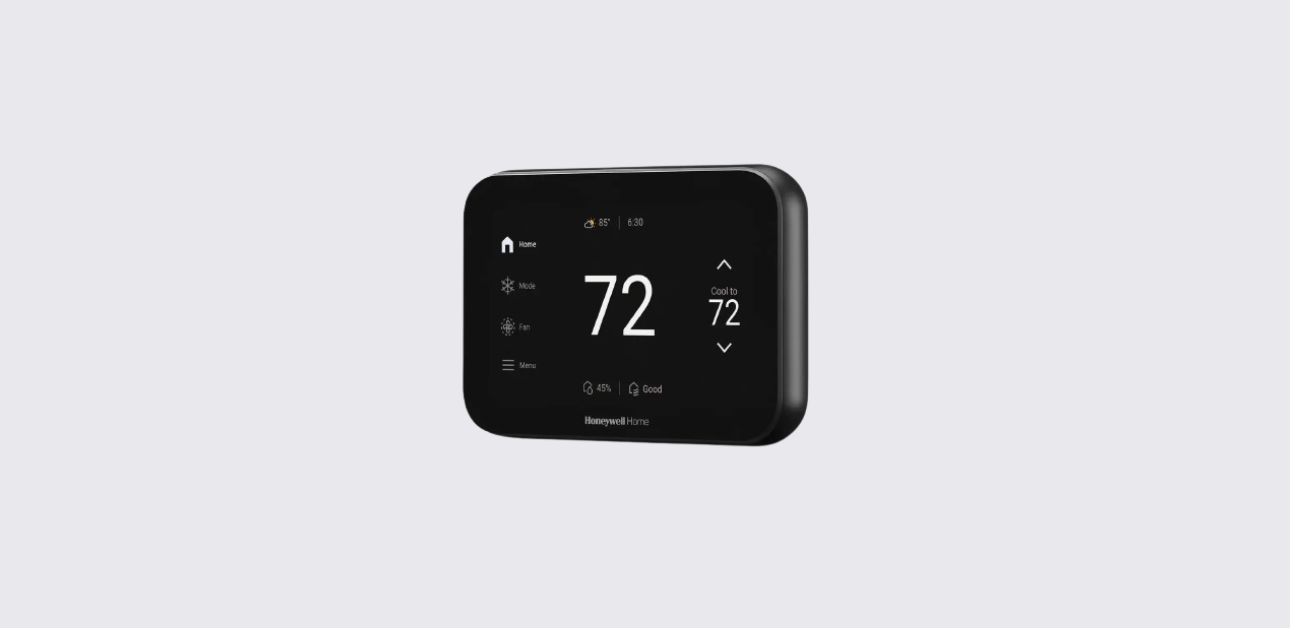
The Honeywell X8S smart thermostat is designed to deliver automated temperature management, indoor air quality control, smart home integration, and advanced comfort zoning.
Based on the official documentation , the X8S model combines smart scheduling technology with wireless sensor prioritization and energy-saving insights to improve whole-home climate comfort.
Product Overview
The Honeywell X8S is a next-generation Wi-Fi enabled smart thermostat developed for connected homes. It supports multi-zone comfort control and environmental monitoring through integrated smart home features.
Key Features
- Smart scheduling with Auto-Away temperature automation
- Wireless room sensor prioritization
- Indoor air quality (IAQ) system control
- Remote climate control via mobile app
- Energy usage reports and rebate program integration
- Smart home ecosystem compatibility using Matter protocol
- Customizable display interface
These capabilities help create a balanced, energy-efficient indoor environment.
Thermostat Interface and Display
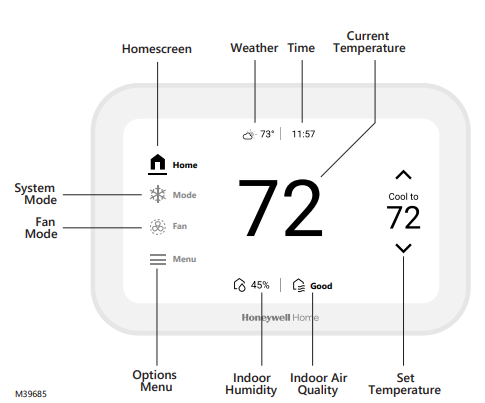
Understanding the thermostat interface helps users manage system settings efficiently.
Display Information Includes
- Current room temperature
- Target temperature setting
- System mode status (Heat / Cool / Auto / Off)
- Indoor humidity level
- Sensor activity indicators
- Wi-Fi connectivity status
- Weather and environmental data (if enabled)
Users can customize display themes and idle screen styles for improved visual experience.
Smart Scheduling and Comfort Automation
The thermostat supports flexible scheduling models to suit different lifestyles.
Time-Based Scheduling
Users can program temperature changes for:
- Morning comfort periods
- Daytime energy saving mode
- Evening relaxation mode
- Nighttime sleep temperature
This helps reduce unnecessary HVAC operation.
Location-Based Auto-Away Scheduling
Using smartphone location tracking, the thermostat can:
- Switch to energy-saving temperature settings when occupants leave
- Restore comfort settings before arrival
This feature improves both convenience and energy efficiency.
Wireless Room Sensor Comfort Zoning
The Honeywell X8S supports advanced comfort zoning using compatible XRSENSOR devices.
Sensor Functions
- Detect occupancy using motion sensing
- Measure temperature in different rooms
- Automatically prioritize occupied spaces
- Improve temperature balance across large homes
Users can also manually select priority rooms through thermostat settings.
Indoor Air Quality (IAQ) Control
One of the most advanced features of the X8S thermostat is integrated environmental system management.
Supported IAQ Controls
- Humidifier operation
- Dehumidifier management
- Ventilation system activation
These controls can be adjusted via:
- Thermostat touchscreen menu
- First Alert smart home mobile application
Proper IAQ settings help maintain healthy indoor air conditions.
Smart Home Connectivity and Integration
The thermostat acts as a central climate control hub within a smart home ecosystem.
Smart Integration Features
- Matter smart home protocol compatibility
- Integration with smart cameras and safety devices
- Monitoring support for smoke, CO, and water leak detectors
- Remote control via smartphone
This allows users to manage multiple home systems from one platform.
Energy Management and Utility Programs
The thermostat provides energy insights to help users optimize HVAC usage.
Energy Optimization Benefits
- Monthly energy performance reports
- Recommendations for improved efficiency
- Access to utility rebate eligibility programs
These features support sustainable home energy management.
Customizing Display and User Preferences
Users can personalize thermostat appearance and behavior.
Available Customization Options
- Idle screen design themes
- Color interface preferences
- Weather information display
- Environmental data visibility
Customization improves usability and integration with home décor.
Troubleshooting Common Operation Issues
Thermostat Not Responding
- Verify power supply from HVAC system
- Restart thermostat interface
- Check circuit breaker status
Wi-Fi Connectivity Problems
- Confirm router range and signal strength
- Restart mobile app connection
- Reconfigure wireless network settings
Uneven Room Temperature
- Reposition wireless sensors
- Adjust priority room selection
- Review HVAC airflow conditions
Persistent issues may require professional HVAC inspection.
Technical Specifications Overview
| Feature | Description |
| Connectivity | Wi-Fi smart thermostat |
| Smart Sensors | Wireless XRSENSOR support |
| Scheduling | Time-based & location-based |
| IAQ Control | Humidity, ventilation support |
| Smart Integration | Matter smart home protocol |
| Power Source | 24-volt HVAC system |
Maintenance and Best Usage Practices
To maintain optimal performance:
- Replace sensor batteries periodically
- Keep thermostat firmware updated
- Avoid installing sensors near heat sources
- Review scheduling settings seasonally
- Maintain HVAC system servicing schedule
These steps help ensure long-term reliability and comfort performance.
Support and Contact
For technical support or warranty assistance, contact Honeywell Home/Resideo:
Official Website:
https://www.honeywellhome.com
Customer Support Portal:
https://customer.resideo.com
Manufacturer Address:
Resideo Technologies Inc.
1985 Douglas Drive North
Golden Valley, MN 55422
United StatesThe product includes a limited 2-year warranty subject to terms and conditions.