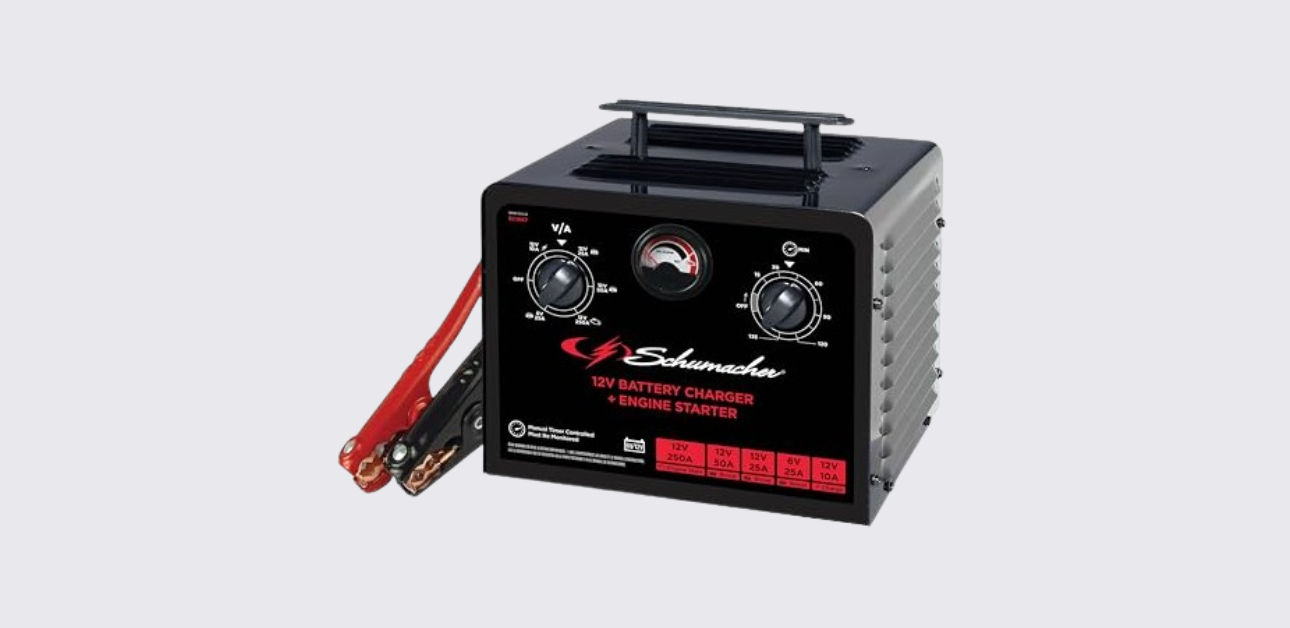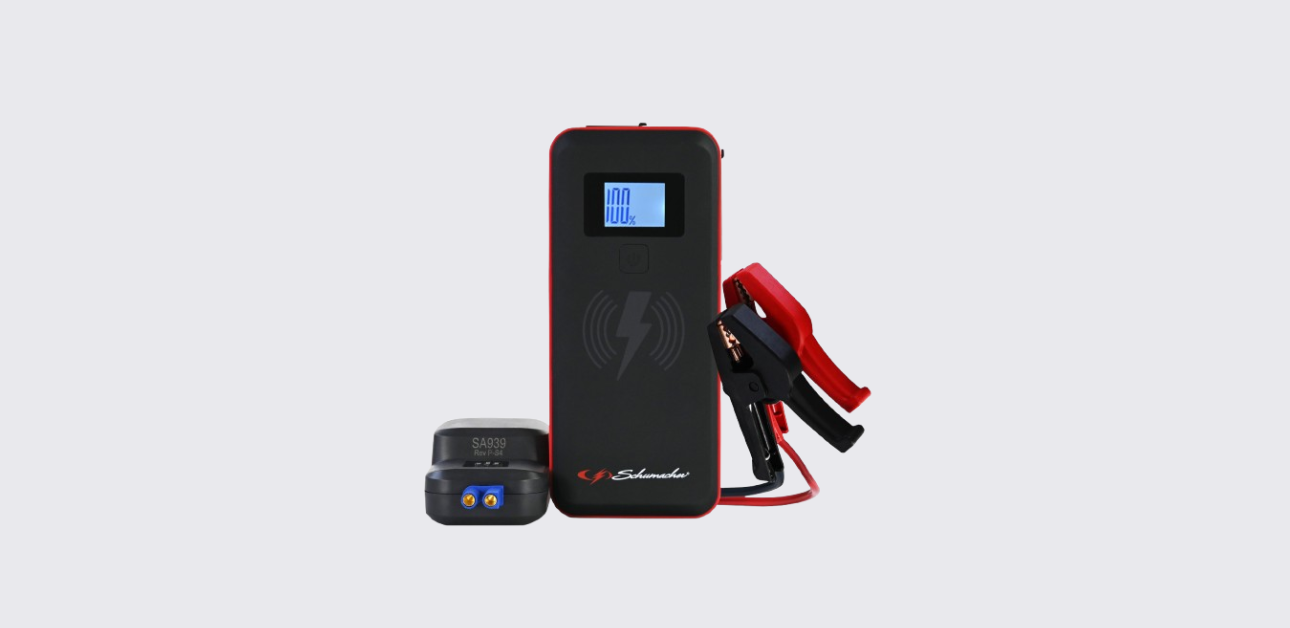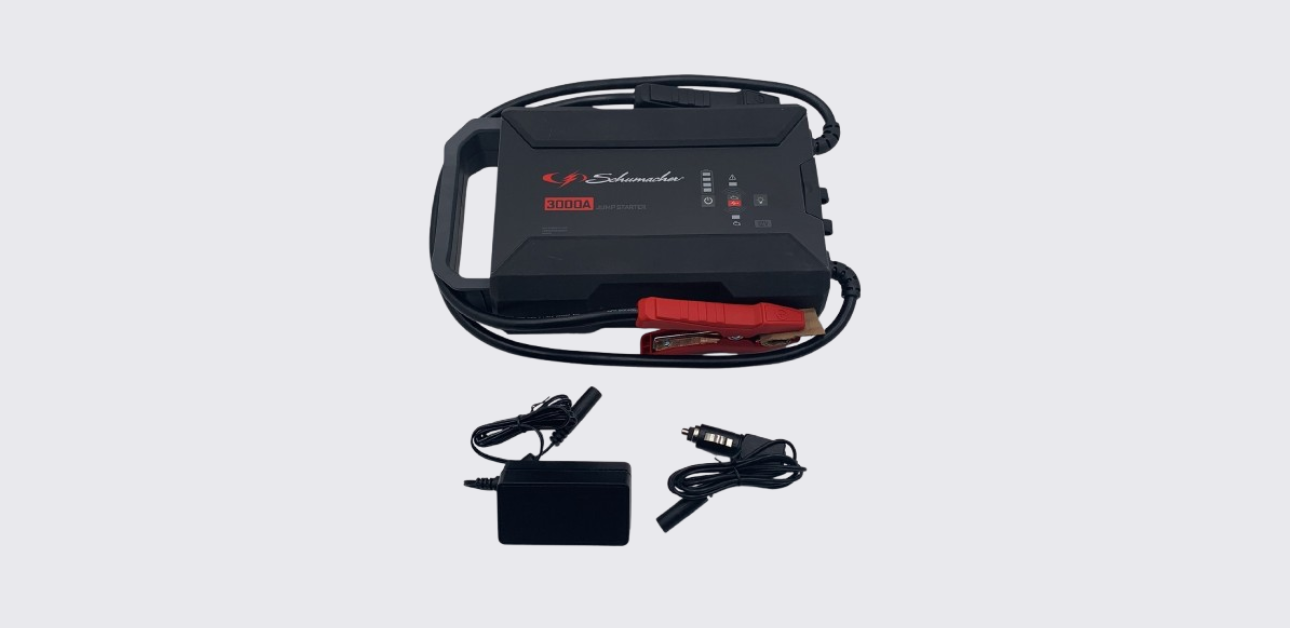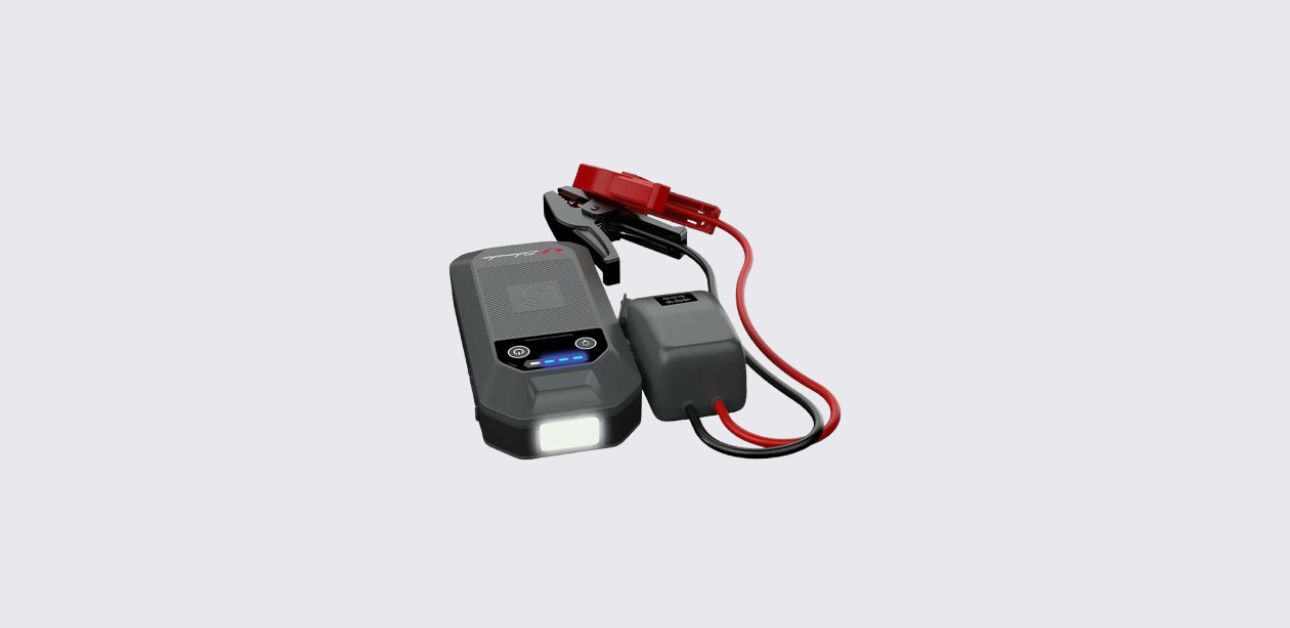
This detailed Schumacher DSR168 manual explains the product’s features, setup process, charging requirements, operating instructions, maintenance procedures, troubleshooting steps, specifications, and support information.
Product Overview
The Schumacher DSR168 is designed as both a jump starter and portable DC power source. Unlike standard battery chargers, this device stores energy internally and delivers high-current power when needed to start a vehicle with a weak or discharged battery.
The unit features heavy-duty battery clamps, a built-in digital display, a 12V DC accessory outlet, and an internal rechargeable lead-acid battery. These features make it useful not only for emergency jump starts but also for powering 12-volt devices during travel, camping trips, power outages, and outdoor work.
The digital display allows users to monitor battery voltage and battery percentage, making it easier to maintain proper charge levels. The built-in charging system automatically switches to maintain mode once the battery reaches full charge, helping protect battery health during long-term storage.
The Schumacher DSR168 is suitable for:
- Cars
- SUVs
- Pickup trucks
- Vans
- Light commercial vehicles
- Agricultural equipment
- Boats with 12V systems
- Recreational vehicles
Because it combines emergency starting power and portable DC power, it serves as a useful tool for both vehicle owners and professional technicians.
What’s Included
The DSR168 package includes the primary components needed for operation.
Package Contents
| Item | Description |
| Schumacher DSR168 Jump Starter | Main unit |
| Heavy-Duty Battery Clamps | Vehicle battery connection |
| Internal Rechargeable Battery | Built-in power source |
| Owner’s Manual | Operating instructions |
Additional Items Required
The charging cord is not included.
To recharge the jump starter, users must provide:
- 18-AWG AC power cord or larger
- Standard 120V wall outlet
For optional vehicle charging:
- Schumacher part number 94500109 male-to-male charging cable (sold separately)
Main Parts and Features
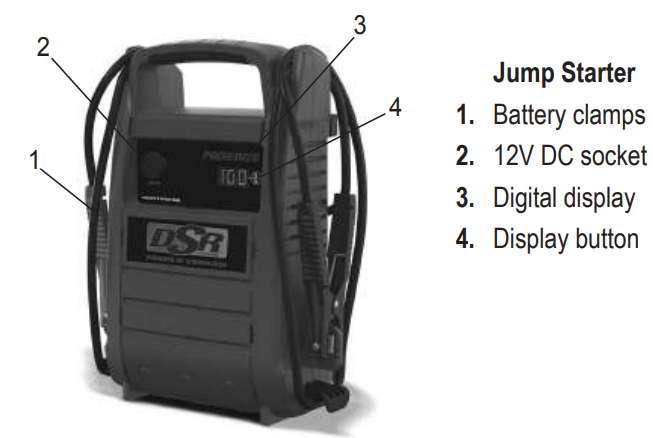
Understanding the controls and components helps ensure proper operation.
DSR168 Components
| Component | Function |
| Battery Clamps | Connect to vehicle battery |
| 12V DC Socket | Powers accessories |
| Digital Display | Shows battery status |
| Display Button | Cycles display information |
The battery clamps deliver jump-starting power to the vehicle battery. The digital display provides battery voltage and charge percentage information. The 12V DC socket allows the unit to power compatible accessories directly from the internal battery.
Important Safety Information
The Schumacher DSR168 contains a sealed lead-acid battery and should be operated carefully.
General Safety Guidelines
Before using the unit:
- Read all instructions completely.
- Keep children away from the product.
- Avoid exposing the unit to rain or snow.
- Never place fingers into ports or openings.
- Do not use damaged cables or connectors.
- Never modify the product.
The manufacturer warns that failure to follow safety instructions could result in serious injury or death.
Lead-Acid Battery Safety
Lead-acid batteries generate explosive gases during operation. Always work in a well-ventilated area and avoid sparks, flames, or smoking near batteries.
When working around vehicle batteries:
- Wear eye protection.
- Wear protective clothing.
- Keep soap and water nearby.
- Remove metal jewelry.
- Avoid touching eyes while working.
If battery acid contacts skin or eyes, flush immediately with water and seek medical attention.
Electrical Safety
To reduce electrical hazards:
- Disconnect power before servicing.
- Never disassemble the jump starter.
- Use only approved accessories.
- Keep charging cords in good condition.
- Allow only qualified personnel to perform repairs.
These precautions help reduce the risk of electric shock, fire, and equipment damage.
Understanding the Digital Display
The digital display serves as the primary information center for the jump starter.
What the Display Shows
The display can show:
- Internal battery voltage
- Internal battery charge percentage
- Vehicle battery voltage
- Combined battery percentage
- Charging status
- Error codes
Checking Internal Battery Voltage
To check battery voltage:
- Ensure clamps are on storage holders.
- Make sure clamps are not touching.
- Press the Display button.
- Read the voltage shown on the display.
Checking Battery Percentage
Press the Display button a second time.
The display will show the battery’s charge percentage.
A fully charged battery should read:
100%
The manufacturer recommends charging the unit whenever the percentage falls below 100%.
How to Charge the Schumacher DSR168
Proper charging is essential for maintaining battery performance and extending service life.
When to Charge
Charge the jump starter:
- Immediately after purchase
- After every use
- Every 30 days during storage
Following this schedule helps keep the internal battery healthy and ready for emergencies.
Checking Battery Charge Level
Before charging:
- Turn the rotary switch to OFF.
- Press the Display button.
- Read the displayed battery percentage.
If the display shows less than 100%, recharge the battery as soon as possible.
Charging from a Wall Outlet
The DSR168 uses a standard AC charging method.
Charging Procedure
- Obtain an 18-AWG or larger AC cord.
- Connect the cord to the jump starter.
- Plug the cord into a 120V AC outlet.
- Observe the charging indicator.
During charging, the display shows a cycling red dot.
Depending on battery configuration, charging may take up to 48 hours.
Maintain Mode
When charging reaches 100%:
- The display shows 100%.
- The charger automatically enters maintain mode.
- Battery charge remains topped off safely.
In maintain mode, the display slowly fades the “100%” indication until the charging cord is disconnected.
Charging While Driving
The Schumacher DSR168 can also recharge from a vehicle’s 12V outlet.
Requirements
You need:
- Part number 94500109 charging cable
- Running vehicle engine
- Functional 12V accessory socket
Charging Procedure
- Start the vehicle.
- Connect one end of the charging cable to the jump starter.
- Connect the other end to the vehicle accessory outlet.
- Monitor battery charge status regularly.
Important Warning
When charging from a vehicle:
- Never charge longer than 30 minutes.
- Never leave the battery unattended.
- Disconnect immediately after charging completes.
This charging method bypasses maintain mode and can overcharge the battery if not monitored carefully.
Connecting the Jump Starter to a Vehicle Battery
Proper connections are critical for safe operation.
Negative-Ground Vehicles
Most vehicles use negative-ground electrical systems.
- Connect the red clamp to the positive battery terminal.
- Connect the black clamp to the vehicle frame or engine block.
- Keep clamps away from moving engine components.
- Verify secure connections.
Positive-Ground Vehicles
For positive-ground systems:
- Connect the black clamp to the negative battery terminal.
- Connect the red clamp to the chassis or engine block.
- Ensure solid metal contact.
Never connect clamps to:
- Fuel lines
- Carburetors
- Thin sheet metal
- Moving engine components
Always use heavy metal frame or engine locations.
How to Jump Start a Vehicle
The DSR168 is designed to provide emergency starting power to vehicles with weak batteries.
Before Jump Starting
Make sure:
- Vehicle ignition is OFF.
- Internal battery is fully charged.
- Clamps are correctly connected.
- Battery terminals are clean.
Jump Starting Procedure
- Turn off the vehicle ignition.
- Connect the jump starter to the vehicle battery.
- Follow the battery connection instructions.
- Attempt to start the engine.
If the engine does not start:
- Stop cranking after 3–8 seconds.
- Wait at least one minute.
- Try again.
The waiting period allows the battery and cables to cool.
After the Vehicle Starts
- Remove the black clamp.
- Remove the red clamp.
- Return clamps to storage holders.
- Recharge the jump starter immediately.
Proper post-use charging helps maximize battery lifespan.
Five-Minute Reminder Alarm
If the jump starter remains connected to a battery for more than five minutes:
- Four warning beeps will sound.
This reminder helps prevent accidental battery drain and encourages prompt disconnection after use.
Using the DSR168 as a 12V DC Power Source
The built-in 12V DC outlet allows the jump starter to power compatible devices.
Compatible Devices
Common examples include:
- Portable radios
- Camping lights
- Air compressors
- Small coolers
- Fans
- Portable electronics
Powering a Device
- Turn the device OFF.
- Verify battery clamps are on storage holders.
- Open the DC outlet cover.
- Plug the device into the 12V outlet.
- Turn on the device.
The jump starter will supply power directly from its internal battery.
Overload Protection
The DC outlet includes automatic circuit protection.
If a device:
- Draws more than 15 amps
- Has a short circuit
The breaker trips automatically and disconnects power.
After removing the overload, the breaker resets automatically.
Estimated 12V Runtime Chart
The actual runtime depends on battery condition, temperature, and device power requirements.
| Device Type | Estimated Wattage | Estimated Runtime |
| Cell Phone | 4W | 66 Hours |
| Fluorescent Light | 4W | 66 Hours |
| Radio | 9W | 29.3 Hours |
| Fan | 9W | 29.3 Hours |
| Camcorder | 15W | 17.6 Hours |
| Electric Tool | 24W | 11 Hours |
| Electric Cooler | 48W | 5.5 Hours |
| Car Vacuum | 80W | 3.3 Hours |
| Air Compressor | 80W | 3.3 Hours |
Actual results may vary depending on operating conditions.
Maintenance Instructions
Routine maintenance helps ensure dependable operation.
Cleaning the Unit
After each use:
- Disconnect all power sources.
- Remove battery clamps.
- Use a dry cloth for cleaning.
- Remove dirt, oil, and corrosion.
Do not use excessive moisture during cleaning.
Inspection
Regularly inspect:
- Battery clamps
- Charging cord connections
- Housing condition
- DC outlet condition
- Display operation
Replace damaged components immediately.
Service Requirements
All internal repairs and servicing should be performed by qualified service technicians only. Opening the unit may create safety hazards and void warranty protection.
Storage Instructions
Proper storage greatly extends battery life.
Recommended Storage Conditions
Store the jump starter:
- Indoors
- In a cool location
- In a dry environment
- Away from direct sunlight
Important Clip Storage Rule
Never store battery clamps:
- Clipped together
- On metal surfaces
- Around metal objects
- Attached to cables
The clamps remain electrically live and may produce sparks if they contact each other. Always secure them on the provided storage holders.
Long-Term Battery Care
For maximum battery life:
- Charge immediately after purchase.
- Charge after every use.
- Charge every 30 days.
- Avoid storing in a discharged state.
The manufacturer identifies approximately 70°F as the ideal storage temperature. Batteries naturally self-discharge over time, especially in warmer environments.
Troubleshooting
Jump Starter Will Not Start Vehicle
Possible causes:
- Poor battery connection
- Internal battery discharged
- Defective vehicle battery
Solutions:
- Clean battery terminals.
- Verify clamp connections.
- Check battery percentage.
- Test vehicle battery condition.
12V Device Will Not Operate
Possible causes:
- Device is switched off
- Internal battery discharged
- Overload condition
- Short circuit
Solutions:
- Turn device on.
- Recharge jump starter.
- Disconnect overloaded equipment.
- Wait for breaker reset.
Battery Will Not Hold a Charge
Possible cause:
- Internal battery failure
Solution:
- Replace battery or have it serviced.
Display Does Not Illuminate
Possible causes:
- Dead AC outlet
- Damaged power cord
- Poor electrical connection
Solutions:
- Check circuit breaker.
- Test another outlet.
- Inspect power cord condition.
Understanding Error Codes
The DSR168 display may show diagnostic codes during charging.
SUL
Meaning:
- Battery sulfation detected
The charger automatically attempts battery recovery through desulfation mode.
Allow charging to continue for up to 10 hours.
F02
Meaning:
- Sulfation recovery failed
Possible cause:
- Defective internal battery
Recommended action:
- Test or replace battery.
F01
Meaning:
- Battery voltage remains below 10V after two hours of charging
Possible cause:
- Internal battery damage
- Excessive battery drain
Recommended action:
- Remove connected devices.
- Attempt charging again.
- Replace battery if necessary.
F08
Meaning:
- Battery voltage dropped below 12.2V during maintain mode
Possible cause:
- Battery cannot hold charge
Recommended action:
- Inspect for connected loads.
- Test battery condition.
- Replace battery if needed.
Warranty and Customer Support
Schumacher Electric provides a one-year limited warranty for the DSR168 jump starter. Warranty details are available through Schumacher’s customer support team.
Repair and Return Information
Repairs and returns:
Replacement parts:
Customer Support
Phone: 1-800-621-5485
Website: schumacherelectric.com
Keeping the model number available when contacting support helps speed up warranty and service requests.