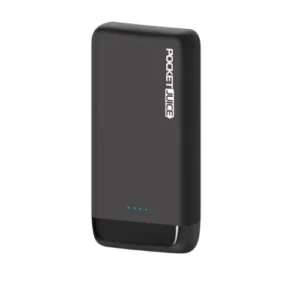
| Document Detail | Information |
| Document Type | User Manual |
| Brand Name | Tzumi |
| Product Name | Pocket Juice 20,000 mAh with Power Delivery |
| PDF File Size | 344.2 KB |
| Number of Pages | 1 |
| Languages Covered | English |
Tzumi Pocket Juice 20,000 mAh with Power Delivery
The Tzumi Pocket Juice 20,000 mAh with Power Delivery is a rechargeable portable charger designed to supply power to USB-compatible devices while away from a wall outlet. It uses a 20,000 mAh rechargeable lithium-polymer battery and includes USB-C, Micro-USB, and USB output connections.
The power bank supports charging multiple devices and provides up to 18-watt Power Delivery speeds. Four LED battery-status indicators show the remaining charge level, while a dedicated Power button allows the user to check battery status and start portable-device charging. The manual also provides both USB-C and Micro-USB methods for recharging the Pocket Juice itself.
What’s Included
The package contains:
- 1 × Pocket Juice 20,000 mAh Portable Charger
- Micro-USB cable
- USB-C cable
- User Manual
Product Features
The manual lists the following main features:
- 20,000 mAh rechargeable battery capacity.
- Four LED battery-status indicator lights.
- Compatibility with USB devices.
- Ability to charge multiple devices simultaneously.
- Compact, travel-friendly design.
- Up to 18-watt Power Delivery charging speeds.
- USB-C input/output connection.
- Micro-USB input connection.
- Dual USB output ports.
Parts and Connections
The product diagram identifies the main controls and ports on the Pocket Juice.
| Part | Function |
| LED Battery Status Indicators | Show the approximate remaining battery level |
| Power Button | Turns the power bank on and displays battery status |
| USB-C Port | Supports input and output charging |
| Micro-USB Port | Used to recharge the Pocket Juice |
| Dual USB Ports | Used to charge compatible portable devices |
Technical Specifications
| Specification | Value |
| Battery Type | Rechargeable lithium-polymer |
| Battery Capacity | 20,000 mAh |
| Micro-USB Input | DC 5V / 2A, DC 9V / 2A |
| USB QC3.0 Output | DC 5V / 3A, DC 9V / 2A, DC 12V / 1.5A |
| USB Output | DC 5V / 2.4A |
| USB-C PD2.0 Input | DC 5V / 3A, DC 9V / 2A |
| USB-C PD2.0 Output | DC 5V / 3A, DC 9V / 2A, DC 12V / 1.5A |
| Maximum Power Delivery Speed | Up to 18W |
Battery Status Indicator Guide
The Pocket Juice uses four LED lights to indicate its approximate remaining battery level.
| Illuminated LED Indicators | Approximate Battery Level |
| 4 lights | 75%–100% |
| 3 lights | 50%–75% |
| 2 lights | 25%–50% |
| 1 light | 0%–25% |
The current battery level can be checked by pressing the Power button.
Quick Power Test
The Pocket Juice is supplied pre-charged, although some battery charge may be lost during transport.
To check the current charge level:
- Press the Power button.
- Observe the four LED battery-status indicators.
- Compare the illuminated LEDs with the battery-level chart above.
This test can be performed before the power bank is used to charge another device.
How to Charge the Pocket Juice Power Bank
The manual provides two methods for recharging the Pocket Juice: USB-C or Micro-USB.
A completely depleted Pocket Juice takes approximately 10 to 15 hours to reach a full charge under the conditions described in the manual.
Charging With the USB-C Cable
- Connect the included USB-C cable to the Pocket Juice’s USB-C port.
- Connect the other end to an AC wall adapter or a USB port on a computer or laptop.
- Charging begins when power is supplied.
- The LED indicator lights illuminate according to the battery level.
- Leave the charger connected until charging is complete.
- Disconnect the Pocket Juice from the power source when finished.
Charging With the Micro-USB Cable
- Connect the included Micro-USB cable to the Micro-USB input port.
- Connect the other end to an AC wall adapter or a USB port on a computer or laptop.
- Allow the battery to charge.
- Monitor the LED battery-status indicators.
- Disconnect the charger from its power source after charging is complete.
During recharging, the LED indicator lights remain illuminated until the Pocket Juice is disconnected from the power supply.
Pocket Juice Charging Time
The manual states that it takes approximately 10–15 hours to fully recharge the Pocket Juice from a depleted battery.
Actual charging conditions may depend on the connected power source and the input method being used.
How to Charge a Smartphone or Portable Device
For best performance, the manual recommends fully charging the Pocket Juice before using it to power other devices.
1. Connect the Device Cable
Insert one end of the original device cable, or the original cable supplied with the portable device, into the phone or other device.
Connect the other end to an appropriate USB output port on the Pocket Juice.
2. Turn the Pocket Juice On
Press the Power button on the power bank.
Charging will begin, and the connected device should display its normal charging progress.
3. Disconnect After Charging
Charging time varies according to the type and brand of the connected device.
When charging is complete, disconnect the device from the Pocket Juice.
Charging Multiple Devices
The Pocket Juice is designed to charge multiple compatible devices and includes multiple output connections.
The manual specifically lists the ability to charge multiple devices simultaneously as one of the product’s features.
The available output options include:
- USB QC3.0 output.
- Standard USB output.
- USB-C PD2.0 output.
The correct connection should be selected according to the device and charging cable being used.
USB-C Power Delivery Charging
The USB-C connection supports both charging input and device output.
The manual lists the USB-C PD2.0 output ratings as:
- DC 5V / 3A
- DC 9V / 2A
- DC 12V / 1.5A
These ratings correspond with the manual’s stated up to 18W Power Delivery speed.
For recharging the Pocket Juice through USB-C, the listed PD2.0 input ratings are:
- DC 5V / 3A
- DC 9V / 2A
USB QC3.0 Output
The Pocket Juice also includes a USB QC3.0 output with the following listed ratings:
- DC 5V / 3A
- DC 9V / 2A
- DC 12V / 1.5A
The manual separately lists another USB output rated at DC 5V / 2.4A.
Expected Number of Device Recharges
Once fully charged, the Pocket Juice can recharge most devices up to 11 times, according to the manual.
The actual number of recharges depends on:
- The battery capacity of the device being charged.
- The condition of the device’s battery.
- The age of the battery.
For that reason, 11 recharges should be treated as an upper estimate rather than a fixed result for every device.
Important Safety Instructions
The Pocket Juice contains a lithium-polymer battery and should be handled according to the safeguards in the manual.
Use Only as Intended
The unit should only be used for its intended purpose.
It should not be disassembled or modified.
Keep Away From Heat and Sunlight
The Pocket Juice should be kept away from:
- Heat.
- Direct sunlight.
- Extremely high temperatures.
- Extremely low temperatures.
The manual warns that extreme temperatures can damage the battery and may cause an explosion.
Protect the Power Bank From Moisture
The unit should be kept away from:
- Humidity.
- Water.
- Other liquids.
The Pocket Juice should not be used if it has been exposed to wet or moist conditions because the manual warns that this may cause electric shock and harm the user.
Keep Away From Children
The Pocket Juice is not a toy and should be kept out of children’s reach.
Battery Care
Battery performance and the number of device recharges can vary as the internal battery ages.
For normal use:
- Keep the Pocket Juice away from excessive heat.
- Avoid exposure to extreme temperatures.
- Protect the unit from moisture and liquids.
- Disconnect it from the power source after recharging is complete.
- Avoid disassembly or modification.
Battery Disposal
The Pocket Juice contains a lithium-polymer battery.
The manual states that this battery is environmentally safe when fully discharged and instructs users to follow applicable local and state laws for proper battery disposal procedures.
Product and Distribution Information
The manual identifies the product as distributed by Tzumi Inc., New York, NY 10016.
The document carries a © 2019 Tzumi copyright notice and states that the product was made in China.
Frequently Asked Questions
How much battery capacity does the Tzumi Pocket Juice have?
The Pocket Juice has a 20,000 mAh rechargeable lithium-polymer battery.
How long does the Pocket Juice take to recharge?
The manual states that a fully depleted Pocket Juice takes approximately 10 to 15 hours to recharge completely.
What do the four battery indicator lights mean?
Four lights indicate approximately 75%–100% charge, three lights indicate 50%–75%, two lights indicate 25%–50%, and one light indicates 0%–25%.
How can the remaining battery level be checked?
Press the Power button. The LED battery-status indicators will illuminate to show the current approximate power level.
Can the Pocket Juice charge more than one device at once?
Yes. The manual lists simultaneous charging of multiple devices as one of the product’s features.
Does the Pocket Juice support USB-C Power Delivery?
Yes. The USB-C port supports PD2.0 input and output. The manual lists output ratings up to DC 12V / 1.5A and describes the charger as supporting up to 18W Power Delivery speeds.
How many times can the Pocket Juice recharge a phone?
The manual states that a fully charged Pocket Juice can recharge most devices up to 11 times. The actual number depends on the capacity, condition, and age of the battery in the device being charged.
Can the Pocket Juice be recharged through Micro-USB?
Yes. The power bank can be recharged through either the USB-C port or the Micro-USB input, using the included cable for the selected connection.