
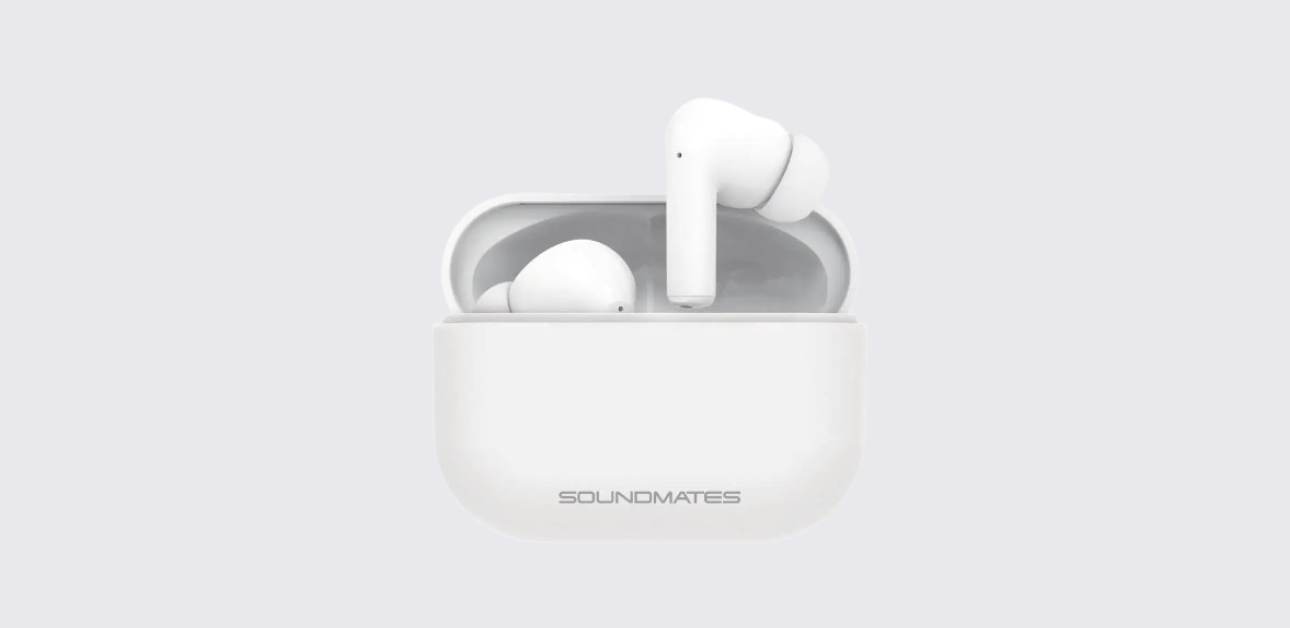
The Tzumi wireless earbuds are made for simple everyday listening. They support Bluetooth pairing, touch controls for music and calls, single-earbud use, and case charging for portable power.
Product Overview
The Tzumi wireless earbuds are true wireless earbuds that use Bluetooth 5.1 for audio connection. They come with a charging case that stores and recharges them when not in use.

Each earbud has a built-in battery, and the case holds extra power so the earbuds can recharge between listening sessions.
The manual lists the earbud battery as 45 mAh x2 / 3.7V and the charging case battery as 500 mAh / 3.7V. It also lists playback time at about 5 hours under normal use.
One helpful feature is that the earbuds can work together as a stereo pair or separately in single earbud mode.
That means the user can listen with both earbuds or use just one earbud when needed. The controls are simple and built around taps and short holds on either earbud.
Because of that, users do not need to reach for their phone every time they want to pause music or answer a call.
This model uses voice prompts like “Power On,” “Power Off,” and “Device Connected” to confirm important actions. Those prompts make the earbuds easier to use, especially for first-time users.
Specifications
| Specification | Value |
| Bluetooth version | 5.1 |
| Earbud battery | 45 mAh ×2 / 3.7V |
| Case battery | 500 mAh / 3.7V |
| Input power | DC 5V / 1A |
| Earbud charge time | Approx. 1.2 hours |
| Case charge time | Approx. 2 hours |
| Music playback | Approx. 5 hours |
| Frequency response | 20–20 kHz |
How to Turn the Earbuds On and Off
The V2 wireless earbuds offer two ways to power on and two ways to power off.
To turn them on, the easiest method is to remove both earbuds from the charging case. When this happens, both LEDs flash blue and the earbuds power up automatically.
The second method is useful when the earbuds are outside the case or the case has no power: press and hold either the right or left earbud for about 5 seconds until the blue LEDs flicker and the earbuds say “Power On.”
To turn them off, place the earbuds back into the charging case. That is the normal storage and shutoff method. The second method is to tap and hold either earbud for a few seconds until the earbuds announce “Power Off.”
After listening, return the earbuds to the case right away. That powers them down and begins charging at the same time. This keeps battery levels healthier and reduces the chance of finding dead earbuds later.
Bluetooth Pairing and Single Earbud Use
Pairing the Tzumi wireless earbuds is a short process when the user follows the right order.
First, remove both earbuds from the charging case. They begin auto-pairing to each other. For the first Bluetooth connection, the manual recommends keeping the earbuds within 3 feet of the phone or device.
Then, turn on Bluetooth on the phone and select “Soundmates” from the available devices list. After pairing succeeds, the earbuds say “Device Connected.”
The earbuds also support single earbud usage. This means either the left or right earbud can be used on its own. That is useful for calls, quick listening, or saving battery on one side while the other charges.
If pairing fails, the best first step is to return both earbuds to the charging case, remove them again, and restart the Bluetooth connection process.
Also make sure the device is close enough during the first pairing. Many Bluetooth issues come from distance, an old saved pairing on the phone, or low battery.
Touch Controls for Calls, Music, and Voice Assistant
The Tzumi wireless earbuds use touch controls instead of physical buttons. The command layout is simple once the user memorizes it.
For calls:
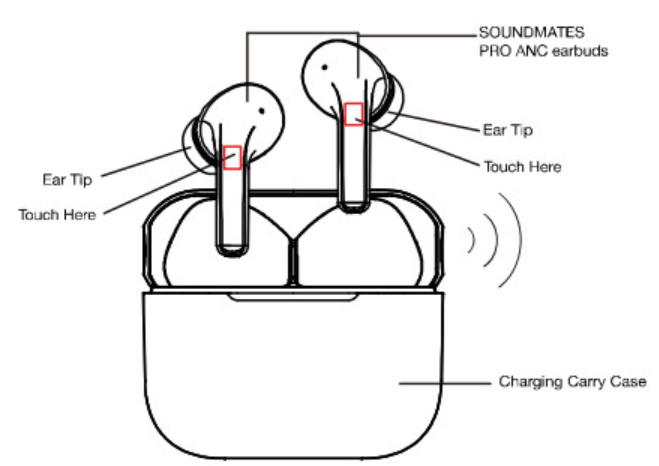
- Answer or end a call: tap the right or left earbud 2 times
- Reject a call: tap and hold the right or left earbud for 2 seconds until a prompt sound plays
For music:
- Play / Pause: tap the right or left earbud 2 times
- Next song: tap the right earbud 3 times
- Previous song / rewind: tap the left earbud 3 times
For voice assistant:
- Tap and hold the right or left earbud for 2 seconds until a prompt sound plays. The manual says this can activate a voice assistant like Siri, but it may not work on all devices.
Control Table
| Action | Touch command |
| Play / Pause | Tap either earbud 2 times |
| Answer / End call | Tap either earbud 2 times |
| Reject call | Hold either earbud 2 seconds |
| Next song | Tap right earbud 3 times |
| Previous song | Tap left earbud 3 times |
| Voice assistant | Hold either earbud 2 seconds |
Charging the Earbuds and Charging Case
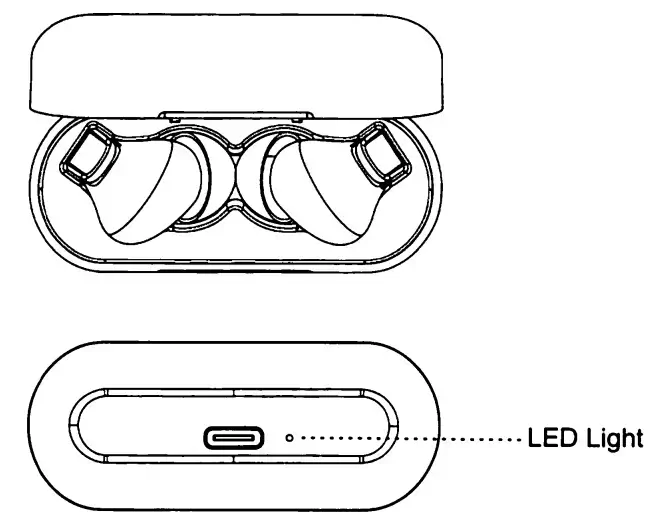
The manual says the earbuds should be fully charged before first use. To charge the earbuds, place them into the charging case and make sure the charging ports line up with the charging pins.
While the earbuds charge, their LEDs turn solid red. The case LED turns blue while the case and earbuds are charging. Once fully charged, the LEDs turn off.
To charge the case itself, use the included or a compatible Micro-USB charging cable and connect it to a standard USB power source, such as:
- a computer USB port
- a standard AC wall adapter
- another normal USB power source
While the case charges, its LED flashes green. When fully charged, the LED becomes solid green. The manual lists the case charging time as about 2 hours, and the earbuds charging time as about 1.2 hours.
@major_liquidations The Sound Mates V2 are the best earbuds to take with you on the GO! #soundmatesV2 #soundmatesearbuds #wirelessearbuds #bluetooth5earbuds ♬ original sound – Major Liquidations
If one earbud was used alone and its battery dies, charge it in the case and remove it before inserting the other earbud.
Safety, Care, and Specifications
The Tzumi V2 wireless earbuds should be used with some basic care.
The manual says not to use them for anything other than their intended purpose. They should be kept away from heat, direct sunlight, humidity, water, heavy dust, and very high or very low temperatures.
The user should also stop using the earbuds if there is no sound, distorted sound, or visible damage from a drop.
Repairs should only be handled by a qualified electrician, and the earbuds should be kept away from children because they are not a toy.
How to Setup Tzumi SoundMates V2 Wireless Earbuds
For setting up your Tzumi V2 earbuds, remove them first from the case to power on, pair them through Bluetooth as Soundmates, use tap controls for music and calls, and return them to the case to charge and turn off.
When the user keeps the earbuds clean, charged, and away from heat and moisture, they should stay reliable for daily listening.