
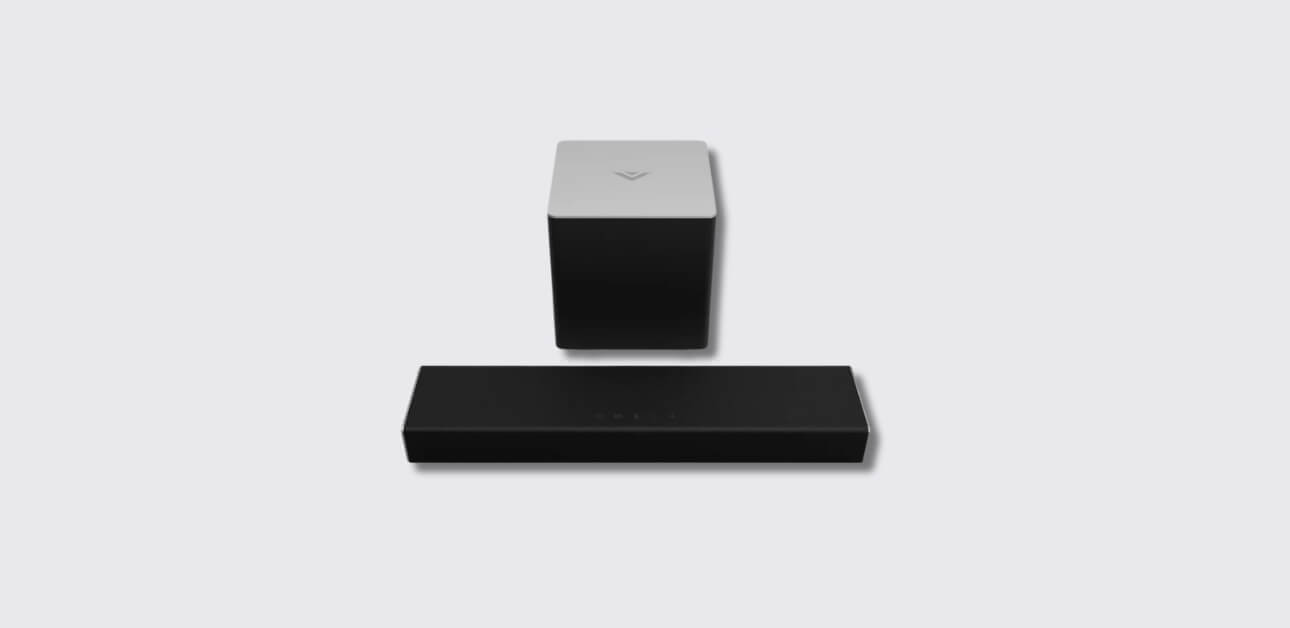
The VIZIO soundbar SB2021n-G6 is designed to enhance your TV or music listening experience with powerful, clear sound.
The VIZIO Soundbar is a compact yet powerful speaker system built to improve your home entertainment audio. It works with TVs, smartphones, tablets, and other devices, offering wired and wireless connectivity.
Whether you’re watching a movie, streaming music, or gaming, it provides clear dialogue, rich mid-tones, and immersive bass.
This manual is for both beginners and experienced users. It covers setup, usage tips, and best practices to get the most out of your soundbar.
What’s in the Box
When you open the box, you should find:
- VIZIO Soundbar SB2021n-G6
- Power cable
- Digital optical audio cable
- Stereo RCA to 3.5mm adapter cable
- Remote control with batteries
- Wall mount kit (if applicable)
- Quick Start Guide and warranty card
Always check that all items are included before starting the setup.
Product Overview
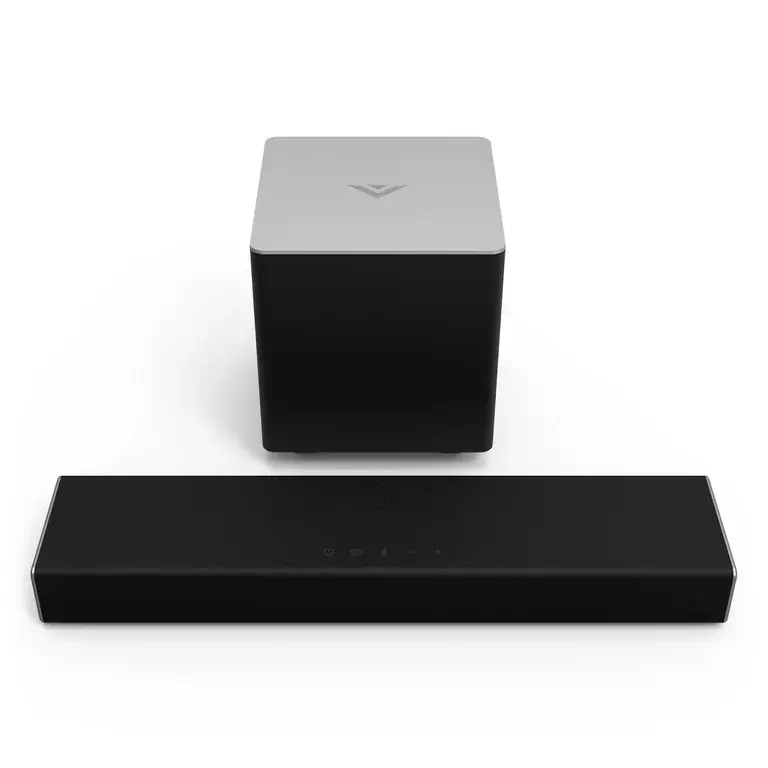
The soundbar has a simple and modern design with front-facing speakers. The controls are on the top or side of the unit, and the input ports are on the back.
The remote gives you access to volume, input selection, Bluetooth pairing, and other features.
Safety Precautions
Before you start, follow these safety guidelines:
- Keep the soundbar away from water and extreme heat.
- Don’t block ventilation openings.
- Use only the supplied power cord.
- Unplug the soundbar if it will not be used for long periods.
- Keep small parts away from children.
Setting Up Your VIZIO Soundbar
You can connect your soundbar to your TV in two main ways: wired or wireless.
Option 1: Wired Connection to TV
- Plug the power cable into the soundbar and a wall outlet.
- Choose one audio cable:
- Digital Optical for the best sound quality.
- Digital Coaxial as an alternative.
- Stereo RCA to 3.5mm adapter for older TVs.
- Connect the cable from your TV’s audio output to the soundbar’s matching input.
- Turn on the TV and soundbar.
- Switch the TV’s audio output to PCM mode if there’s no sound.
Option 2: Bluetooth Connection
- Turn on the soundbar.
- Press and hold the Bluetooth button for 5 seconds, or press the Bluetooth button on the remote.
- On your phone, tablet, or computer, search for devices and select “VIZIO SB2021n-G6.”
- Once connected, you can stream audio wirelessly.
Understanding the Controls and Remote
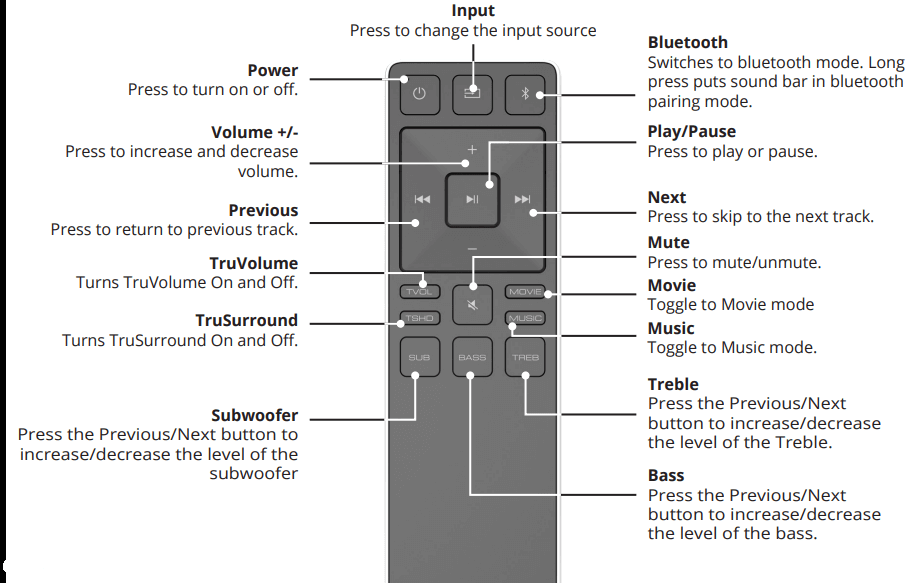
- Power Button – Turns the soundbar on or off.
- Input Button – Switches between connected audio sources.
- Bluetooth Button – Pairs the soundbar with a Bluetooth device.
- Volume Up/Down – Adjusts the sound level.
- Mute – Silences the soundbar.
Connecting Audio Sources
The soundbar supports several input types:
Digital Optical
- Best for modern TVs.
- Use the included optical cable.
- Make sure to remove the plastic caps from both ends before connecting.
Digital Coaxial
- Another high-quality connection.
- Use a coaxial cable (not always included).
Stereo RCA to 3.5mm
- Ideal for older TVs or devices with headphone outputs.
- Connect the red and white RCA plugs to the TV and the 3.5mm end to the soundbar.
Bluetooth Pairing and Streaming
Bluetooth allows you to connect smartphones, tablets, or laptops without wires.
To pair:
- Press and hold the Bluetooth button on the soundbar or remote.
- Select “VIZIO SB2021n-G6” from your device’s Bluetooth menu.
- Play your music or audio — it will stream directly to the soundbar.
Adjusting TV Audio Settings for Best Sound
- On most TVs, go to Settings > Sound.
- Set the Audio Output to External Speakers or Audio System.
- Change the format to PCM if sound doesn’t play.
- Disable TV speakers to prevent echo.
Switching Audio Sources
Use the INPUT button on the soundbar or remote to change between:
- Optical
- Coaxial
- AUX (3.5mm)
- Bluetooth
The soundbar will display the selected input through LED indicators.
Using the Soundbar with Multiple Devices
You can connect your TV with an optical cable and still use Bluetooth for your phone. Just press the input button to switch between them.
Troubleshooting Common Issues
| Problem | Solution |
| No sound | Check cable connections, set TV to PCM, raise volume. |
| Bluetooth not pairing | Reset Bluetooth on both devices and try again. |
| Distorted sound | Lower volume on source device, use optical cable. |
| Remote not working | Replace batteries and aim directly at the soundbar. |
Cleaning and Maintenance
- Use a soft, dry cloth to wipe the soundbar.
- Do not use chemical cleaners.
- Keep vents free of dust.
- Unplug before cleaning.
Technical Specifications
| Feature | Details |
| Model | SB2021n-G6 |
| Power Supply | 100-240V AC |
| Connectivity | Optical, Coaxial, AUX, Bluetooth |
| Dimensions | Compact design, ~20 inches wide |
| Supported Formats | PCM audio via digital inputs |
Warranty and Customer Support
- VIZIO offers a limited warranty covering defects in materials and workmanship.
- For help, visit support.vizio.com or call the customer service number in your warranty card.
- Keep your proof of purchase for warranty claims.