
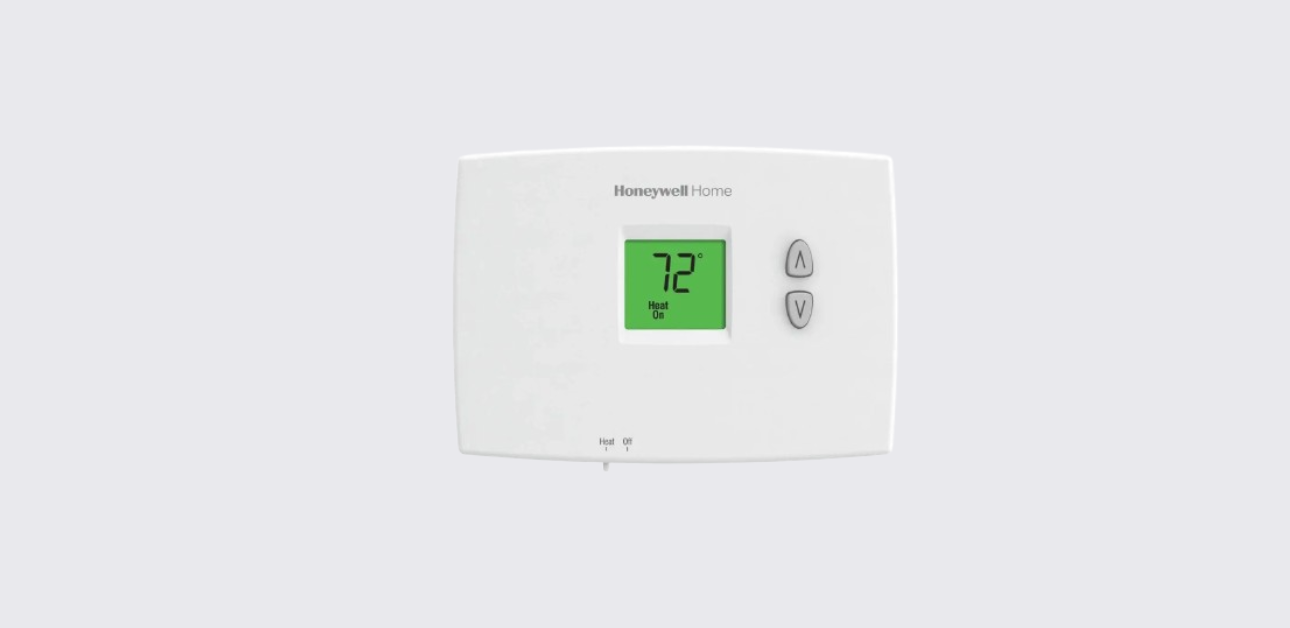
This Honeywell PRO 1000 Series non-programmable thermostat operating manual explains how to control heating and cooling settings, adjust fan operation, replace batteries, and troubleshoot common issues.
The thermostat is designed for simple manual HVAC temperature control, making it suitable for residential environments where programmable scheduling is not required.
Following the official operating documentation , the thermostat uses a straightforward interface with physical switches and temperature adjustment buttons.
Thermostat Overview
The Honeywell PRO 1000 thermostat provides reliable indoor climate management through direct manual control.
Key Functional Features
- Manual temperature adjustment
- Heating and cooling mode selection
- Fan operation switch
- Battery-powered operation
- Compressor protection safety delay
- Basic troubleshooting guidance
These features support easy daily comfort management without complex programming.
Understanding Thermostat Controls
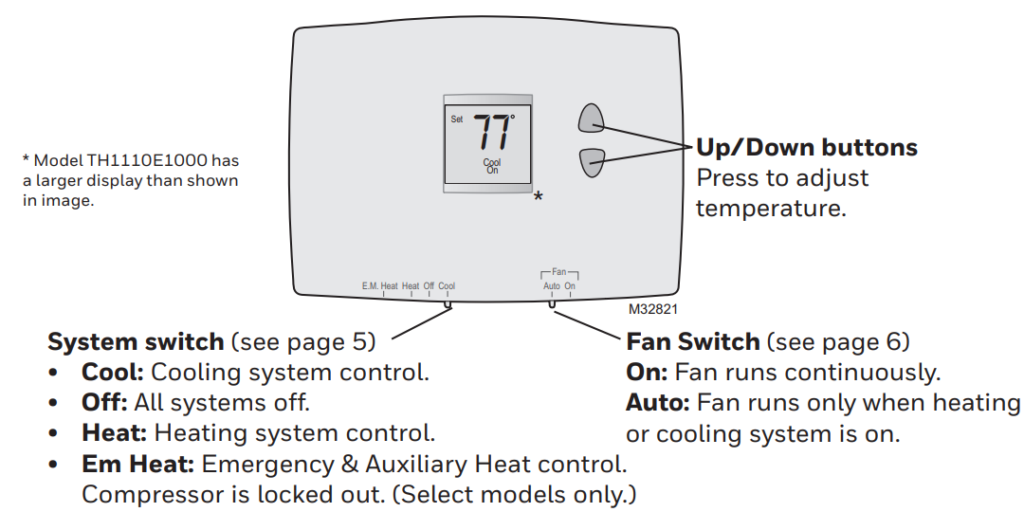
The thermostat includes a simple control layout with clearly labeled switches and buttons.
Control Components
- System Switch: Selects Cool, Heat, or Off mode
- Fan Switch: Selects Auto or On airflow mode
- Temperature Buttons: Increase or decrease desired temperature
- Display Screen: Shows room temperature and set temperature
This layout ensures quick and intuitive climate control adjustments.
Manual Temperature Adjustment
The thermostat allows immediate temperature changes.
Adjust Temperature
- Press the Up arrow to increase set temperature.
- Press the Down arrow to decrease set temperature.
- The display briefly shows the new setpoint before returning to room temperature reading.
The HVAC system will automatically respond based on selected system mode.
System Mode Selection
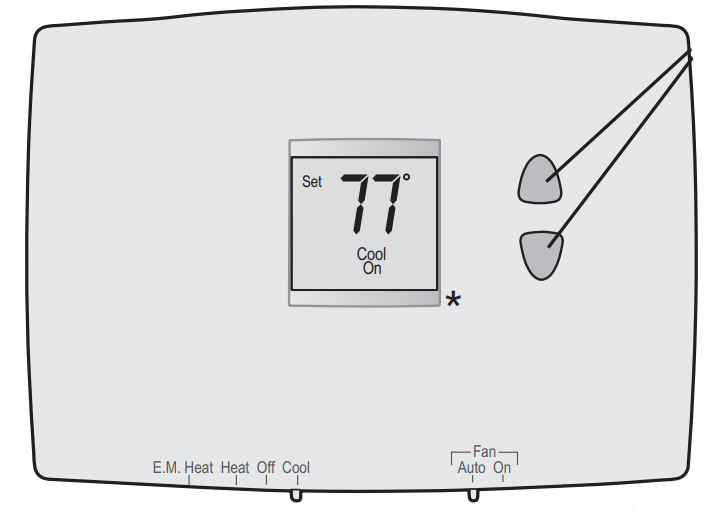
Users control HVAC operation using the physical system switch.
Available System Modes
- Heat: Activates heating equipment
- Cool: Activates air conditioning
- Off: Disables HVAC system
Changing the switch position determines whether heating or cooling will operate when temperature settings are adjusted.
Fan Operation Settings
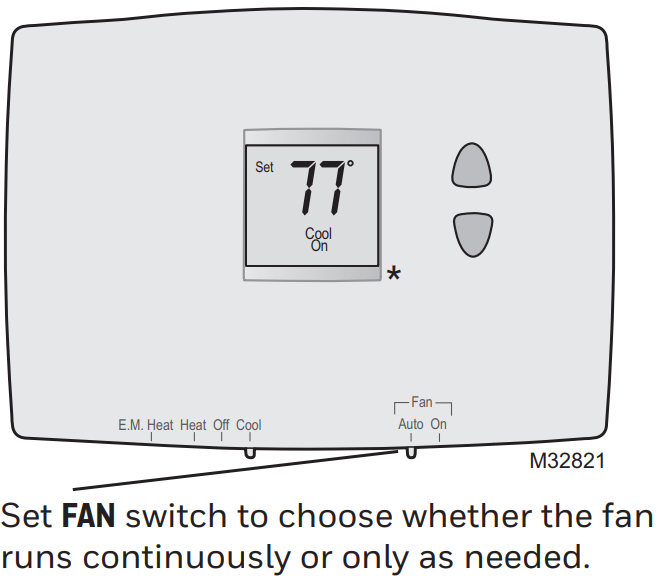
Proper fan settings help regulate airflow and comfort.
Fan Mode Options
| Fan Mode | Operation Behavior |
| Auto | Fan runs only during heating or cooling cycles |
| On | Fan runs continuously |
Continuous fan operation can improve air circulation and temperature balance across rooms.
Battery Replacement Instructions
The thermostat operates on batteries and displays a warning when power is low.
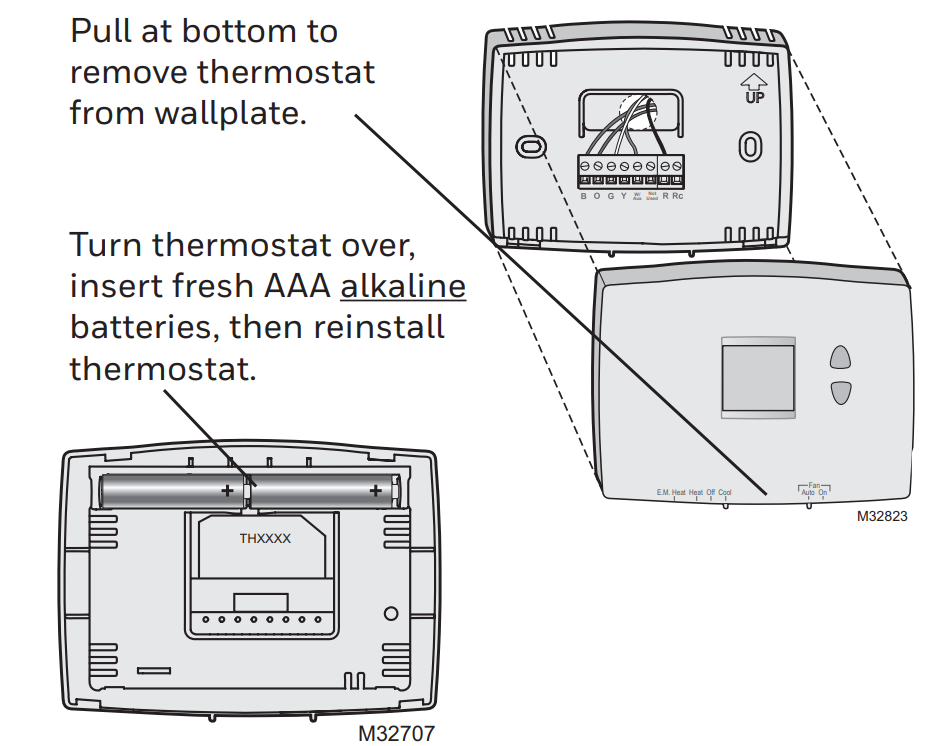
Replace Batteries
- Pull the thermostat straight off the wallplate.
- Remove old batteries.
- Insert fresh alkaline batteries according to polarity markings.
- Reattach thermostat to wallplate securely.
Timely battery replacement prevents display shutdown and HVAC control interruptions.
Compressor Protection Feature
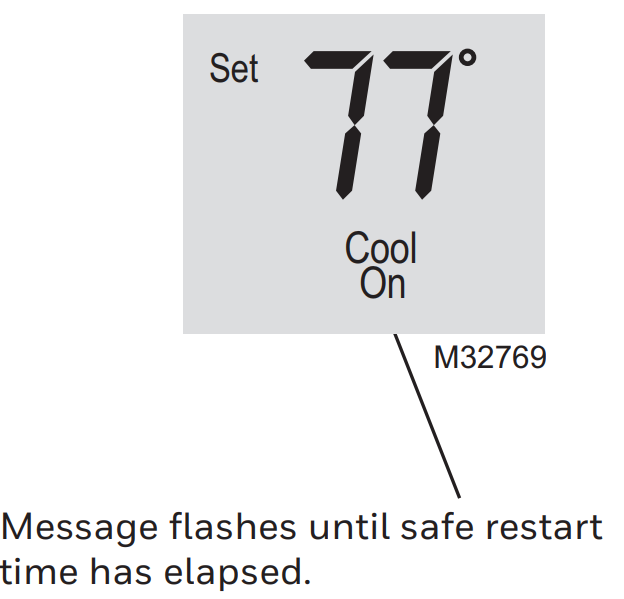
The thermostat includes a built-in delay mechanism to protect HVAC equipment.
Restart Delay
- After temperature adjustment, the system may delay startup for up to five minutes
- This prevents compressor short cycling and equipment damage
Users should allow this delay to complete before making further adjustments.
Honeywell T4 Pro Thermostat User Guide
Troubleshooting Common Problems
Blank Thermostat Display
Check the following:
- Battery condition and proper installation
- Thermostat mounting connection
- HVAC system power supply
Heating or Cooling Not Operating
Possible causes include:
- Incorrect system switch position
- Compressor protection delay active
- HVAC system power interruption
Following these steps can resolve most basic thermostat issues.
Thermostat Placement Recommendations
For accurate temperature sensing:
- Install thermostat on an interior wall
- Avoid direct sunlight exposure
- Keep away from vents or drafts
- Maintain appropriate mounting height
Proper placement helps ensure consistent indoor comfort performance.
Honeywell T6 Pro Thermostat Installation Guide
Manufacturer Support and Contact Information
For product support, troubleshooting assistance, or warranty inquiries:
Honeywell Home Support Website:
https://www.honeywellhome.com
Customer Support Phone:
1-800-633-3991
Manufacturer:
Resideo Technologies Inc.
1985 Douglas Drive North
Golden Valley, Minnesota, USA
These official support resources provide technical help and service guidance.
Best Practices for Efficient Thermostat Operation
- Replace batteries annually or when warning appears
- Use Auto fan mode for energy efficiency
- Avoid rapid temperature adjustments
- Keep thermostat clean and unobstructed
- Schedule periodic HVAC system maintenance
Following these recommendations ensures reliable temperature control and extended equipment lifespan.