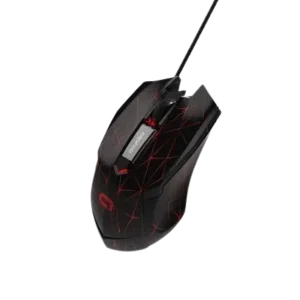
| Document Detail | Information |
| Document Type | User Manual |
| Brand Name | Alpha Gaming by Tzumi |
| Product Name | Warrior Wired Optical Computer Mouse |
| PDF File Size | 0.53 MB |
| Number of Pages | 1 |
| Languages Covered | English |
Alpha Gaming Warrior Wired Computer Mouse
The Alpha Gaming Warrior Wired Optical Computer Mouse is a USB-connected optical mouse designed for desktop and laptop computers. It combines standard left- and right-click controls with a scroll wheel, forward and backward navigation buttons, adjustable DPI sensitivity, and selectable LED backlighting.
The mouse uses plug-and-play operation, so it can be connected directly to a compatible USB port without installing additional software. Its adjustable sensitivity ranges from 1000 to 6400 DPI, while the built-in LED system provides seven selectable lighting modes. The manual also identifies a rubberized palm rest and ergonomic body shape for normal computer use, work, or gaming.
What’s Included in the Box
The package contains:
- 1 Warrior Wired Computer Mouse
- User Manual
Product Overview and Main Features
The Warrior mouse uses a wired USB connection and includes additional buttons for navigation, sensitivity adjustment, and lighting control.
Key features listed in the manual include:
- Wired USB connection.
- Support for USB 1.0, USB 1.1, and USB 2.0 ports.
- Compatible with desktop and laptop computers.
- Left-click and right-click buttons.
- Scroll wheel.
- Forward and backward navigation buttons.
- DPI adjustment button.
- Customizable DPI settings.
- Selectable LED backlight settings.
- Smooth rubberized palm rest.
- Ergonomic mouse shape.
Parts and Button Functions
The product diagram identifies the following controls and components.
| Part | Function |
| Cable | Provides the wired USB connection to the computer |
| Left-Click Button | Standard primary mouse button |
| Right-Click Button | Standard secondary mouse button |
| Scroll Wheel | Used for page and document scrolling |
| DPI Button | Used for DPI sensitivity selection |
| Forward Button | Provides forward navigation where supported |
| Backward Button | Provides backward navigation where supported |
| Mouse Body / Palm Rest | Main ergonomic grip and palm-support area |
Setup and Operation
The Alpha Gaming Warrior mouse uses plug-and-play functionality.
How to Connect the Warrior Mouse
- Locate an available USB port on the desktop or laptop computer.
- Insert the mouse’s USB connector into the USB port.
- The computer can then use the mouse without additional software installation.
The manual states that no extra software is necessary for basic operation.
The mouse supports USB 1.0, USB 1.1, and USB 2.0 connections.
LED Behavior During Sleep Mode
The LED backlight automatically turns off when the connected computer is:
- Closed, or
- In Sleep Mode.
DPI Selection
The Warrior mouse provides four DPI sensitivity levels.
DPI, or dots per inch, controls how much pointer movement occurs in response to physical mouse movement. The mouse’s DPI button is used for DPI selection, and the active sensitivity level is identified by an LED color.
| DPI Setting | LED Color |
| 1000 DPI | Green |
| 1600 DPI | Purple — Default |
| 3200 DPI | Blue |
| 6400 DPI | Red |
The default sensitivity setting is 1600 DPI, indicated by a purple LED.
1000 DPI
At the 1000 DPI setting, the mouse displays a green LED.
1600 DPI
The 1600 DPI setting displays a purple LED and is identified in the manual as the default DPI setting.
3200 DPI
At 3200 DPI, the mouse displays a blue LED.
6400 DPI
The highest listed sensitivity is 6400 DPI, identified by a red LED.
LED Backlight Selection
The Warrior mouse includes seven built-in LED lighting modes.
To change the LED backlight mode, the manual instructs the user to click the Left-Click button and DPI button simultaneously.
Each simultaneous press changes the lighting selection among the available modes.
| Mode | LED Backlight Effect |
| Mode 1 | Slow Pulsing |
| Mode 2 | Multicolor Fade — default mode when plugged in |
| Mode 3 | Neon |
| Mode 4 | Quick Pulse |
| Mode 5 | Waltz |
| Mode 6 | 4-Color Fade Cycle |
| Mode 7 | LED Off |
Default LED Mode
When the mouse is connected, Multicolor Fade is the default backlight mode.
Turning the LED Lighting Off
The lighting can be disabled by cycling the backlight selection to Mode 7 — LED Off.
Technical Specifications
The manual lists the following technical specifications for the Alpha Gaming Warrior Wired Optical Computer Mouse.
| Specification | Value |
| Connection | USB, wired |
| USB Support | USB 1.0 / 1.1 / 2.0 |
| Rate of Return | 125 Hz |
| Input Voltage | 5V |
| Working Current | Less than 150 mA |
| DPI Settings | 1000 / 1600 / 3200 / 6400 DPI |
| Default DPI | 1600 DPI |
| Supported Windows Systems | Windows XP, Windows 7, Windows 8/8.1, Windows 10 |
| Supported Mac System | Mac OS V10.X |
Computer Compatibility
The mouse is designed for wired USB operation with desktop and laptop computers.
The manual specifically lists support for:
- Windows XP
- Windows 7
- Windows 8
- Windows 8.1
- Windows 10
- Mac OS V10.X
The computer must have a compatible USB connection.
Using the Navigation Buttons
The mouse includes separate Forward and Backward buttons on its side.
These controls provide additional navigation input alongside the standard left-click, right-click, and scroll-wheel controls.
The manual identifies these buttons by name but does not provide application-specific behavior, so their exact result may depend on the software or operating environment in which they are used.
Safeguards
The Warrior mouse should not be disassembled or modified.
The manual warns that attempting to disassemble or modify the mouse:
- Violates any warranty that may be in place.
- May cause permanent damage to the unit.
Only the product controls and functions described in the manual should be used for normal operation.
Product and Distribution Information
The manual identifies the product as an Alpha Gaming Warrior Wired Optical Computer Mouse and displays the Tzumi brand mark.
The document states that the product was distributed by Tzumi Inc., New York, NY 10016, and carries a © 2019 Tzumi copyright notice.
The manual also states that the product was made in China.
Frequently Asked Questions
Does the Alpha Gaming Warrior mouse require software?
No. The manual states that no additional software installation is required. The mouse uses plug-and-play functionality and becomes ready for use after it is connected to a compatible USB port.
How is the Alpha Gaming Warrior mouse connected to a computer?
The mouse uses a wired USB connection. Its USB connector should be plugged into a compatible USB port on a desktop or laptop computer.
What DPI settings does the Warrior mouse support?
The mouse supports 1000, 1600, 3200, and 6400 DPI. The default setting is 1600 DPI.
What do the DPI LED colors mean?
The DPI indicators are:
- Green — 1000 DPI
- Purple — 1600 DPI
- Blue — 3200 DPI
- Red — 6400 DPI
Purple corresponds to the default 1600 DPI setting.
How are the LED backlight modes changed?
The Left-Click button and DPI button should be clicked simultaneously to change the LED backlight mode. The mouse provides seven lighting selections.
What is the default LED lighting mode?
Multicolor Fade is identified as the default LED mode when the mouse is plugged in.
Can the Warrior mouse lighting be turned off?
Yes. Mode 7 is the LED Off setting.
Why did the mouse LEDs turn off when the computer went to sleep?
This is normal behavior described in the manual. The LED backlight turns off while the connected computer is closed or in Sleep Mode.