
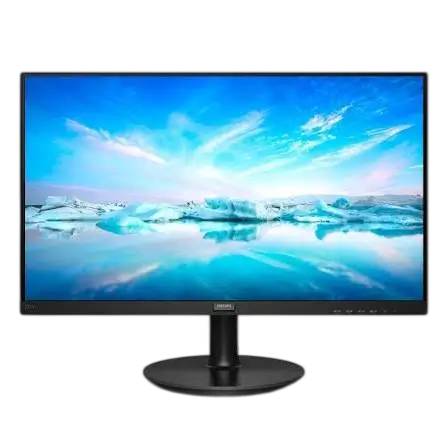
This Philips LCD monitor information booklet collects the safety, mounting, battery, warranty, and compliance details that apply to the display. It is written for the whole product family, so many entries are marked “applicable models” only. Check your own monitor’s separate user manual for ports, controls, and exact specifications. The booklet is most useful before you set the monitor up. It explains how to place the monitor safely, how to stop it from tipping over, what to know about wall mounting, and who to contact for warranty or repair help.
Safety Instructions
Power and Electrical Safety
Use only the specified power supply. An incorrect voltage can cause malfunction, fire, or electric shock (p. 3). A few related rules:
- The building circuit breaker should be rated 120/240 V, 20 A maximum.
- If the power cord has a 3-pin plug, connect it to a grounded 3-pin outlet. Never defeat the grounding pin with a 2-pin adapter.
- On models without an AC switch, keep a pluggable outlet near the monitor so it is easy to reach.
- On applicable models, connect the USB Type-C port only to equipment with a fire enclosure that meets IEC 62368-1 or IEC 60950-1.
- Switch the monitor off when you will not use it for a long time.
Placement and Environment
Keep the monitor within these conditions for best performance and a longer service life (p. 3):
| Condition | Range |
| Temperature | 0 °C to 40 °C (32 °F to 104 °F) |
| Humidity | 20% to 80% RH |
| Altitude | 0 m to 5,000 m (0 ft to 16,404 ft) |
Do not expose the monitor to dust, rain, water, or excessive moisture. Do not block the ventilation holes, and remove anything that could fall into them or interfere with cooling. Avoid using controls, adjustments, or procedures other than those documented, since that can expose you to shock, electrical, or mechanical hazards.
Headphone Volume
Excessive sound pressure from earphones and headphones can cause hearing loss. Setting the equalizer to maximum raises the output voltage and the sound pressure level, so avoid long listening sessions at high volume.
Preventing the Monitor from Tipping
A falling monitor can cause serious injury or death, especially to children. Fasten the LCD to a wall with a cord or chain that can support the monitor’s weight (p. 76). The cord attaches with an M4 or M6 screw. Choose the method that matches your monitor:
- Models with a VESA mount: Install screws with a ring in the VESA mount holes, then tie the cord or chain to the wall.
- Models without a VESA mount: Tie the cord or chain to the stand, then fix it to the wall.
Installation should be done by a qualified technician. For monitors with a net weight of 7 kg or more, pick the tipping-prevention method that suits your setup. Your monitor’s design may differ from the illustrations.
Additional precautions from the stability warning (p. 4):
- Use only cabinets, stands, or installation methods the manufacturer recommends, and furniture that can safely support the monitor.
- Never let the monitor overhang the edge of its support, or place it on cloth between the monitor and the furniture.
- Never put it on tall furniture, such as a cupboard or bookcase, unless both are anchored to a suitable support.
- Route cords so they cannot be tripped over, pulled, or grabbed.
- Keep toys and remote controls off the monitor and the furniture beneath it.
- Apply the same precautions if you move or relocate an existing monitor.
Wall Mounting Specifications
The package does not include wall mount parts. If you need wall mounting, contact the manufacturer (p. 5). Possible values are below, so confirm the figures for your model in its product specifications.
| Item | Possible values |
| Hole spacing | 75 × 75 mm, 100 × 100 mm, 200 × 100 mm, or 200 × 200 mm |
| Number of screws | 2 or 4 |
| Screw size | M4 or M6 |
| Thread depth | 8 mm, 10 mm, or 12 mm |
Remote Control and Battery Safety
On applicable models, the supplied remote control contains a coin or button cell battery. If swallowed, it can cause severe internal burns in as little as 2 hours and can lead to death (p. 4). Keep new and used batteries away from children. If the battery compartment does not close securely, stop using the remote and keep it out of children’s reach. If you suspect a battery was swallowed or placed inside any part of the body, seek immediate medical attention.
To install or replace batteries (p. 5):
- Press and slide the cover to open it.
- Align the batteries with the (+) and (–) marks inside the compartment.
- Replace the cover.
To prevent leaks or bursting, do not mix battery types, and do not combine new batteries with used ones. Remove dead batteries right away, and take them out if you will not use the remote for a long time. Do not touch exposed battery acid.
Batteries must never be burned, crushed, cut, or left in extreme heat or very low air pressure, and replacing one with the wrong type risks fire or explosion. In the EU, used batteries go to a separate collection system. In Switzerland, return them to the selling point. Elsewhere, ask your local authority for the correct disposal method.
Warranty and Support
Warranty periods for Philips monitors are listed by region (p. 100):
| Region | Product category | Warranty |
| USA, Canada | All monitors | 4 years |
| USA, Canada | Refurbished monitors | 90 days |
| Mexico, Chile, Peru | All monitors | 3 years |
| China, Asia Pacific, MEA | All monitors | 3 years |
| Europe | C, E lines and B, M, S, X, P, V lines | 3 years |
| Brazil | EPEAT registered models | 3 years |
TCO Certified Generation 10 models can have a 5-year warranty, with at least the first year free of charge. Extended warranty costs up to 15% of the product’s MSRP per year. For areas not in the table, follow the local warranty statement.
Selected consumer care numbers (p. 135): U.S.A. (+1) 877 835-1838, Canada (+1) 800 479-6696, and United Kingdom (+44) 207 949 0069. More regions are listed at www.philips.com/support.
Certifications and Compliance
- TCO Certified (p. 81): Applicable models meet this third-party certification, which follows ISO 14024. For compliance, the monitor uses User Define mode. Reset the monitor first. If a prompt appears, select “Proceed.”
- EPEAT: On registered models, firmware updates are available for 8 years after the end of market placement.
- ENERGY STAR: Qualifying models meet the standard in their default settings. Changing factory picture settings or enabling other features can raise power use above the qualifying limit (p. 87).
- FCC and Canada (p. 94): The device complies with Part 15 of the FCC Rules and is a Class B digital apparatus. Connect it to a computer only with the RF-shielded cable supplied with the monitor.
- Operating system updates: On TCO Certified Generation 10 models with an operating system, security, corrective, and functionality updates are available for 5 years after the end of market placement (p. 122).
Spare Parts and Repairs
Spare parts are repairable or replaceable, not upgradeable. For EPEAT registered products, parts are available for at least 5 years after sale or 2 years after production ends, whichever is later. For other products, the minimum is 3 years after sale or 1 year after production ends, whichever is later (p. 126).
| Part | Replaceable | Repairable | How |
| Connectivity and power cables | Yes | No | By hand, no tools |
| Display panel or assembly | Yes | Yes | Contact service center |
| Internal power supply | Yes | Yes | Contact service center |
| System board | Yes | Yes | Contact service center |
| External power supply | Yes | Yes | Replace per above; contact service for repair |
Confirm cable specifications with your dealer or local service center before ordering. The external power supply applies only to models that have one.
Frequently Asked Questions
How do I keep my Philips monitor from falling over?
Secure it to a wall with a cord or chain strong enough to hold its weight, using an M4 or M6 screw. Models with a VESA mount anchor the cord through the VESA holes. Other models tie it to the stand first. Have a qualified technician do the work.
What conditions is the monitor designed for?
Use it between 0 °C and 40 °C, in 20% to 80% relative humidity, at altitudes up to 5,000 m. Keep it away from dust, rain, water, and heavy moisture.
Does the box include wall mount hardware?
No. The package has no wall mount spare parts, so contact the manufacturer. Hole spacing and screw details depend on your model’s specifications.
How long is the warranty in the United States?
All new monitors carry 4 years in the USA and Canada, and refurbished monitors carry 90 days. TCO Certified Generation 10 models can have an available 5-year warranty.
What should I do if someone swallows the remote’s battery?
Seek immediate medical attention. A swallowed coin or button cell can cause severe internal burns within 2 hours.
Can I replace parts myself?
Cables can be replaced by hand without tools. Confirm the specification with your dealer or service center first. Panels, power supplies, and system boards should go through your local service center.
Where do I find setup steps and full specifications?
This booklet does not include them. Refer to your monitor’s separate user manual, or visit www.philips.com/support.