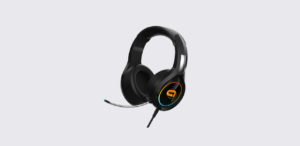
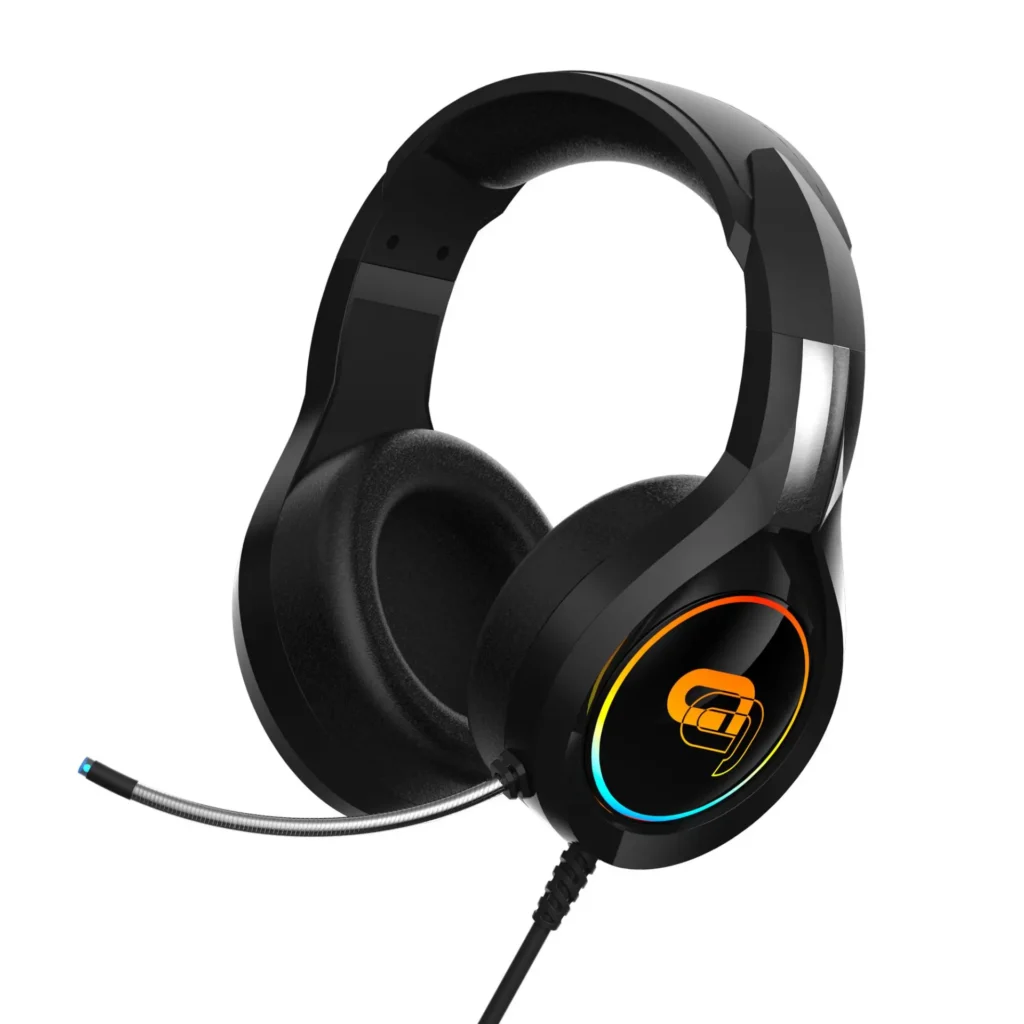
The TZUMI gaming dragon headset is a wired RGB gaming headset designed for immersive audio, clear communication, and long gaming sessions. It combines stereo sound, a flexible microphone, and a comfortable design to deliver a balanced gaming experience.
This manual explains how to set up, use, and maintain the headset step by step. Even if someone is new to gaming accessories, they can follow this guide and start using the headset without confusion.
About Gaming Dragon Headset
The TZUMI gaming headset focuses on comfort, sound quality, and simplicity. It uses a wired connection, which ensures stable audio without lag or interruptions.
According to the official manual, the headset offers true stereo sound (2.1 channel) and a high-sensitivity microphone, making it suitable for gaming, voice chat, and media use.
It works across multiple platforms, including PCs and gaming consoles, which makes it a flexible option for different users.
Key Features and Benefits
The headset includes practical features that improve both performance and comfort.
Core Features
- True stereo sound (2.1 channel)
- High-sensitivity flexible microphone
- RGB LED lighting effects
- Comfortable over-ear design
- Adjustable headband for long sessions
- Easy plug-and-play setup
These features make the headset useful for gaming, streaming, and everyday listening.
Product Parts and Components
Understanding the headset’s parts helps users connect and operate it correctly.
Main Components
- Audio plug (3.5mm jack)
- Microphone plug (separate input)
- USB connector (for LED lights)
- Microphone (flexible)
- LED lighting rings
- Speaker drivers
- Volume control knob
- 3.5mm Y-splitter adapter
The diagram in the official manual clearly shows these components and their placement.
Each part plays an important role in delivering sound and communication.
How to Set Up the TZUMI Gaming Headset
Setting up the gaming headset is simple and quick. Users do not need any software to start using it.
Step-by-Step Setup Guide
- Connect the headset to the device using the 3.5mm audio jack
- If needed, use the Y-splitter cable to separate audio and microphone inputs
- Plug the USB connector into a USB port (optional, for LED lights only)
- Open the device’s sound settings and adjust audio output
According to the official manual, the USB connection only powers the LED lights and does not affect sound performance.
Device Compatibility
The TZUMI gaming dragon headset works with multiple devices.
Supported Devices
- Desktop computers
- Laptops
- PlayStation consoles
- Xbox consoles
- Nintendo Switch
Some consoles may require additional audio configuration. The manual also notes that certain Xbox controllers may need an adapter.
Audio Performance and Sound Quality
The headset delivers balanced sound across different frequencies. It supports both gaming audio and voice communication.
Audio Specifications
| Feature | Details |
| Speaker Size | 50mm |
| Frequency Range | 20Hz – 20,000Hz |
| Sensitivity | 98 dB ±3 dB |
| Impedance | 21Ω ±15% |
These specs allow the headset to produce clear highs, detailed mids, and deep bass.
Microphone Performance
The built-in microphone ensures clear voice communication during gaming or calls.
Microphone Specifications
| Feature | Details |
| Type | Omnidirectional |
| Sensitivity | -38 dB ±3 dB |
| Impedance | 2.2KΩ |
| Size | 6.0 x 2.7 mm |
The flexible design allows users to adjust the microphone position easily.
RGB Lighting and USB Functionality
The TZUMI gaming headset includes RGB lighting that adds visual appeal.
Key Points
- LED lights activate when USB is connected
- Lighting does not affect sound or microphone
- USB connection is optional
This design allows users to use the headset without LEDs if needed.
How to Use the Headset Effectively
To get the best experience from the TZUMI gaming headset, users should follow a few simple tips.
@thenetguy A gaming headset for all your devices with USB adapter included. #xbox #headset #ps5 #gaming ♬ original sound – The Net Guy Reviews
Usage Tips
- Adjust the headband for a comfortable fit
- Position the microphone near the mouth for clear audio
- Use system sound settings to balance volume
- Keep the headset at a moderate volume to protect hearing
These small adjustments improve both comfort and performance.
Cleaning and Maintenance
Regular cleaning helps maintain the headset’s condition and performance.
Cleaning Steps
- Turn off and disconnect the headset
- Use a soft, dry cloth to clean the surface
- Avoid using water or chemical cleaners
The official manual warns against using abrasive materials or strong chemicals, as they can damage the headset.
Safety Guidelines
Users should follow these precautions to ensure safe usage.
- Do not expose the headset to moisture
- Do not pull or twist the cables
- Avoid dropping the headset
- Keep away from extreme temperatures
- Handle connectors carefully
Following these guidelines helps extend the life of the device.
Troubleshooting Common Issues
If the headset does not work properly, users can try these solutions.
Problem: No Sound
Solution:
- Check audio connection
- Ensure correct output device is selected
- Increase system volume
Problem: Microphone Not Working
Solution:
- Check microphone plug connection
- Adjust system microphone settings
- Position microphone correctly
Problem: LED Lights Not Working
Solution:
- Check USB connection
- Try another USB port
Most issues are easy to fix with basic checks.
Technical Specifications
| Feature | Details |
| Interface | USB + Dual 3.5mm Jack |
| LED Voltage | DC 5V ±5% |
| LED Current | 30 mA |
| Cable Length | 2m ±0.5m |
These specifications confirm that the headset is designed for stable and reliable performance.
Customer Support Information
If users need help with the TZUMI gaming headset, they can contact support:
- Phone: 1-855-GO-TZUMI
- Email: support@tzumi.com
- Website: www.tzumi.com
Support teams can assist with setup, troubleshooting, and general questions.
Frequently Asked Questions
Does the headset require software?
No. It works instantly after plugging it in.
What is the USB cable used for?
The USB cable powers the RGB lights only.
Can the headset work without USB?
Yes. Audio works through the 3.5mm jack.
Why is the microphone not working?
Check the microphone plug and system settings.
Is the headset compatible with consoles?
Yes. It works with most gaming consoles, but some may require additional setup.