
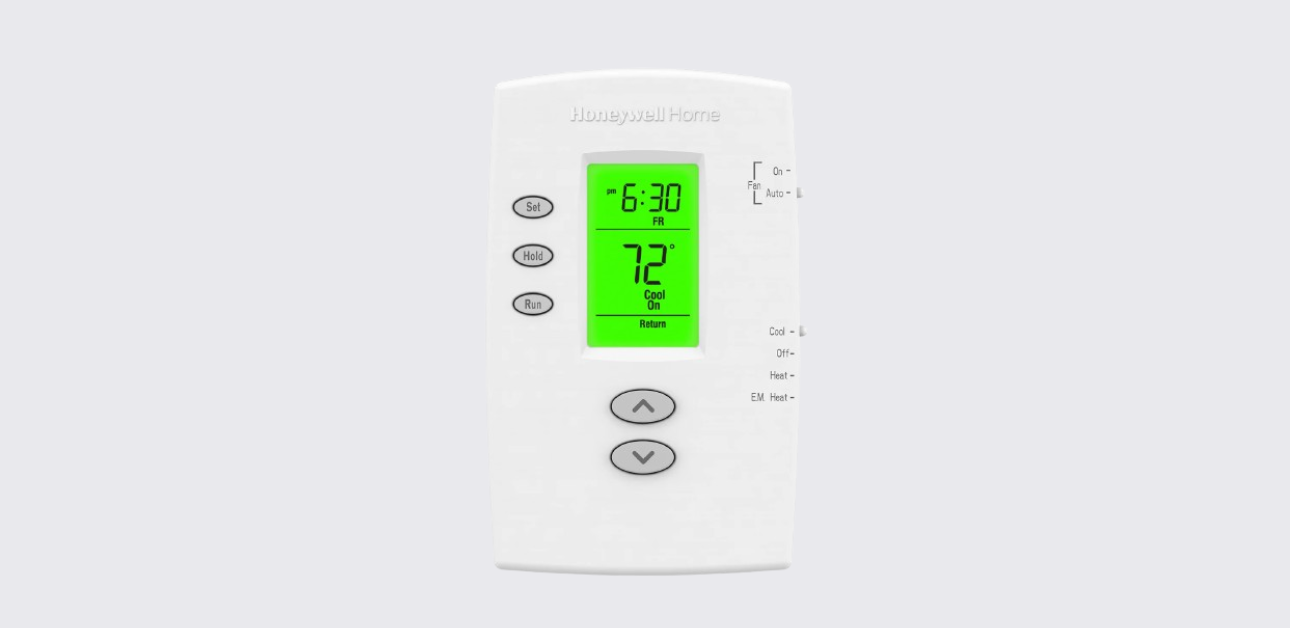
The Honeywell PRO 2000 Series programmable thermostat is designed to provide dependable temperature control for residential heating and cooling systems. This guide explains the product overview, key features, system compatibility, operating basics, and maintenance insights to help users understand how the thermostat works and how to get the best performance from it.
Whether you are setting up a new thermostat or reviewing system controls, this structured guide provides clear operational knowledge and practical usage recommendations.
Product Overview
The PRO 2000 Series thermostat is a user-friendly programmable HVAC controller built for everyday comfort management. It enables homeowners to maintain consistent indoor temperatures while reducing unnecessary energy use through scheduling and manual override functions.
Key Highlights
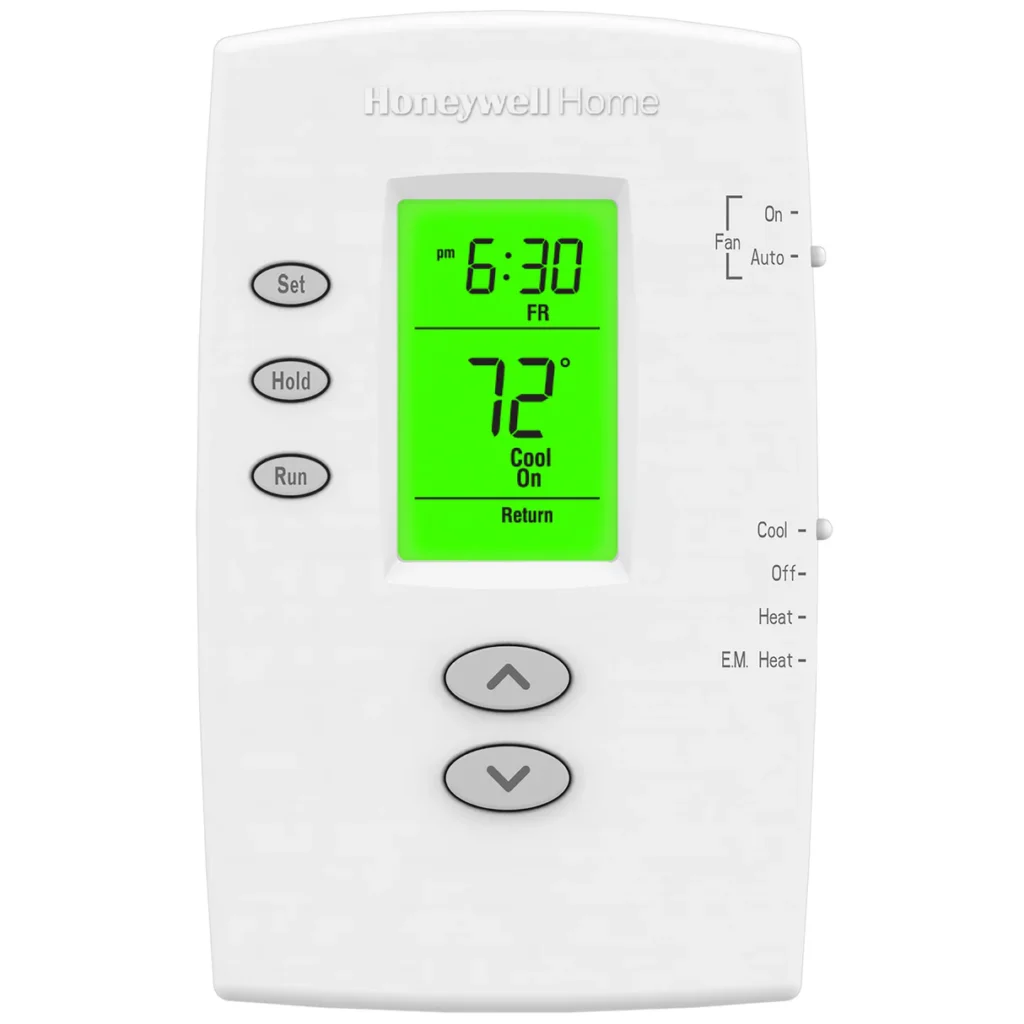
- Simple programmable temperature scheduling
- Compatible with select conventional and heat-pump HVAC systems
- Backlit digital display for easy visibility
- Manual temperature override with hold function
- Battery-powered operation for flexible installation
- Dedicated system and fan mode controls
This thermostat series is typically used in single-stage heating and cooling applications, making it suitable for apartments, homes, and small office environments.
System Compatibility
Understanding HVAC compatibility is essential before installation or configuration.
Supported HVAC Configurations
| System Type | Compatibility |
| Conventional heating systems | Supported |
| Central air conditioning systems | Supported |
| Heat pump systems | Supported on specific models |
| Multi-stage systems | Not supported |
The thermostat sends control signals to activate heating or cooling cycles based on programmed schedules or manual adjustments.
Thermostat Controls and Display Functions
The thermostat features a clear digital interface that provides quick access to core temperature and scheduling controls.
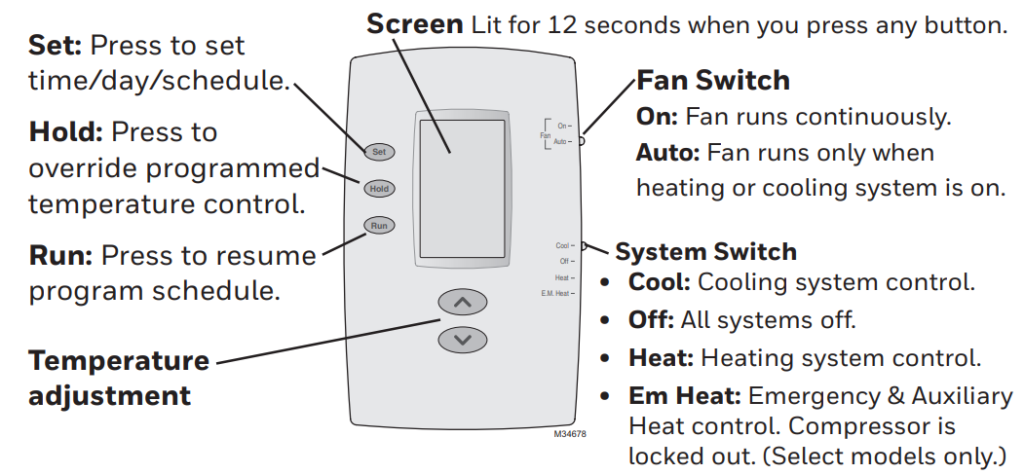
Main Control Elements
- Temperature adjustment buttons
- System mode selector switch
- Fan operation switch
- Program and schedule buttons
- Hold and Run schedule options
- Backlit display screen
Display Behavior
- The screen illumination activates briefly after pressing any button
- Shows current room temperature and set temperature
- Displays system status such as heating or cooling operation
This layout allows users to manage comfort settings without complex menu navigation.
Honeywell PRO 2000 Series Thermostat Operating Manual
System Mode Settings
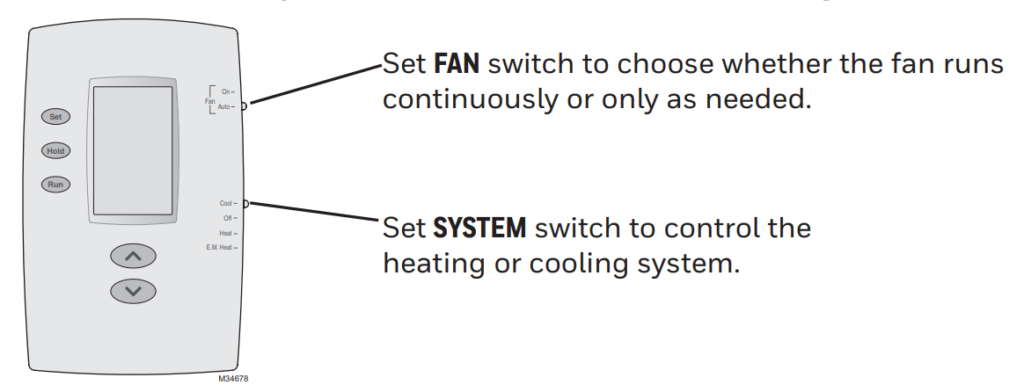
The thermostat includes a system switch to control how the HVAC system operates.
Available System Modes
- Heat: Activates the heating system
- Cool: Activates air conditioning
- Off: Turns off heating and cooling
- Emergency Heat: Available on heat-pump compatible models
Selecting the correct system mode ensures proper temperature regulation throughout seasonal changes.
Fan Operation Settings
Fan control determines how indoor air circulates within the HVAC system.
Fan Mode Options
- Auto Mode
- Fan runs only when heating or cooling is active
- Helps improve energy efficiency
- On Mode
- Fan runs continuously
- Improves indoor air circulation and ventilation
Continuous fan operation may slightly increase energy use but can improve comfort consistency.
Temperature Scheduling and Programming
One of the main advantages of the PRO 2000 Series thermostat is its ability to maintain scheduled temperature settings automatically.
Benefits of Scheduling
- Maintains comfort during occupied hours
- Reduces energy usage during sleep or away periods
- Minimizes manual adjustments
Hold and Run Schedule Functions
- Temporary Hold
- Overrides programmed temperature for a short period
- Permanent Hold
- Maintains a fixed temperature until schedule is resumed
- Run Schedule
- Returns thermostat to programmed settings
These functions provide flexibility for changing daily routines.
Honeywell T5+ Smart Thermostat Quick Install Guide
Honeywell T9 Smart Thermostat User Guide
Manual Temperature Adjustment
Users can manually adjust the temperature at any time using the up and down controls.
When Manual Adjustments Are Useful
- Sudden weather changes
- Guests visiting
- Temporary comfort preference changes
After manual changes, users can return to automated scheduling to maintain efficiency.
Power Supply and Battery Maintenance
The thermostat operates using internal batteries, allowing installation without complex wiring modifications.
Battery Replacement Guidelines
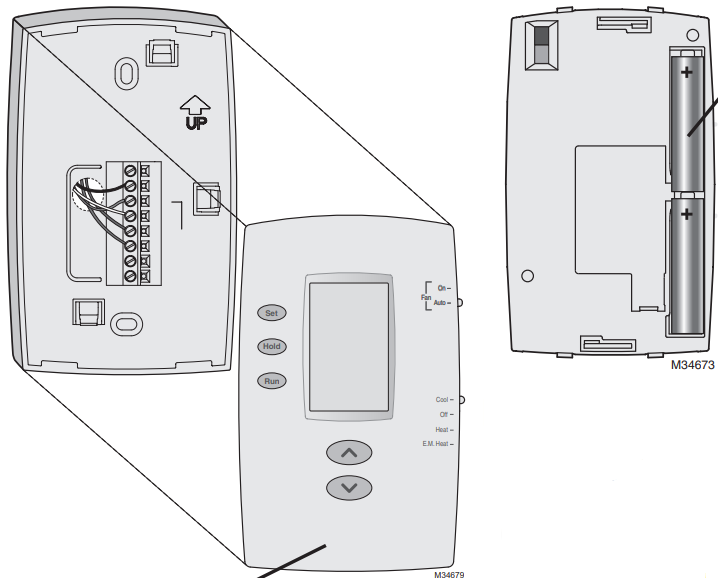
- Replace batteries when low-battery indicator appears
- Access battery compartment by gently removing the thermostat front panel
- Install new batteries following correct polarity markings
Regular battery replacement ensures uninterrupted thermostat performance.
Heating and Cooling Operation Logic
The thermostat controls HVAC equipment by sending signals based on programmed temperature thresholds.
How Temperature Control Works
- When room temperature drops below the heating setpoint → heating system activates
- When room temperature rises above cooling setpoint → air conditioning activates
This automatic response helps maintain stable indoor comfort.
Basic Wiring and System Application Reference
The PRO 2000 Series thermostat is typically used in single-stage HVAC wiring configurations. Proper wiring selection depends on system type and thermostat model variant.
For accurate installation, always refer to a professional HVAC technician or official installation documentation.
Energy Efficiency Considerations
Using programmed schedules and proper fan settings can help reduce energy costs.
Efficiency Tips
- Set lower heating temperatures during sleep hours
- Raise cooling temperature slightly when away
- Use Auto fan mode for optimized energy use
- Avoid frequent manual overrides
Consistent scheduling helps maintain balanced energy consumption.
Honeywell T10 Pro Smart Thermostat Installation Guide
Troubleshooting Overview
Common operational concerns can often be resolved with simple checks.
Quick Troubleshooting Steps
- Ensure system mode switch is set correctly
- Check battery condition
- Verify HVAC power supply
- Confirm temperature settings are within operating range
If issues persist, professional service may be required.
Safety and Usage Recommendations
- Install thermostat away from direct sunlight or drafts
- Avoid mounting near heat-producing appliances
- Keep thermostat clean and dry
- Follow HVAC manufacturer guidelines
Correct placement improves temperature accuracy and performance.
Honeywell T10 Pro Smart Thermostat Getting Started Guide
Honeywell Customer Support
For technical support, warranty assistance, or product inquiries, users can contact Honeywell Home support.
Customer Support (USA):
Phone: 1-800-633-3991
Website: https://www.honeywellhome.com
Always keep product model information available when contacting support.